

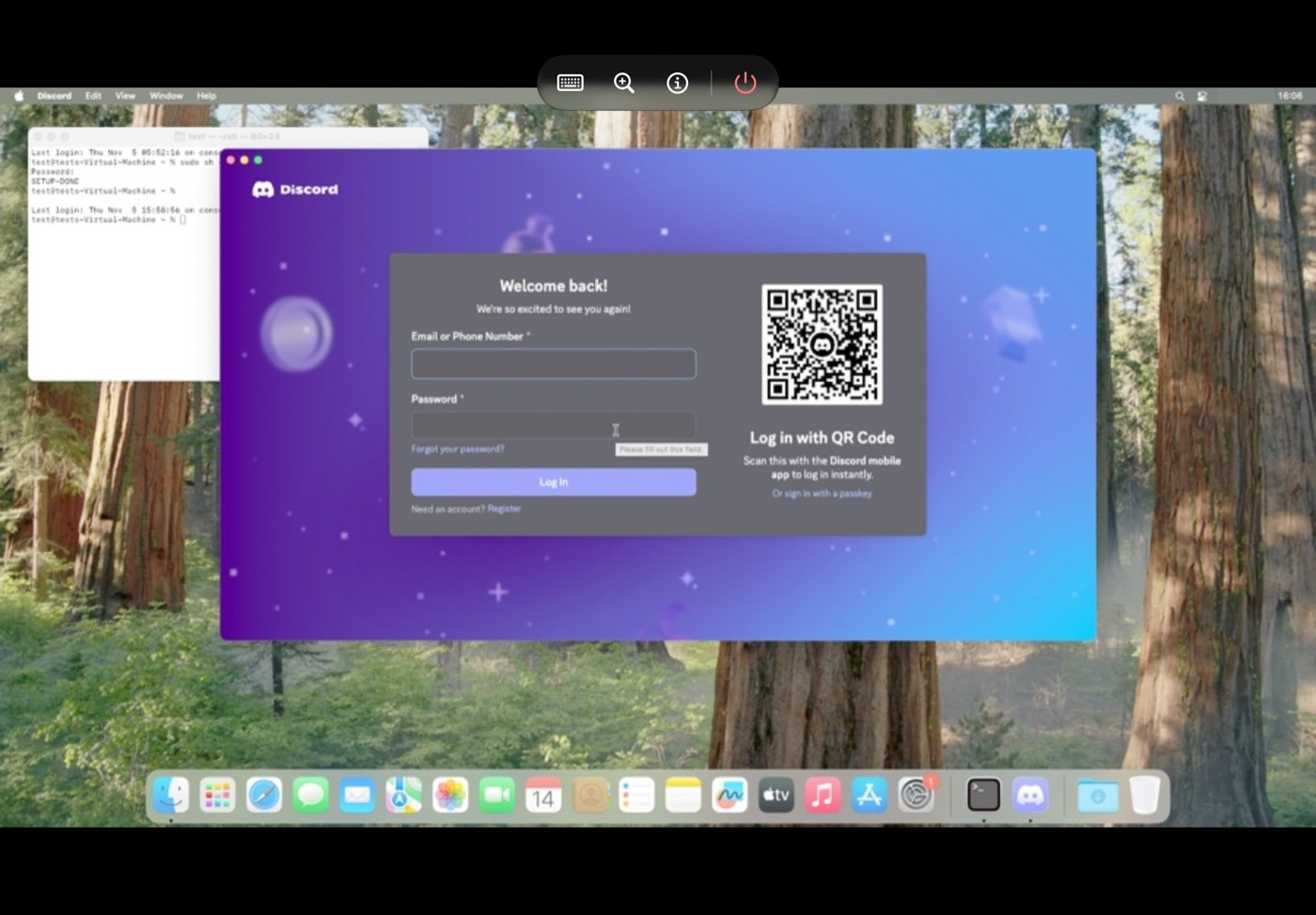
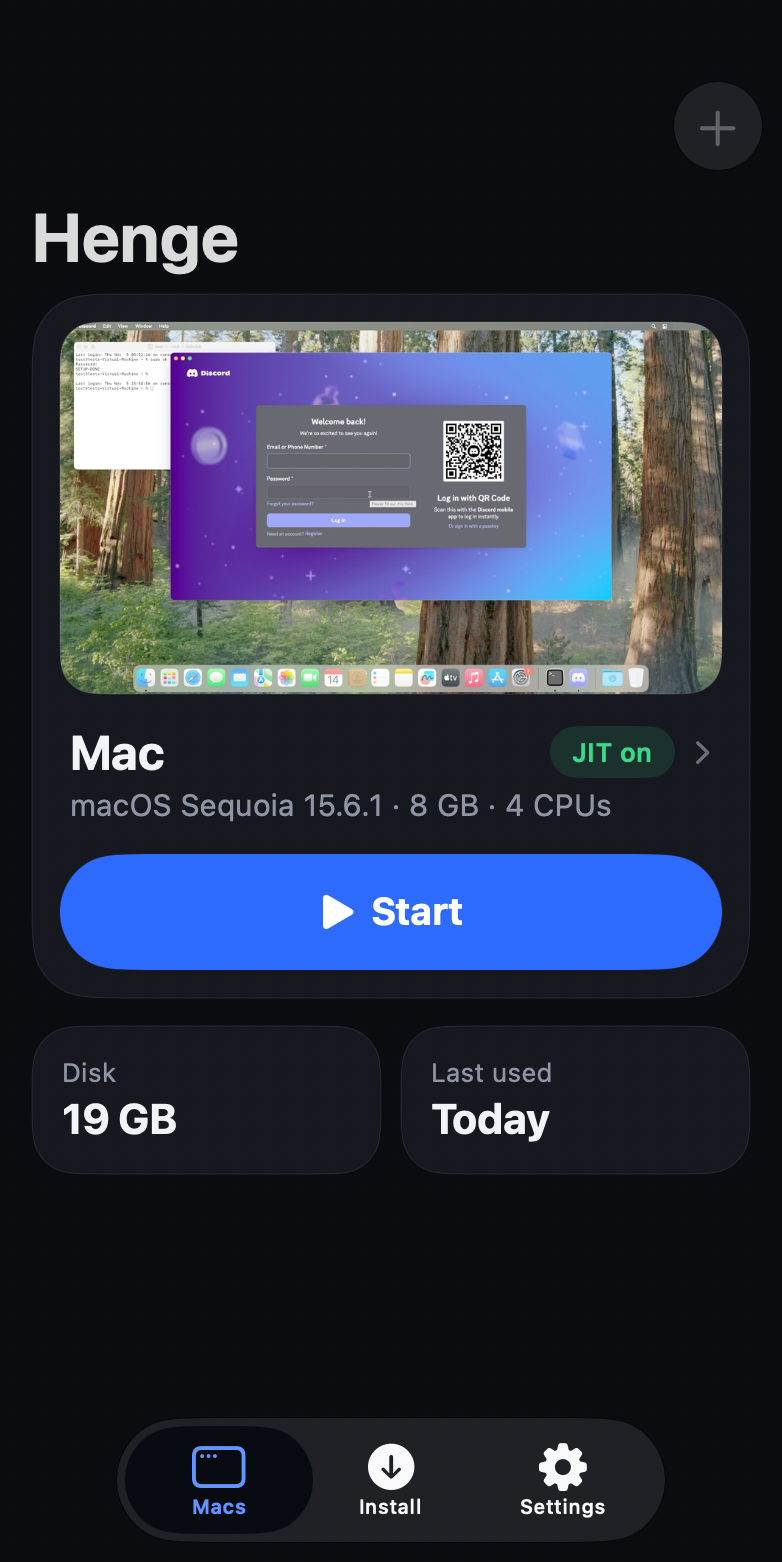
Running full desktop operating systems on mobile hardware has long been a dream for power users. The open-source Henge macOS emulator makes that a reality by booting macOS directly on your iPhone and iPad.
Developed by independent creator Leviidev on GitHub, Henge bypasses platform restrictions and runs macOS desktop to iOS and iPadOS devices.
How Henge Bypasses Hypervisor Limits on iOS
Apple deliberately restricts its native Hypervisor framework on iOS and iPadOS. Traditional virtualization tools like UTM or Parallels cannot run unmodified macOS on mobile devices without those hypervisor entitlements.
Henge solves this problem by engineering a custom arm64 Just-In-Time or JIT compiler alongside a custom Memory Management Unit. This allows the emulator to dynamically translate and execute desktop instructions at near-native speeds.
Graphics rendering is handled through a virtual GPU layer that replays commands directly into Apple Metal. This design delivers hardware-accelerated desktop animations and fluid window management without crashing the host kernel.
On-Device macOS Installation Without a Mac
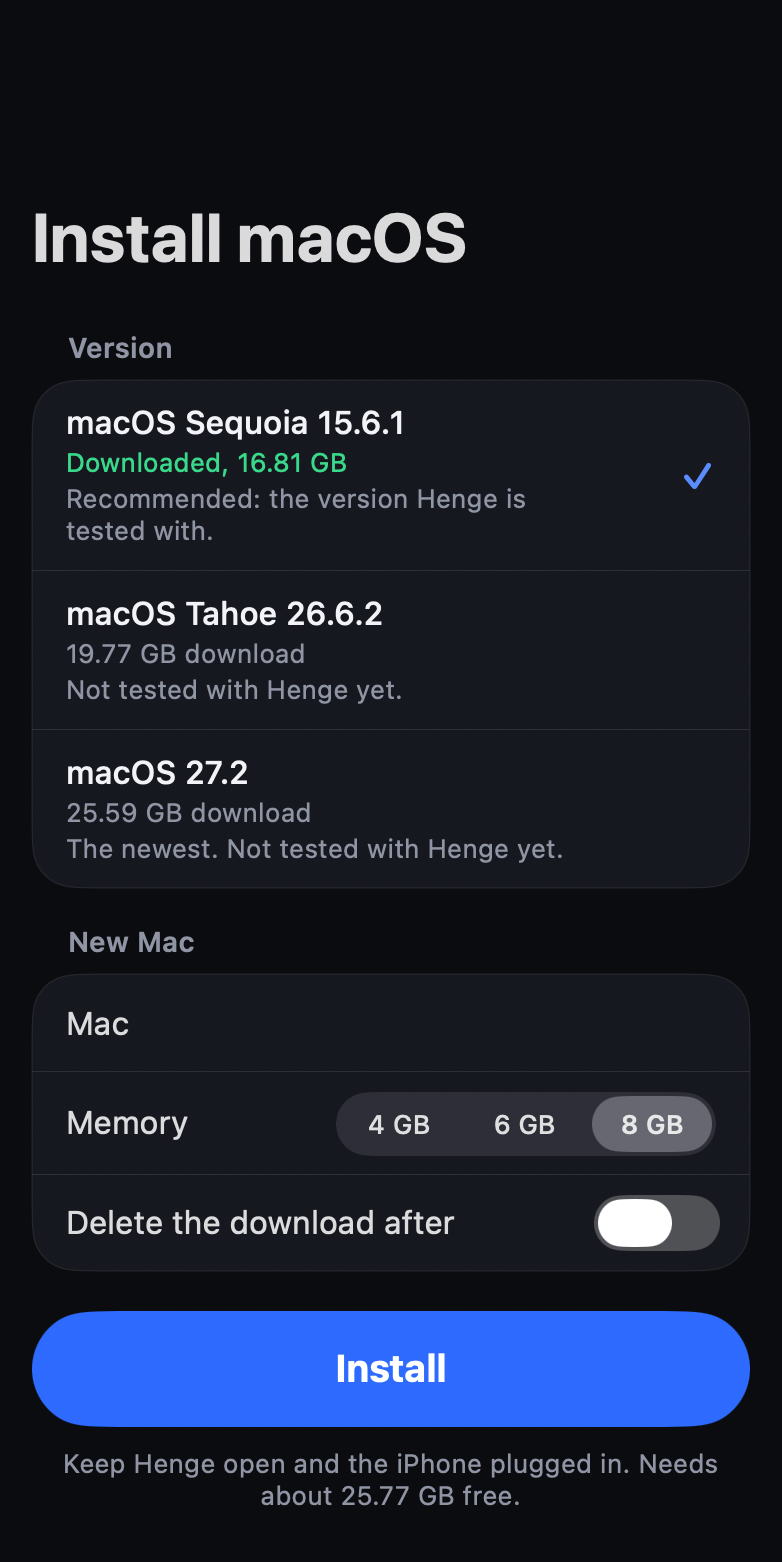
Setting up virtual machines previously required complex disk imaging tools and a separate Mac computer. Henge eliminates that friction by handling the entire installation process on the device itself.
The app connects directly to Apple servers to download official IPSW restore images. Supported releases include macOS Sequoia 15.6.1, macOS Tahoe 26.6.2, and developer builds of macOS 27.2.
Users can allocate storage, customize virtual RAM, and complete the standard macOS setup assistant right from their phone or tablet screen.
External Display Output and Virtual Trackpad Controls
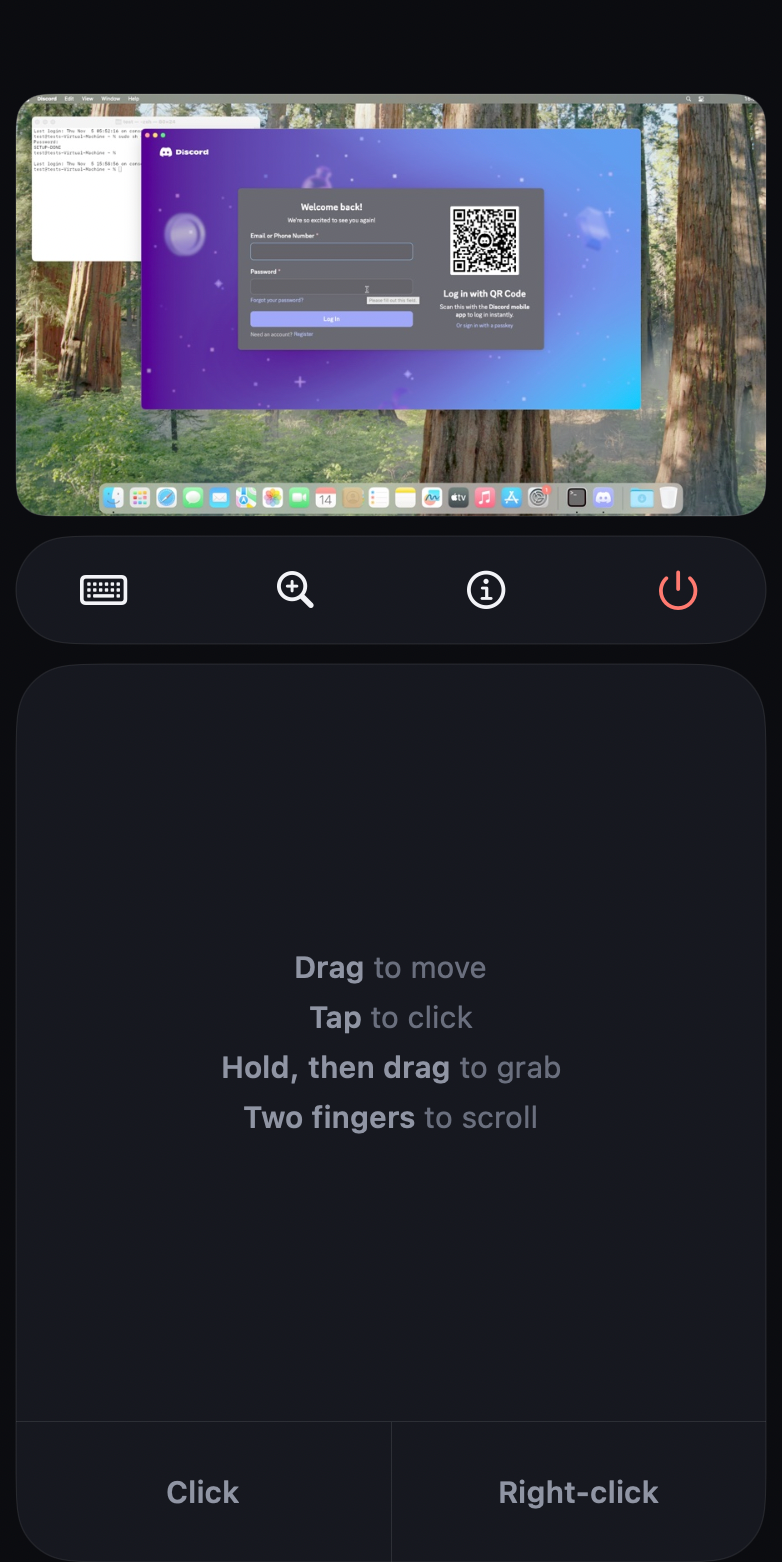
Henge takes full advantage of Apple hardware connectivity. Users can plug their iPhone or iPad into an external monitor using USB-C or HDMI for an expanded desktop workspace.
When connected to an external display, your mobile screen transforms into a multitouch trackpad. A persistent top control bar offers instant access to Mac function keys, modifier toggles, and shortcuts.
On iPadOS, Henge offers full support for Bluetooth keyboards, trackpads, and the Apple Magic Mouse for an authentic desktop workstation experience.
Installation Methods and System Requirements
Because Henge relies on dynamic JIT compilation, it is not distributed through the official Apple App Store. Users must sideload the project using AltStore, SideStore, or TrollStore.
Devices running TrollStore can run the emulator without tethering. Users on standard iOS releases can pair SideStore over local Wi-Fi to keep the JIT compiler activated.
For smooth performance, an Apple Silicon device with an A17 Pro, M1, M2, M4, or later processor and at least 8GB of RAM is strongly recommended.


Leave a Reply