

Samsung has officially released the One UI 9 for the Galaxy S26 Series devices.
The deployment begins today, September 16, starting with the flagship Galaxy S26, Galaxy S26+, and Galaxy S26 Ultra.
Following its debut on the foldable Galaxy Z Fold8 Ultra, Galaxy Z Fold8, and Galaxy Z Flip8, the new update delivers upgraded Galaxy AI capabilities alongside refined daily productivity tools.
My FanCam, Now Brief Cards, and Integrated Device Care
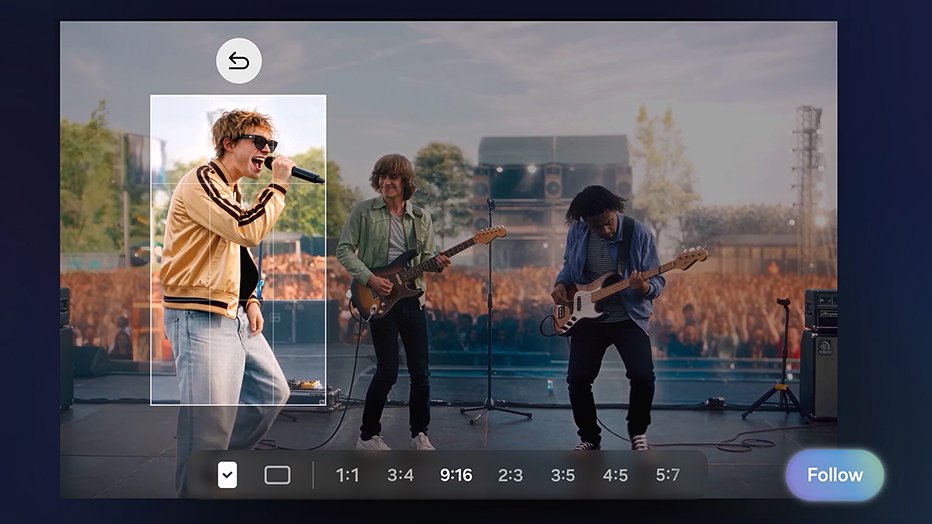
One UI 9 introduces My FanCam, an intelligent video feature that automatically tracks a selected person in recorded footage.
It reframes the scene dynamically to keep your subject centered, producing social-ready clips without requiring tedious manual re-editing.
The daily briefing experience also receives a major refresh through editable generative cards on Now Brief. You can tailor your morning overview with dedicated modules for health, weather, video highlights, and custom routines.
Device maintenance is now consolidated directly into the main Settings menu under Warranty and Care. Galaxy owners can inspect warranty terms across connected hardware, run diagnostic checks, view estimated repair costs, and book Samsung Care+ service appointments seamlessly.
Context-Aware Now Nudge and Enhanced Productivity Upgrades
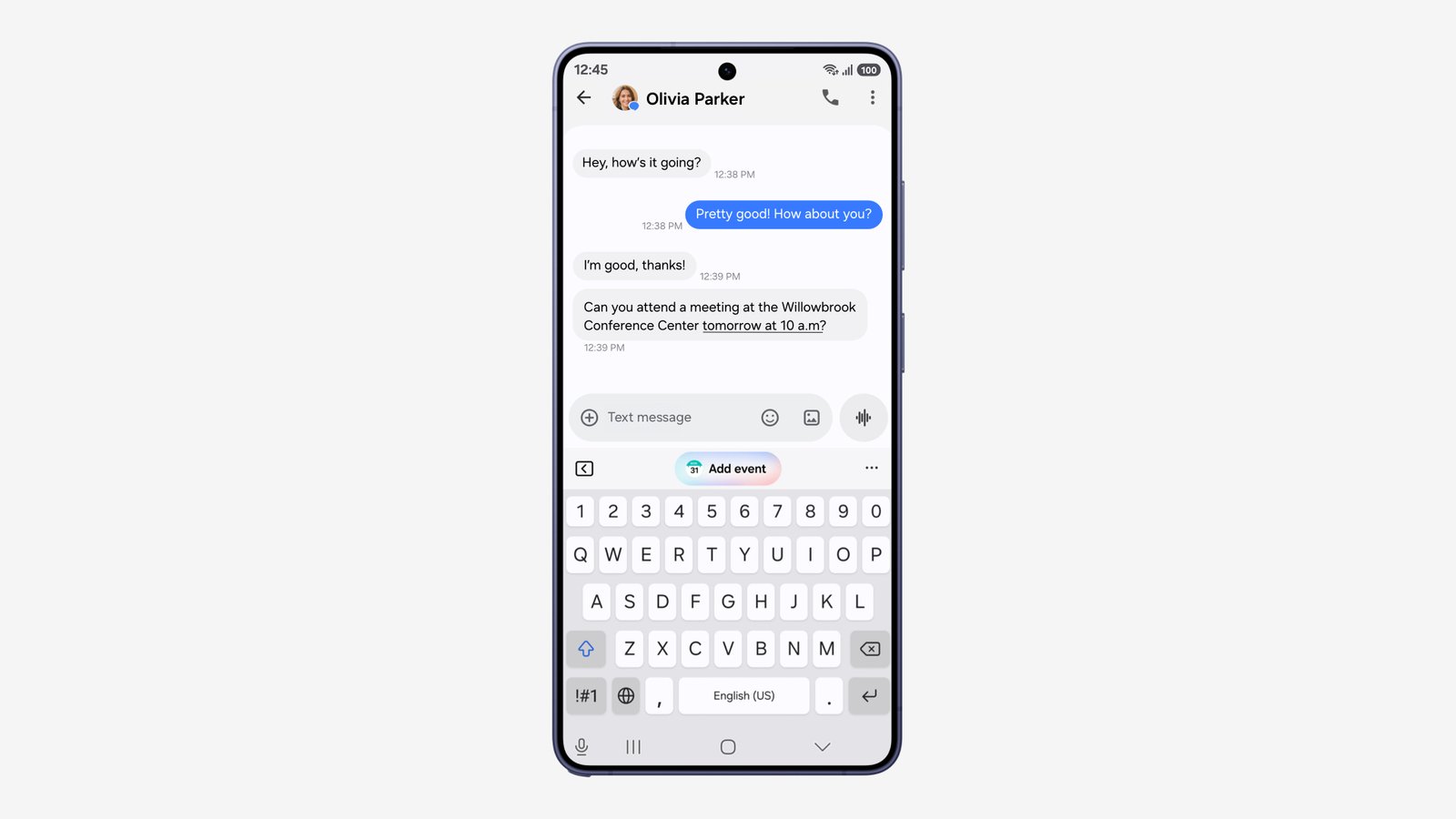
Daily workflow tasks receive a notable boost through Now Nudge, which serves timely contextual prompts across supported communication apps like Samsung Messages, Google Messages, and Google Chat.
When coordinating dinner or meetings over text, the system can fetch reservation details or prompt you to save a shared pin without leaving your chat window.
Creative Studio can also suggest custom image generation prompts based on approaching calendar events such as birthdays, giving you a fast way to design themed greetings directly on your phone.
The built-in Interpreter utility now features a Thread View layout, making it much easier to scroll back through translated dialogues during ongoing conversations.
Conversation Mode translations now operate faster, while audio relay through compatible Galaxy Buds benefits from reduced latency.
Document Scan has also improved its handling of curved book spines and bent page corners with an upgraded Finger Eraser tool. Meanwhile, the native Voice Recorder app now formats transcribed meeting summaries into structured tables and categorized bullet points.
On-Device Privacy Alerts and Expanded Scam Detection
Security remains a central pillar in One UI 9 with the arrival of Security Brief inside Now Brief.
It surfaces real-time alerts regarding background malware, sideloaded APK risks, and unnecessary permission grants.
New on-device Privacy Alerts constantly monitor app behavior to detect unauthorized background access to your sensors and stored data.
Furthermore, Samsung is expanding its AI-driven Scam Detection system to help warn users of suspicious caller patterns across more regions.
Samsung One UI 9 Eligible Devices and Rollout Schedule
Samsung is distributing the One UI 9 firmware update in progressive phases across supported Galaxy smartphones and tablets.
Eligible Galaxy device owners can navigate to Settings > Software update > Download and install to check if the update is ready for their handset.
Leave a Reply