
So here’s a big news and game changer in the living room. PLDT has just launched the PLDT TVolution Box and it now comes in the form of Roku Box. In case you’re not familiar with Roku. They’re a video streaming pioneer and with the Roku Box, it’s an all-in-one plug-and-play entertainment solution for the living room. For PLDT’s TVolution Box not only that you’ll be able to watch my videos on YouTube *winks* but you’ll also be able to watch videos from Netflix, Iflix, and even Cignal.
Yes, you only need an internet connection and a subscription to Cignal in order to watch TV channels on the Roku TVolution Box. Oh and not just that because PLDT’s Roku will also come with other applications that lets you watch videos and even play games such as Text Twist. Roku TVolution boxes are just really great for the living room.
So how can you get it? Well, it’s actually easy for you PLDT subscribers. All you need to do is to add P199 to your monthly billing and voila, you can now watch streaming services from different free or paid channels. The Roku TVolution box comes better with PLDT Home Fibr to experience a fast and flawless HD Stream to your Roku TVolution Box.
OPPO Philippines has recently launched the OPPO F3 which is the smaller brother of the OPPO F3 Plus, the smartphone that reviewed before that has a large display, a dual selfie camera, and a pretty good performance. And just like its bigger brother, the OPPO F3 packs a dual selfie camera but this time, it has a 5.5-inch Full HD display and then there’s a different processor because the OPPO F3 packs a MediaTek MT6750T processor. Are you interested in this smartphone made for selfies? Check out our review below.
A smaller F3 Plus
Instead of the unibody metal design of the OPPO F3 Plus, we got a different one on the OPPO F3. Gone are the three lines at the top and bottom of the back of the smartphone and now we have a design similar to the OPPO F1s except that this one has a mix of aluminum at the back.
On the front, you can barely tell the difference between OPPO F1s. However, you can easily notice that the smartphone has a dual camera on the front. The smartphone still has that home button that can’t be pressed down similar to the iPhone 7 and the OPPO F3 Plus. Don’t worry, it’s easy to get used to it.
The volume rocker and the power button on the sides of the smartphone while you can find the micro USB port, 3.5mm audio jack and the speaker grill below the smartphone. Oh, and before I forgot, the sim card tray of the OPPO F3 can actually handle two nano sims and a microSD card. Yes. No need to sacrifice a Sim card just to use your microSD card. But most of you guys won’t probably need a microSD card slot because the OPPO F3 already packs a 64GB of internal storage
The smartphone is comfortable to hold and use and I don’t really have problems using the OPPO F3 as this one has the right curves but I would still recommend you guys to use the included free jelly case out of the box.
A long battery life
The OPPO F3 also has a 3200mAh battery which is pretty hefty as I was able to squeeze the smartphone a whole work day of average use and around 10-11 hours of my heavy usage. Those are actually pretty good numbers and sometimes, I don’t even bring my power bank with me anymore. However, VOOC fast charging of OPPO isn’t present on the smartphone which is a bummer.
A different display
Not only that the OPPO F3 packs a smaller 5.5-inch display but the display of the smartphone is not similar to the OPPO F3 Plus. The OPPO F3 uses an in-cell display instead of the IPS display of the OPPO F3 Plus. Well, it actually feels like the display is a downgrade because the IPS produces better colors and it has a better contrast compared to the OPPO F3 Plus.
But don’t frown yet because, despite that, it isn’t really a deal breaker for most people unless there are really into IPS display because the display of the OPPO F3 is still acceptable and is still good to the eye. Oh and using the smartphone outside won’t be a problem too.
A MediaTek Processor
The OPPO F3 uses a MediaTek Processor instead of the Qualcomm Snapdragon 653 processor which was used on the OPPO F3 Plus. The OPPO F3 specifically uses a MediaTek MT6750T Octa-Core processor and also a 4GB of RAM. The performance of the smartphone was good but not as good as the OPPO F3 Plus.
The MediaTek processor inside the smartphone can play most games without problems including Grand Theft Auto: San Andreas and also NBA 2k17. However, if you want to play the smartphone on the highest settings on some 3D heavy games, then you might not be able to play that nicely on this phone. It is suggested to play heavy 3D games and mid-high settings. Oh, and I also noticed that the smartphone is getting a little bit warmer after a few minutes of gaming.
The OPPO F3 is still running on Android 6.0 Marshmallow with Color OS 3.0. The UI is really good to the eye because I really like its pastel colors and the interface is easy to navigate and easy to learn and yes, there is no app drawer on this one so the first time smartphone users won’t be confused with its UI. However, the smartphone still has some unnecessary bloatware that comes with it.
And since we have a spacious 64GB of internal storage on the smartphone, you won’t have a problem installing a lot of games on it. I’ve actually installed tons of games on the smartphone and I still didn’t run out of storage. In case you’re worried about its storage, don’t worry because you could expand its storage via MicroSD even if you’re using dual sim cards.
The Dual selfie camera
The biggest feature of the OPPO F3 series is the dual selfie camera. Both the F3 and the F3 Plus packs a dual selfie camera and in case you’re not familiar with how it works, one of the front cameras is a 16-megapixel which is made for selfies while the other one is an 8-megapixel wide-angle camera which is made for groufies.
The cameras actually performed well than I expected however it’s not on par with the OPPO F3 Plus. But don’t worry because it is still good. I noticed that the selfies that I took are a little bit overexposed and sometimes my selfies on both dual selfie cameras are brighter than expected. But again, you don’t have to worry about it because the OPPO F3 still performed well.
At the back of the smartphone is a 13-megapixel rear camera with LED flash. Actually, the front cameras of the smartphone performed better than the one at the back. The rear camera of the OPPO F3 can take some decent photos however at lowlight, expect a little bit softer photos. But no worries, the rear camera of the OPPO F3 is still acceptable however it isn’t the best one in the price range. Check out the shots that I took using the OPPO F3 below:
IMG20170504172650
IMG20170504173433
IMG20170504173442
IMG20170505122624
IMG20170510181211
IMG20170510181213
IMG20170510181226
IMG20170510181913
IMG20170510181925
IMG20170510181929
IMG20170519190816
Verdict
The OPPO F3 is the smaller brother of the OPPO F3 Plus but it does have a lot of differences aside from its screen size. It has a different screen quality, different body, and a different processor. For most consumers who are not hardcore users and they just want to take selfies, they won’t notice the difference between the OPPO F3 and the OPPO F3 Plus aside from its size.
Again, the OPPO F3 does have a good selfie camera and a good experience despite a change of its processor from Qualcomm to MediaTek. However, some of the bummers include the in-cell display, lack of fast-charging, and a slower processor compared to the one on the OPPO F3 Plus.
Overall, the OPPO F3 is still a good smartphone for selfies with a long battery life however, I would highly suggest that you get the OPPO F3 Plus if you can because the bigger brother not only the F3 Plus has a better build, it also has a better performance, larger display, and it can take better photos.
The OPPO F3 is now available for P16,990 while the OPPO F3 Plus is available for P23,990.
Ahh. Time flies so fast. It’s already the month of June and the students are going back to school and parents are now working hard for the tuition for their children. Well, OPPO Philippines got a treat for all of you guys because they’re having a special P1,000 discount for the OPPO F3, the selfie-centric smartphone that packs a dual lens front camera
The dual lens camera of the smartphones not only lets you take good selfies but also good groufies thanks to its front-facing wide-angle lens and then there’s the 5.5-inch display, 4GB of RAM, and also a MediaTek MT6750T processor.
You can now avail a P1,000 discount when you purchase an OPPO F3 in any OPPO authorized resellers nationwide making its price tag at P15,990 for a limited time. This promo for the OPPO F3 will last until July 31.
Not just that, OPPO Philippines is also having the “Back to School Giveaway” on their Facebook page in where they can win prizes such as premium backpacks, OPPO A37, smartphones, and an OPPO F3 smartphone and a laptop. This giveaway started June 5, 2017, until July 2, 2017
Last Computex, ASUS has silently revealed their newest notebook to pack a Ryzen processor, the ASUS ROG Strix GL702ZC. So what’s so special about it? Well, since this notebook is running on a Ryzen 1700 8-core processor inside with 16 threads. You’ll also get anRX580 inside which is AMD’s current best offering for their graphics card which supports FreeSync and it’s also VR-ready. Check out the specs of the ASUS ROG Strix GL702ZC below:
ASUS ROG Strix GL702ZC Specs
AMD Ryzen 7 1700 8-core/16-threads CPU, 65W
17.3-inch Full HD display with FreeSync
Up to 32GB SDRAM DDR4 2400MHz
M.2 NVMe/SATA 128GB/256GB/512GBSSD
SATA 1TB 5400RPM SSHD FireCuda
Windows 10/Windows 10 Pro
41.2 x 27.5 x 3.4cm
3kg
This is really interesting now that Intel has now a competitor in the notebook space. We might only see the Ryzen 7 on gaming notebooks as this one has a high power dissipation but it will be interesting to see more notebooks running on AMD Ryzen and AMD Radeon GPUs.
Oh, and before I forgot, the ASUS ROG Strix GL702ZC only comes in red backlighting so yeah, no RGB for you. The SRP of the ASUS ROG Strix GL702C wasn’t announced but it is expected to have a price around $1300.
Apple has just announced an update to the iPad Pro line and it’s not just an update when it comes to the hardware inside it but Apple has also introduced the iPad Pro 10.5 which has a thinner bezel replacing the iPad Pro 9.7. The new iPad Pro now packs a more powerful A10X CPU which houses six-core CPU and also 12-core GPU which will be great for gaming and also for productivity.
Another thing to love about the new iPad Pro line is the new display. Not only that it’s brighter and better than the previous one but it now also supports 120Hz refresh rate so it means that your iPad Pro can now show how buttery smooth the display is. You just need to see it in person to appreciate it. The camera doesn’t disappoint too as the new iPad Pro sports a 12-megapixel rear camera and also a 7-megapixel front camera. Oh and the storage? it now starts at 64GB up to 512GB
The iPad Pro line will launch with iOS 10 but once the iOS 11 launches, you’ll be able to maximize the iOS features for iPad such as drag & drop, files, and the new features for the iPad. The iPad Pro is priced at Php36,990 for the iPad Pro 10.5 and P45,990 for the iPad Pro 12.9.
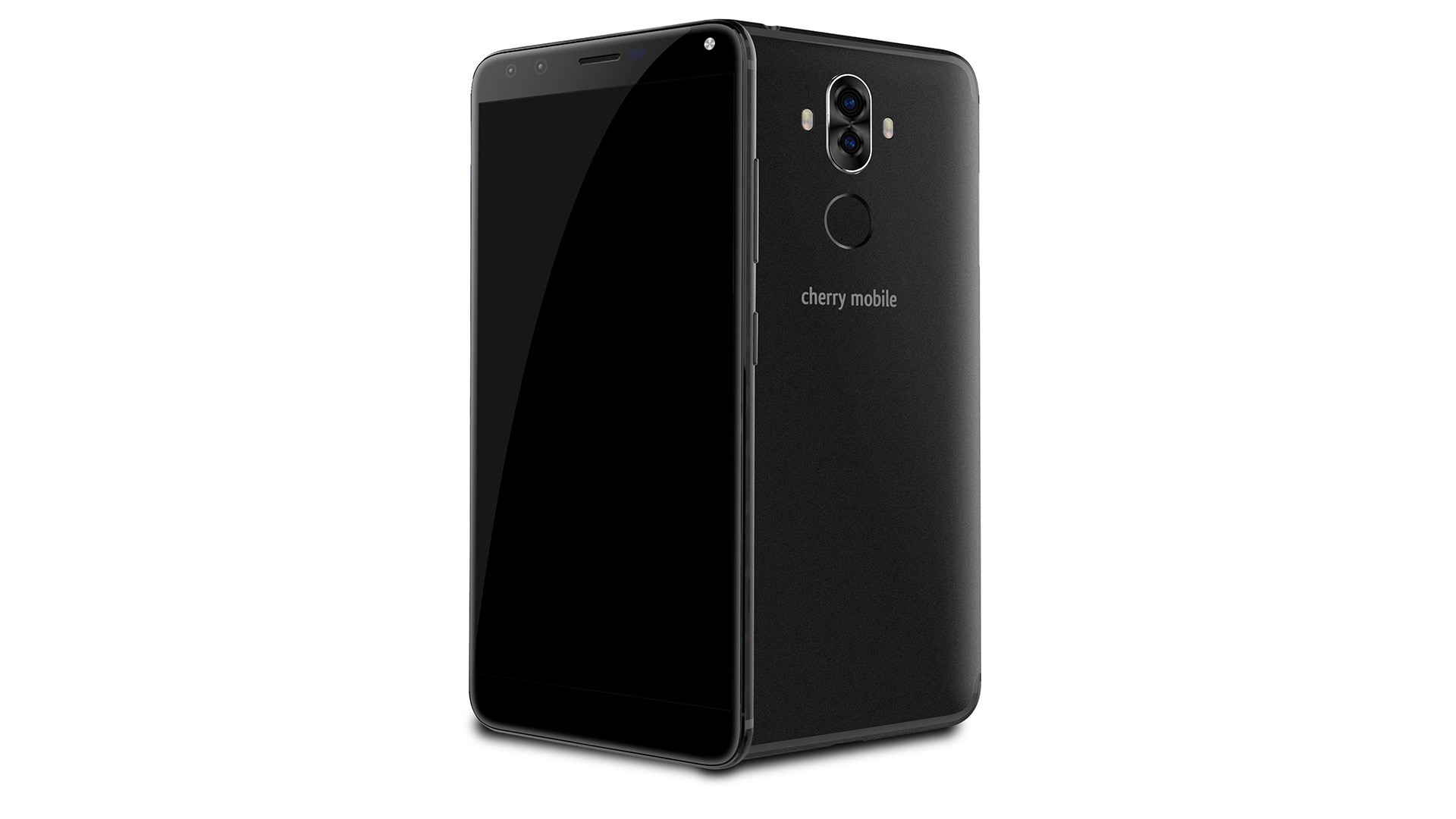
Two new Cherry Mobile smartphones have been unveiled today and it’s part of the Cherry Mobile Desire R7 family. These smartphones do not pack a powerful hardware inside however both the Cherry Mobile Desire R7 Mini and the Cherry Mobile Desire R7 Lite packs an affordable price. Check out the full specs of the smartphones below:
Cherry Mobile Desire R7 Mini Specs
1.3GHz Quad Core Processor
4″ IPS LCD Capacitive Display
4GB Internal Storage expandable up to 32GB
512MB RAM
5-Megapixel Rear Camera
2-Megapixel Front Camera
Dual SIM
Wifi, Bluetooth, 3G
Android 6.0 Marshmallow
1500mah Battery
Php2,299
Cherry Mobile Desire R7 Lite Specs
1.3GHz Quad Core Processor
5″ IPS LCD Capacitive Display
8GB Internal Storage expandable up to 32GB
512MB RAM
5-Megapixel Rear Camera
2-Megapixel Front Camera
Dual SIM
Wifi, Bluetooth, 3G
Android 6.0 Marshmallow
2200mah Battery
Php2,699
Both the Desire R7 Mini and the R7 Lite pack a premium build despite its affordable price of Php2,299 and Php2,699 respectively.
ASUS has surprised us at Computex with their reveal of the ASUS Zephyrus. It’s an ultra-thin laptop that runs on a Nvidia GTX 1080 GPU. What do I mean by ultra thin? Well, this is the thinnest notebook that runs on a Nvidia GTX 1080 GPU thanks to Nvidia’s Max-Q technology which makes these GTX 1080-powered laptops have an ultra-thin body.
As you can see from the picture, the ASUS ROG Zephyrus is really thin for a gaming notebook. It only has a thickness of 16.9mm and up to 17.9mm when open. So how did ASUS managed to do that? Well, it’s because of Nvidia’s Q-Max technology. When you open the ASUS ROG Zephyrus, it gives a little opening for the vent of the notebook so you don’t have to worry about its temps
The ASUS ROG Zephyrus also have a different design from other ASUS ROG notebooks as the Zephyrus has a trackpad that is placed beside the keyboard but don’t get fooled with that because that trackpad also acts as the numpad of the laptop by just pressing a button.
Another thing to love about the ASUS ROG Zephyrus is its monitor. It has a 15.6-inch display which is unfortunately only at 1080p but it supports 120Hz which is perfect for gaming especially for FPS games such as Playerunknown’s Battlegrounds, Battlefield 1, and Overwatch.
Despite its thinness, the ASUS ROG Zephyrus managed to have a lot of ports that you’ll need for gaming and other peripherals including USB Type-C with Thunderbolt 3.1.
The ASUS ROG Zephyrus and the Nvidia Q-Max Technology has set a new benchmark when it comes to gaming laptops. Yes, the ASUS ROG Zephyrus might pack a GTX 1080 and it might have a very expensive SRP but ASUS and Nvidia just showed us that a gaming laptop doesn’t need to be thick just to be powerful.
I hope that the ASUS ROG Zephyrus would start the revolution of thin gaming notebooks in the industry. I hope that there will be more notebooks with Nvidia’s Q-Max technology with a lower price tag and support for the lower GPUs such as the GTX 1070 and GTX 1060. The price? We still don’t have any idea for that but considering that this notebook packs a GTX 1080 GPU and this one has a thin profile, this one would definitely have a high price tag.
Another notebook that ASUS has announced is the ASUS Zenbook Pro which is a powerful laptop that runs on Intel Core i7 Quad-core processor and an Nvidia GTX 1050Ti GPU. But don’t think that this notebook will come with a large and thick body because this laptop comes with a thin and light factor just like the ASUS Zenbook 3, Zenbook 3 Deluxe, and Zenbook Flip S.
This is the thinnest and lightest ZenBook Pro ever at 18.9mm and at 1.8kg. ASUS is also pushing for 4K UHD NanoEdge display too on this notebook with a screen ratio of 83%. The Zenbook Pro is also meant for performance because this notebook will come with a powerful Intel Core i5/i7 H-series processors and up to GTX1050Ti which is already decent enough and can run most games at the highest settings without problems.
The ASUS Zenbook Pro also got enough ports (Hi there Macbook!) and again, it has the performance that can really match some gaming notebooks and most notebooks at its size. Not only that this laptop can have an Intel Core i7 processor and up to GTX1050Ti GPU, it can also have up to 1TB of SSD
Overall, the ASUS Zenbook Pro is a notebook that is not just sexy and sleek but it’s also powerful. The ASUS Zenbook Pro just showed us that a notebook can be both powerful and thin. I hope that other manufacturers follow the same route.
The ASUS Zenbook Pro starts at $1,299 (Php64,113~)
One of the new ASUS ROG Strix notebooks that will be launched today is the ASUS ROG Strix GL503. It’s a big departure from the ROG series when it comes to design as it loses the orange accents and it also now sports a design that is more edgy and cleaner than ever and yet, still packs gaming feel. Just like the GL502, the ASUS ROG Strix GL503 will be thinner than most gaming laptops and yet, it will still run most of the games at the highest settings.
What we know is that the laptop will be running on the Intel Core i7 processor and it will have a GPU of up to Nvidia GTX 1070 which is pretty good for gaming. Want to know more about its new and sleek design? Check out our hands-on of the ASUS ROG Strix GL503 below
The Vivobooks are meant to be the affordable lineup of smartphones from the brand but despite that, the notebooks managed to have a decent hardware that can run most applications without too much hassle and lags, however, most of the time, they sacrificed its body and build quality to make the price of the notebook go down. But today, ASUS has introduced the ASUS Vivobook S, a laptop that is meant to have a good performance and quality and yet, still affordable to the consumers.
The ASUS Vivobook S borrows a lot of features from its premium brothers, the ASUS Zenbook 3. The ASUS VivoBook S managed to have a 17.9mm weight and 1.5kg of weight which is thin by today’s standards and at the demo booth, there’s the 15.6 Full HD NanoEdge display with an 80% screen-to-body ratio. And I can tell you, it looks pretty good for a notebook that is affordable.
Surprisingly, the ASUS Vivobook S has an aluminum chassis which is really rare on the affordable laptops but of course, the rest of it is plastic. But again, I was surprised that the ASUS Vivobook S feels better and solid than I expected for an affordable notebook.
The ASUS VivoBook S will come in Intel Core i3, i5, and i7 U-series processors and of course, the most affordable ASUS VivoBook S will come in Core i3 processor. The ASUS Vivobook S also manage to have up to GeForce 940MX GPU, 16GB RAM, 512GB SSD with 2TB HDD.
On some variants of the ASUS Vivobook S, it also supports Windows Hello and also Backlit keyboard but for an affordable notebook, that is a pretty awesome addition to the notebook.
Holding the ASUS Vivobook S, it doesn’t actually feel cheap. It feels more premium that I expected and aesthetically, you’ll definitely feel that this isn’t a Vivobook but more of a Zenbook. It feels premium but once you feel the plastic parts of the laptop, then you’ll know that this is a Vivobook.
The ASUS Vivobook S does have an interesting MSRP starting at $499, however, do take note that this price might be only running on the lowest variant possible so expect that the notebook will get a higher MSRP if you want the better hardware.