

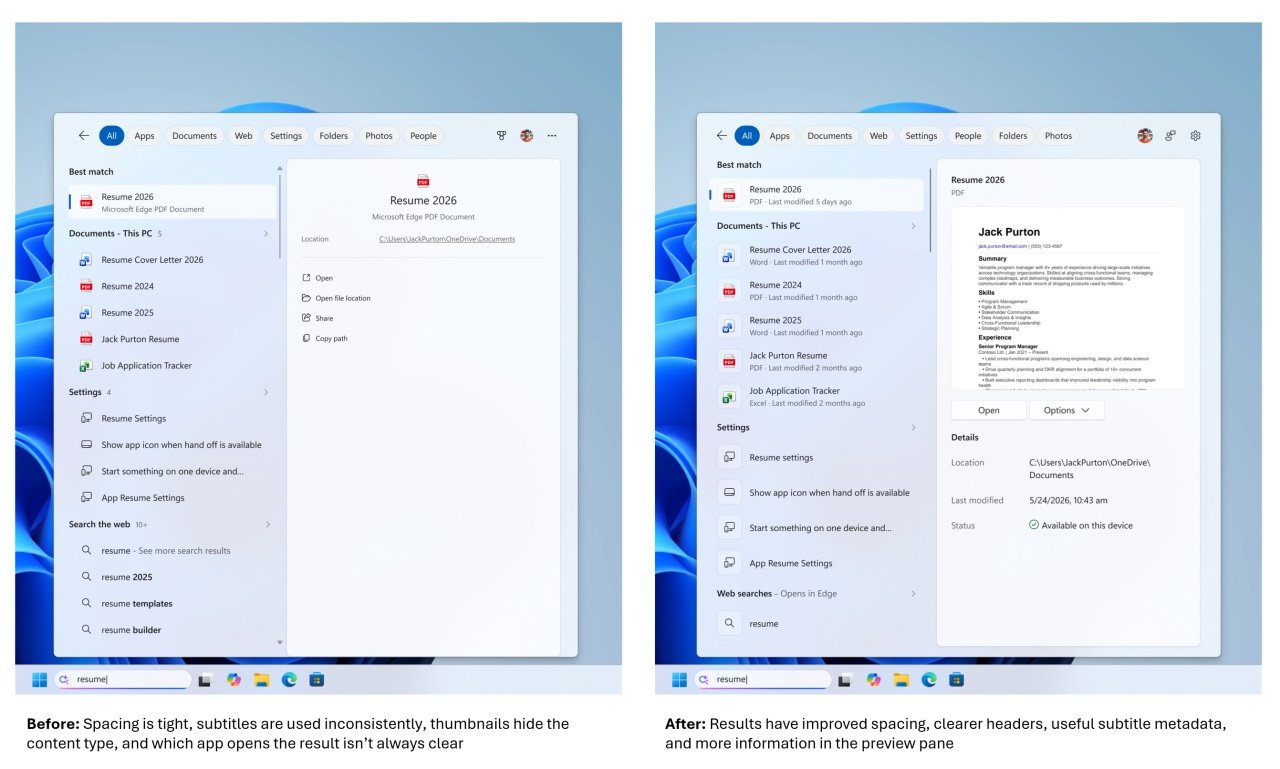
Microsoft is officially testing a major redesign for the Windows 11 search experience. The update, currently rolling out to Windows Insiders in the Experimental channel, aims to clean up the interface by removing ads and prioritizing local content.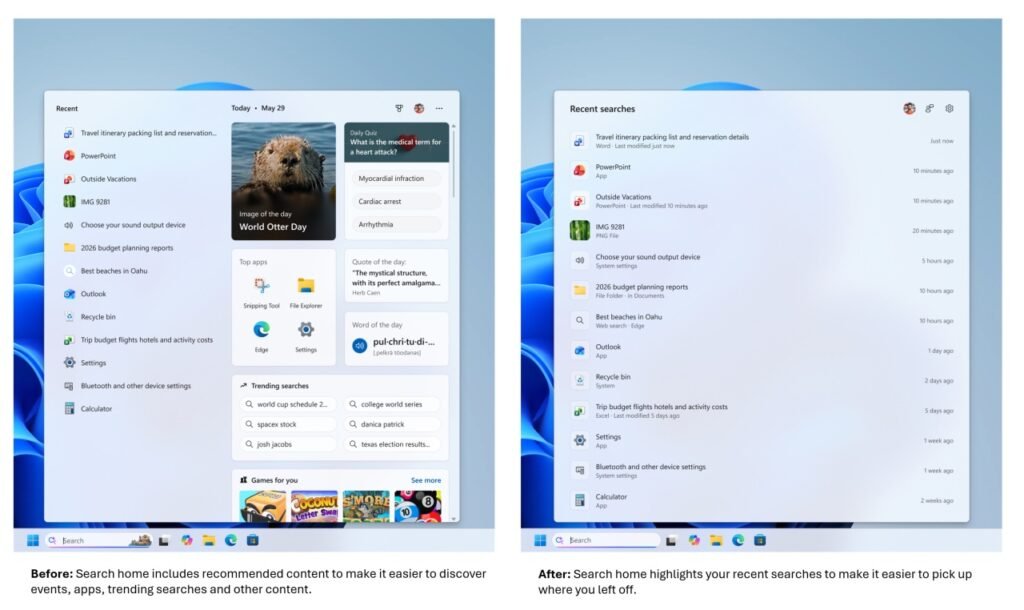
This overhaul addresses long-standing complaints from users who found the default search box cluttered with irrelevant web promotions.
Ad Removal: A Focus on Cleanliness and Speed
The biggest change in this redesign is the complete removal of promotional content and advertising blocks from the search results panel. Microsoft has stripped web-based promotions out of the UI to make the experience less distracting. By eliminating these ads, the Search Box now looks cleaner and loads results much faster.
Prioritizing Local Files and Apps Over Web Links
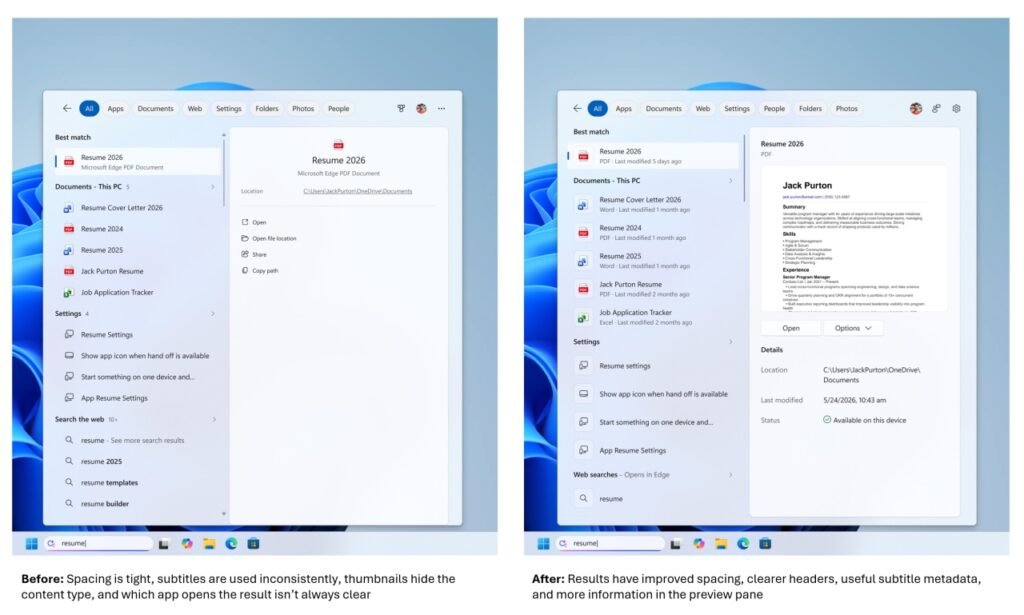
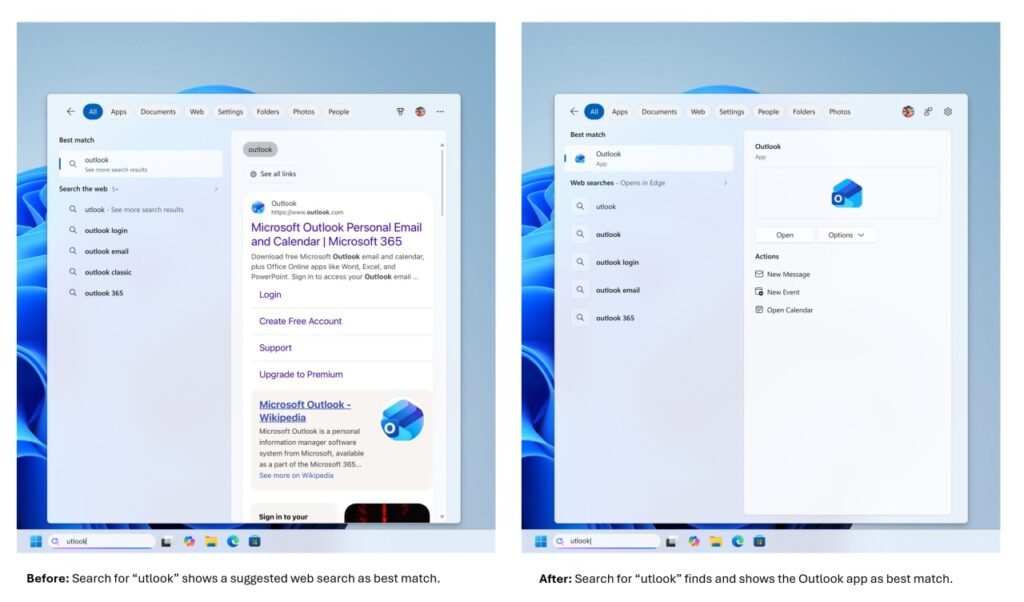
The search engine has been updated to prioritize local apps, files, settings, and documents over web searches or Microsoft Store recommendations. This means that typing an app name immediately brings up the local application rather than a Bing search link.
Also, Microsoft has added a toggle under Settings > Privacy & Security > Search. Users can now disable web and Microsoft Store suggestions entirely, making the search box look and feel local-only.
Better Typo Handling and Performance Increases
Microsoft is also rolling out improved query handling that can better interpret typos, partial words, and misspellings. This makes it much easier to find deeply nested system settings or files even if you mistype the query.
Source: Windows Central



Leave a Reply