Home Blog Page 380

ASUS Zenbook Duo’s Screenpad+ vs. Macbook Pro’s Touchbar

0

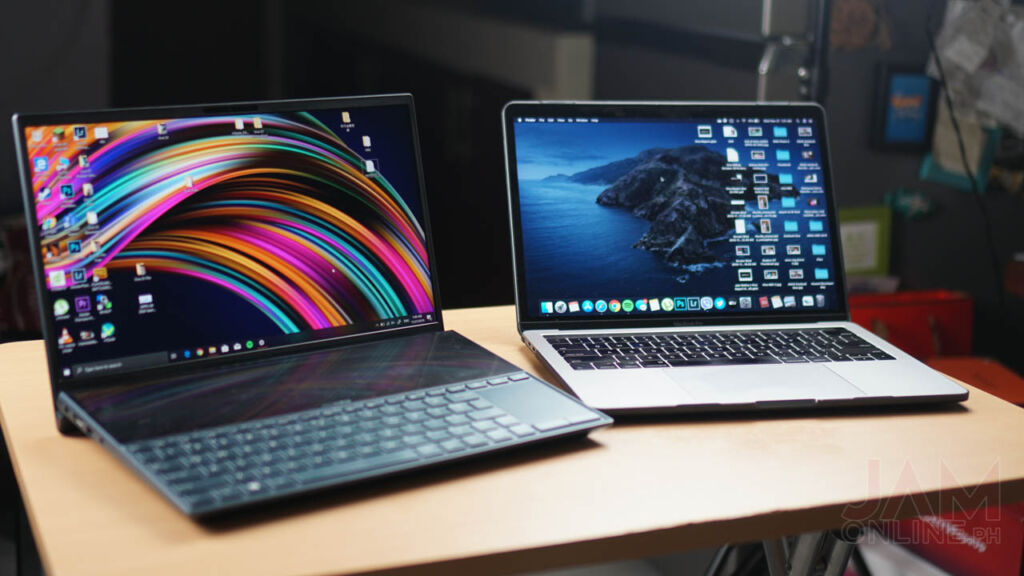
Having a second screen for your notebook isn’t a new thing, we’ve seen that last year on the ASUS Zenbook Pro’s Screenpad in where the touchpad is also the second screen of the notebook and recently, ASUS Zenbook Duo with Screenpad+ was unveiled which also acts as the second display for the notebook but how does it compare to the Macbook Pro’s touchbar? Well, let’s get to it.

Performance?

First of all, we’re not gonna compare the performance of the Macbook Pro and the ASUS Zenbook Duo as the Zenbook Duo has an upper hand with its 10th generation Intel Core processor while the Macbook Pro that we’re using is still running the old 7th generation processor. Not only that, even the current 13-inch Macbook Pros doesn’t have a discrete graphics card and the processors don’t run on the latest generation of Intel processors while the ASUS Zenbook Duo features an Nvidia MX250 GPU which is capable of running most casual games like Fortnite with better framerates.
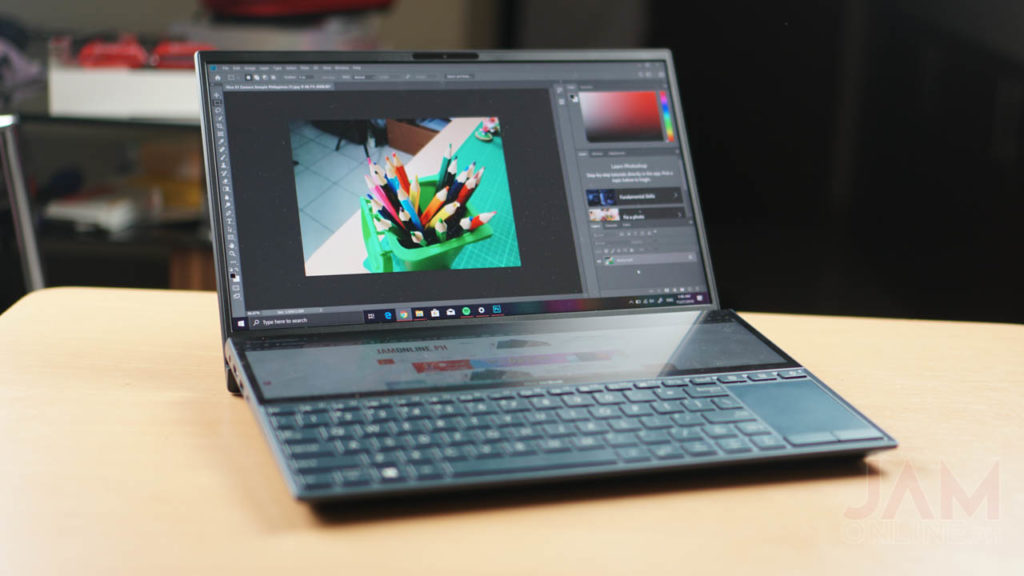
Aside from the processor is that the Macbook Pro boasts its Touch ID or the fingerprint scanner on the notebook while the ASUS Zenbook Duo comes with IR webcam that supports Windows Hello. Basically, you just need to look into the camera to unlock the notebook. 

Screenpad vs. Touchbar

I’ve been using the Macbook Pro 13” with Touchbar for a while now and I’m getting used to the touchbar of my notebook but here’s my main problem — it’s gimmicky. The non-touchbar of the Macbook Pro or the Macbook Air works just fine even without the touchbar. Why? Because it’s just a strip of display that caters small functionalities and sometimes, barely useful. Not only that, it has replaced the function keys which is why it gets annoying whenever I need to press f1-f12.
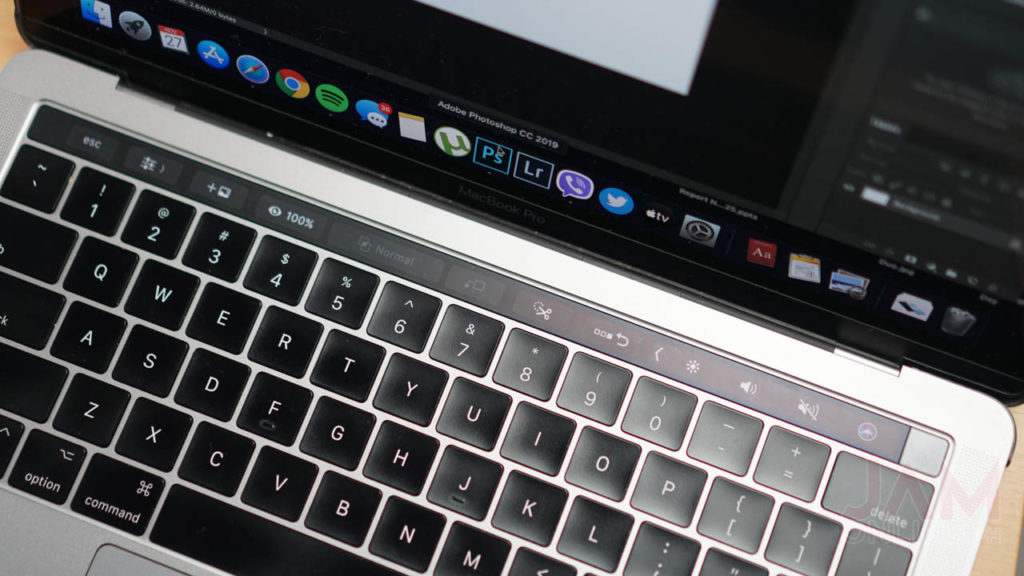
But of course, there’s an upside of using the touchbar of the Macbook Pro. First, in video editing. Certain buttons appear on this one and it’s a shortcut of most of the features that I need on the Final Cut Pro. Navigating on photos and music too is easier as I can just scroll through the touchbar whenever I want to move it.

But here’s the thing, the ASUS Zenbook Duo’s Screenpad+ is a lot better.
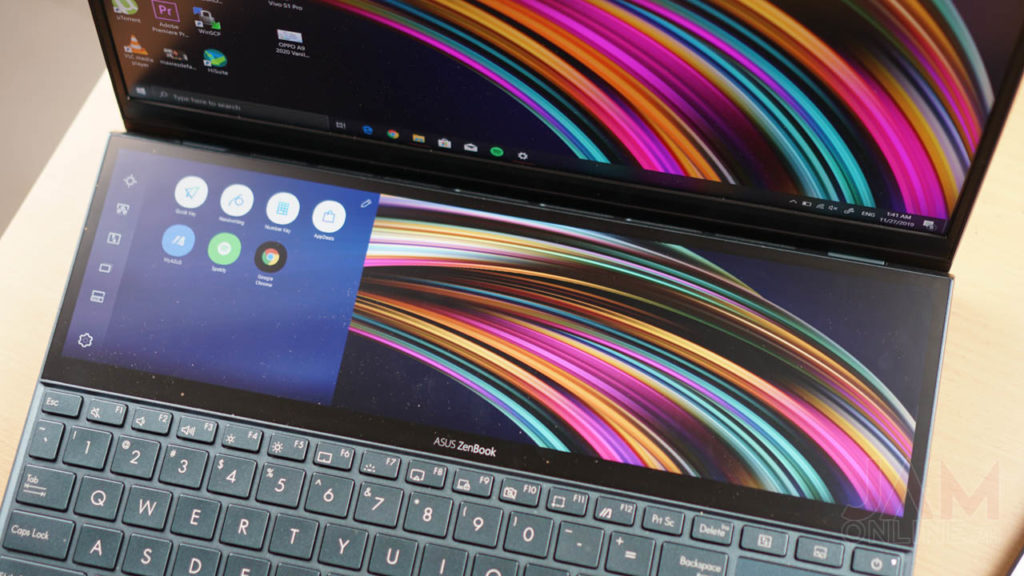
Why? Basically, the Zenbook Duo is a second screen for your notebook. This means that you can do anything with it and you’re not limited with the screen estate and features on the screenpad+ because again, the Screenpad+ is your secondary display.
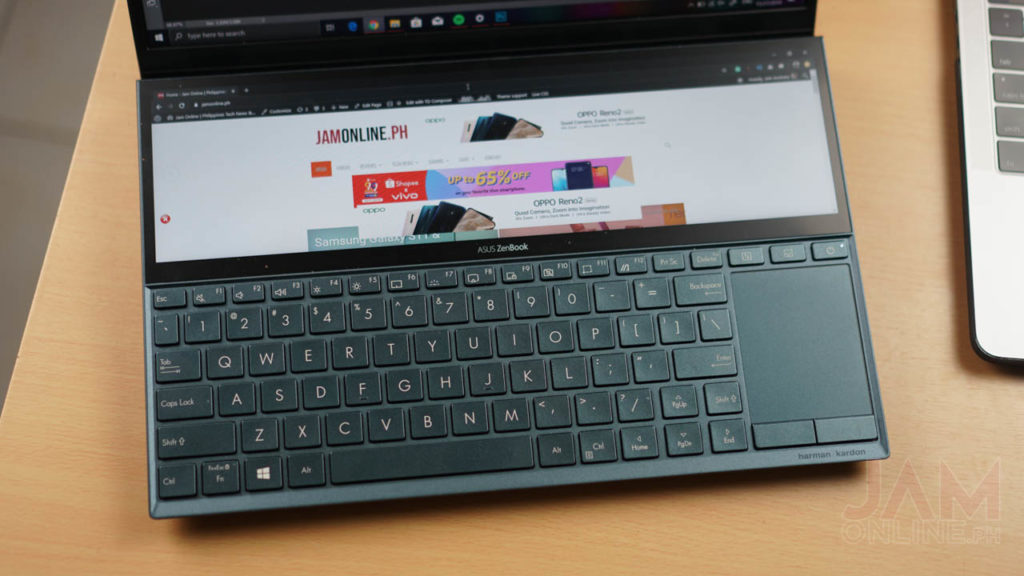
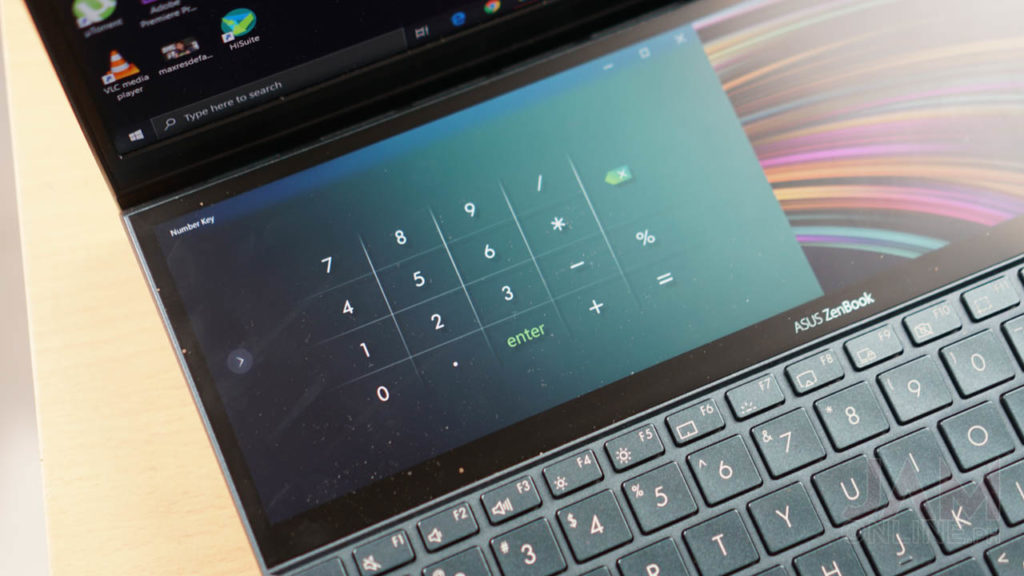
You’re not limited to the things that you can use from it as we got here a decent space that you can use to open other applications. The possibilities are endless with a second screen like this. For example in Minecraft, I’ve been playing Minecraft on my main display of the ASUS Zenbook Duo which is, by the way, has pretty good colors while the Screenpad+ has a fullscreen map of my game via my Google Chrome.
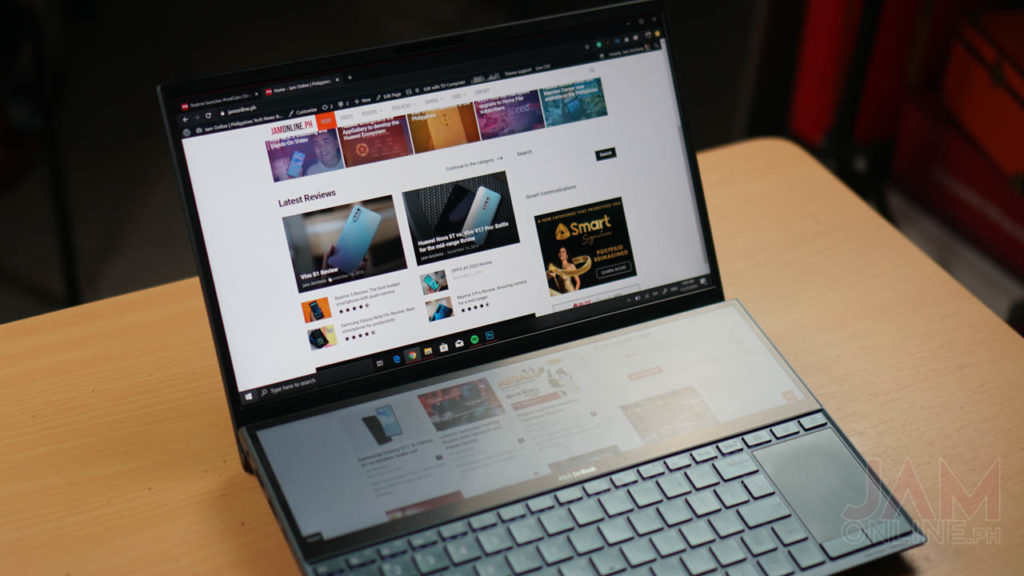
But of course, it’s not just that. I can also open my Spotify playlist below while typing or blogging on the main display. I can also open three apps simultaneously on the Screenpad+ but it gets taxing on the notebook if these are heavy applications.
Disadvantages

One of the things that I didn’t like in the Macbook Pro’s touchbar is it’s limited. Most apps and games that are available on the macOS don’t take full advantage of the touchbar and again, it’s not a secondary display in where I can place my windows and applications. Basically, the touchbar is just the home for most shortcuts for the Mac such as brightness and volume controls and also shortcuts for some functions on apps.

While the ASUS Zenbook Duo has more possibilities and uses, the positioning of the keyboard and the trackpad of the notebook is affected. The keyboard and the trackpad of the ASUS Zenbook Duo are placed below the screenpad+ and it’s nearer on the edge of the notebook which means that it’s harder to type on the notebook and use the trackpad if you’re using the notebook on your lap.
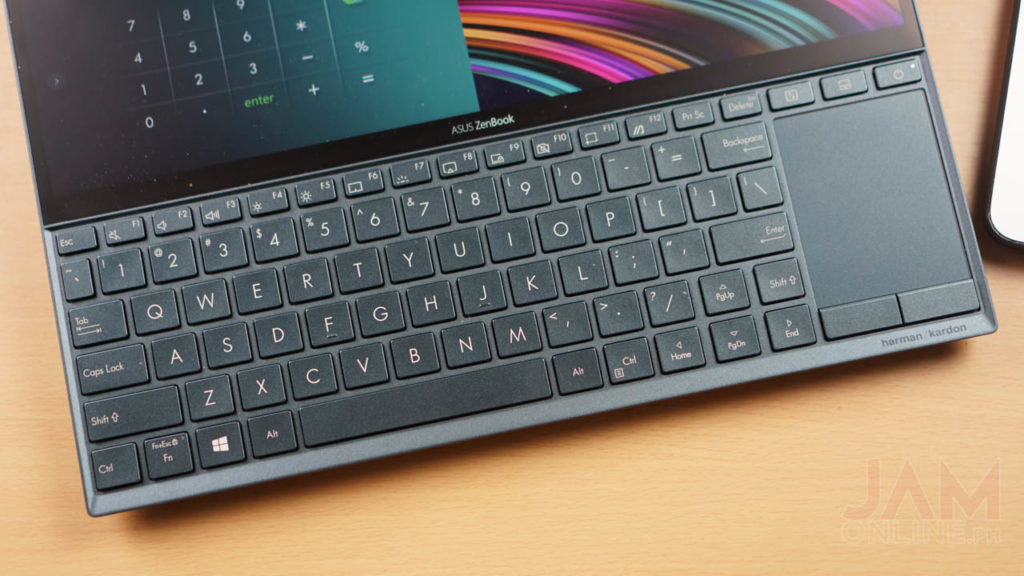
But that’s a problem that can be adjusted once you use the ASUS Zenbook Duo. At first, I find it annoying that I have to adjust but after a few days of using it, i got used to the ASUS Zenbook Duo’s weird keyboard placement.

Verdict
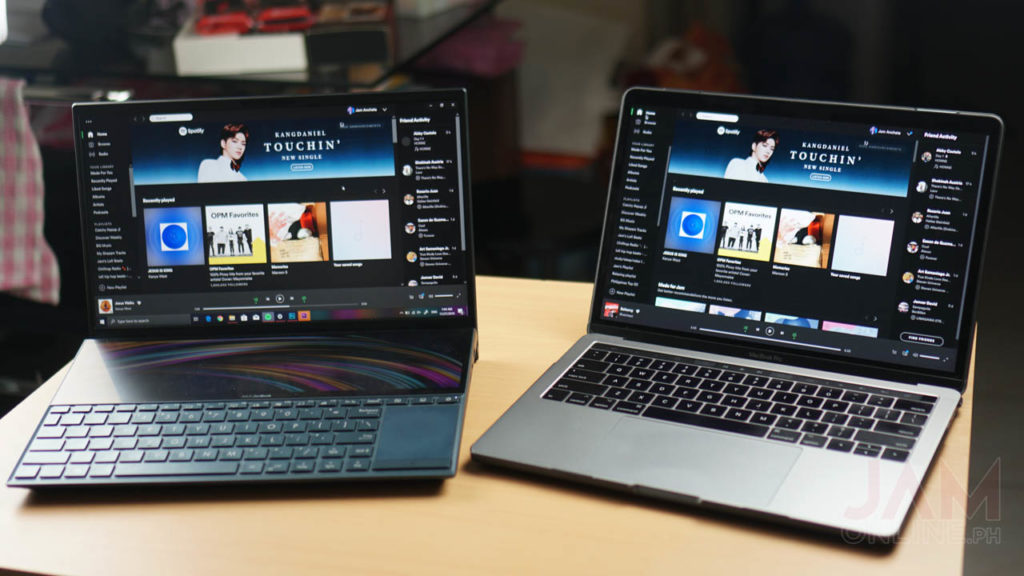
Overall, I find the ASUS Zenbook Duo’s Screenpad+ useful while the Macbook Pro’s touchbar is still gimmicky even after years after its release. For productive users and if you don’t need the macOS, it will be more useful to use the ASUS Zenbook Duo because the Screenpad+ is more useful compared to the touchbar of the Macbook Pro. Not only that, you will definitely love the notebook too if you’re a gamer, you can opt for the Zenbook Pro Duo that packs a more powerful processor, a better Screenpad+, a bigger display, and a more powerful Nvidia RTX 2060 GPU inside.
Lenovo launches the ThinkBook 14 and ThinkBook 15 with 10th-gen Intel CPU

0


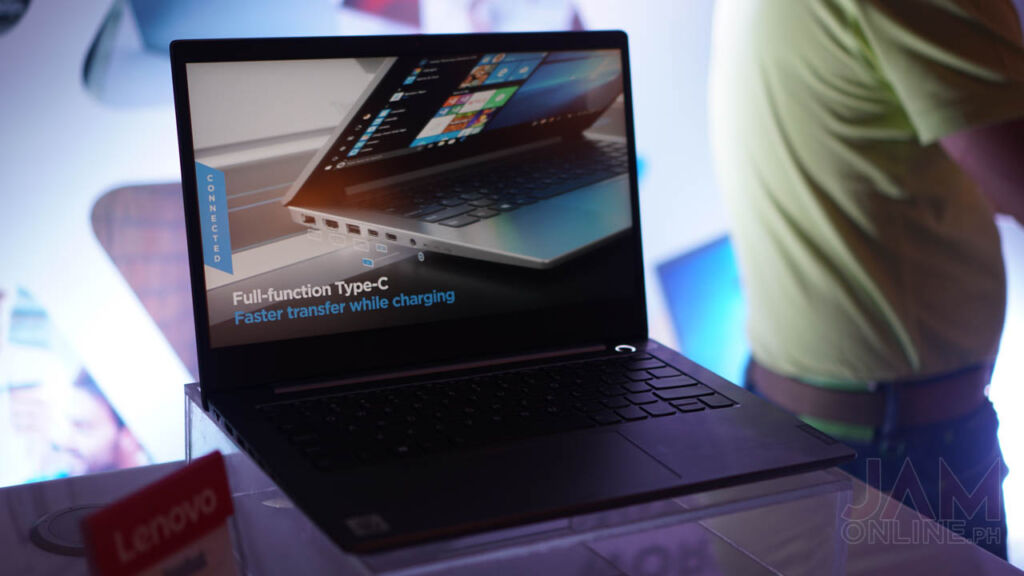
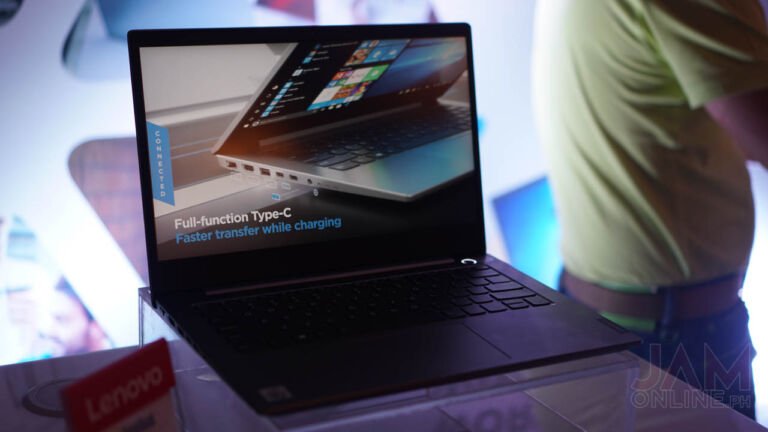
Lenovo ThinkBook 14

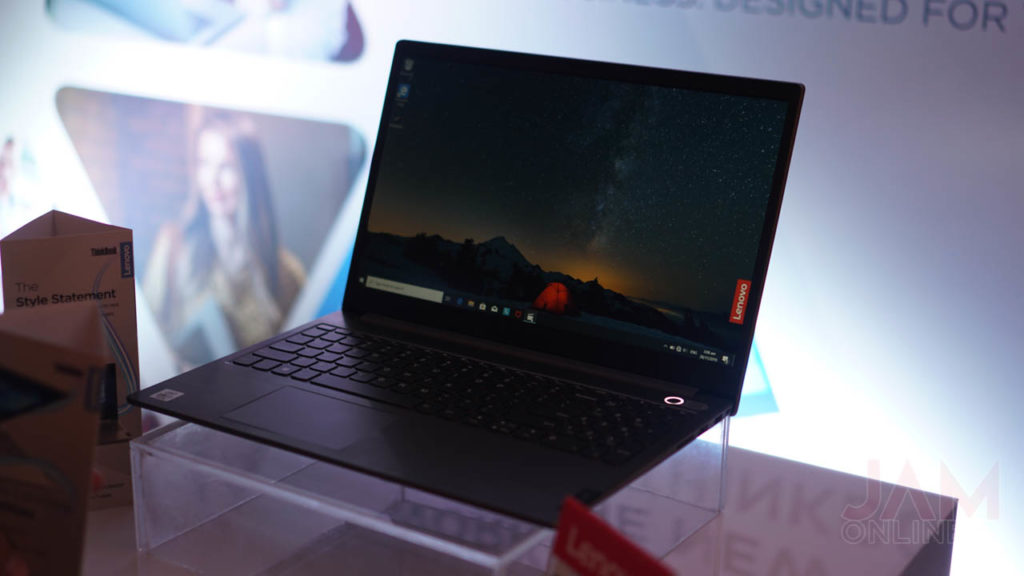
Lenovo Philippines has just launched its newest notebooks — the ThinkBook 14 and ThinkBook 15 these are notebooks that are made for people who are focused on businesses but it also features a stylish design and also pretty powerful enough specifications for your daily work usage

Both notebooks will run a Full HD resolution with anti-glare IPS panels and of course, they will be powered by the latest 10th generation Intel Core processors with the ThinkBook 14 running on Intel Core i5-10210U processor while the ThinkBook 15 runs on Intel Core i7-10510U processor.

Lenovo ThinkBook 15

Both devices will also come with 8GB DDR4 memory along with the 512GB M.2 solid-state drives and for the graphics department, the ThinkBook 14 packs an Intel UHD graphics while the ThinkBook 15 runs on AMD Radeon 620 graphics card.

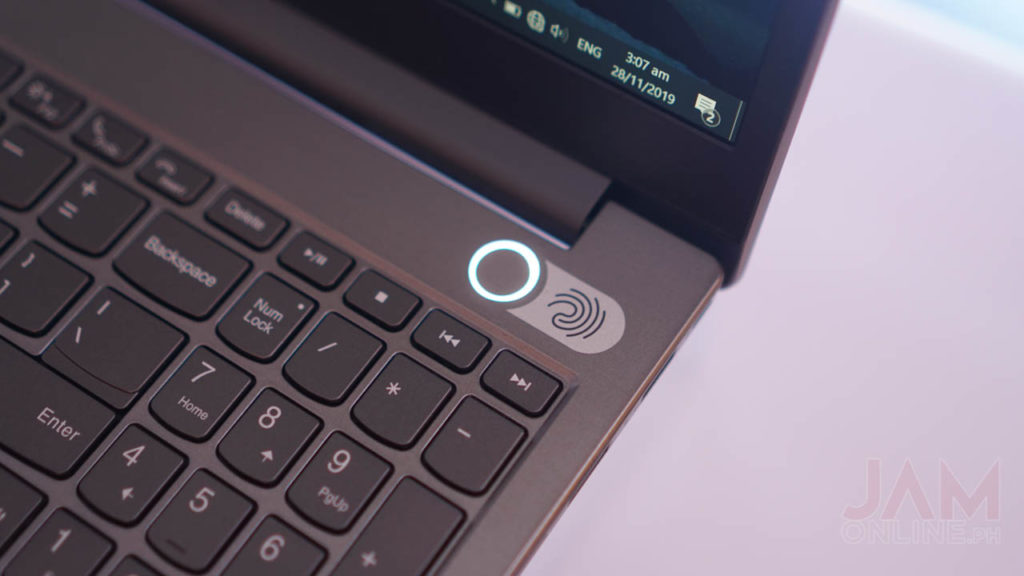
Aside from the mentioned specifications, the Lenovo ThinkBook 14 and ThinkBook 15 are both MIL-SPEC-tested which makes them durable enough for everyday use and there’s a fingerprint scanner that adds security to the notebook.

Fingerprint Scanner

Lenovo ThinkBook 14 Specs

  • 14-inch Full HD IPS AG 250N Display
  • Intel Core i5-10210U processor
  • Intel HD 620 GPU Integrated Graphics
  • 8GB DDR4 2666MHz
  • 512GB M.2 2280 SSD
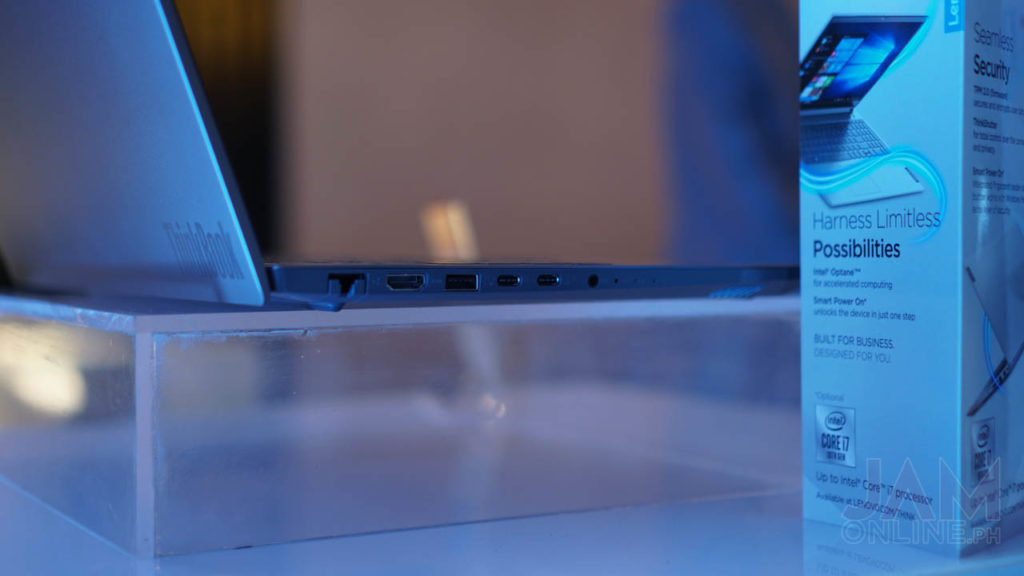
  • 2x USB-C, 2x USB-A, HDMI, SD card reader, combo audio jack
  • WiFi 6 with Bluetooth 5
  • Fingerprint Scanner
  • Windows 10 Pro
  • 1 Year Carry-in warranty
  • Php48,990

Lenovo ThinkBook 15 Specs

  • 15-inch Full HD IPS AG 250N Display
  • Intel Core i5-10510U processor
  • AMD Radeon 620 2GB G5 64B GPU
  • 8GB DDR4 2666MHz
  • 512GB M.2 2280 SSD
  • 2x USB-C, 2x USB-A, HDMI, SD card reader, combo audio jack
  • WiFi 6 with Bluetooth 5
  • Fingerprint Scanner
  • Windows 10 Pro
  • 1 Year Carry-in warranty
  • Php57,490

Samsung Galaxy S11 & Galaxy S11e renders leaks out

0

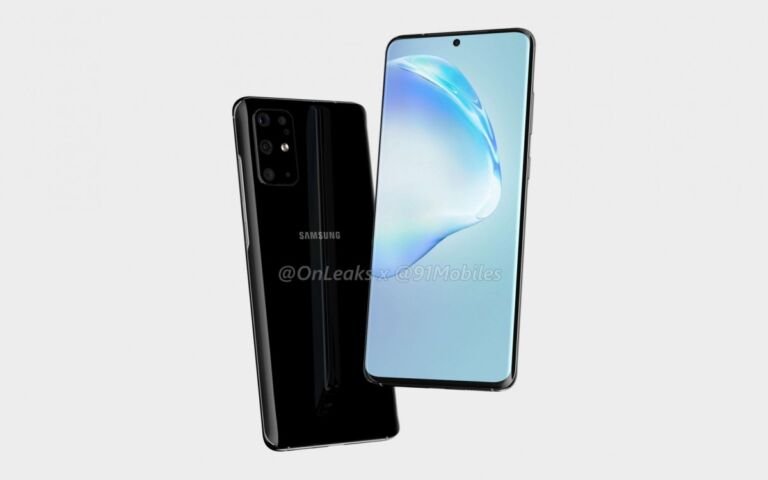
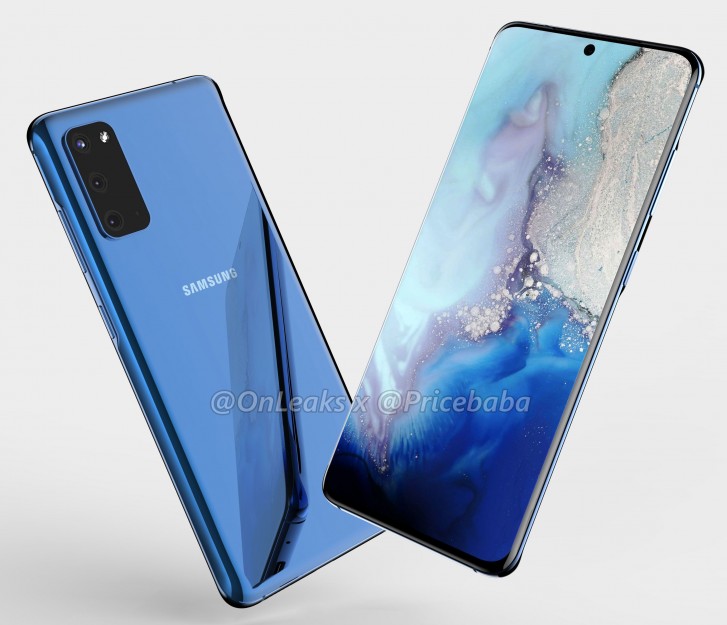
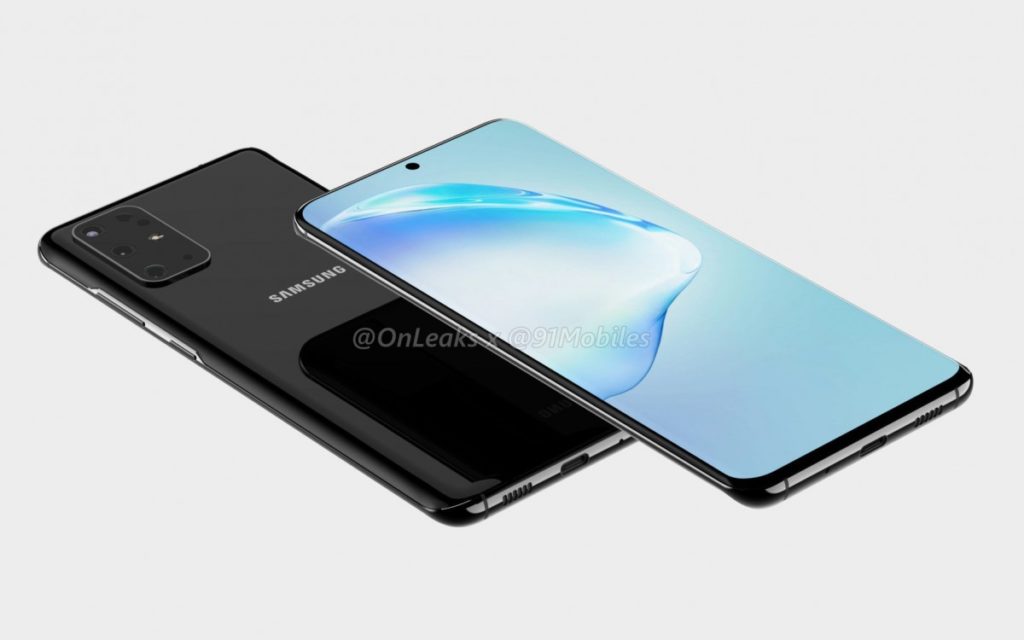
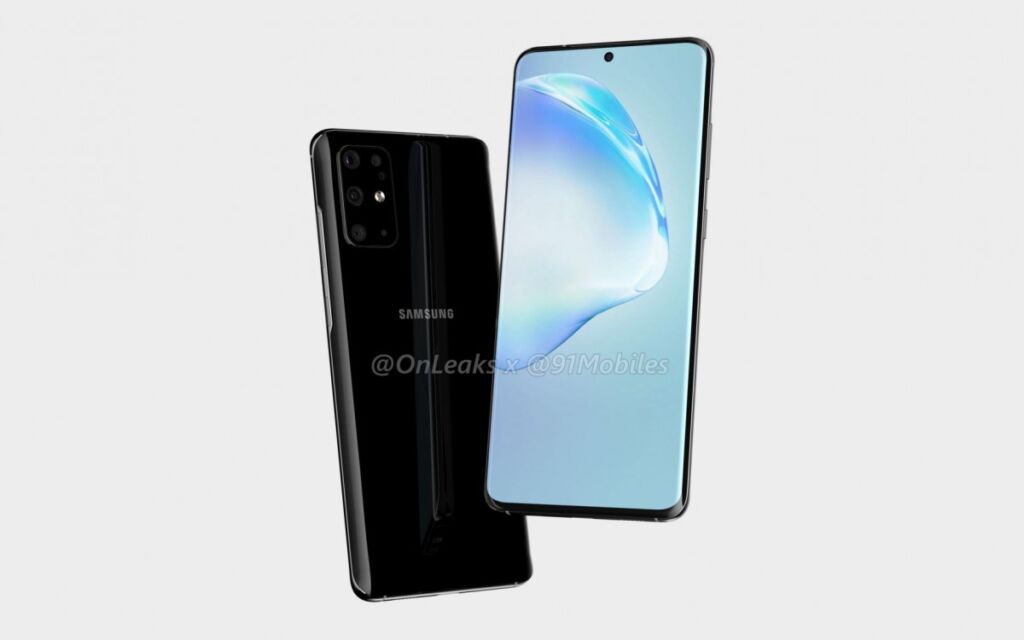
2020 is coming in just a few months away and of course, we can already expect that new smartphones will be announced for the first quarter of next year and one of the smartphone series that we can expect early next year is the Samsung Galaxy S11 series and both the renders of the Galaxy S11e and Galaxy S11 has leaked out.

Samsung Galaxy S11e

The Samsung Galaxy S11e is expected to sport an infinity-O display with the punch-hole in the center of the display similar to the Samsung Galaxy Note10 series.

At the back, the smartphone packs a rectangular main camera with triple-lens. The smartphone is also expected to pack a flat display just like the predecessor but we might probably see an in-display fingerprint scanner on this one since there’s no fingerprint scanner on the power button of the smartphone.

The Samsung Galaxy S11e is also expected to sport a 6.2 or 6.3-inch display with a 3,100mAh battery. The smartphone is also expected to sport the latest Exynos 990 chipset.

Samsung Galaxy S11

The Samsung Galaxy S11 renders has also made an appearance with the smartphone looking the same on the front but we can expect a larger 6.7-inch display on this one with a similar rectangular camera setup at the back but with more lenses.

The Samsung Galaxy S11 is also expected to pack a Dynamic AMOLED panel with HDR10+ and 120Hz refresh rate. The smartphone is also expected to pack an Exynos 990 chipset or Snapdragon 865.

The Samsung Galaxy S11e and Galaxy S11 are expected to be unveiled this February 2020.

Source: GSMArena (1), (2)

Lenovo Launches Holiday Promo with Herschel and Planet Sports

0

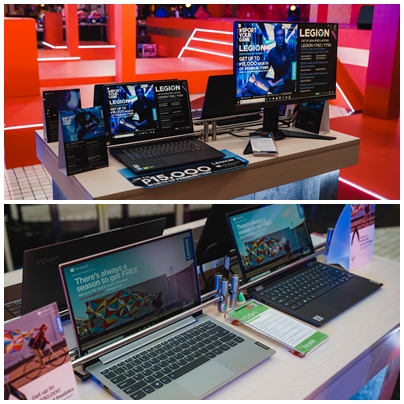
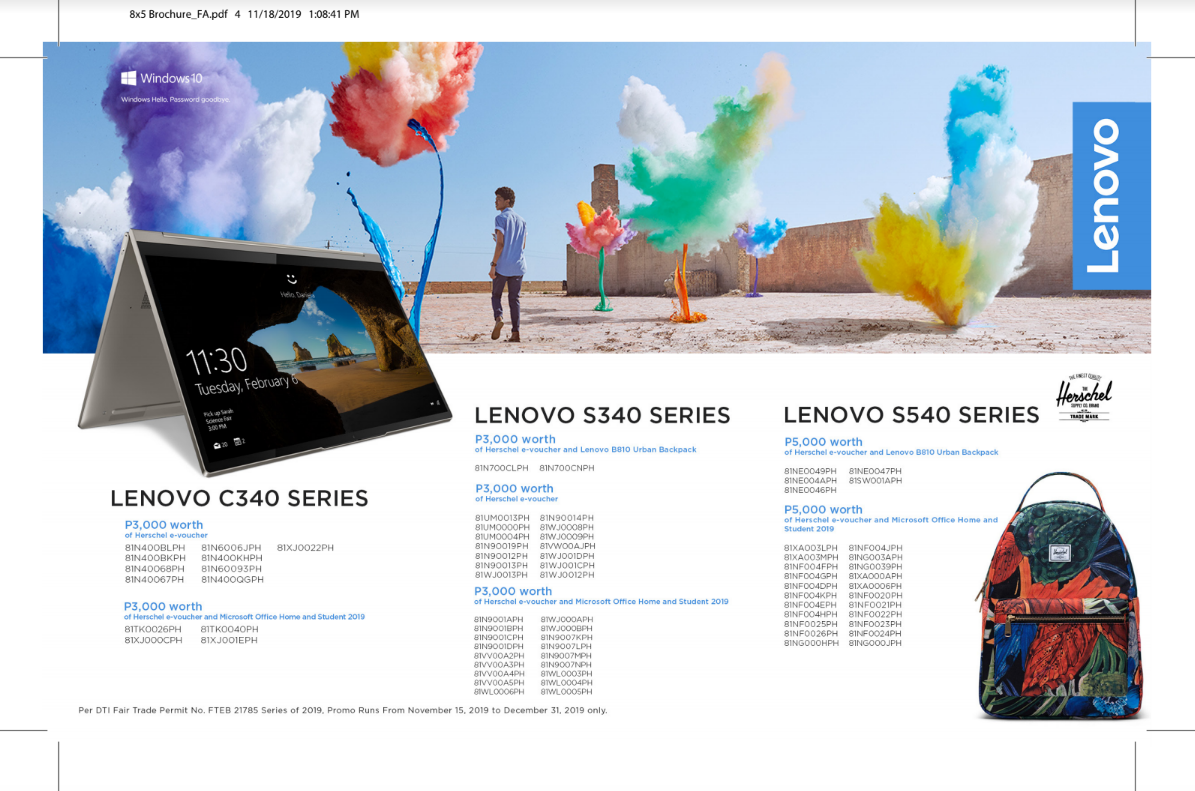
The holiday season is finally upon us as we’re about to feel the joys of Christmas with Lenovo’s holiday promo. This year Lenovo teams up with international accessory brand Herschel and sportswear retailer Planet Sports to bring exclusive and enticing deals of Lenovo’s IdeaPad, Yoga, and Legion laptops.

Purchases of either select Lenovo’s IdeaPad, YOGA series, or Legion gaming laptops from November 15, 2019 to December 21, 2019 will qualify for Herschel e-vouchers, Planet Sports gift certificates and Lenovo accessories.

“Christmas is all about spreading joy and to make it extra special this year, we’ve
partnered with two well-known brands whose products share the same key
characteristics that encapsulate the Lenovo brand ─ incredible durability, style, and
attention to detail. This promotion is also our way of thanking loyal customers for helping
us achieve many milestones this year,”

-Michael Ngan, Lenovo Philippines Country General Manager

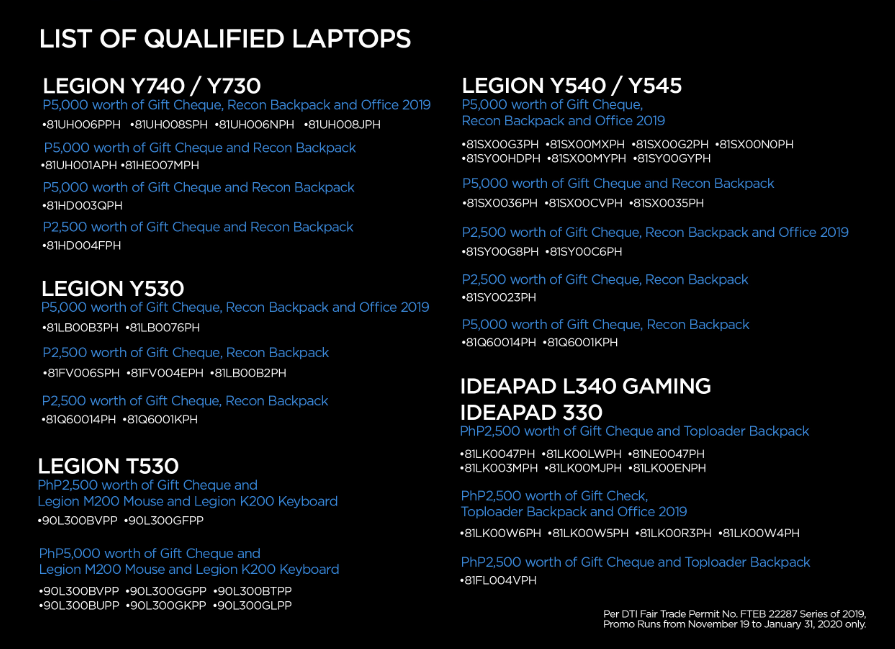
Qualifying Lenovo Legion Laptops will come with a Planet Sports gift certificates. The gift certificate amount will vary depending on the specific model. Buyers of Legion Y740 and Y540 gaming laptops are bundled with Php 5,000 worth of Planet Sports gift Certificate, Legion Recon Backpack, and Microsoft Office 2019.

Claiming Process

Customers who purchase qualified Lenovo or Legion laptops must submit a copy of their valid ID and receipt to promos.lenovophilippines.com. Customers who qualify for the Herschel #BringDifferent campaign will be sent an email containing their Herschel e-voucher after 3-5 business days and can be redeemed at www.lenovoexclusives.com. Legion Laptop Purchases under the #SportYourGame campaign will have Planet Sports gift certificates delivered to the address provided. Planet Sports gift certificates can be redeemed at Planet Sports, Athlete’s Foot, Intersport, and New Balance retail stores.

Do note that the claiming of Herschel e-vouchers and Planet Sports GCs is only available up to 60 days after purchases. The #BringDifferent and #SportYourGame promo are only available at Lenovo authorized resellers. Each customer is limited to a maximum of three purchases during the promo period.

Realme launches #realGalo Christmas Promos

0

It’s the holiday season again and everyone will be buying their stuff as they’ll get their 13th month pay and if you’re planning on getting a smartphone this December then you better check out Realme’s latest promo, the #realGALOChristmas raffle promo in where you can win treats for every purchase of Realme smartphone until December 22.

Realme is the fastest-growing smartphone brand in the country and to celebrate that, Realme will be offering up to Php30,000,000 worth of freebies, the biggest set of freebies the brand has ever offered and including a Php500,000 worth of raffle prizes.

For every purchase of Realme XT, you’ll be able to get a free 10,000mAh power bank and a pair of realme buds for every purchase of Realme 5 Pro in any official Realme official concept stores and kiosks nationwide while customers who will purchase from any realme’s authorized partners and resellers will receive a free realme fan.

The smartphone brand has also partnered with Acer in where 10 lucky realme smartphone offline and online buyers will get a chance to win an Acer Nitro 5 gaming laptop in where the winners will be drawn via Livestream on January 8 thru Realme Philippines official FB page.

See also: Acer Partners With Realme for a Gaming Laptop x Smartphone Promo!

Realme has also announced a price drop up to Php2,000 on their Realme C2 and Realme 3 Pro lineups in where Realme C2 2GB+32GB variant will now be available for Php4,990 and the 3GB+64GB will now be priced at Php5,990 while the Realme 3 Pro 4GB+64GB and 6GB+128GB will now be available for Php10,990 and Php12,990.

Get the best deals and promos with PLDT’s Holideals

0

Every year, we expect a lot of sale, promos, and deals during the Holiday season and PLDT has announced the return of Holideals — PLDT’s biggest holiday sale. Holideals will feature the best deals in town that are ideal for this Christmas season.

With PLDT Home Fibr, subscribers will be able to get 2x the speed of their current plan on PLDT Home Fibr. You can check out the deal by visiting pldt.com.ph/speedboost. Not only that because new subscribers will also get to enjoy waived installation and activation fees and no cash-out when they sign up for PLDT Home Fibr plan.

For people who are looking into the PLDT Home gadget, subscribers will be able to get one month off on the TVolution Lite, New Basic, and Advanced FAM CAM, all Telsets, and all Telpad units. Existing Fibr subscribers will be able to purchase Disney at 10% off by just presenting their PLDT Home bill from December 1 to 17 at any SM ticket outlets nationwide.

Lastly, PLDT Home WiFi Prepaid is currently down to Php1,295 from the original price of Php1,995. With this one, you can enjoy prepaid internet with free 10GB and lag-free online experience. Customers can also avail of the 2x data with Home WiFi FamLoads with FamLoad 199 in where they can get 24GB from 12GB and it’s valid for 7 days.

If you want to know more about the Holideals, be sure to check out pldthome.com/holideals for more information.

Huawei FreeBuds 3 Arriving in the PH soon

0

The Huawei FreeBuds 3 will be arriving in the Philippines soon and it’s one of the most exciting earbuds that will be available in the country as this one will have an intelligent noise cancellation along with the Kirin A1 chip inside that promises a precise environment noise reduction that can capture and cancel background noise as it changes.

Unlike other earbuds with active noise-canceling, this one doesn’t have in-ear buds design which is why this has way more comfortable than most earbuds that are available in the market right now. Huawei called this one as Dolphin Bionic Design that fits comfortably to your ears.

This device comes with the world’s 1st certified BT dual-mode Bluetooth 5.1 SoC and a 356 MHz audio processor. The Huawei FreeBuds 3 also comes with Bone Sensor so you can have better audio pick up and also vibrations and makes it clear for phone calls and noise canceling.

The Huawei Freebuds 3 will be available in the Philippines soon.

Demand For Huawei Mate X in China Grows As Pre Orders Start at Php 500k

0

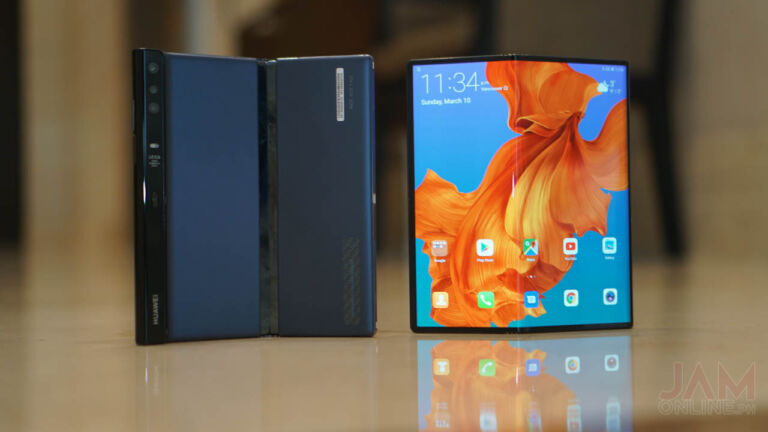
Folding phones are the next big thing in the smartphone trend. We’ve seen Samsung’s folding phone implementation with the Galaxy Fold. Following the Samsung Galaxy Fold is actually Huawei’s Mate X which exposes the screen instead of hiding it like the Fold. Fast forward to the end of 2019 and we’ve seen the Galaxy Fold launch but we haven’t heard of the Huawei Mate X, that is until today.

Taobao listings started popping out with pre-order details of the Huawei Mate X priced about Php 500,000. That’s right, half a million pesos.


The Huawei Mate X has an SRP of €2,299 or roughly Php 128,996 for the 8GB/512GB variant. The cheapest pre-order listing we found is at 39,999 RMB or Php 289,254 to 58,880 RMB(Php 425,793). Which is more than twice the Europe SRP. Pre-order prices this high could only translate to either a very limited number of stocks or there’s really just a high demand in China – considering the Galaxy Fold has a love-hate appeal towards consumers.

To learn more about the Huawei Mate X, read our Huawei Mate X Hands-on and gaming article here. Would you buy the upcoming Huawei Mate X?

Huawei Mate X Specs

  • 6.6-inches display for the front panel 2480×1148, 6.38-inches for the back panel, 2480×892, OLED
  • 8-inches unfolded display, 2480×2200
  • Huawei Kirin 980 chipset with Balong 5000 5G Modem
  • 8GB RAM
  • 512GB Internal storage expandable via NM card with support up to 256GB
  • 40MP Wide angle lens + 16MP Ultra Wide Angle Lens + 8MP Telephoto lens
  • LTE, WiFi, Bluetooth, GPS, A-GPS, BD, Galileo, GLONASS
  • 55W Huawei SuperCharge
  • Android 9 Pie with EMUI 9.1.1
  • 4500mAh Battery


OPPO A9 2020 Vanilla Mint Colorway now available for pre-order

0

New Colorway!

The OPPO A9 2020 is one of the interesting mid-range smartphones out there as we got a quad-camera setup on this one and a pretty powerful Snapdragon 665 processor that can run most games and applications without a problem. The smartphone also features a long battery which we’ve seen in our review.

The smartphone is initially available only in two colors — Marine Green and Space Purple but now, you can get the smartphone in a lighter Vanilla Mint color for those people who prefers a whiter hue.

You may now pre-order the smartphone starting today and you can get a free Rock Space Wireless Earphones worth Php2,499. The OPPO A9 2020 features a Snapdragon 665 processor, 12GB internal storage, 8GB RAM, 6.5-inch display, and a large 5000mAh battery. The smartphone is now available for Php15,990 but the Vanilla Mint color will be officially available this November 30.


OPPO A9 2020 Review

OPPO A9 2020 Specs

  • 6.5-inch HD+ 1600×720 waterdrop display with Corning Gorilla Glass 3
  • 8GB LPDDR4x RAM
  • 128GB Internal storage expandable via MicroSD
  • 48-megapixel main camera + 8MP ultra wide-angle lens + 2MP portrait lens + 2MP mono lens
  • 16-megapixel main camera
  • WiFi, Bluetooth, GPS, A-GPS
  • LTE
  • Dual SIM
  • 5000mAh battery
  • USB-C
  • ColorOS 6 with Android 9 Pie

Huawei Nova 5T and Y9 Prime 2019 gets a price drop!

0

Two smartphones from Huawei get a price drop recently and these are the Huawei Nova 5T and the Huawei Y9 Prime 2019. Both smartphones have their own set of cool features with the Huawei Y9 Prime 2019 featuring a notch-less Ultra FullView Display with a pop-up camera while the Huawei Nova 5T is their powerful mid-range smartphone running on Kirin 980 processor.

The Huawei Y9 Prime 2019 is one of the most affordable smartphones out there without a notch and also a pop-up camera and it was originally priced at Php11,990 but you can get it now for Php10,990

Huawei Y9 Prime 2019 Specs

  • HiSilicon Kirin 710F Octa-Core Processor
  • 6.59-inch Full HD+ Full Screen Display
  • 4GB RAM
  • 128GB Internal storage expandable via MicroSD
  • 16MP f/1.8 + 8MP Ultra-wide + 2MP Depth sensor rear cameras, AI
  • 16MP Auto pop-up selfie camera, AI
  • WiFi, Bluetooth, GPS, A-GPS
  • USB-C
  • LTE, Dual SIM
  • Rear Fingerprint Scanner
  • 4000mAh Battery
  • Android 9 Pie with EMUI 9.0.1

While the Huawei Nova 5T is one of the most interesting mid-range out there since we got a 48MP Five AI cameras on this one and also a powerful Kirin 980 processor which is the same processor being used by the Huawei Mate 20 series and the Huawei P30 series. The Huawei Nova 5T is originally priced at Php18,990 but you can get it now for Php17,990.

Huawei Nova 5T Specs

  • 6.26-inch Full HD+ display with a punch-hole design
  • HiSilicon Kirin 980 processor
  • 8GB RAM
  • 128GB Internal Storage
  • 48MP f/1.8 main camera + 16MP f/2.2 ultra wide angle camera + 2MP f/2.4 macro camera + 2MP f/2.4 depth sensor
  • 32MP f/2.0 front selfie camera
  • WiFi, Bluetooth, GPS, A-GPS
  • LTE, Dual SIM
  • EMUI 9.1 based on Android 9 Pie
  • Side fingerprint scanner
  • 22.5W Fast Charging
  • 3750mAh battery

Huawei Y9 Prime 2019 Review


Huawei Nova 5T Launches in the Philippines