Sony has just launched their all-new powerful smartphone in the Philippines, the Sony Xperia XZ1. It was unveiled last IFA 2017 at Berlin, Germany and it’s actually one of their innovative smartphones as the Sony Xperia XZ1 packs a 3D-scanning camera that lets you scan your face in 3D and use it for different applications.
The smartphone is also powerful as this one comes with Qualcomm Snapdragon 835 processor, however, this smartphone only features a 5.2-inch Full HD Triluminous Display. The smartphone also comes with 4GB of RAM and also 64GB of expandable storage.
Sony Xperia XZ1 Specifications
5.2-inch Full HD Triluminous Display
Qualcomm Snapdragon 835 Processor
4GB RAM
64GB Internal Storage expandable via MicroSD
23-megapixel Rear Camera with Laser AF and LED Flash
13-megapixel front camera
Dual Sim
LTE
Wi-Fi, Bluetooth, GPS, A-GPS
USB Type-C
Fingerprint Scanner
2700mAh Battery
Android 7.1.1 Nougat upgradeable to Android 8.0 Oreo
The 3D Scanning camera is an amazing and innovative feature of the smartphone. There’s a 3D Creator application that lets you scan face, objects and many more and then use it for applications or even for 3D printing as the 3D Creator app can save the scanned object or face in .obj, the most used file type for 3D objects.
The Sony Xperia XZ1 will be available in the Philippines for P39,990
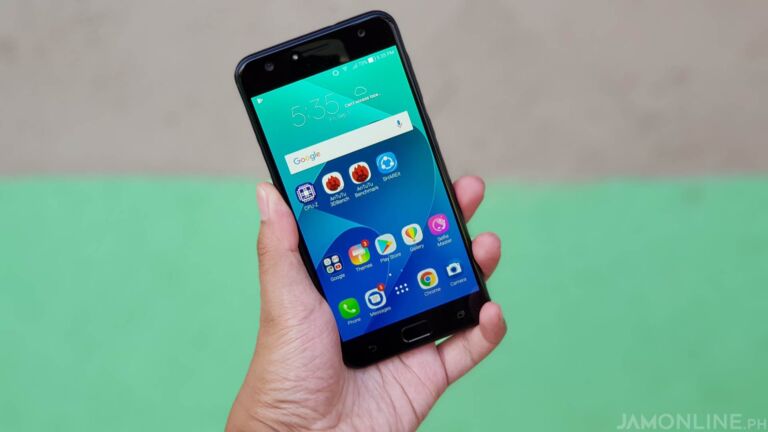
ASUS has recently released the Zenfone 4 series globally and one of their new devices is the ASUS Zenfone 4 Selfie. From the name itself, the smartphone focuses on its selfie camera. It’s a comeback from the missing selfie smartphone in the Zenfone 3 series. Actually, there are 2 selfie smartphones from ASUS and the affordable one is the ASUS Zenfone 4 Selfie. Today, we’ll review this smartphone.
A slim, light, & plastic build
The ASUS Zenfone 4 Selfie packs a plastic build and once you hold it, the first thing that’ll come to your mind is that the smartphone is really light. It’s also made up of plastic which contributes to its light profile. The smartphone is also slim with the curves feels just right which makes the smartphone really ergonomic.
The design is very similar to previous ASUS Zenfones however they ditched the fingerprint scanner to the back and placed it on the home button on the front which can’t be pressed down similar to most phones this year and also to the iPhone 7. There’s also the capacitive buttons beside the home button and unfortunately, it isn’t an LED backlit capacitive button.
Both the power button and the volume rocker are placed on the side while on the side is where you can find the Sim card tray which houses two sim cards and also a slot for MicroSD. It means that you can use two sim cards along with the MicroSD compared to most smartphones these days.
Despite its plastic body, the smartphone still has a nice feel to it because again, the ASUS Zenfone 4 Selfie is light and also packs a slim profile.
HD display is Meh
One of the things that you might be disappointed in the smartphone is that the display only sports an HD resolution. Obviously, that resolution isn’t an ideal one even at its price range. The display isn’t as bright as I expected too but the colors of the display are just fine. I wished that ASUS has at least used a Full HD display on this one instead of HD.
A Mid-range performer
The ASUS Zenfone 4 Selfie uses the Qualcomm Snapdragon 430 processor for its processing power. Yes, the processor is old but I really appreciate that ASUS has used Qualcomm over MediaTek for the selfie-centric smartphone. The smartphone also packs in a 4GB RAM inside which makes the smartphone just enough for most people.
If you’re a heavy gamer, sure, you would ask for more considering that the ASUS Zenfone 4 Selfie uses a quite old processor but up to this day, the ASUS Zenfone 4 Selfie’s Qualcomm Snapdragon 430 processor inside is just fine for most tasks. If you’re just into selfies for smartphones and just playing some light games and also browsing your social networking sites, then the ASUS Zenfone 4 Selfie won’t be a problem to you.
I’ve also tried playing games on the ASUS Zenfone 4 Selfie and if you’re just into games like Mobile Legends and Clash Royale then the ASUS Zenfone 4 Selfie won’t be a problem. It can run those games just fine however if you want to play 3D heavy games like NBA 2k17 then you might want to turn down the settings to be able to play the game well at playable frame rates.
A brand new ZenUI
ASUS has also redesigned the ASUS ZenUI to make it faster and cleaner. Compared to the Previous ZenUI, the ASUS Zenfone 4 Selfie now features fewer bloatwares and also a cleaner and a better look. Of course, the ASUS ZenUI still features the same design DNA of the previous ZenUI especially its pastel colors but this time, it now features thinner and cleaner fonts and of course, faster response time when opening applications.
However, I’ve also noticed that the new ZenUI is still a little bit buggy but I’ve been receiving updates on the smartphone which makes the smartphone even faster and less buggy as well.
Long Battery Life
Another thing to appreciate about smartphones with only an HD display and a 3000mAH battery like the ASUS Zenfone 4 Selfie is its battery life. I got a longer battery life than I expected on the ASUS Zenfone 4 Selfie and actually, the smartphone can last up to a day and a half if you’re not a heavy user and the smartphone can actually last a work day even without the use of a power bank. The smartphone is actually pretty impressive when it comes to battery life.
The Selfie Shooter
The ASUS Zenfone 4 Selfie’s main unique selling point is its dual lens front camera. The smartphone’s dual lens camera is made for selfies and also wefies. The camera made for selfies is the 20-megapixel lens camera while the other one made for wefies is the 8-megapixel wide-angle lens.
Before we proceed to the camera samples, I really have a gripe with the front camera of the ASUS Zenfone 4 Selfie. As you can see, the front cameras of the ASUS Zenfone 4 Selfie are placed a little bit too far from each other and actually, I’m still confused which one is the 20MP camera or the 8MP camera. This placement also means that when you’re taking selfies, we’re not sure whether which camera we should look at.
Again, the ASUS Zenfone 4 Selfie is made for selfies and also for wefies (group selfies). The cameras have different qualities, however, both of them has their own functions. The 20MP camera can take better photos and taking selfies using that, I noticed that the skin tones are better than the wefie 8MP camera. The wide-angle 8MP camera can take photos that are a little overexposed and the skin tone is a little bit pale but yeah, the 8MP camera can take photos that are wider which means that you don’t need to use a monopod just to take group selfies or wefies. Check out the camera samples of the selfie cameras of the smartphone.
P 20170818 043914 vHDR On
P 20170818 044057 vHDR On
P 20170819 123658 vHDR On
P 20170819 123653 vHDR On
P 20170819 134113 vHDR On
P 20170819 152817
P 20170901 145829
P 20170901 145841
P 20170901 145914
P 20170901 145918
P 20170901 174015 vHDR On
P 20170901 174021 vHDR On
Oh and yes, the selfie cameras of the smartphone also feature a LED Flash in case you’re in a low light environment and also, the cameras now also features portrait mode which is by the way, not perfect but at least it has one.
The smartphone also features a 16-megapixel rear camera with LED Flash. Despite its lack of a dual lens camera at the back, the ASUS Zenfone 4 Selfie’s rear camera can actually do portrait photos. However, it isn’t as good as most smartphones with dual rear lens camera that can detect the depth of objects, but yeah, the ASUS Zenfone 4 Selfie’s rear camera is just fine especially for its price. Check out the photos that I took using the rear camera of the smartphone.
P 20170901 150414
P 20170901 150049 vHDR On
P 20170827 120136
P 20170822 171024 vHDR On
P 20170819 102243
P 20170901 150011
Verdict
The ASUS Zenfone 4 Selfie might have some flaws but it is an affordable selfie-centric smartphone. Despite its plastic build, the ASUS Zenfone 4 Selfie is still comfortable to hold and it’s actually really light. It isn’t the best performer but it does its job well when it comes to apps and games. The smartphone is actually more affordable than OPPO F3 and Vivo V5 Plus which are also smartphones with dual lens camera for selfies.
If you’re tight on the budget and you love selfies then you can consider the ASUS Zenfone 4 Selfie. Yes, it does have some flaws but the ASUS Zenfone 4 Selfie is still affordable considering that you’re getting a smartphone with a dual front camera.
However, if you can increase your budget, I would suggest getting the better and bigger brother of the ASUS Zenfone 4 Selfie, the ASUS Zenfone 4 Selfie Pro.
Good news! PLDT Home Fibr will now cover all of the 23 cities and municipalities. Yes, PLDT will further expand their Fiber-to-the-home (FTTH) facilities in key residential areas in Cavite.
People from Bacoor to General Trias, Sea Breeze Subdivision in Cavite City, Legian Subdivision, Avida Residences in Dasmarinas, Boston Heights in Kawit, the town proper of Alfonso, Amadeo, Magallanes, Maragondon, Mendez, and Ternate, Ponderosa Leisure Farms, Alta Monde in Tagaytay, Lancaster Estate in General Trias and more will soon get the ultra-fast Fiber internet up to 1GBPs from PLDT.
Not only that, they’ll also be able to enjoy PLDT Home’s Roku Powered TVolution Box in where you can stream channels from Cignal TV, Iflix, Netflix, and even YouTube.
Cavite is the latest phase of the aggressive rollout of PLDT in Luzon, Visayas, & Mindanao. PLDT’s fiber facilities have passed more than 3.3 million homes by end of June and it is expected to cover four million homes by the end of 2017.
Bezel-less displays are the future of displays on the smartphones. They have less footprint on the device which makes these smartphones smaller but with a bigger display and yes, these smartphones with almost bezel-less displays are getting more affordable now like the one that we have right now, the Doogee Mix. This is the most affordable smartphone with 6GB of RAM and not just that, the smartphone also packs an almost bezel-less display. Interested? Check out our review of the smartphone below.
Awesome Design at an affordable price
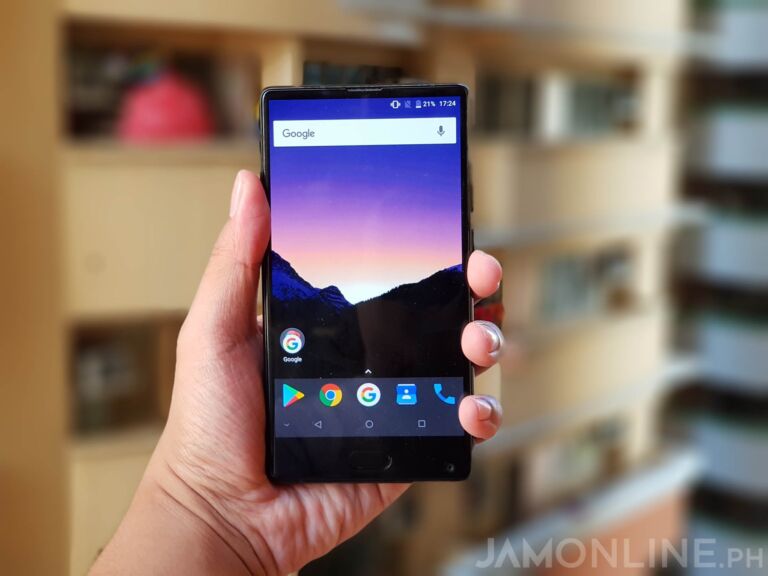
The best thing about this smartphone is probably its build. It features a glass back and a solid build. The front is mostly comprised of a display and the look of the smartphone is very similar to Xiaomi Mi Mix which was Xiaomi’s sexiest smartphone (Well it’s the Mi Mix 2 now). Below the display is the home button which can’t be pressed down and it also serves as the fingerprint scanner of the smartphone and it doesn’t feature capacitive hardware buttons as this has an on-screen button. But in case you’re worried that you feel that you’ll break the glass of the Doogee Mix, don’t worry because it comes with a case out of the box.
As you can see in the photo, the smartphone doesn’t really have an edge-to-edge display. We still have a smaller bezel on the smartphone but it’s just fine. I mean, the smartphone still looks pretty damn well compared to most smartphones in the market right now.
The smartphone is heavy but it actually adds a solid feel to the smartphone. The Doogee Mix also sports a micro USB port and also a speaker grill at the bottom. The fast charging capability is just fine and it works well however it’s not as fast on the one on smartphones with Qualcomm Quick Charge. Oh and the speaker? It works just fine and loud enough for and I’m quite satisfied with it.
The beautiful almost Bezel-less display
The Doogee Mix’s display is probably the main selling point of this smartphone. It has an almost bezel-less display which makes the smartphone look really beautiful and awesome however there are some things that I really don’t like about it.
First, the display of the Doogee Mix is only HD. Yep, it’s only at HD resolution that’s why the display of the smartphone isn’t as sharp and clear as most smartphones that pack a 5.5-inch display. But hey, at least you got an almost bezel-less display that looks really cool and very in line with most flagships of 2017.
Another thing. Yes, it’s really cool that the Doogee Mix is using a Super AMOLED display however I do have some problems with the display of the Doogee Mix. Yes, it’s really bright and vivid but the colors of the display are just too oversaturated. For some, people might like it but for me, well, the saturation is just too much and some of the bright shades of colors really hurt my eyes.
Great Battery Life
One of the reasons why the Doogee Mix probably has a heavy body is because of its battery. The Doogee Mix packs a 3380mAh of battery and yes, you could actually reach up to one and a half day of battery life if you’re not a heavy user and a single work day without charging. That’s pretty good if you ask me.
The Doogee OS
The Doogee Mix is using Doogee OS on top of that Android 7.0 Nougat. It has some features that can’t be found on stock Android including news by just swiping to the right from the home screen. You can also change the theme of the smartphone if you want to. The app drawer is a little bit different compared to most smartphones as this one is arranged alphabetically and can be browsed vertically. It’s nowhere near the experience of a stock Android but after a few updates after I got the review unit, the smartphone became faster and the launcher became smoother.
The smartphone also packs a MediaTek Helio P25 processor with 6GB of RAM. It’s powerful and it does its job when it comes to gaming. Most games even the heavy ones can run on the smartphone without problems and without lags. I’ve been playing Lineage II and even Mobile Legends at the highest settings and the smartphone can still run pretty well. As you play on the smartphone, the phone gets warmer but don’t worry because unlike most MediaTek Processors, the Helio P25 does a pretty good job when it comes to thermals. I actually had no problems with it despite playing games on the smartphone for a while.
Disappointing camera
It seems that the Doogee Mix packs almost all the features that you can ask for a 2017 smartphone. It runs on Android 7.0 Nougat, has an almost bezel-less display, and then there’s the dual camera. The smartphone can actually do 2x zoom and also blur mode, however, it isn’t as good as I expected. The rear camera of the smartphone isn’t that really good and the blur mode of the Doogee Mix is just actually a radial blur.
The front camera of the smartphone is awkwardly placed below the smartphone which is why taking selfies are harder as you need to rotate your phone to avoid blocking the camera with your hand or to have better selfies as the range of view of the selfie camera is just bad. Check out the photos that I took using the smartphone.
IMG 20170718 194826
IMG 20170716 042344
IMG 20170716 042628
IMG 20170716 184203
IMG 20170717 140522
IMG 20170813 165656
IMG 20170813 165726
IMG 20170828 172714
IMG 20170828 172710
IMG 20170901 113840
IMG 20170901 113928
The shots that we took were dull and the colors weren’t on point either. I believe that Doogee needs to improve their camera on their other smartphones in the future. Hopefully, a software update could bring improvements to the Doogee Mix.
Verdict
The Doogee Mix packs an almost bezel-less design which can be mostly seen on flagships this year. Not only that, it also packs a dual lens camera at the back which makes the Doogee Mix a smartphone really fitting for 2017. However, there are many downsides on the smartphone. Yes, we do have a beautiful and solid design however the display is only in HD and the camera of the smartphone is disappointing. But again, if you love the design and the battery life of the smartphone, then you can now get this smartphone for at Lazada.
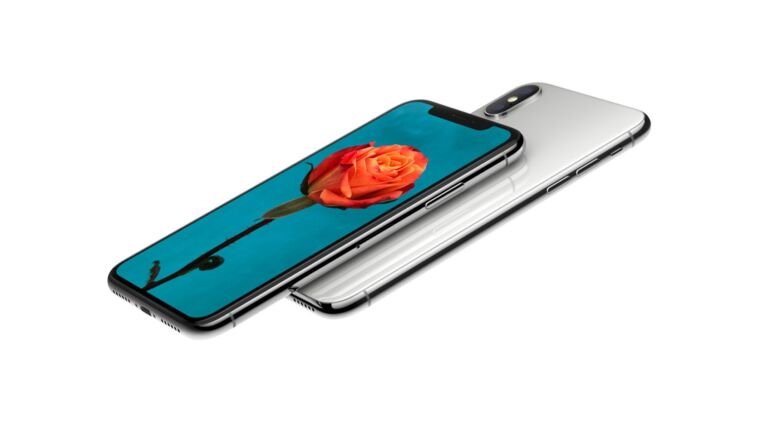
Apple has finally announced the new iPhone X (Pronounced as iPhone 10). Yep, that’s the third iPhone that was unveiled today and it packs a bezel-less display and just like the iPhone 8, it will have a glass finish on the front and the back.
The smartphone will also come with a Super Retina Display and yes, it’s 5.8-inch 2436×1125 OLED display with a small cutout for the earpiece and the camera.
Since the smartphone doesn’t have a home button, you can turn on the display by just touching it and to go to the home screen, all you need to do is to swipe up.
Since the iPhone X will not come with a home button with a fingerprint scanner, they’ve now introduced a feature called Face ID that can recognize your face replacing the fingerprint scanner. (Yeah! They ditched the fingerprint scanner!). Well, you don’t have to worry about the Face ID as this one uses TrueDepth Camera system that can’t be spoof easily.
They’ve also introduced Animoji that lets you send messages on iMessage that can be animated using your face using the TrueDepth Camera.
The iPhone X will come with 12MP dual cameras similar to the iPhone 8 Plus. The front camera now also supports portrait mode and portrait lighting. While inside the smartphone is an A11 Bionic processor similar to the iPhone 8 and 8 Plus.
The iPhone X will come in Space Grey and Silver color and it will come in 64GB and 256GB and it will start at $999. The iPhone X will be available this November 3. No word regarding local availability.
After weeks of leaks, Apple has finally the iPhone 8. Unlike the last year’s iPhone 8 and 8 Plus, this one would have a glass front and back. Unfortunately, the iPhone 8 isn’t the one that comes with a buttonless display but don’t worry as this one still comes with a lot of new features.
Inside the smartphone is also running on A11 Bionic Processor. It’s a six-core CPU that comes with Apple-designed GPU. It also comes with a new image signal processing to produce better photos and to improve shots.
There’s a 12-megapixel camera but unfortunately, the iPhone 8 is still a single camera while the iPhone 8 Plus will come with a dual camera. The new iPhone 8 and iPhone 8 Plus will both come with wireless charging which is a feature already present on Android smartphones years ago.
Both the iPhone 8 and iPhone 8 Plus will come with 64GB and 256GB storage and will start at $699 (Php35,632) and $799 (Php40,730) respectively.
The new iPhone 8 and 8 Plus will be available in Space Gray, Black, and Gold,
Apple has just unveiled the Apple TV 4K and duh, it now supports 4K. Not just that, the new Apple TV also supports 4K HDR. And since the new Apple TV now supports 4K, it requires a more powerful hardware inside. Well, the new Apple TV 4K now runs on A10X processor which is also running on the iPad Pro. And if you’re buying HD movies from iTunes, Apple will automatically upgrade those to 4K HDR for free.
The Apple TV 4K will start at $149 and it will come with 32GB of Internal Storage
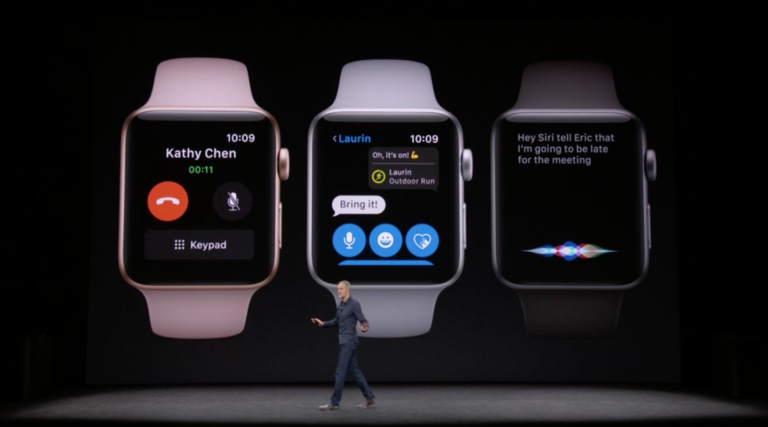
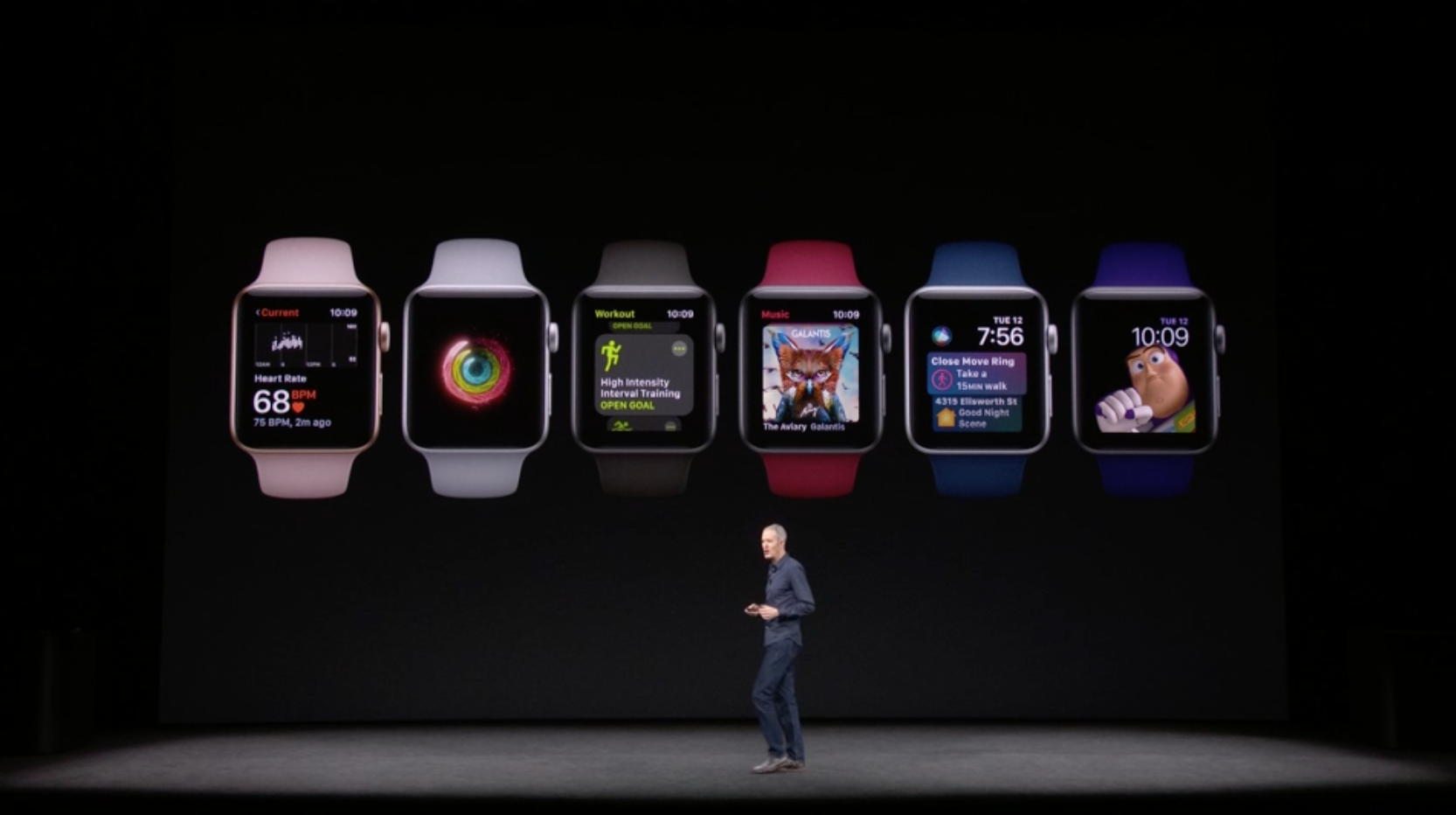
Apple has just upgraded the Apple Watch today and Apple seems to be happy with their wearable as this one has a 50% YoY growth and it is currently the #1 watch in the world beating the popular watch brands such as Rolex and Casio. The Apple Watch Series 3 will now come with cellular built-in. Yes, you can now leave your iPhones at your home while you jog or probably buy a soy sauce on the nearest store as the new Apple Watch Series 3 will now support cellular with the same number from your iPhone.
Not only that, you can also connect to your Airpods to the Apple watch and listen to Apple music. Apple has also upgraded the processor which is now 70% faster but 50% more power efficient. So how does this one have cellular built-in? Well, this watch has an e-sim inside. Oh and yeah, it will now sport WatchOS
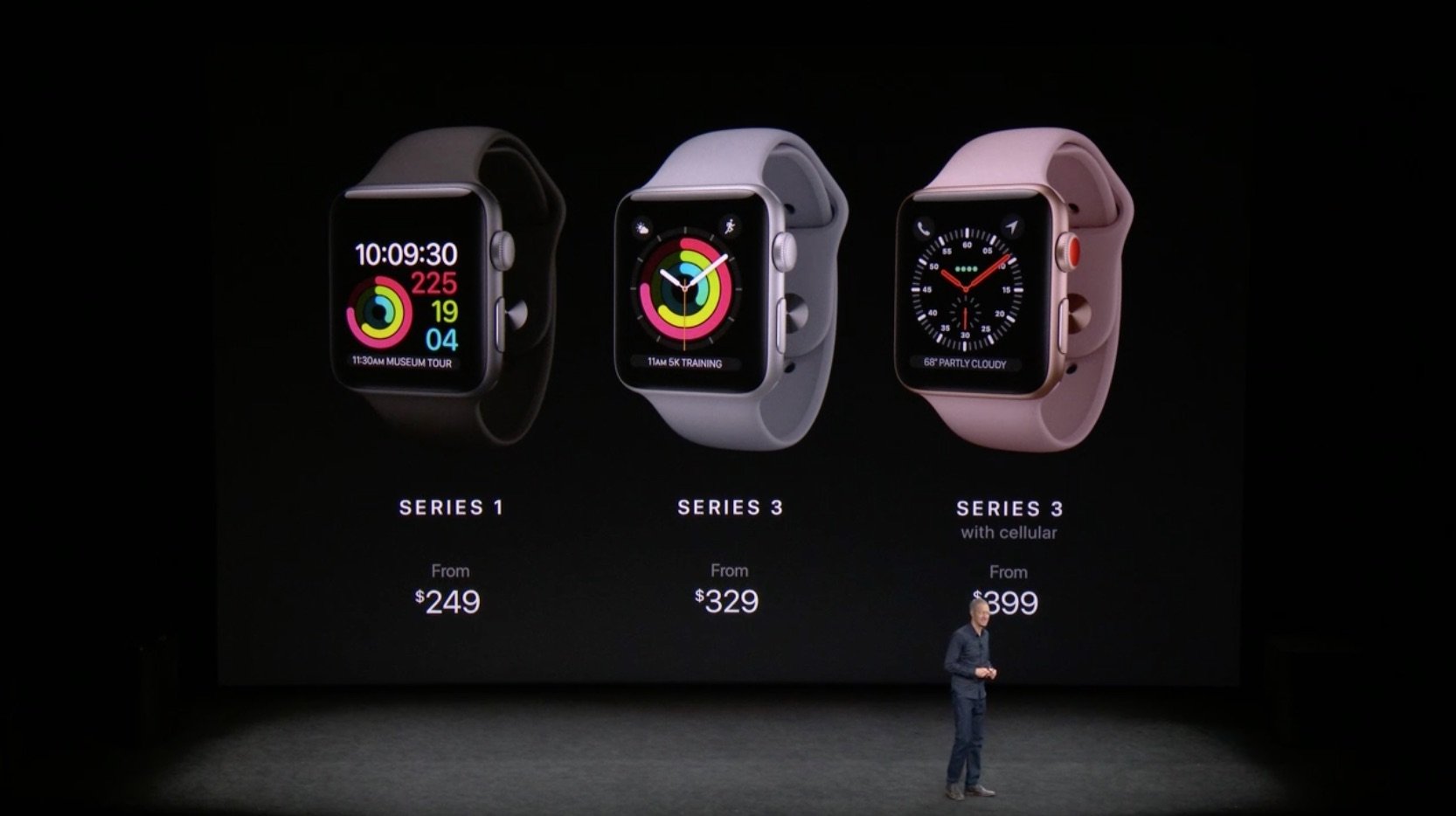
The Apple Watch Series 3 starts at $329 while the cellular version will start at $399. Unfortunately, Philippines isn’t included in the list of countries that will get the Apple Watch Series 3 Cellular.
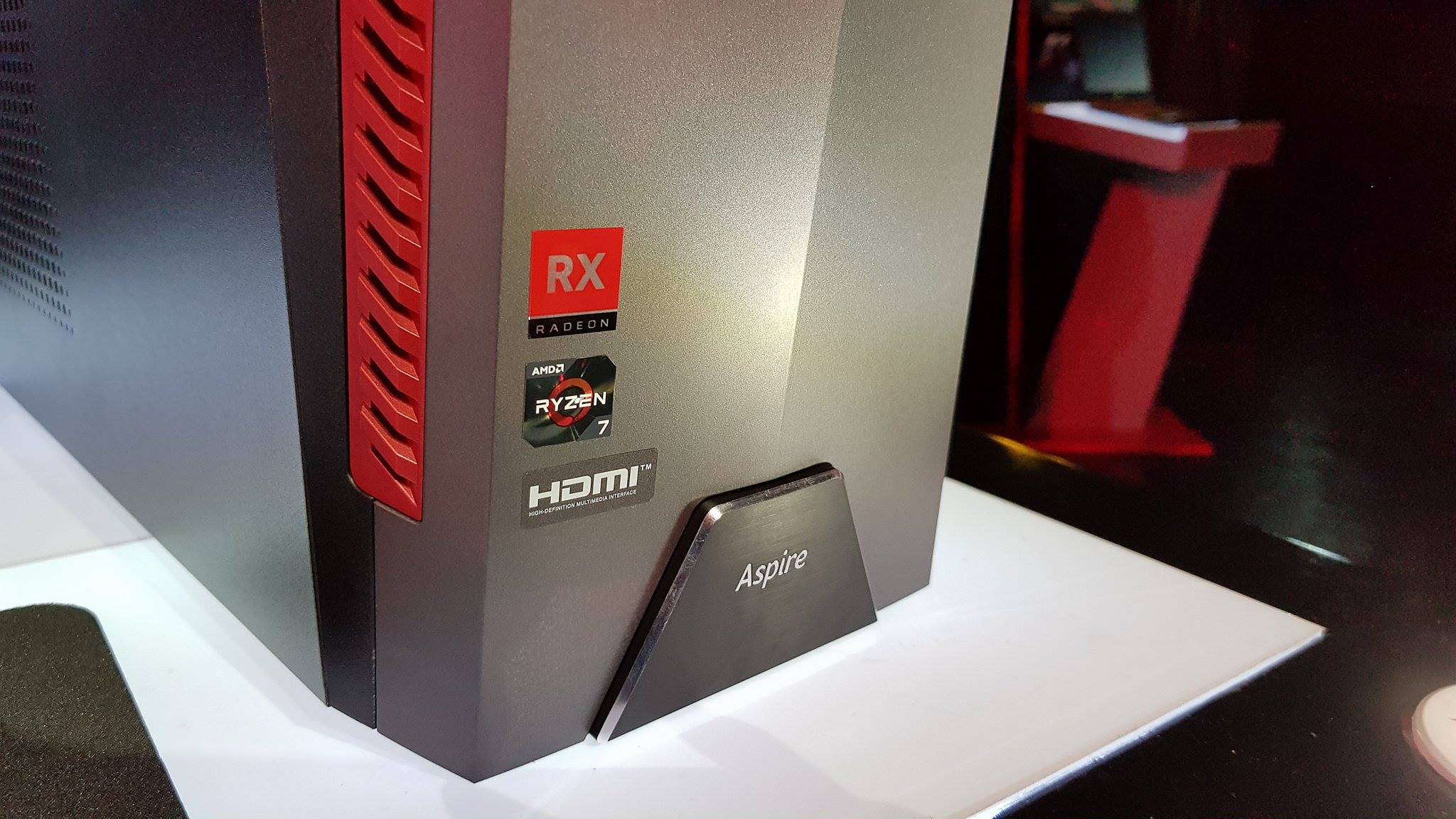
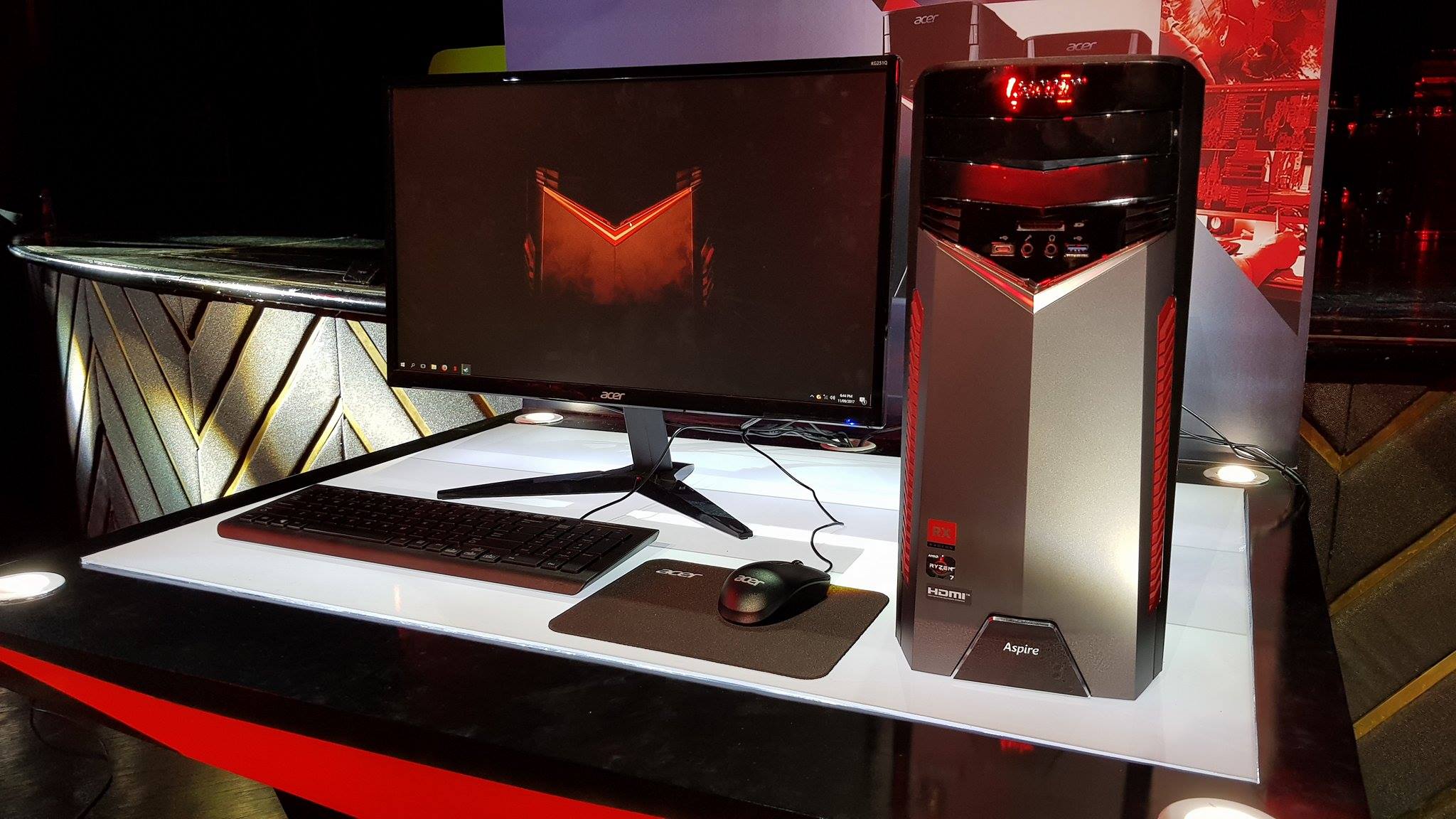
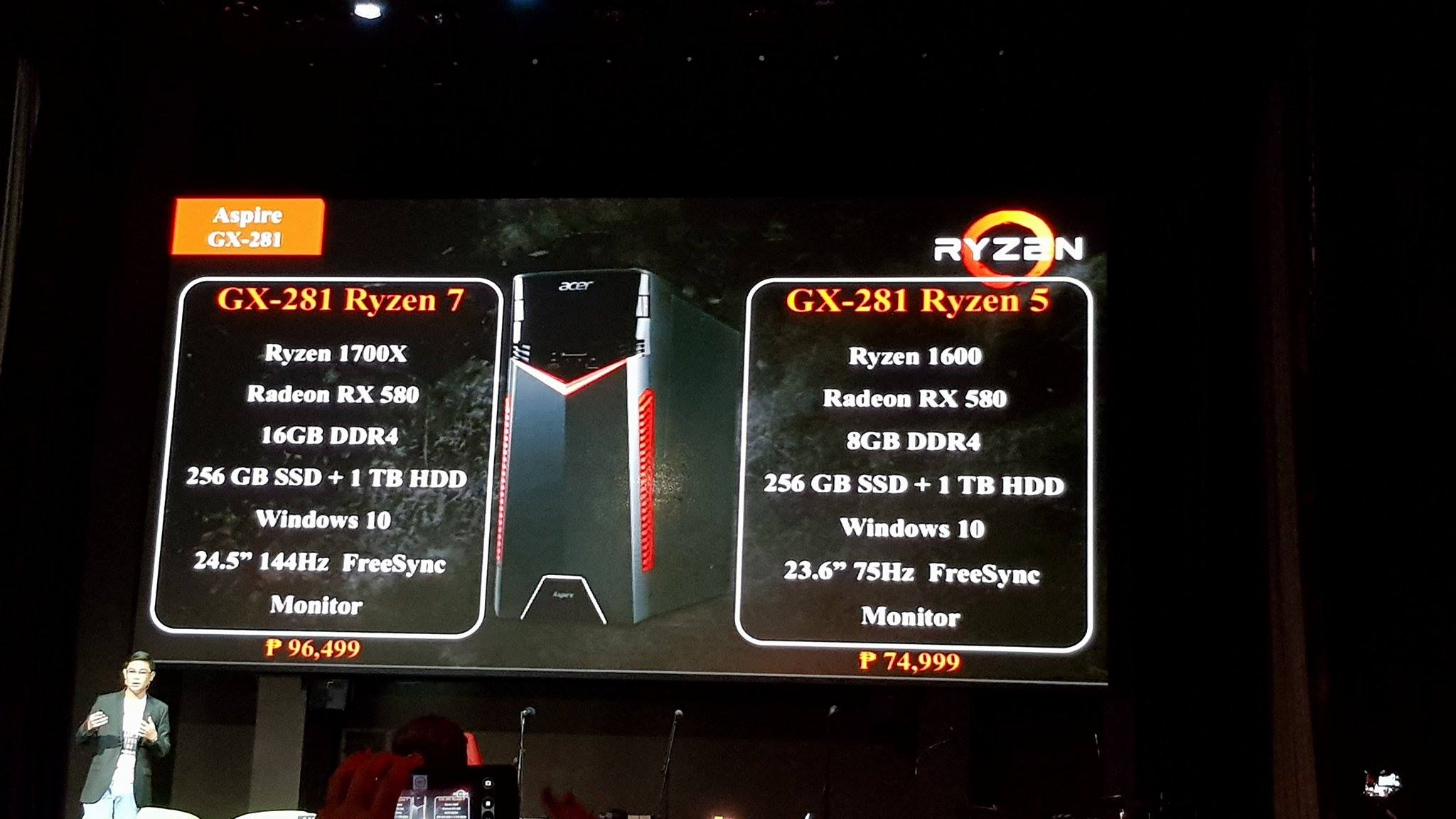
Acer Philippines has just launched their all new pre-assembled CPU with AMD Ryzen 7 processor in the country. The GX-281’s Ryzen 7 Processor features a 3.4GHz base clock speed, 8 CPU cores with 16 threads and an Extended Frequency Range.
The Acer Aspire GX-281 also features an armor-shaped housing with red LED lights. Not only that, the PC will also come with monitor that supports freesync and also the latest Radeon RX580 GPU for gaming. But despite that, this doesn’t belong to the Acer Predator line.
The Acer GX-281 comes in two variants. The cheaper one comes with Ryzen 5 1600 processor, Radeon RX580, 8GB DDR4, 256 GB SSD + 1TB HDD, Windows 10, 23.6-inch 75Hz FreeSync Monitor and it is priced at Php 74,999.
While the more expensive variant comes with Ryzen 1700X processor, Radeon RX580, 16GB DDR4, 256GB SSD + 1TB HDD, Windows 10, and a bigger 24.5-inch 144Hz FreeSync Monitor which is priced at Php 96,499.
The Ryzen Processors inside these machines are not only great for gaming but also for productivity as there are many applications now that support and are faster with multicore. The RX580 inside these PCs are pretty powerful too as this can run most of the latest games at highest settings without a problem.
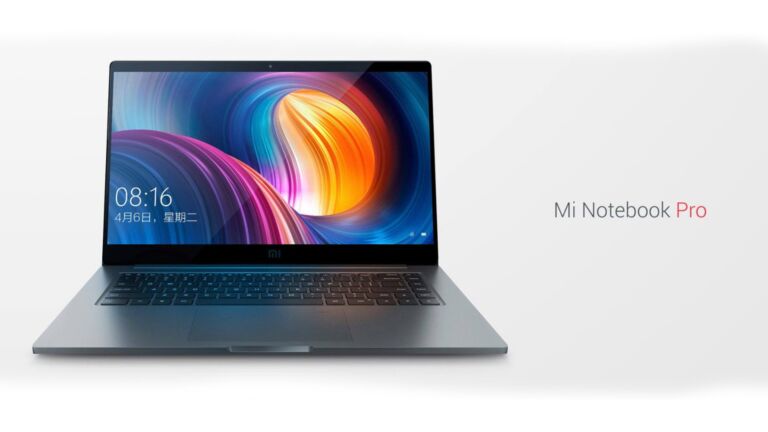
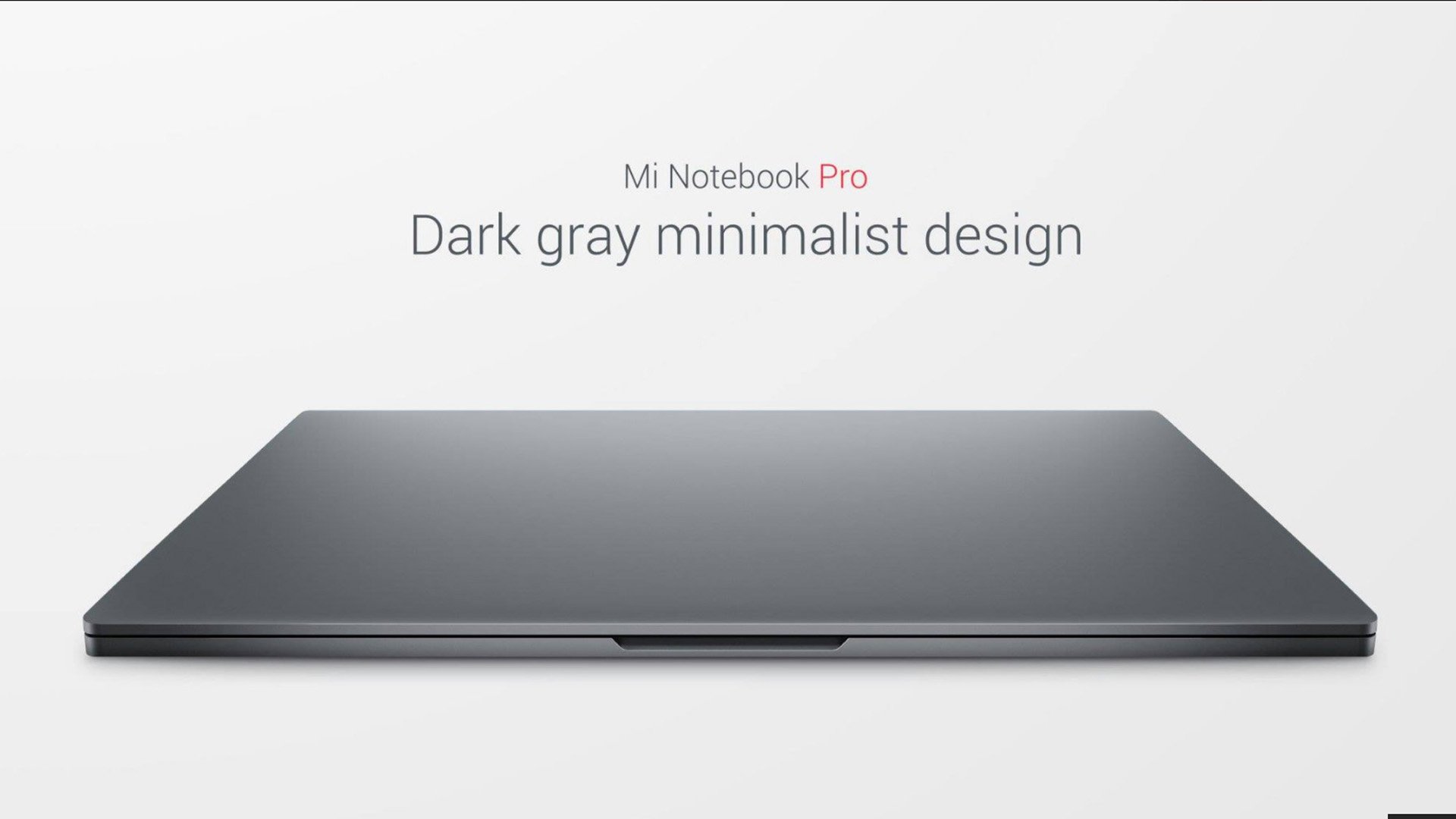
Xiaomi has announced three devices today and one of them is a laptop — the Xiaomi Mi Notebook Pro. It’s a 15-inch notebook and it boasts a high performance that competes with the likes of the Macbook Pro as this one packs the 8th Generation Intel Core i7 Processor, a neat design, and a dedicated Nvidia GeForce MX150 GPU.
Unlike the Macbook Pro, the Xiaomi Mi Notebook Pro doesn’t lack in ports as this one comes with 2x USB-C, 2x USB 3.0, HDMI Port, SD Card Reader and an Audio Jack. The display is only at 1080p that’s still ain’t bad for a Windows notebook. There’s also a fingerprint scanner on the touchpad too.
I wished this notebook had a Nvidia GeForce GTX 1050 GPU for a better performance instead of the MX150 which can be found on the Mi Notebook Air 13 too.
The Xiaomi Mi Notebook Pro comes in Intel Core i5 and Intel Core i7 variants. Here are the full specifications of each variant and their price.


 Sony has just launched their all-new powerful smartphone in the Philippines, the Sony Xperia XZ1. It was unveiled last IFA 2017 at Berlin, Germany and it’s actually one of their innovative smartphones as the Sony Xperia XZ1 packs a 3D-scanning camera that lets you scan your face in 3D and use it for different applications.