





Yep there’s a conference chat in Facebook. You can have a conference with so many people ( I still don’t know the limit). Anyway here’s how to create a conference chat in facebook
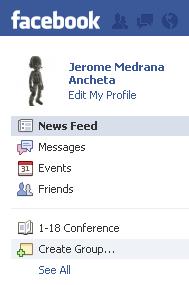
STEP 2: A pop-up box should appear. Type the Group name and choose the privacy settings then click create

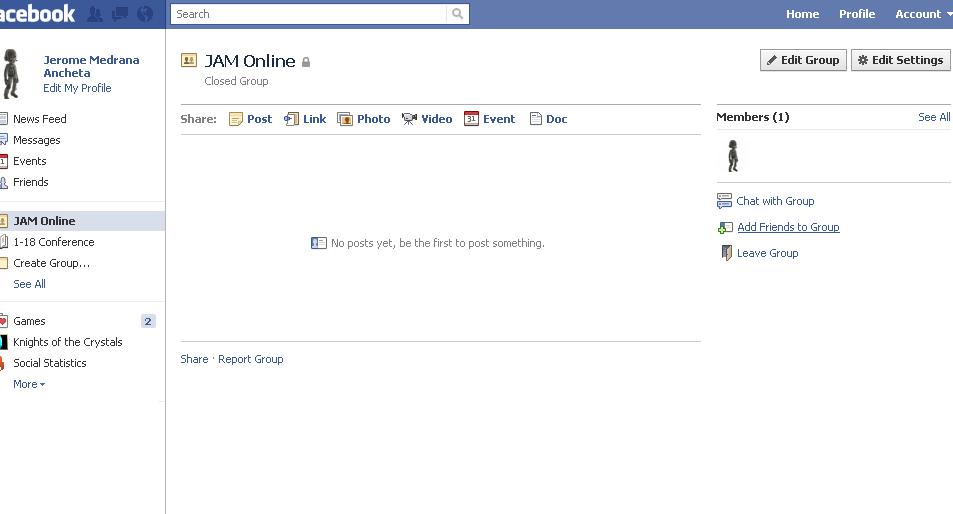
Step 3: After creating the click on add friends to the group
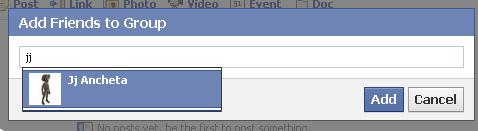
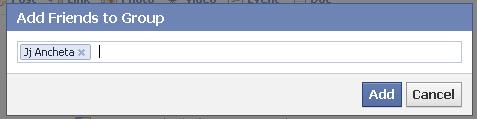
Step 4: Add your friends by tagging them.
Step 5: Click with Chat with group on the group’s page and you can now have a conference with your friends!

That’s all :). It’s easy right?
To get the latest news about videos, tips, cheats & more subscribe to JAM online Enter your email address:
Delivered by FeedBurner 


Leave a Reply