Home Blog Page 281

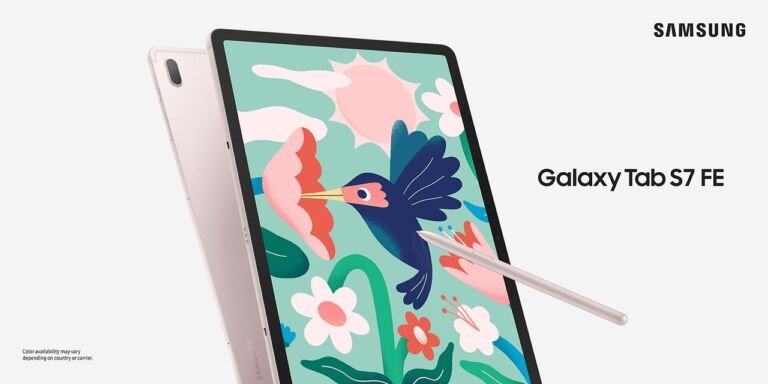
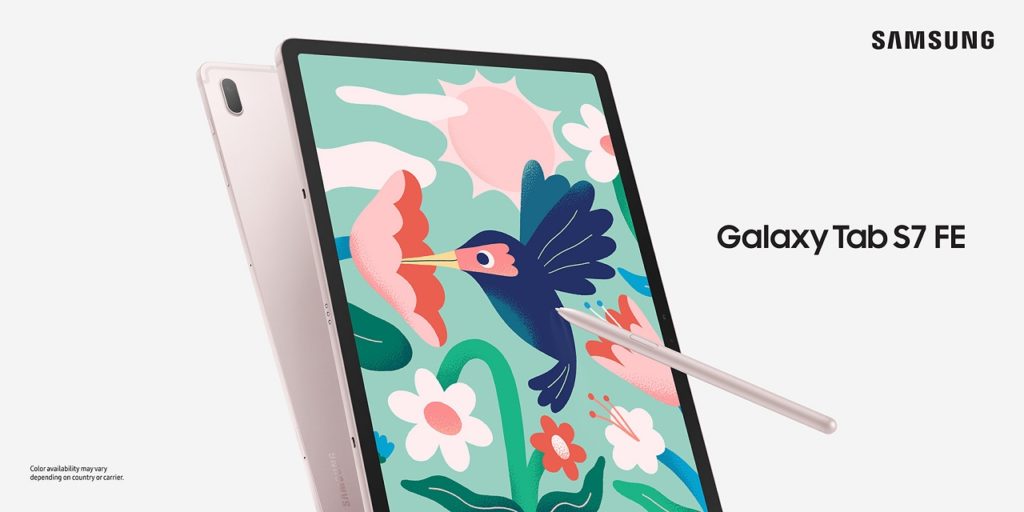
Samsung Galaxy Tab S7 FE Unveiled, comes with 5G and 12.4” display

0

A brand new tablet in the Galaxy Tab S7 family has been unveiled and it’s the Samsung Galaxy Tab S7 FE. The new tablet will come with a large 12.4” LCD display which is pretty large and comparable to the large iPad Pros. The tablet also supports Samsung DeX and also the Book Cover Keyboard if you want to be productive on the tablet.

Samsung Galaxy Tab S7 FE Specs

  • 12.4-inch 2560×1600 WQXGA TFT Display
  • Qualcomm Snapdragon 750G Octa-Core Processor
  • 4GB+64GB/6GB+128GB
  • 8MP rear camera
  • 5MP front-facing camera
  • 5G, LTE
  • USB Type C 3.2 Gen 1
  • Samsung DeX
  • GPS+GLONASS, BD, Galileo
  • Dual Stereo Speakers sound by AKG, Dolby Atmos
  • S-Pen
  • 45W Super Fast Charging Supported
  • 10090mAh battery
  • OneUI based on Android 11

The tablet also supported S-Pen which means that this one is also perfect for those people who want to be productive on the tablet. Thanks to its processor, the tablet comes with 5G which is a nice feature to have on tablets right now.


Samsung Galaxy Tab A7 Lite Now official!

0

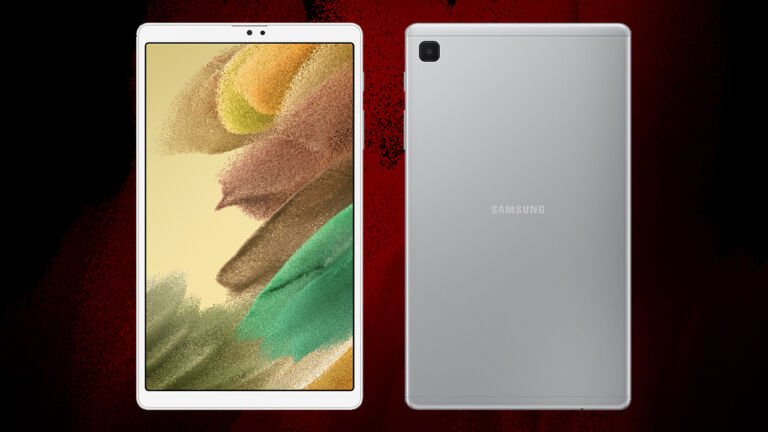
Samsung has officially introduced their newest affordable budget tablet to the Philippine market and it’s the Samsung Galaxy Tab A7 Lite. The tablet comes with an 8.7-inch display and also a metal cover on the back. The screen size of the tablet makes it perfect for those people who are looking for a tablet that is meant for online school and for watching movies.

Samsung Galaxy Tab A7 Lite Specs

  • 8.7-inch 1340×800 WXGA+ TFT Display
  • Octa-Core 4×2.3GHz + 4×1.8GHz processor
  • 3GB+32GB / 4GB+64GB RAM/Storage
  • 8MP rear camera
  • 2MP front camera
  • LTE, WiFi
  • USB Type-C
  • 5100mAh Battery
  • 15W Fast Charging
  • Android 11

The Samsung Galaxy tab A7 Lite is clearly meant for those people who are looking for a tablet that won’t break the bank and who just wants a tablet for light usage. The Samsung Galaxy Tab A7 Lite will be available this June 18 for Php9,490.

Capture amazing photos with the vivo X60 with world-class ZEISS optics

0

These days, people are now using their smartphone as their cameras and we barely see people using point-and-shoots to capture the best memories of our lives. Whether that’s a night out, a special occasion or a normal everyday life, we’re now using the cutting-edge technology integrated into our smartphone’s camera.

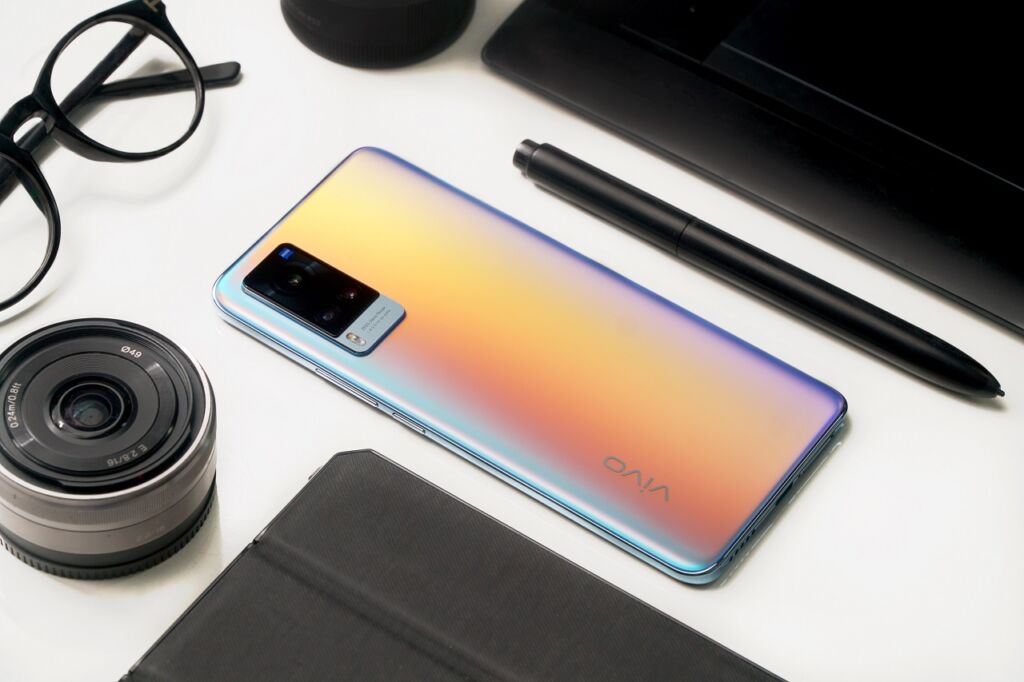
The vivo X60 in Shimmer blue. The smartphone is co-engineered by vivo and ZEISS

And with the vivo X60 – we can take professional quality photos with its powerful technology thanks to its ZEISS optics in the camera of the smartphone. The vivo X60 features enhanced photography functions and also improved imaging effects with its excellent aberration control, better image quality and a lot of exciting features.

Unparalleled focus

Photographer Xander Angeles captures a vividly-lit portrait of Rhian Ramos in a dark setting with the vivo X60’s HDR Super Night Portrait

The vivo X60 comes with HDR Super Night Portrait which lets you capture subjects with a sharp focus against a softly blurred background and with this, you can add artistic touch to night portraits and close-up shots.

Bright night shots

The smartphone features Extreme Night Vision 2.0 which gives us a bright night shots thanks to its massive f/1.79 aperture on the smartphone and a high-precision noise reduction algorithm. With this feature, we can capture striking night images even when it’s dark.

Captures every move

You can capture fast-moving subjects and the precious moments of childhood with vivo X60’s Kids Snapshot feature

Some quick moments are just too good to miss and with the motion detection of the vivo X60 series, it allows the users to take shots in a snap. You can capture photos in focus even when shooting live-action sports and even when capturing the precious moments of your kids.

Stability

Ultra-wide portrait of Rhian Ramos Shot by Kharren Granada using the vivo X60 5G’s Pro Sports Mode

With the camera of the vivo X60, you can bid goodbye to shaky videos and blurry photos thankts to the smooth and stabilize cameras of the vivo X60 that can recognize the XYZ axis rotations while shooting. This gives you a high quality videos with smoother and steady flow.

With vivo and ZEISS co-engineering the vivo X60 series,  you can expect high-quality photos with its amazing camera as the smartphone delivers seamless and elevated mobile phone photography experience.

Discounts and Cashback Vouchers Awaits GrabPay users at SM Supermalls

Grab announced its partnership with SM Supermalls to make shopping safer and exciting through its exclusive deals. 

From May 15 to June 30, the following benefits can be enjoyed by mall goers at SM Supermalls:

P100 off on your rides with GrabCar when you use the code: SHOPSMMALLS. Promo code is valid on the following branches: SM City North EDSA, SM City Fairview, SM Mall of Asia, SM Megamall and SM Aura Premier. 

Get P50 cashback voucher when you pay your parking fee with GrabPay, voucher can be used to pay for your next parking in SM Supermalls and SM Markets nationwide.

Enjoy P100 off on your ride via GrabCar or earn P100 cashback for every qualified purchase using your GrabPay at 400 participating The SM Store and SM Market branches nationwide. 

Cash-in for your GrabPay wallet is also available at any SM Business Center or Mall Information Booth. 

Here’s how you can use your GrabPay to pay for your parking and shopping transactions:

1. Open the Grab app and tap the Payment tab

  1. Tap on “Scan to Pay” 
  2. Scan the QR code
  3. Swipe to pay

Samsung TU8000 Crystal UHD TV (50-inch) Review

0

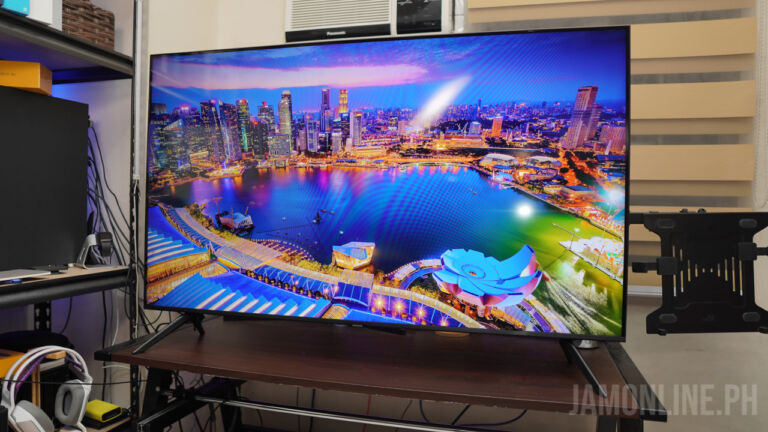
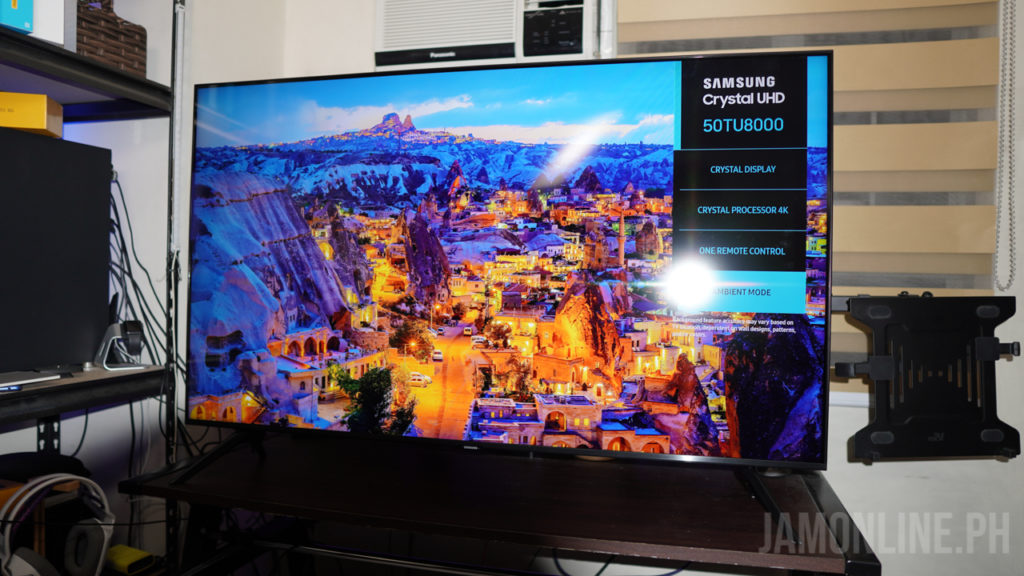
The Samsung TU8000 Crystal UHD TV Series from the Korean brand has been out in the market for a while now and it’s one of the best go-to TV in the market right now as we got here a panel that’s pretty good and it also comes with some features that you would love on a Smart TV.

Setting up

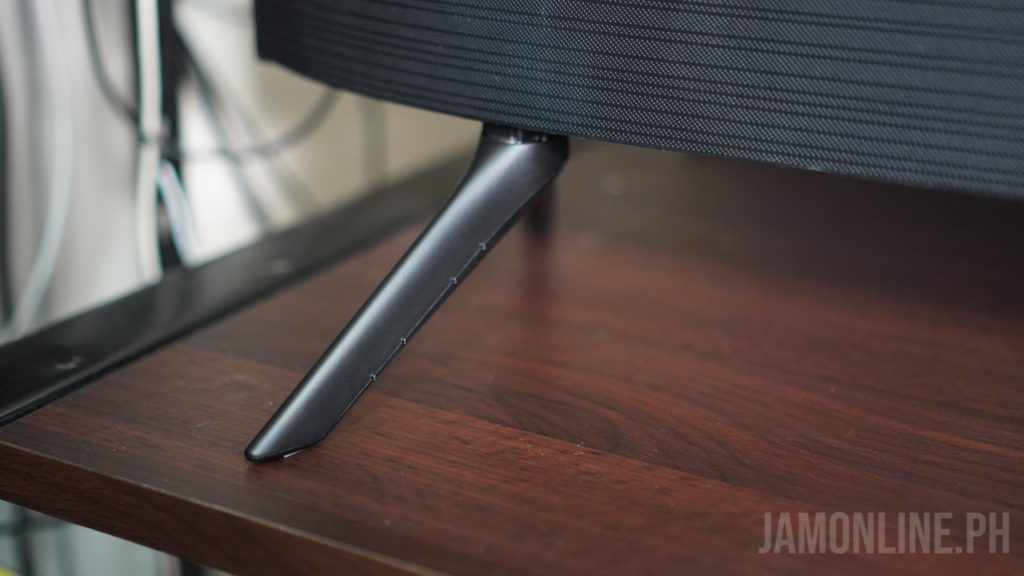
One of the things that I love to know when setting up TVs is that when the TVs are easy to setup and requires fewer tools and with the Samsung 50″ TU8000 Crystal UHD TV, I didn’t need a single screwdriver for this one as I just need to slip the stands into its perfect position and after that, you don’t have to worry about wobbles as the stand perfectly fits the TV. It’s made up of plastic but make no mistake because the stands of the TV is stable when placed on a flat surface.

Remote

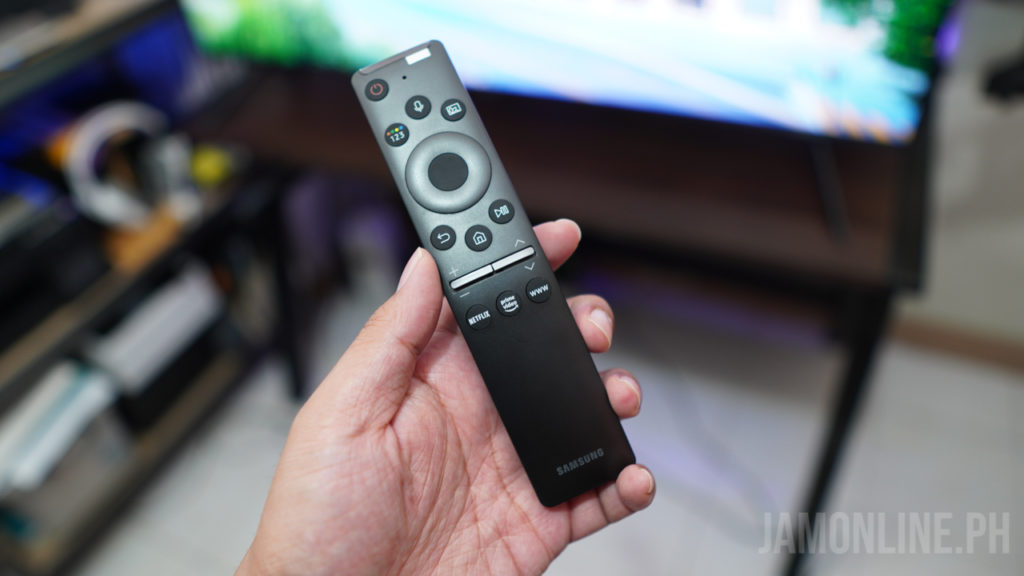
As for the remote of the 50″ Samsung TU8000 Crystal UHD TV, we got here a simple design that everyone can easily understand. Basically, we have the buttons for the microphone in where you can use Bixby voice commands to control the TV and then there are the directional buttons for navigation and of course there are the shortcuts for Netflix and Amazon Prime. The volume and channel buttons are switches and it took me a minute before I figured that out but it’s cool.

Design

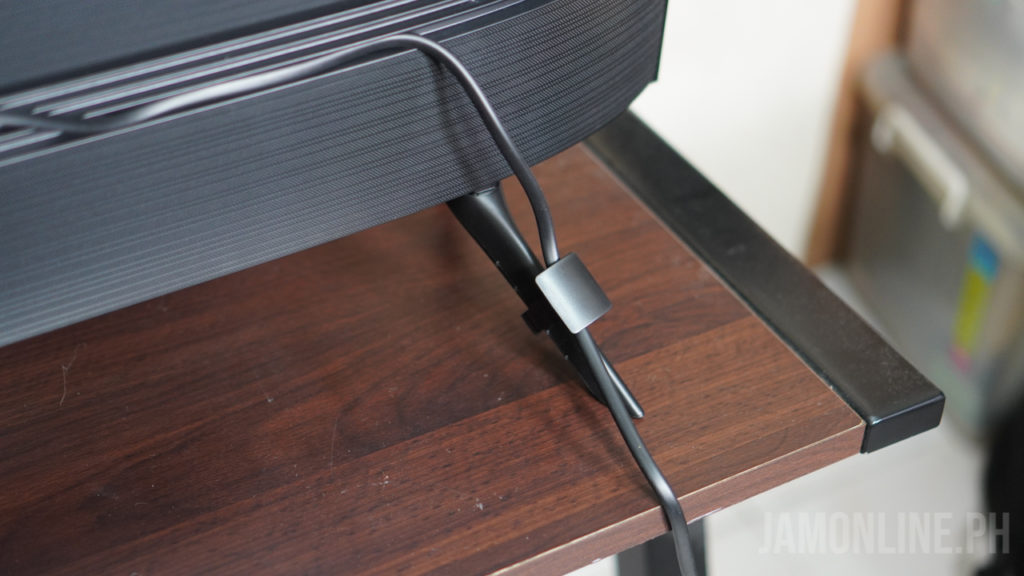
The Samsung TU8000 Crystal UHD TV isn’t their best in the market but it’s definitely clean and perfect for your living room. Remember the stand that I’ve mentioned earlier? Props to Samsung for including a clip in where you can clip the cables on the TV to make it look clean in your living room. It’s made of plastic as expected and it features a round build at the back. This isn’t the thinnest one out there but it will fit just right in the living room.

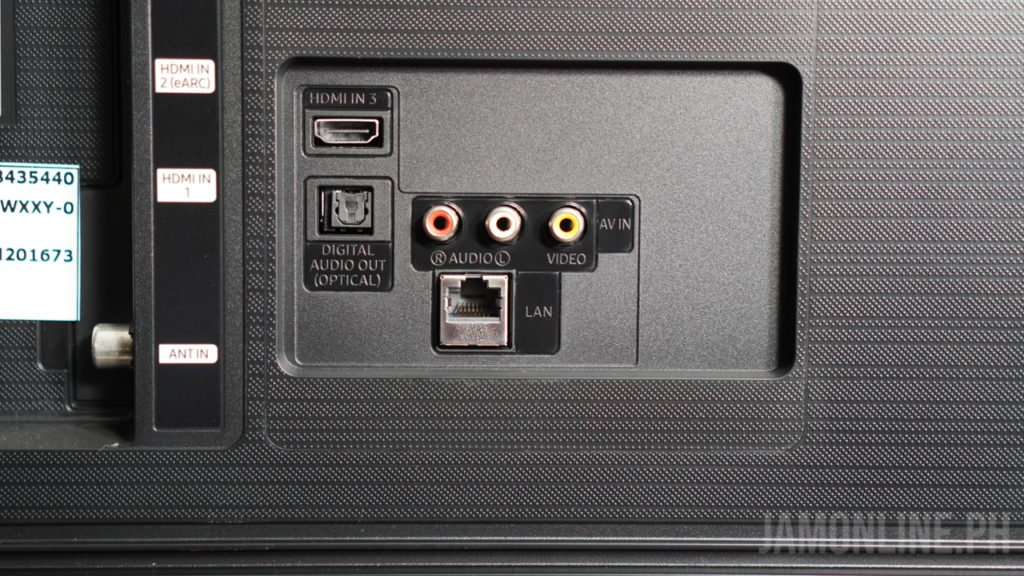
For the ports, the 50″ Samsung TU8000 Crystal UHD TV comes with everything that you need on a TV now. It comes with 3x HDMI ports with one of the ports support eARC, AV ports for your retro devices, Digital Audio Out, Antenna in, and a LAN Port.

As for other connectivities, it comes with WiFi and Bluetooth so you can connect the TV to the internet and use features like Bixby Voice and other apps like Netflix and Amazon Prime Video.

The audio of the TV was surprising for me. Most TVs doesn’t have a good audio quality built-in to it but the sound quality that we’re getting in this TV was great. I’m impressed with its bass and it’s good enough even a soundbar on a small room.

Display

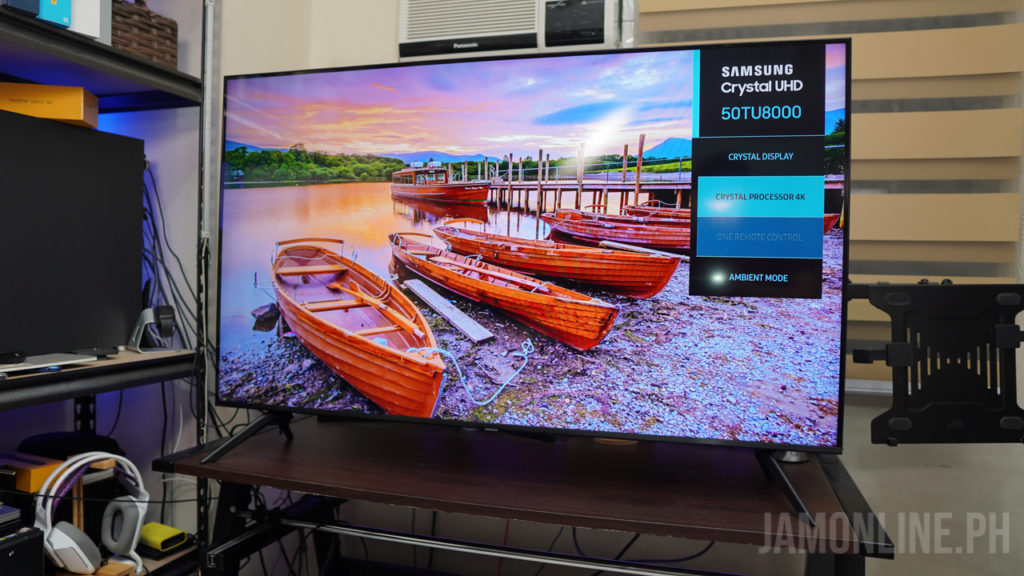
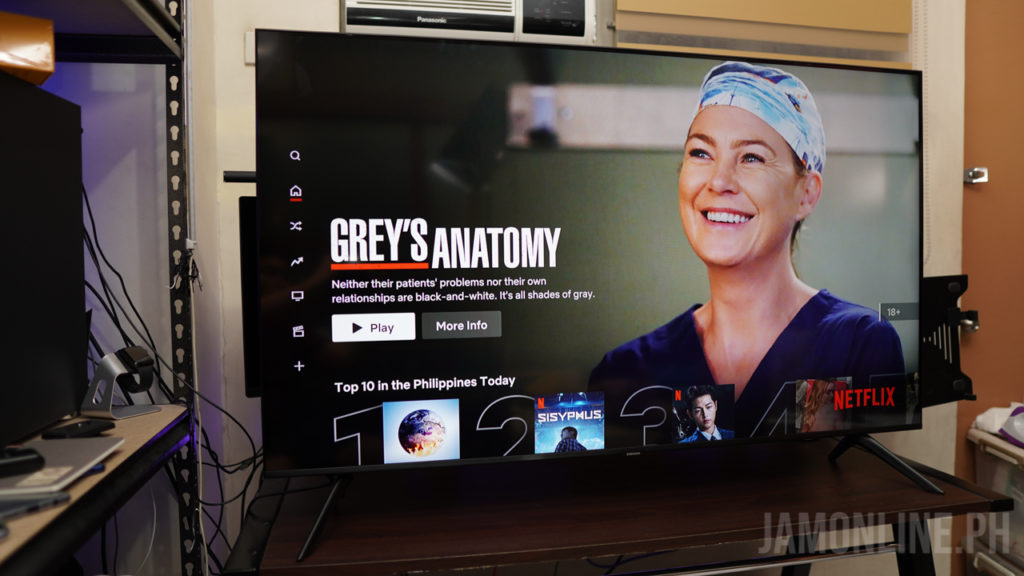
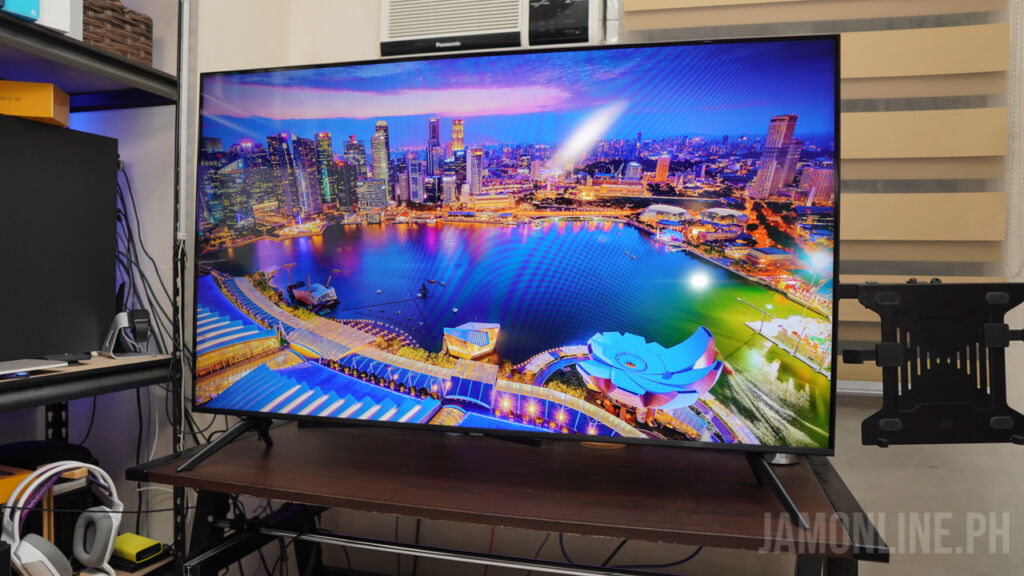
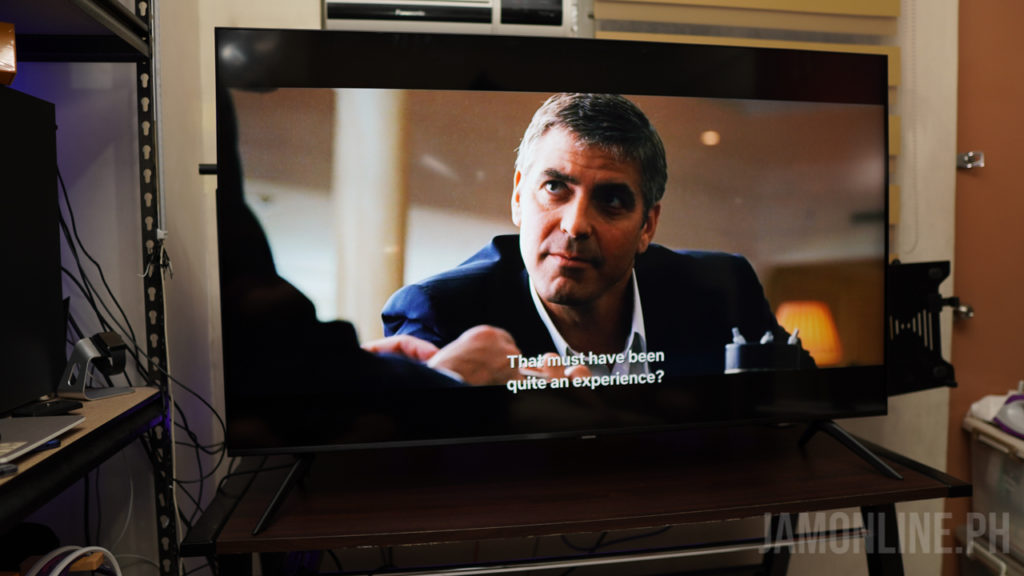
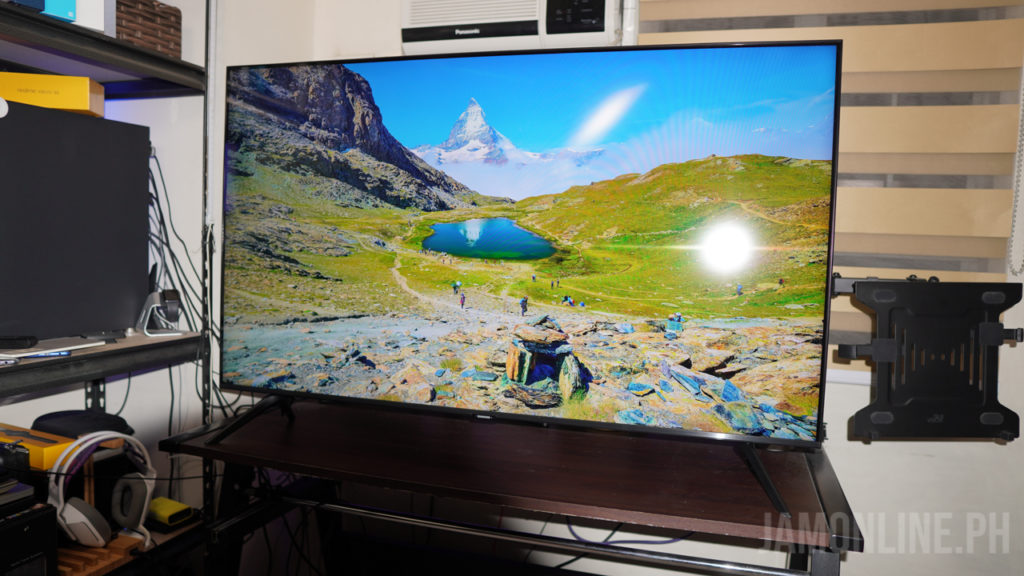
As expected, the display of the 50″ Samsung TU8000″ is great. It’s not the best but it’s a great 4K panel with HDR. So if you’re planning on using the TV for Netflix, this Smart TV will do a great job on that one. The colors are good and the contrasts are great but don’t expect the same quality on their QLED displays which are excellent.

As for the bezels, I’m pretty happy that we got here a minimalistic front design along with the thin bezels which makes the Smart TV cleaner in our living room. Overall, videos on this one were vivid enough and everything was really pleasing to my eyes.

Experience

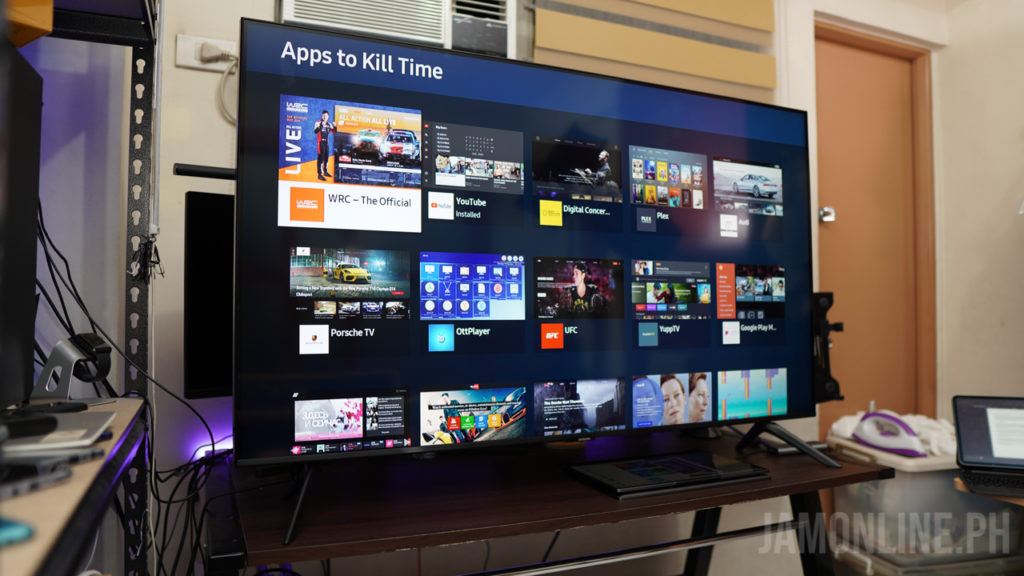
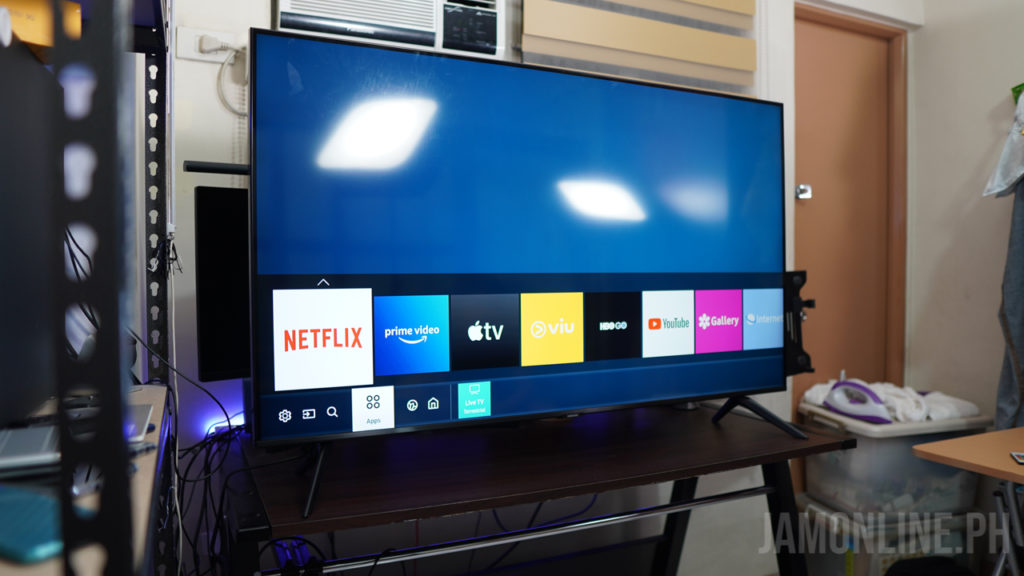
What set this TV apart from the others is that this one comes with Tizen OS inside. It’s an operating system from Samsung and it’s been long running on their Smart TVs. Navigating on the OS was fast and thankfully, there are already the different applications that I need on the TV including Netflix and YouTube. There’s the Apple TV too if in case you want to access that one.

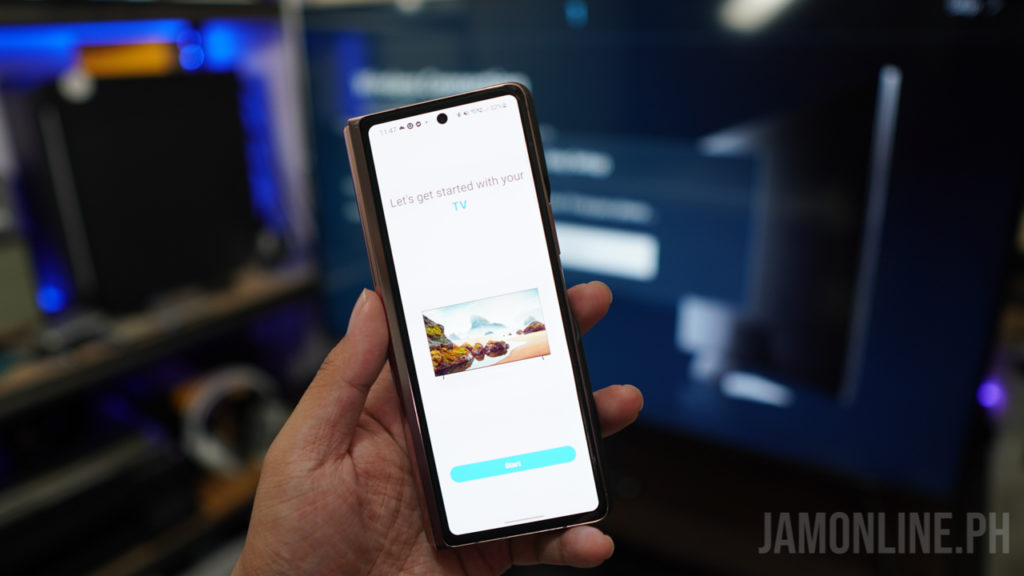
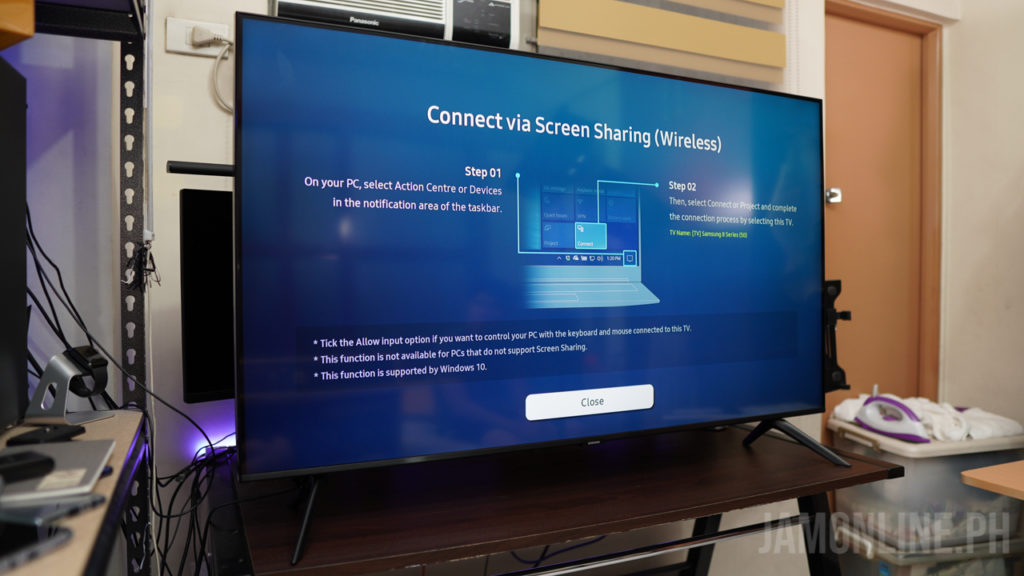
If you’re a Samsung smartphone user like me, you’ll be happy to know that this Smart TV comes with a seamless connection to your Android smartphone via SmartThings. Not only that I can control the TV with my smartphone but I can also wirelessly project my smartphone’s display to the TV but of course, you can clearly see the slower latency on this one but it’s a great feature especially if you want to share your photos and videos on your smartphone to everyone in the living room.

The voice assistant on the Smart TV was helpful too as I was able to open apps and navigate through the TV using Bixby Voice but it’s definitely not the best one in the market now but it’s useful. However, I do think that it’s still better to use the remote instead of this one.

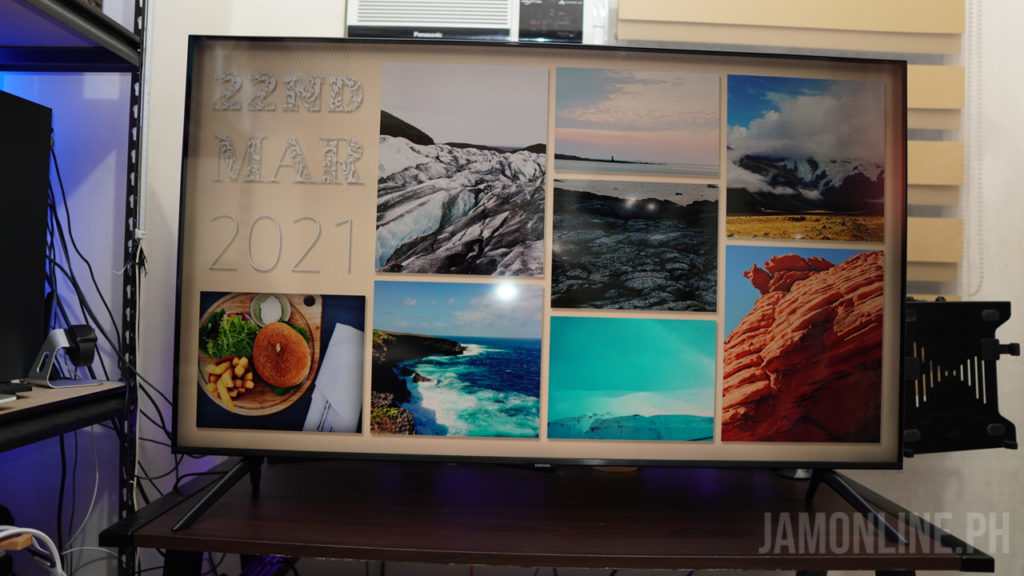
There’s a feature too called Ambient mode in where the TV can blend in to your home interior. This feature works best on their Samsung frame TV as they have bezel that fits perfectly on a living room but with this TV, we might have a good Crystal UHD Panel, it’s still reflective so you can’t really hide the TV as a painting in your living room.

Nonetheless, it’s still a great feature and if you have a guest in your home, it’s a great way to add some flair and beauty to your living room with photos and wallpapers.

Verdict

The Samsung TU8000 Crystal UHD TV isn’t perfect but it is a great TV for your living room. The easy setup and the minimalistic design is nice and it’s perfect for the living room and the audio was pretty good. It might have a little bit of reflective display and the panel isn’t as great as their QLED panels but again, it’s still a good one. The Tizen operating system was smooth and I really didn’t had any problems connecting and projecting to it.

Summer on Us Sale!

Samsung Philippines is having a sale right now in where you can take home a Crystal UHD TV and Soundbar bundle and you can save up to Php17,499! Be sure to take advantage of this one because this promo will only last until June 30, 2021.

ASUS Zenbook 13 OLED UX325 Review

0

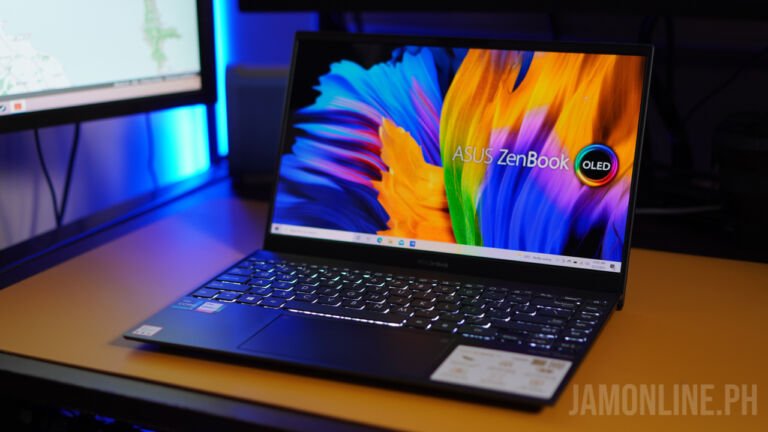
The newest Zenbooks are here in the country and just like before, they’re aimed to please the consumers who want to have a powerful notebook that they can use for their everyday usage and for work but still offers the portability that we need and also the beauty and premium feel on a notebook. This one is really special as this Zenbook now features a beautiful OLED display which is one of the best in the market right now.
ASUS Zenbook 13 OLED UX325 Review: Design and hardware
One of the iconic features of the Zenbook lineup is that these notebooks are premium and they are really portable. Of course, we have here the metal chassis on the notebook which makes it tough and also premium to hold — a common feat that we’ve seen on previous Zenbooks that we’ve reviewed before. What I mean by tough? Well, it’s tested to meet the MIL-STD-810G US military standard for reliability and durability.

Since this is a Zenbook, the notebook is already expected to be thin and light and this one doesn’t disappoint as we only got here a 13.9mm thickness and a very light body at 1.14kg. For the dimensions, we got here a 304.2 x 203 x 13.9 mm body. Basically, the laptop would perfectly fit on most bags without problems and isn’t heavy at all.
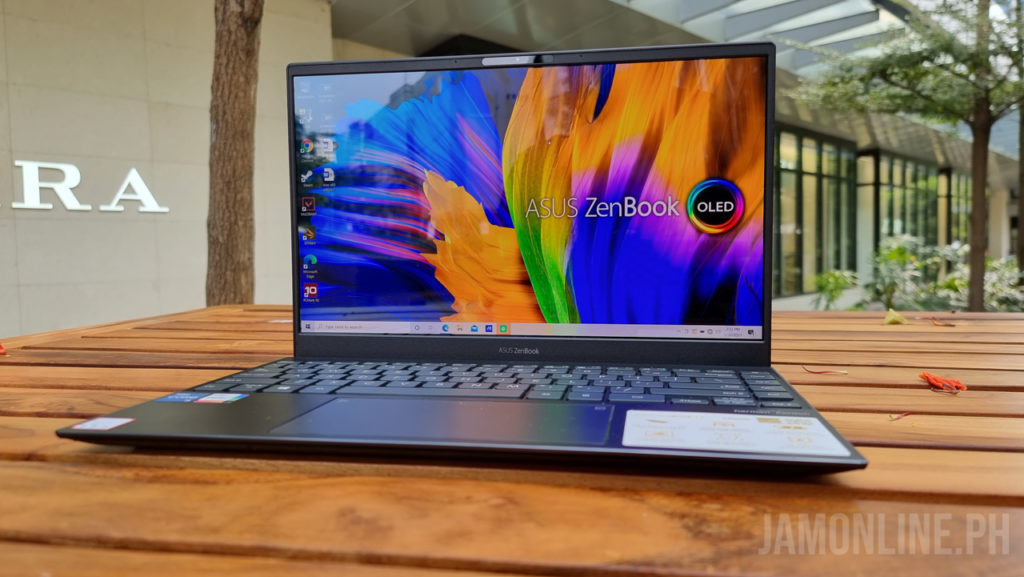
Actually, the notebook does come with a 13.3-inch display but it does feel like a 12” because of its small bezels which gives us a small footprint for the notebook. The notebook also comes with ErgoLift hinge which is a feature that we can find on most ASUS notebooks and this basically lifts the rear of the notebook when you open it which will give you a better airflow for the notebook.
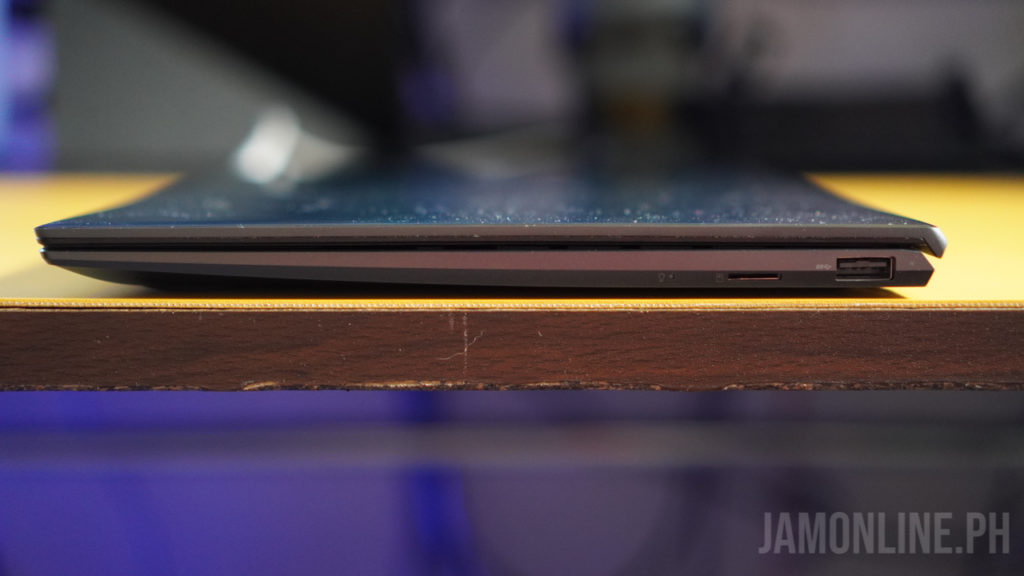
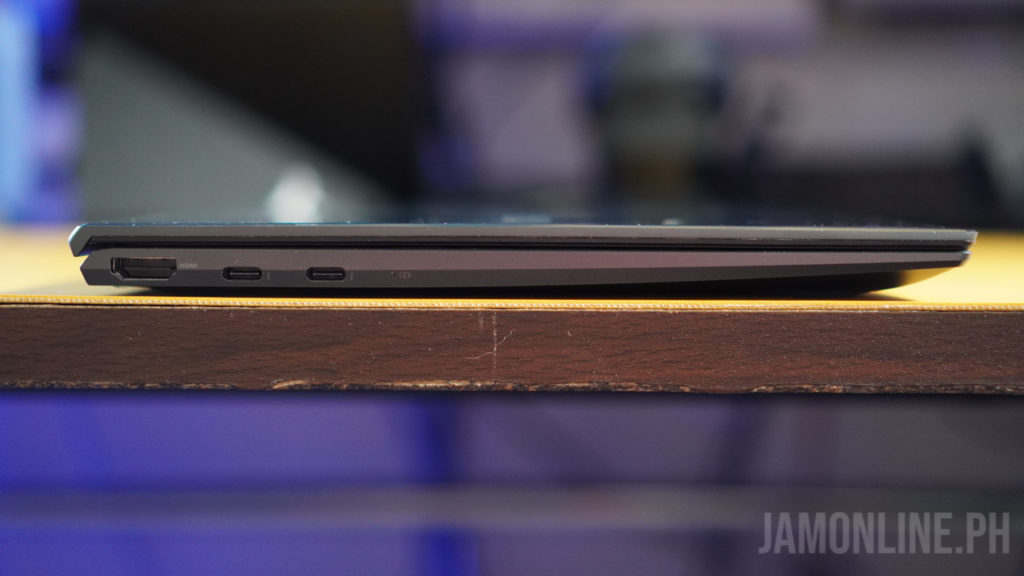
For the ports, we got here a decent one as we got here a USB Type-A 3.2 Gen 1 on the right along with the microSD card slot. On the other side, we got here the HDMI port and also the two Thunderbolt 4 ports for the notebook. So if you have a thunderbolt supported external drive or an external GPU in your home, you’ll definitely enjoy using this notebook. The Thunderbolt 4 ports of the notebook also serve as the charging port for the notebook.
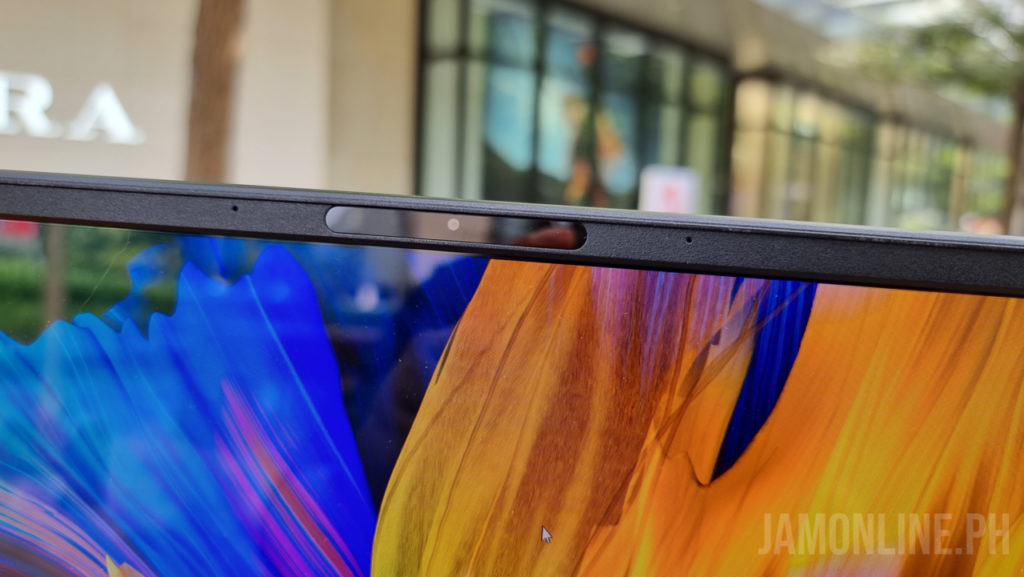
The ASUS Zenbook 13 OLED UX325 also comes with IR camera that you can use for Windows Hello if you want to have a faster login to the notebook.
ASUS Zenbook 13 OLED UX325 Review: Keyboard and touchpad
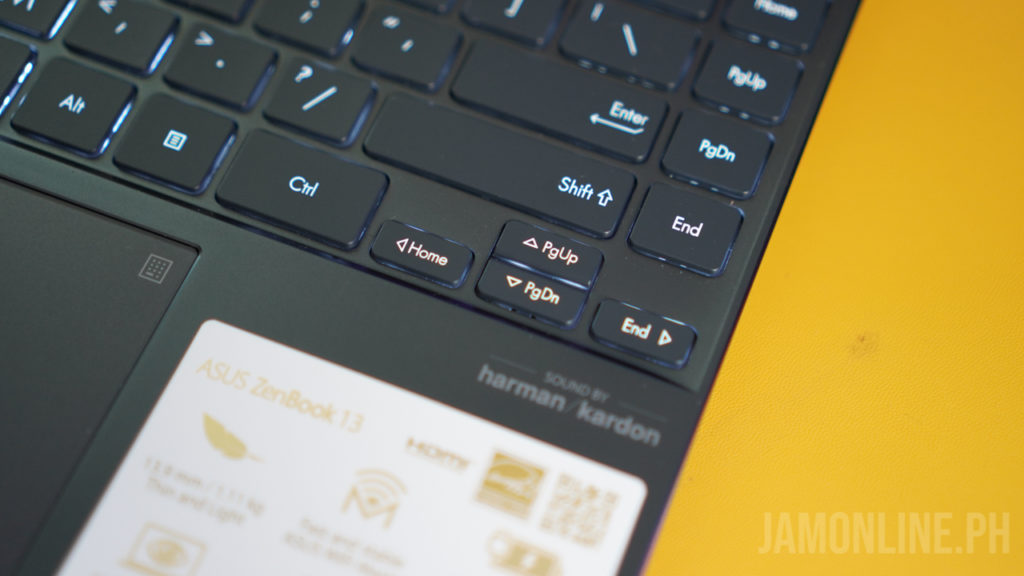
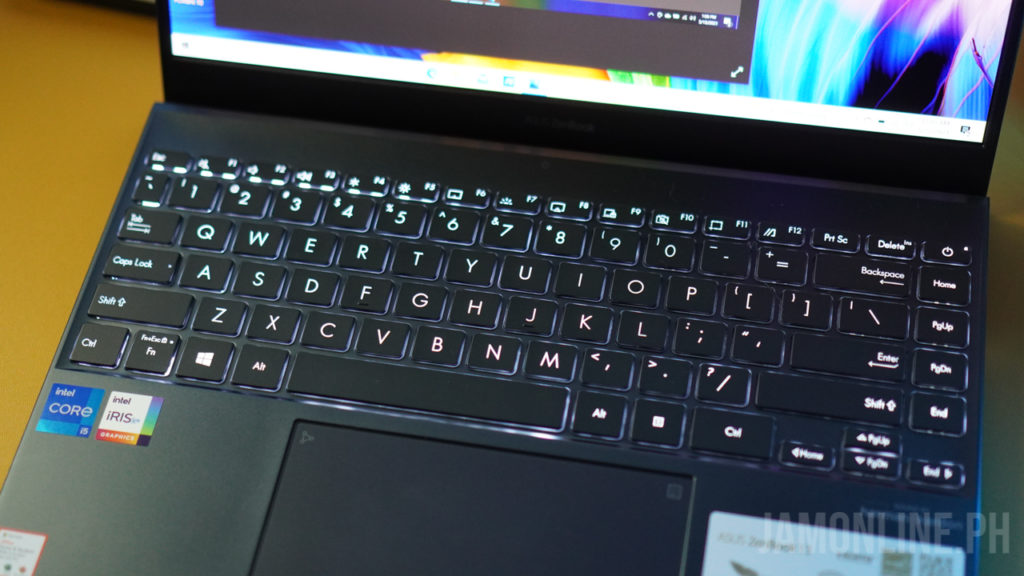
There’s an edge-to-edge keyboard on the notebook since we got here a small body and in my usage, I felt that the keyboard is a little bit cramp for me but I got used to it just after a few hours of usage. The keyboard is responsive and the travel distance of the keys are just fine. I also find the arrow keys a little bit small for me but again, I already got used to it after a few hours of usage.
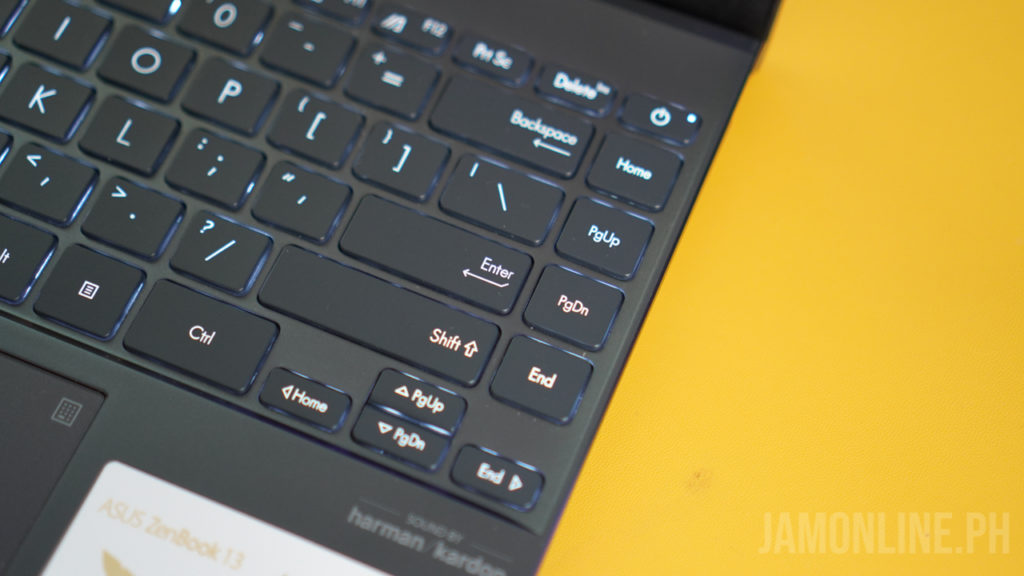
There’s the page up, page down, end, and home button on the side too which is a welcome addition as I use these keys sometimes, and of course, we still got here the function keys in where we can adjust whether we want to prioritize the function keys or the hotkeys which is pretty cool. For the keys, we got here an LED illuminated keys and it’s really bright especially when you’re working in your bed at night.
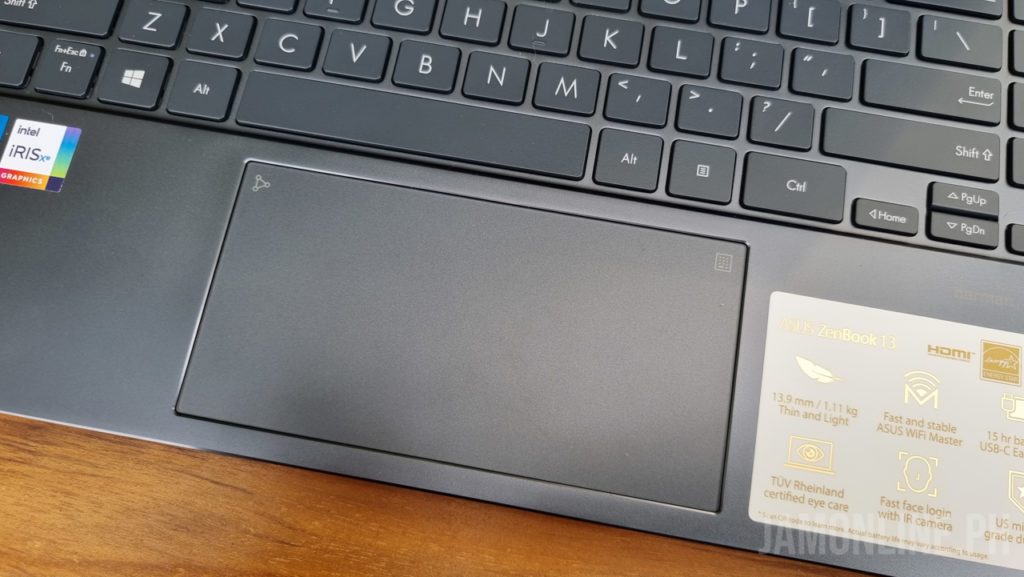
The touchpad is big and wide and I enjoyed using this one. It’s pretty good whether you want to use it for browsing the web or for office as this one is responsive to touch and clicks. Just like the other ASUS notebooks, we can activate the NumberPad 2.0 which is helpful if you have an external mouse. You can use the touchpad as an LED-illuminated numeric keypad but having physical keys for that one is still hard to beat but considering its size and footprint, I really like this feature on the Zenbook 13 OLED.
ASUS Zenbook 13 OLED UX325 Review: Display
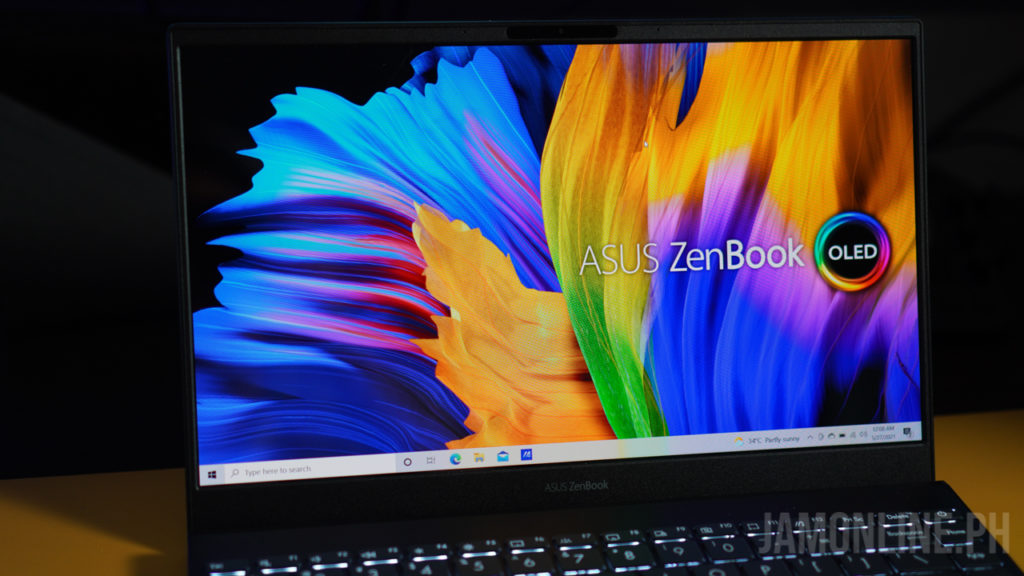
The OLED display of the ASUS Zenbook 13 OLED UX325 is one of the best that I’ve seen on a notebook. There’s no touchscreen on this one but the display of the ASUS Zenbook 13 OLED UX325 is immaculate. The colors are excellent and even when using the notebook outside, you can clearly see everything on the notebook along with its colors.

The blacks are true blacks on the OLED display and since we got here a Pantone Validated display, you know that this one comes with accurate colors and it’s perfect for quick editing on Photoshop. I’ve actually used the notebooks too for watching Netflix movies and it’s just great.
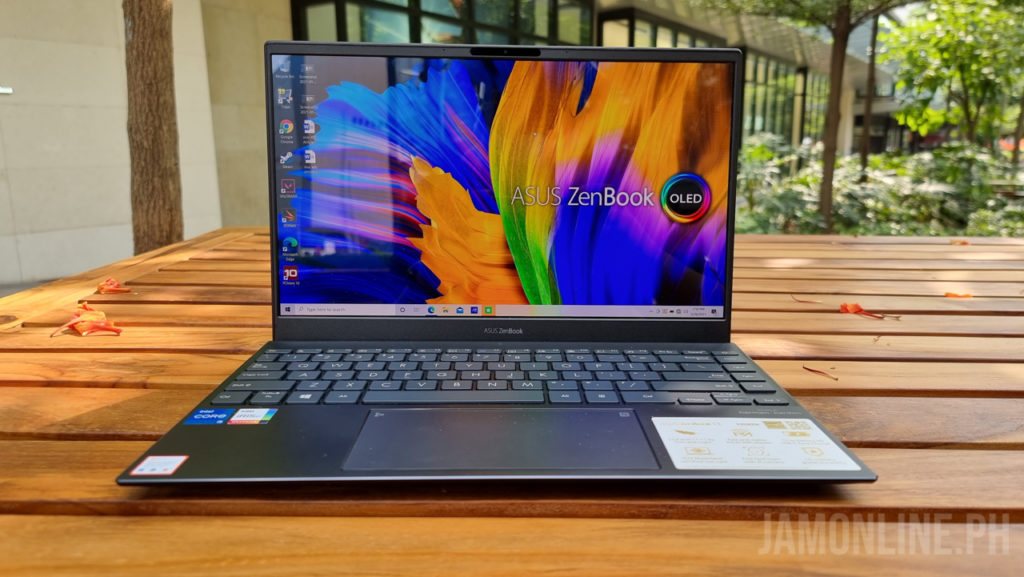
As for the resolution, this one comes with a 1080p display and I really didn’t have any problems with it but I wished it had a sharper one. Nonetheless, the OLED display is just great, and watching and viewing media files on this one is just amazing.

ASUS Zenbook 13 OLED UX325 Review: Performance

Inside the ASUS Zenbook 13 OLED UX325 is the latest 11th Generation Intel Core i5-1135G7 processor inside along with the Intel Iris Xe Graphics inside. It’s powerful enough even if you’re opening a lot of tabs on your browser and doing some excel sheets for work. Basically, the processor is more than enough as a workhorse for your basic WFH or school needs.
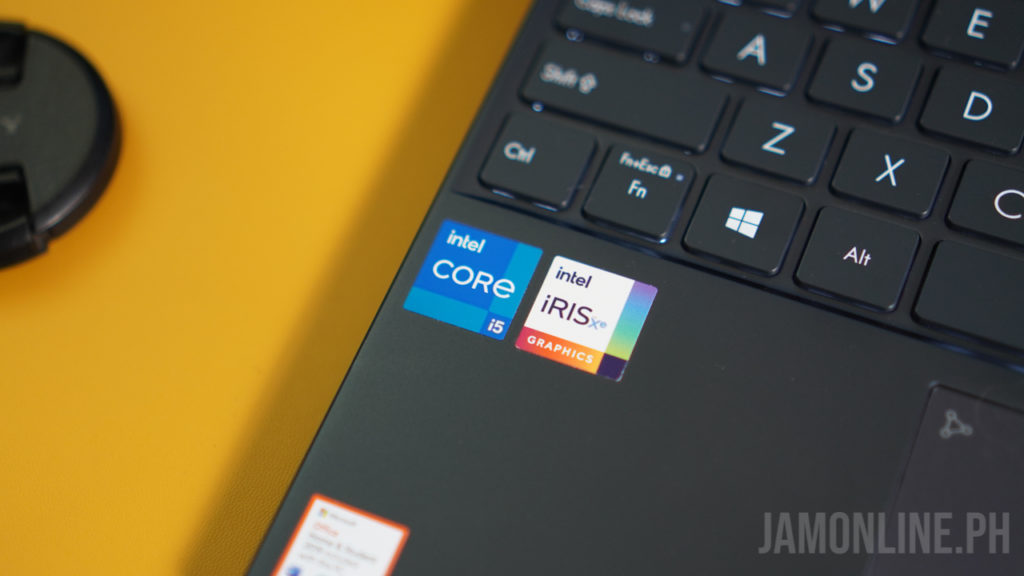
Actually, I was able to load Valorant on this one so if you’re planning on using the notebook for a little bit of casual gaming then the Zenbook 13 OLED UX325 won’t disappoint you.

It’s powerful enough to run some light games as the Intel Iris XE graphics is a big leap from the predecessor and when it comes to benchmarks, this one got a decent power inside. Check out the benchmarks that we got using this notebook:

  • PC MARK10: 4485
  • 3DMark Time Spy: 1332
  • Cinebench R23 Single Core: 1216
  • Cinebench R23 Multi core: 3803

ASUS Zenbook 13 OLED UX325 Review: Battery life
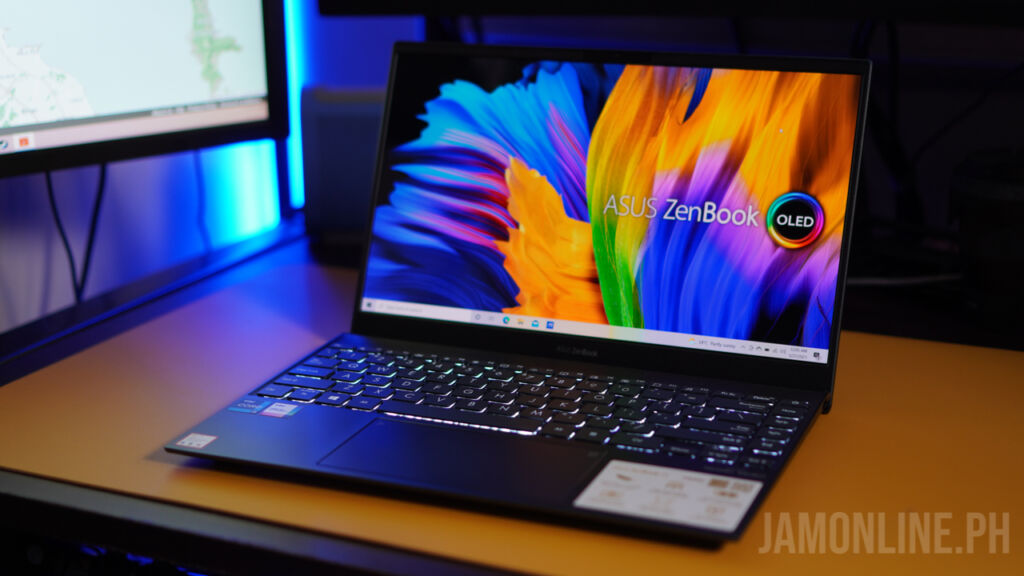
When it comes to the battery of the ASUS Zenbook 13 OLED UX325, we got here a 67WHrs battery which promises up to 13 hours of battery life and in my usage, I was able to get 9 hours of battery on normal usage so basically, you don’t have to worry about power on this one as it can last a single workday of usage.

ASUS Zenbook 13 OLED UX325 Review: Verdict
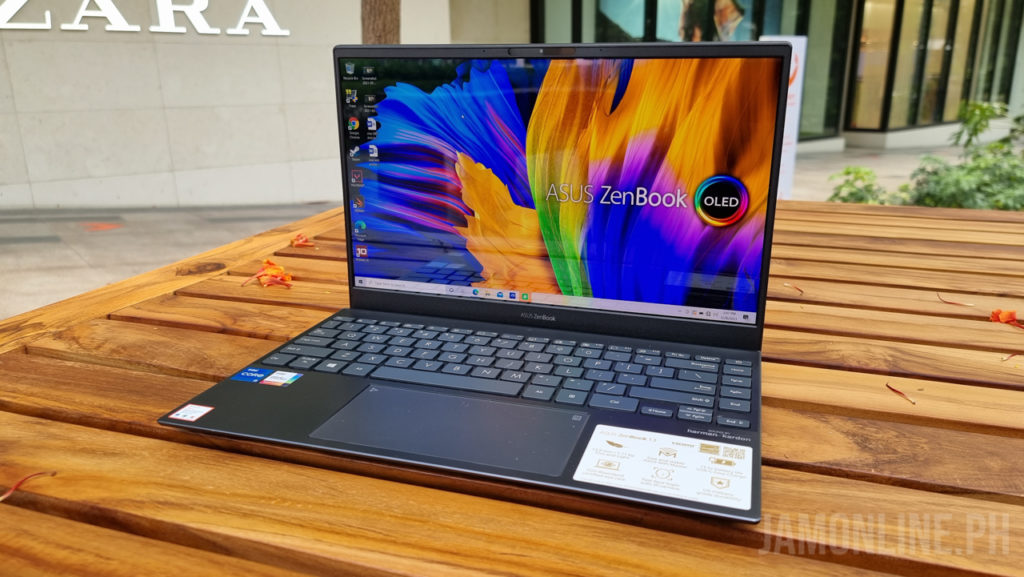
Overall, the notebook is an excellent notebook whether you want it for work or if you want to use it for an everyday computer that you can use to browse the internet. It might be very portable but it’s a powerful notebook for everyday use. It might have an excellent display but there’s no touchscreen on this one. Nonetheless, the notebook is still an excellent one.

ASUS ZenBook 13 OLED UX325EA

  • 13.3″ OLED Full HD Main Display
  • CPU:
    • Intel Core i5-1135G7
  • Graphics:
    • Intel Iris Xe
  • 8GB 4266MHz LPDDR4x onboard
  • Storage:
    • 512GB PCIe 3.0 NVMe SSD
  • 2x Thunderbolt 4 USB-C, 1x USB 3.2 Type-A, 1x HDMI, 1x microSD card reader
  • HD IR Camera
  • NumberPad 2.0
  • AI Noise Cancelling
  • 67Wh Li-Po battery
  • 65W Type-C Power Adapter
  • 304.2 x 203 x 13.9 mm, 1.14kg
  • Windows 10 Home
  • Php59,995

Top-up your PayMaya e-wallet at any Robinsons Department Store

PayMaya users can now add money on their e-wallet account at any Robinsons Department Store nationwide.


The said partnership opened 800 Add Money touchpoints, the latest addition to PayMaya’s most extensive network of over 250,000 digital payment touchpoints nationwide where Filipinos can add money, pay for purchases, remind funds, and cash out.

Top-up is now made more convenient as PayMaya introduces an easier process to add money on their accounts by simply showing the add money barcode to the cashier and pay for their transaction. 

Here is how you can add money to your PayMaya account at Robinsons Department store:

1. Login your PayMaya account
2. Select “Add Money”
3. Select “Robinsons Department Store”
4. Enter the desired amount to be added to your account and select “Continue”
5. Go to the counter of any Robinsons Department Store or Robinsons Business Center and present the generated barcode along with your payment 
6. Wait for an SMS confirmation about your Add Money transaction before leaving the store 

“Filipinos now prefer cashless when paying for transactions and being able to add money to their accounts is important. With this expansion of our Add Money touchpoints in Robinsons Department Stores across the country, our customers can enjoy greater convenience,” said Shailesh Baidwan, PayMaya President.

realme 8 Pro Illuminating yellow now available in the PH!

0

The realme 8 Pro is one of the newest and hottest smartphone in the market right now and they’re only available in few color variants but today, realme Philippines has announced that the smartphone will now come in a new and unique color — Illuminating yellow!

This will be available in limited quantities and the unique thing about the realme 8 Pro Illuminating yellow is that the smartphone glows in the dark!

The realme 8 Pro features a 108MP quad rear camera and it also features a Super AMOLED display. It will also feature a fast 50W SuperDart Charge.

The realme 8 Pro is now available in selected stores for Php16,990.

realme is the #1 smartphone brand in the Philippines for Q1 2021

0

IDC has announced that the company is the #1 smartphone vendor for Q1 2021 and it managed to retain its spot in the market which the company first achieved back in Q3 2020.

realme Philippines has managed to account for a 21.3% total market share in the Philippines and this position is highlighted by the opening of new realme stores in the first quarter of 2021.

realme has showed the highest YoY growth with 142% according to Counterpoint research and it also leads in the e-commerce space with the highest proportion in online sales at 34%. The brand continues to expand its presence both offline and online and they have over 550 concept stores, kiosks, and partner dealers nationwide.

Recently, the company has also launched the realme 8 series with the realme 8 Pro leading the helm along with the realme 8 that features a Helio G95 processor that is made for gaming and then there’s the realme 8 Pro that features a 108MP camera which is a choice for mobile photographers.


Xiaomi Redmi Note 10 Pro 5G Chinese version will come with Dimensity 1100

0

Redmi has just announced their newest smartphone for the Chinese market and don’t get confuse this one with the local version as the Chinese version will feature powerful hardware inside.

The Redmi Note 10 Pro 5G will feature a MediaTek Dimensity 1100 chipset inside along with 5G which is a feature that we can see on most smartphones this 2021. Aside from that, the smartphone will also feature a 120Hz refresh rate on the displays and it will have a Gorilla Glass Victus for its protection

Redmi Note 10 Pro 5G (China Version) Specs

  • 6.67-inch AMOLED DotDisplay, 120Hz
  • MediaTek Dimensity 1100 processor
  • 6GB/8GB RAM
  • 128GB/256GB UFS 3.1 internal storage
  • 64MP main + 8MP ultra-wide-angle lens + 2MP macro camera
  • 16MP front camera
  • LTE, 5G
  • Dual speakers
  • 3.5mm headphone jack
  • Hi-Res Audio certification
  • Arc side fingerprint sensor
  • Dual SIM, IR Blaster, NFC
  • 5,000mAh battery with 67W wired fast charging
  • MIUI based on Android 12.5

The Redmi Note 10 Pro 5G has a starting price of CNY 1499 (Php11,287~)