Home Blog Page 283

Huawei Freebuds Pro Review

0

Huawei has been very serious with TWS earbuds lately and their latest one is the Huawei Freebuds Pro that comes with noise-cancelling too just like the Huawei Freebuds 3. I’m a big fan of the Huawei Freebuds 3 due to its non in-ear design and yet, it offers a great ANC. But how about the Freebuds Pro? Can this one exceed my expectations?

First, let’s talk about the design. The Huawei Freebuds Pro comes with a different design than the Freebuds 3. We now have here an in-ear design in here that fits perfectly in my ear and according to Huawei, it can balance the air pressure in and out so you can have a better circulation. Using it was pretty comfortable but it’s not as comfortable as the Huawei Freebuds 3. In my hours of usage of this one in a single day, I was very comfortable with it and it didn’t fall off my ears most of the time.

We also have here a shorter and light body which is way different from the Huawei Freebuds 3. There’s the rectangular stem too with a rounded earbud. The rectangular stem also acts as control for the earbuds as this one has a sensor in where you can control the earbuds to turn on the ANC or awareness mode, swiping to control the volume, pinch to play/pause, pinch twice for the next song and pinch three times for the previous song.

In my usage, I found it a little distracting and the Huawei Freebuds Pro finds my input a little erratic especially when I’m swiping to control the volume of the Freebuds Pro. Pinching the earbuds will get some time before you get use to it but it works just fine.

As for the charging case, we got here a white oblong plastic case colors, we got here the Ceramic White and if you want, you can buy the Silver Frost that looks way better than the white one. The charging case comes with a button on the side and a USB-C port for charging and then there’s the support for wireless charging too. However, since we got here a round earbud with small rectangular stem, I find it a little bit difficult to take out the buds from the charging case despite using it for months. Putting it back is still confusing me as I interchange the buds most of the time.

For the features, you need to have the Huawei AI Life app in your smartphones. The Freebuds Pro can only be seen on Huawei smartphones but you can still connect your laptop or your other devices to the Huawei Freebuds Pro thru Bluetooth. In the app, you can check out the battery of your freebuds Pro and of course, you can adjust the noise control from noise canceling, awareness, or no noise control at all. The app also lets you update the Freebuds Pro and also do a tip fit test if it fits you perfectly.

One of the biggest features that I like about the Freebuds Pro is that you’re capable of connecting to two devices at the same time thanks to the Dual antenna. This means that you can connect your smartphone to the Freebuds Pro and also your PC. So if you’re working on your laptop and somebody calls you on your phone, the Huawei Freebuds Pro automatically switches to the smartphone to answer your call. It’s a pretty cool feature.

For the battery, this one is pretty good. We got here a almost 5 ours of music play back with ANC and an additional 1 hour when you turn off the ANC and of course, you can charge the earbuds and have more than 6 hours of more battery.

For the audio, we got here an 11mm driver that performs pretty well. As expected, calls were excellent on this one and watching movies on Netflix and also for audio on spotify, this one would do just fine. It wasn’t the best one that we’ve used but it’s still a pretty great one. The bass are good but you can feel that the Huawei Freebuds Pro can still improve in some aspects. As for the noise cancellation, this one does a pretty good job in that department and this one is perfect if you’re walking outside and even when I’m running, this one didn’t fell in my ears.

Verdict

The Huawei Freebuds Pro is a great wireless ANC earbuds out there. The battery life of this one is good, it’s comfortable, comes with a good ANC, and the audio was just fine. However, it isn’t perfect as this one doesn’t have the perfect audio and the earbuds was a little bit hard to take out from the case.

The Huawei Freebuds Pro is now available nationwide.

Fitbit Ace 3 launched, new fitness tracker for kids!

0

A healthy lifestyle can be fun for kids, too, most especially if they have something that will make it more exciting—just like the new Fitbit Ace 3 fitness and sleep tracker.

fitbit ace 3 launched

Fitbit encourages kids to become more active with the launch of its newest Ace 3 next-gen activity and sleep tracker, which is packed with kid-friendly features.

For instance, we all know how important sleep is to kids, and with the new Fitbit Ace 3, six-year-old (and up) children will be encouraged to get enough sleep in a not-boring way.

How is this possible?

Fitbit equipped the device with a sleep tracking feature, bedtime reminders, and silent alarms to help kids and parents develop a consistent sleep schedule.

Through this, they will enjoy a sufficient amount of time to charge their body with the required energy they need to stay active and healthy.

The tracker also sends a notification, reminding kids to have 60 daily active minutes or to take at least 250 steps per hour.

Sounds disturbing?

Don’t worry because you have an option to customize it during school time. Users can also personalize their goals and track their activity progress through the device.

What’s more! Parents and guardians can make it even more exciting as they can connect it to the Fitbit app and play Family Face-Off challenges, wherein they can record personal milestones and celebrate it with virtual badges and trophies.

Meanwhile, Fitbit announced that the Ace 3 will be the first wearable to offer Minions™-themed design and features. With this, the brand aims to make a healthy lifestyle more fun and interactive for kids.

Fitbit Ace 3 features:

  • Touchscreen display
  • Animated clock face characters
  • With more than 20 clocks to choose from
  • Supports family account to access privacy controls and protections
  • Parent view mode
  • Kid view mode
  • Next-generation activity tracker
  • Sleep tracker
  • Supports Fitbit app
  • Colors: Black with a Sport Red clasp, Cosmic Blue with an Astro Green clasp


Other notable features include an easy-to-use touchscreen, timer, and stopwatch.

Its battery life is expected to last for more than a week, too.

The new Fitbit Ace 3 next-gen activity and sleep tracker is priced at just Php4,790 in the Philippines. It will become available in the local market starting March 31.

ASUS ROG Phone 5 Series with SD 888, 144Hz AMOLED display, & ROG Vision

0
ASUS ROG Phone 5 Pro (Left) ASUS ROG Phone 5 (Right)

The newest gaming smartphones of ASUS are here and these the ASUS ROG Phone 5, ROG Phone 5 Pro and the ROG Phone 5 Ultimate. Unlike before, the three variants now comes with a different aesthetic and of course both smartphones will feature more powerful internals that will make sure that the smartphone can run the latest games and also some additional new features that you would surely love on the smartphone.

First, let’s discuss the hardware. The ASUS ROG Phone 5 series comes in a powerful Snapdragon 888 5G mobile platform which is currently Qualcomm’s most powerful CPU inside and as for the display, we got here a 144Hz Samsung AMOLED HDR10+ display with 300Hz touch sampling rate and also a Delta-E<1 color accuracy. For the memory, this one comes with an up to 18GB LPDDR5 RAM for the ROG Phone 5 Ultimate.

ASUS ROG Phone 5


Inside the smartphone is a 6000mAh battery and the charging has been upgraded as we now have a 65W HyperCharge adapter that can charge your smartphone really fast. The best part about the smartphone is that the smartphone now comes with ROG Vision, a rear matrix display that is exclusive to the ASUS ROG Phone 5 Pro and the ROG Phone 5 Ultimate. You can customize the animation of the display and it can also show you whether the phone is charging or an incoming call or whether the X Mode is enabled.

ASUS ROG Phone 5 Pro

The features that we loved on the previous ROG Phones are still here including the trigger buttons which are helpful for FPS games. There’s the upgraded AeroActive cooler 5 too that will provide a cooler and better performance for the smartphone. Unlike the ROG Phone 3, the ASUS ROG Phone 5 series comes with a 3.5mm audio jack again so you can plug in your earphones to the smartphone and also charge it at the same time.

AeroActive Cooler 5

Another addition to the smartphone is the availability in two colors — Phantom Black and the Phantom White. The Phantom Black is available on the ASUS ROG Phone 5  and ROG Phone 5 Pro while the white variant is available on the ROG Phone 5 Ultimate.

For the accessories, there’s the ROG Kunai 3 Gamepad, ROG Clip to clip the smartphone to an Xbox controller, the Aero Case, lightning armor case, ROG Strix Go BT headset and the ROG Cetra II

ASUS ROG Phone 5 Pro

ASUS ROG Phone 5 Specs

  • Qualcomm Snapdragon 888 5G Mobile Platform
  • 6.78-inch Samsung AMOLED display, HDR10+, Delta-E<1, 800 nits brightness, 144Hz, 2448×1080
  • RAM:
    • ROG Phone 5 and ROG Phone 5 Pro: Up to 16GB LPDDR5 RAM
    • ROG Phone 5 Ultimate: 18GB LPDDR5 RAM
  • Storage:
    • ROG Phone 5 Pro and ROG Phone 5 Ultimate: 512GB UFS 3.1 ROM
    • ROG Phone 5: Up to 256GB UFS 3.1 ROM
  • 64MP Main camera Sony IMX686 + 13MP ultrawide lens + 5MP Macro rear cameras
  • 24MP selfie camera
  • LTE, 5G
  • WiFi 6E, Bluetooth 5.2
  • USB-C (side and bottom)
  • 7-magnet stereo speaker with Cirrus Logic Amplifier
  • NFC Support
  • 6000mAh battery
  • 65W Charging
  • Colors:
    • ROG Phone 5: Phantom Black and Storm White
    • ROG Phone 5 Pro: Phantom Black
    • ROG Phone 5 Ultimate: Storm White

OPPO offers exclusive freebies for Reno5 series, A12, and A15s

0

Want to buy a new smartphone while making sure that you’ll get the best value for money?

Here’s a piece of good news for you!


oppo amazing summer deals

OPPO announced the Amazing Summer Deals promo, wherein you can get a cool freebie when you buy one of their participating smartphones. These include A12, A15s, Reno5 4G, and Reno5 5G.

Here are the bundles:

  • OPPO A12 3GB – FREE 3-in-1 gift box
  • OPPO A12 4GB – FREE 32GB HIKVISION TF card
  • OPPO A15s 4GB – FREE 64GB HIKVISION TF card
  • OPPO Reno5 4G – FREE TG113 Bluetooth speaker
  • OPPO Reno5 5G – FREE TG113 Bluetooth speaker

In case you missed it, the A15s is a best-value smartphone that features impressive offerings for its price.

One of its selling points is its 13MP AI triple rear cameras, allowing users to capture great photos. Under the hood, it is loaded with 4GB RAM, 64GB storage, and an Helio P35 processor.

You can score the OPPO A15s for the price of just Php7,999.

Meanwhile, the OPPO A12 is available in a 3GB variant and 4GB model. It sports a 13MP dual rear camera setup, 4,230mAh battery, and up to 64GB internal storage.

Consumers can get the OPPO A12 for Php5,990 (3GB) and Php6,990 (4GB).

On the other hand, you can go for a flagship-like smartphone through the Reno5 series. This allows you to enjoy amazing specs that can support heavy mobile usage, such as gaming.

To make this possible, OPPO packed it with 8GB RAM and 128GB storage. It has a great camera section, too, as it boasts a 64MP AI quad-rear camera.

The OPPO Reno5 is tagged at Php18,999 (4G) and Php23,999 (5G).

The promo runs until March 23.

Sounds like a deal? Share your thoughts with us in the comment section below!

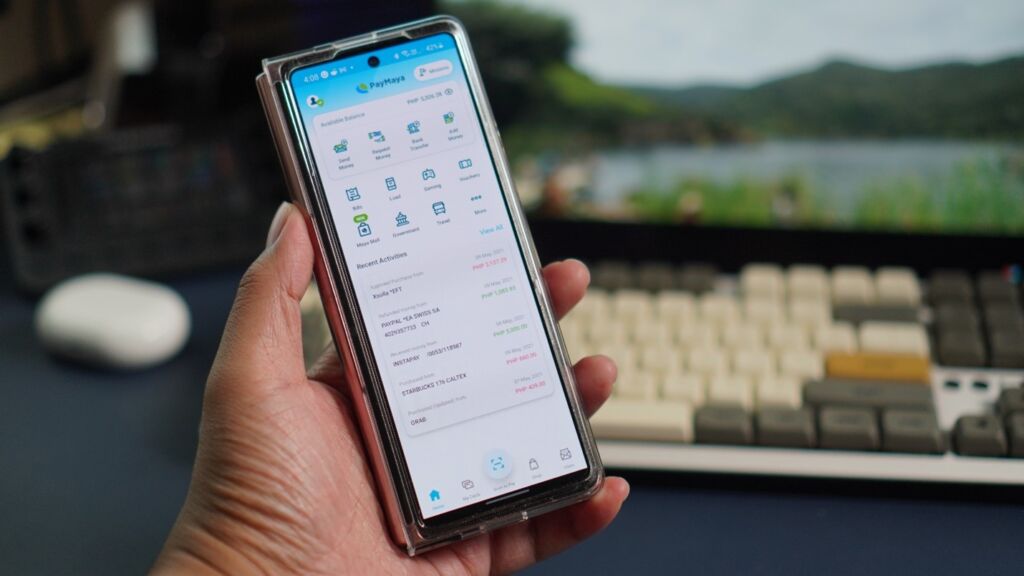
PayMaya, PH’s biggest gas stations offer cashback to motorists

0

There is no better time to go contactless and cashless than now—and companies in the Philippines know this very well.

So, to help promote this campaign in the country, top fuel brands have teamed up with PayMaya to offer safer and more convenient payments for their customers.


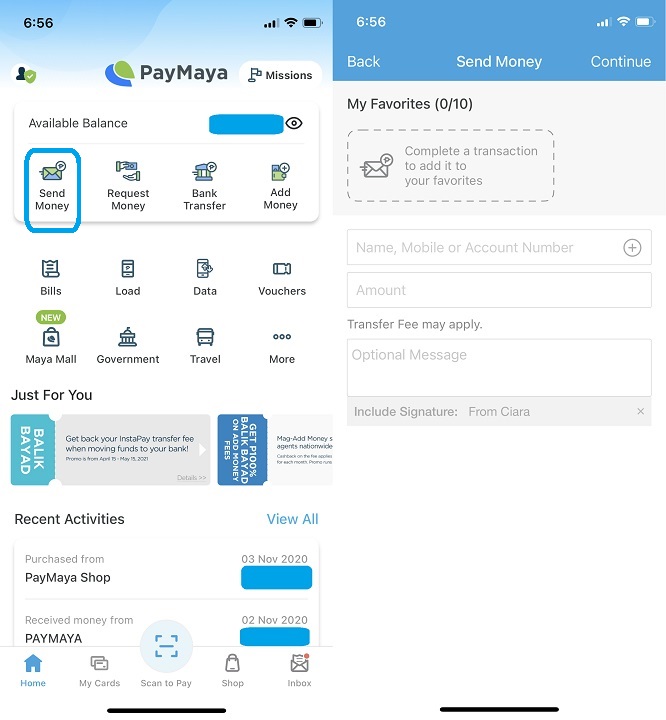
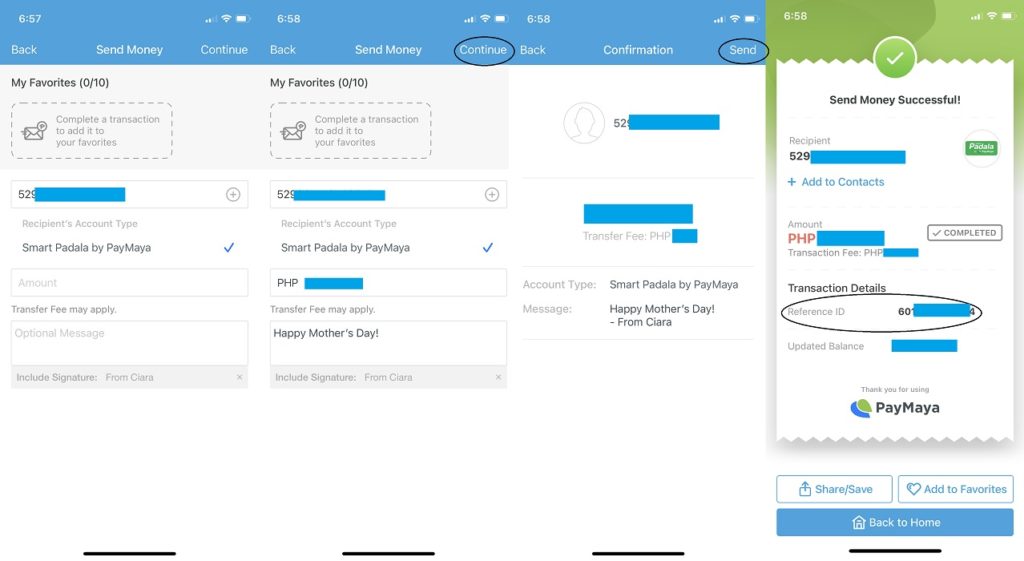
With this partnerships, motorists all over the Philippines can enjoy Php100 cashback for every time they #ScanToPay with PayMaya QR.

Backed by PayMaya One Device, consumers who will scan-to-pay via PayMaya QR, or use any credit, debit, or prepaid card will receive a cash reward.

For instance, by purchasing any fuel product (worth at least Php100), a customer can already get a 20% discount, topped at Php100.

One customer can enjoy this promo up to three times. This allows them to receive as much as a Php300 rebate in total.

This promo runs until May 31, 2021. You can find the participating stations in this promo here.

No PayMaya account yet?

It’s simple! Download the PayMaya app at https://official.paymaya.com/CAK1/425eb133 and register an account.

Nokia 5.4 and Nokia 1.4 arrive in the Philippines

0

Are you a Nokia fan who wants to get an upgrade?

Good news for you! HMD Global brought the brand’s latest smartphones, the Nokia 5.4 and Nokia 1.4, to the Philippines.

nokia 5.4 and nokia 1.4 arrive in philippines

NOKIA 1.4

If you’re looking for a smartphone that can perform decently when handling your daily mobile tasks, then the Nokia 1.4 is worth considering.

For instance, the device has a large 6.5-inch edge-to-edge screen that flashes an HD+ resolution. It has 8MP + 2MP dual rear cameras, 5MP selfie snapper, and a 4,000mAh battery, as well, making it a good phone for students who need a phone for their online class.

Under the hood, it is packed with Qualcomm 215 mobile platform, up to 3GB RAM, and up to 64GB storage.

Nokia 1.4 Key Specs:

  • 6.5-inch HD+ edge-to-edge screen, HD+ display
  • Qualcomm 215 mobile platform
  • Android 10 (Go Edition)/Android 11 (Go Edition)-ready
  • 2GB RAM
  • 32GB internal storage, expandable up to 128GB
  • 8MP + 2MP dual rear cameras
  • 5MP front camera
  • Dual-SIM, 4G LTE
  • WiFi 802.11 b/g/nBluetooth 4.2
  • GPS, A-GPS
  • Fingerprint scanner, Google Assistant button
  • MicroUSB, 3.5mm audio jack
  • FM Radio
  • 4,000mAh battery
  • Colors: Fjord, Charcoal, Dusk

NOKIA 5.4

Meanwhile, you can go for the Nokia 5.4 for an elevated mobile experience.

The handset sports a 6.39-inch HD+ display that makes a good device for watching videos. It is also mounted with a 16-megapixel front camera, making your virtual meetings or online classes possible.

Inside, it is powered by a Snapdragon 662 processor, 4GB RAM, and 128GB storage. It also promises a two-day battery life.

nokia 5.4 price philippines

Nokia 5.4 Key Specs:

  • 6.39-inch HD+ display
  • Qualcomm Snapdragon 662 processor
  • Android 11 (Android One)4GB RAM
  • 128GB internal storage, expandable up to 512GB storage
  • 48MP main + 5MP ultrawide + 2MP depth + 2MP macro quad-rear cameras
  • 16MP front camera
  • Dual-SIM, 4G LTE
  • WiFi 802.11 b/g/n
  • Bluetooth 4.2
  • GPS, A-GPS, GLONASS, BDS, Galileo, NFC
  • Google Assistant button
  • USB Type-C, 3.5mm audio jack
  • OZO Audio, FM Radio, Dual MicColors: Polar Night, Dusk


PRICING AND AVAILABILITY

  • Nokia 5.4 – Php9,990 (discounted price: Php7,890)
  • Nokia 1.4 – Php4,990

The Nokia 5.4 is now available in the Philippines.

Meanwhile, those who will get the Nokia 5.4 on Shopee from March 8 to March 21 will also enjoy a 21% discount. All they have to do is use the voucher code VC – NOKIA54 upon checkout.

They will also receive a FREE 007 card case.

On the other hand, the Nokia 1.4 will be available nationwide starting March 15, 2021.

Sounds like a deal? Let us know what you think in the comment section below!

Razer outs Anzu smart glasses with multi-lens eyecare and open-ear audio

0

Consumers are always considered winners when innovation marries lifestyle. This is once again proven by one of the leading global lifestyle brands for gamers, Razer, as it launched its first-ever eyewear product—the Razer Anzu smart glasses.

razer anzu now official

The new Razer Anzu smart glasses offer both convenience and style, as the device flashes a simple-looking design, disguising itself as normal eyewear.

However, it features impressive technologies, making your everyday life a lot easier and more fun.

In fact, it sports 35% blue light filtering lenses, 99% UVA/UVB protective polarized sunglasses, touch controls, and open-ear audio.

What’s more, it only weighs 48g while it also provides users with a comfortable fit—thanks to its ergonomic design.

Through this innovation, users can now protect their eyes against the damaging light of digital devices and the sun. Razer also packed it with replacement polarized lenses to protect eyes from 99% of UVA/UVB rays.


razer anzu

Of course, to make this innovation possible, Razer has teamed up with Lensabl.

The latter offers a 15% discount on prescription lenses for those who will purchase the Razer Anzu.

Meanwhile, the device also provides users with a customized Bluetooth 5.1 connection, omnidirectional mic, and speakers, allowing them to have convenient hands-free communication.

The Razer Anzu can last up to 5 hours on a single charge. The company also explained that when folded up and not in use, its juice is conserved, enabling up to two weeks of standby power.


Razer Anzu specs:

  • 35% blue light filtering
  • 99% UVA/UVB polarized sunglass
  • Drivers: 16 mm
  • Approximate weight: 43-48 g
  • Omnidirectional microphone
  • Music Controls: Play, pause, skip, previous
  • Call Controls: Answer, reject, switch, end
  • General: Pair, power, activate gaming mode and smartphone virtual assistant
  • Battery life: More than 5 hours
  • Compatible with devices that sport Bluetooth audio capability
  • Supports applications available for Android and iOS devices

PRICE AND AVAILABILITY

  • Razer Anzu: USD199.99 (direct conversion: ~Php9.7K)
  • Razer Anzu Replacement Sunglass Lenses: USD29.99 (direct conversion: ~Php1.5K)

The new Razer Anzu is now available at razer.com.

AYA Neo: Handheld Windows gaming device powered by AMD Ryzen

0

If you’re familiar with the GPD Win, it’s a niche handheld console that runs on Windows 10. It’s powered by Intel so you don’t have to worry about applications and then there’s the AYA Neo which is another Switch-like device and it’s also running on Windows 10 but this time, it comes with an AMD Ryzen processor inside.

The AYA Neo comes with AMD Ryzen 5 4500U processor and of course, that would mean that this one comes with Radeon graphics. There are two variants for this one — one with 500GB model and the other is a 1TB model.

Unlike the GPD Win, the AYA Neo doesn’t have a QWERTY keyboard and it will instead have a design similar to Nintendo Switch and it will come with a a joystick design similar to an Xbox controller and it will have Gyroscope and Rumble motor for more immersive experience.

For the display, this one comes with a 7-inch 800p touchscreen display with a 500 nit brightness and then there’s the 16GB LPDDR4x 4266MHz RAM, and 512GB or 1TB of SSD inside. With this, this device is portable and also powerful enough to play some games and you can even buy a dock so you can play it on a TV or monitor.

AYA promises that you can play games like Cyberpunk 2077 at up to 30fps per second at a minimum setting so this handheld device is really promising. If you’re worried about battery life, well, this one comes with 5-6 hours of battery life under gaming depending on the TDP settings.

Basically, the AYA Neo has a lot to offer and it offers an alternative to the GPD Win 3. If you want, you can purchase the AYA Neo now at IndieGogo. As of this posting, only the 1TB variants are left for the AYA Neo.

Get access to NBA All-Star 2021 with PLDT Home and NBA League Pass

0

We bet, no one wants to miss this season’s NBA All-Star game, where first-time All-Stars and All-Star veterans are set to treat fans with an exciting game.

Want to see your favorite stars go face-to-face?

You can with PLDT Home Fibr and NBA League Pass.


nba all-star 2021

PLDT Home Fibr customers can subscribe to NBA League Pass. You can choose between monthly and 3-game packages at Php485 and Php85, respectively.

For convenience, fees will be directly charged through their existing PLDT Home account.

You can also expect a better entertainment experience, as NBA League Pass provides PLDT Home Fibr subscribers with enhanced statistical overlays, alternative audio, and multiple viewing options.

It has new camera angles, multiple in-language streams, in-depth analytics, and statistical graphics, and trivia, too.

Get your NBA League Pass through PLDT Home Fibr. To subscribe, visit pldthome.com/nbaleaguepass.

ASUS ROG Zephyrus G14 Review: Well balanced gaming notebook

0

There are a lot of great gaming notebooks out there in the market but one of my favorite ones out there is the ASUS ROG Zephyrus G14 because the gaming notebook is a balance of everything that we need. It doesn’t have a bulky profile, it’s a powerful one, and the price of the notebook feels just right.

Simple and solid design

One of the strengths of this notebook is the design and build quality the one that we got comes with Moonlight White color we do love the AniMe Matrix Display at the lid of the notebook. There’s the magnesium-aluminum lid on the notebook and it does feel premium and it does feel solid.

The simplicity and less complicated design on the ASUS ROG Zephyrus G14 makes it a really attractive notebook and actually, the norm on gaming notebooks is that they’re less edgy and complicated and they’re more simple yet functional.

Well, the unit that we got comes with AniMe Matrix display at the back and we do love the lights that we’re getting in here and it’s customizable so we can write anything that we want at the lid of the notebook. The software for the AniMe Matrix is really excellent even for a first generation notebook with this feature.

For the ports, thankfully ASUS didn’t compromised on this one as we got here all the ports that we need including an HDMI port, 2x USB-C ports, 2x USB-A ports, and a 3.5mm jack and if you’re curious about Thunderbolt 3, well, it isn’t here because Thunderbolt ports are made for Intel devices so no, there’s no way to use an eGPU on this one.

A fine and comfortable keyboard

Another advantage of owning the ASUS ROG Zephyrus G14 is the keyboard. We got here a fine keyboard with an LED-backlit keys. Unfortunately for RGB fans, there’s no RGB on this one but hey, it does look awesome despite not having that as the combination of the AniMe Matrix lid and also the white-lid does look fine.

With regards to typing, the key travel on this one was just fine and of course, the keyboard layout of this one was good. Typing on the ASUS ROG Zephyrus G14 is a breeze and I actually love typing on this one. For gamers, you might want to use an external keyboard for this one as we don’t have here a numpad.

The touchpad of the notebook isn’t that big nor small. It’s just the right size for most people who are gonna use the notebook for work or for school but if you’re planning on using the notebook for gaming, well, better use the included mouse on this one.

Display for gaming and productivity

The ASUS ROG Zephyrus G14 features a 14-inch display and the bezels at the top and the sides of the notebook is thin which is why the notebook might be a dealbreaker for those who are working at home but don’t worry, the ROG Eye would be a better webcam pair for this notebook. But hey, this is ROG so do expect to use this more for gaming rather than for school or work right?

When it comes to the display, the 14” panel comes with 120Hz refresh rate with AMD Freesync as expected and of course, this one comes with 100% sRGB coverage which is a plus for most content creators as you can have a better colors on this one. Honestly, gaming on the notebook’s display was fine and since we’re getting here a 120hz refresh rate, playing games on the 14” display wasn’t really that bad. Viewing angles on this one is pretty good too so the ASUS ROG Zephyrus G14 would be a good pair for gaming at home.

Powerful notebook

One of the most interesting aspect of the notebook is their usage of the AMD Ryzen processor inside along with the Nvidia RTX GPU inside specifically the AMD Ryzen 9 4900HS and the Nvidia GeForce RTX 2060 Max Q inside. The notebook also comes with 16GB of RAM and also a 1TB M.2 NVMe PCI-E SSD and boy, we do love the power that we’re getting.

Well, we better get down to the benchmarks immediately, we’re getting here a really good score on both the AMD Ryzen 9 4900HS processor as proven below:

Surprisingly, the benchmarks we ran on the notebook has exceeded my expectations and if you’re planning on using this one for video editing and also for photo editing, you would definitely love the power inside this one.

As for gaming, this one wouldn’t disappoint as the RTX 2060 Max-Q GPU and also the AMD Ryzen 9 4900HS was really good. In our benchmarks for these games, we tried games with ray-tracing to test out its power and boy, we love it.

For Horizon Zero Dawn, the notebook didn’t had problems running this at the ultimate quality and it didn’t break a sweat running it at 58fps along with the Shadow of the tomb raider at 74 fps without ray-tracing.

However in Watchdogs 2, we noticed that the game ran pretty well without the ray-tracing but once we maximize the settings with ray-tracing on, the average FPS in the game dropped from 81 to 33. So if you’re planning on playing the latest games with ray-tracing, you might want to set it at medium ray-tracing for this one.

Watchdogs 2 without Ray Tracing

Watchdogs with Raytracing

We also notice that the ASUS ROG Zephyrus G14 does get a little bit hot for comfort in my usage. For basic usage and also for light tasks, the notebook won’t heat up and the fans weren’t that loud but once you hit gaming on this one, you would definitely feel how hot this thing is and also you can hear the fans kicking in. But hey, at least we’re getting a pretty good performance for its size ;).

Verdict

The ASUS ROG Zephyrus G14 is a great notebook. It’s a must have when you’re looking for a notebook that can fit your gaming needs and also your WFH or school needs. It does have a balance of beauty and power thanks to the magnesium-aluminum build and also the AniMe Matrix along with the AMD Ryzen 9 processor and Nvidia RTX GPU inside.

The best part about this one is that despite being powerful, we still got here a decent and a body that is meant to be portable. It doesn’t have the perfect temperatures but the ASUS ROG Zephyrus G14 definitely ticked the needs of most gamers who needs a notebook that they can also use for work.

It’s an awesome notebook with a cool AniMe Matrix LED, a powerful CPU and GPU, and of course, a portable design.

The ASUS ROG Zephyrus G14 isn’t that cheap but you’ll definitely get a lot of power and features for this one.