realme C3 will be launching in India this February 6 but it seems that the details regarding the smartphone are slowly being revealed by the company as realme has just revealed that the smartphone will come with MediaTek Helio G70 processor which is still an unknown in the market.
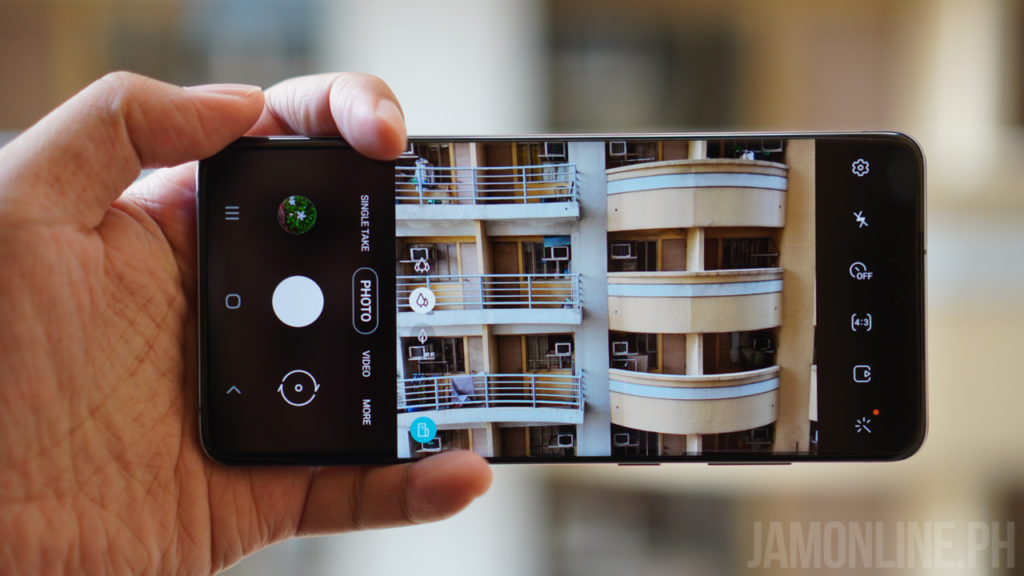
The realme C3 will come with 6.5-inch waterdrop notch display and of course, it will also come with HD+ panel with Corning Gorilla Glass. Aside from that, the smartphone will also come with a 2MP depth sensor for better bokeh.
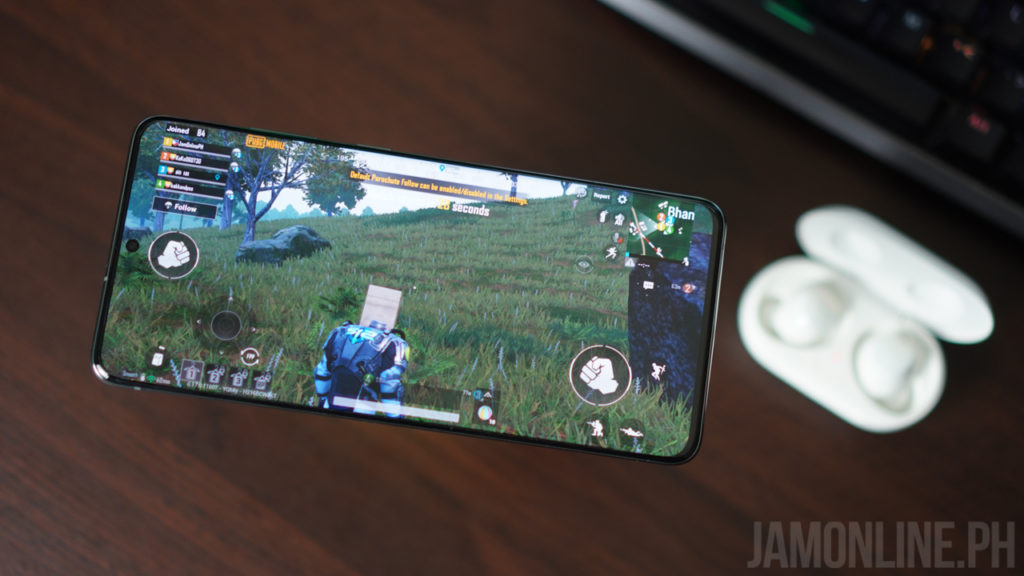
The smartphone is also expected to come with 5000mAh battery that can last up to 10.6 hours of PUBG Mobile.
The smartphone is expected to be unveiled next week in India and it is expected to come in 3GB/32GB and 4GB/64GB variants.
A few months after its announcement, the Samsung Galaxy Fold is here in the country and they want to change the industry as the smartphone is getting saturated. This is the first smartphone to arrive in the country with a foldable display and many people dropped their jaws after seeing the smartphone. So what do I think about the smartphone? Check it out in our review below:
Samsung Galaxy Fold Review: Design and hardware
The smartphone is changing the game. The foldable segment opens a lot of windows for new form factors and the Samsung Galaxy Fold, we have a small screen outside and then there’s the large foldable display inside.

I was skeptical at the design of the smartphone at first because I thought it was redundant to have a dual-display on the smartphone but after using it, I found the design of the smartphone ergonomic and the usage is better than I expected. Why? The smartphone might be thick but it does have an explanation for that one.

Yeah, it’s thick when folded but the small display of the smartphone will feel just fine to use in one hand and in case you use your two hands for the smartphone? Well, that’s the time you unfold and open the smartphone to use the larger display which is by the way, ergonomic and very usable with my two hands. It doesn’t feel that big with two hands and I didn’t seem to care that much when using it when folded as I can reach all the keys of the keyboard even with one hand but I do find the keyboard really small for my hands.

Now, enough with the foldable display, let’s talk about the mechanism of the smartphone. In case you were wondering why the Samsung Galaxy Fold was released later than the expected launch date, well, Samsung has fixed the problems that were encountered by international tech reviewers during the first batch of review units of the Samsung Galaxy Fold. And now, we’re using the “fixed” Samsung Galaxy Fold and trust me, it does feel solid, oh and the glass body of the smartphone adds to the premium feel to the foldable phone. But of course, it is still possible that we can experience a problem in the hinge of the smartphone in the future.

Yes, there are moving parts on the smartphone and I’m really worried about that but thanks to the magnets on the smartphone, the Samsung Galaxy Fold snaps pretty well when you fold it or when you unfold it. Although there’s a space between the foldable display when you fold the smartphone it doesn’t annoy me.
The Samsung Galaxy Fold comes with buttons on the sides but it was odd for Samsung to have the fingerprint scanner separated from the power button of the smartphone but actually, I didn’t care that much as I always rely on the face unlock of the Samsung Galaxy Fold that works pretty well.
Just like the Samsung Galaxy Note10 series, the Samsung Galaxy Fold packs a single USB-C port and is now missing a headphone jack but thankfully, Samsung has included a Samsung Galaxy Buds out of the box. (Yep, a wireless one).
Since this a foldable smartphone, you have to close or fold the smartphone to answer your calls as the earpiece of the smartphone is located at the top of the smaller display of the smartphone which annoys me a little bit as I have to fold the smartphone whenever someone calls me.
Samsung Galaxy Fold Review: Foldable display
There are two displays on the smartphone. First, there’s the 4.6-inch display on the cover display of the smartphone which is a Super AMOLED display and then there’s the 7.3-inch Dynamic AMOLED inside and again, both are pretty well and I do love the colors that we’re getting on the smartphone.
Samsung might have fixed the Samsung Galaxy Fold but the crease on the foldable display is still here. And there’s a large space that is being eaten up by the front-facing camera. To be honest with you, it doesn’t bother me that much after some time, however, you could feel the crease whenever you’re swiping in the middle of the display which is an annoyance when navigating on the smartphone.
The cover display is really small especially for a smartphone this 2020 but don’t get me wrong, there’s a reason why the smartphone has a smaller display – it’s recommended for single-handed usage. Since the Galaxy fold is thick when folded, it made sense to have a smaller display and since it’s narrow, it’s perfect for one-handed usage. But when you unfold the smartphone, it’s perfect for two-hand usage and you can do a lot with its large screen estate.
Despite being the first generation, the Samsung Galaxy Fold has a fine display. It’s not a perfect display but it did well for their first-generation foldable smartphone and yeah, the foldable displays are definitely the future of smartphones.
Samsung Galaxy Fold review: Battery life
Inside the smartphone is a 4,380mAh battery and for some people, you might think that this is too small for its size. Well, you have to take note that the smartphone is a foldable one and the body of the smartphone splits in two. I was worried that the battery would be short because of this but thankfully, the Samsung Galaxy Fold works just fine. I was able to use the smartphone from 8 AM up to 8 PM and I still have some juices left.
But of course, the battery life would depend on how much you use the smartphone. But in my usage, I always switch to the larger screen as I can be more productive with a larger screen estate.
Samsung Galaxy Fold Review: Software and operating system
Despite having a dual display on this one, they still used One UI 1.5 based on Android 9 Pie. The good thing here is that the smartphone supports app continuity. When you open an app on the smaller display, you can just unfold the smartphone and continue your work on the larger display of the smartphone.
It’s a cool feature and I’m glad that Google and Samsung have already worked it out in the first generation. Most of the apps that I’ve used on the smartphone work well without problems surprisingly except for some games which are being stretched out after unfolding the smartphone. But overall, I didn’t have any problems with it and most of them are pretty useful.
Having a larger display means you also have a larger screen estate and with the Samsung Galaxy Fold, I was able to open four applications or windows simultaneously. Yes, that’s one of the main cool features of the smartphone is where you can use a multi-window and open three apps on window mode and another one for pop-up mode.
It’s a great feature for those people who always work on their smartphones and especially those people who create and edit their decks on the smartphone as you can cross-check your other documents to the deck that you’re working on.
In my case, I can easily write articles on one window and just check out the document file in another window. Since the smartphone has a large display, the QWERTY keyboard on the smartphone doesn’t block too much of the files that I’m viewing which give me a larger view of the files that I’ve been working on.
There are two displays on the Samsung Galaxy Fold. The smaller display works similarly on the bigger display but in the smaller display, you’re limited by its size and it’s not recommended for playing games as this one has a smaller small size.
Samsung Galaxy Fold Review: Performance
Having this kind of hardware and price, the Samsung Galaxy Fold is expected to have the best processing power inside. There’s a Snapdragon 855 processor inside since this one was unveiled during the launch of the Samsung Galaxy S10 series. Nonetheless, this smartphone is powerful and it can run most games and applications without problems.
Again, despite running multiple windows on this smartphone, I didn’t experience any lags or slowdowns on the smartphone despite being a first-generation foldable smartphone from the brand. In our benchmark, the Samsung Galaxy Fold didn’t have any performance issues. In Antutu, I got a high score of 460495.
When it comes to gaming, a lot of gamers are hoping for the Galaxy Fold since we can have a bigger screen which is an advantage when playing games but unfortunately, the larger display or the foldable display of the smartphone isn’t as responsive as most displays and it’s very essential for some people who are into FPS or fast-paced games but if you’re just using the display for most games available on the Play Store.
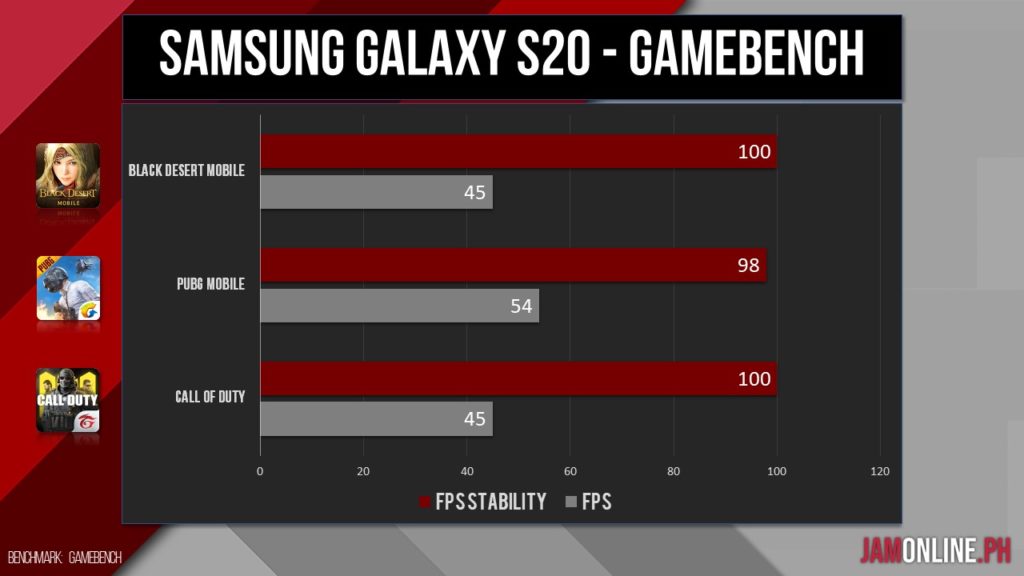
The Samsung Galaxy Fold can handle most games without problems including the latest ones like the Black Desert Mobile, PUBG, and even Call of Duty Mobile at the highest settings possible.
Samsung Galaxy Fold Review: Camera
There are six cameras on the Samsung Galaxy Fold. Three on the back, two selfie cameras on the larger display and a single camera on the front display of the smartphone. Thankfully, Any front-facing camera of the smartphone works well for face unlock. Despite having two different front-facing camera setups, both produce a quite good photo.
But of course, the rear camera doesn’t fail to impress too. Yes, it’s a flagship smartphone from the brand but it doesn’t have the best camera in the flagship segment right now but I can appreciate the photos that we’re getting here. Check out the shots that I got on the Samsung Galaxy Fold.
20191212 170732
20191213 202507
20191215 114755
20191215 220245
20191215 222944
20191217 190012
20191221 221543
20191224 164216
20191224 163526
20191224 164240
20191224 164506
20191224 165327
20200107 003943
Overall, we’re pretty happy with the results that we got on the smartphone. It’s not the best camera on a flagship smartphone but it will do just fine. The shots that we got is almost similar to the one on the Samsung Galaxy S10+ that we’ve reviewed before.
Samsung Galaxy Fold Review: Verdict
The Samsung Galaxy Fold is truly an innovative smartphone. It’s a game-changer and it has redefined what smartphone means in this decade. The form factor is truly unique and it may inspire a lot of manufacturers to follow the same route but since Samsung has already made the Galaxy Fold available globally, the Korean brand has already an advantage in the segment and it may cement them as the leader in the foldable smartphones.
In the case of the Samsung Galaxy Fold, well, do I recommend it? First, let’s consider your wallets. Do you have Php109,990? If you have that amount of money then sure. But what are you getting from the smartphone? Well, if you’re the type of person who always works on their smartphones and you need more productivity then this smartphone may be right for one for you.
The smartphone is still one of the first generation foldable smartphones and there are some things that needs improvement on the smartphone but if you want to experience the features and technology behind it then you might want to try out this smartphone.
Samsung Galaxy Fold Specs
7nm Qualcomm Snapdragon 855 processor
12GB RAM LPDDR4x
512GB Internal Storage
Main display: 7.3-inch QXGA+ Dynamic AMOLED (4.2:3)
Cover Display: 4.6-inch HD+ Super AMOLED (21:9)
Cover camera: 10MP selfie camera, f2.2
Rear Triple Camera:
16MP Ultra Wide Angle Camera, f2.2
12MP Wide-angle camera, Dual Pixel AF, OIS, f1.5/f2.4
In the age of rampant fake news, it’s better to double check your sources and also the news that you’re reading. And with the recent 2019 nCoV outbreak and Taal Volcano eruption, it’s better to get inform from reliable sources such as DOH and also PHILVOLCS and thankfully, Smart is giving us a free data access to website of these government agencies.
So all Smart subscribers will be able to get updated and of course, they’ll be able to share and disseminate the right information about the current issues regarding the two vital public health and safety concerns.
If you want to visit the website of these agencies, you may head over to these links:
This 2020, you might want to learn some new skills including cooking or you might want to start “adulting” by buying your appliance yourself for your own convenience. XTREME can help you with your goals as they’re offering 360 appliances where everything you need is here.
If you want to start cooking this new year
XTREME Home got your back as they offer appliances that can help you cook the best way possible. They have rice cookers, microwave ovens, gas range, and even blenders. So instead of buying meals via an app, you may now cook your own food which is healthier and better for you. And of course, the company also offers refrigerators, freezers, and water dispensers
Light up your home
If you love playing music at your home then you might want to check out XTREME’s products as they offer speakers, amplifiers, and subwoofers that can light up your home. It’s not just your home that needs some improvement, as XTREME also offers washing machines and flat irons that can help you to become the better you.
Spend quality time with your family
Spending your time with your family is the best thing in this world and to bond with them, how about getting a Smart TV from XTREME in where you can watch movies on Netflix and of course, it would be better if your home is cool too with XTREME’s air-conditioners in where the company offers non-inverter and inverter aircons and also split-type and window-type aircons.
If you want to check out XTREME products, they’re available at 1,500 stores nationwide. If you want to know more about XTREME, head over to: at https://www.facebook.com/XTREMEPhilippines/
Twitter has surprised us today by providing a new feature to their users: new emoji reactions for Direct messages on Twitter. This feature is similar to what you can do with Facebook Messenger where in you can react with emojis on messages.
Say more with new emoji reactions for Direct Messages!
To add a reaction, click the ❤️➕ icon that appears when you hover over the message on web or double tap the message on mobile and select an emoji from the pop-up.
With this new feature from Twitter, you can now react with face with tears emoji, astonished face emoji, crying emoji, heart emoji, fire emoji, thumbs up, and thumbs down. The feature is very similar to the one on Facebook. To react with an emoji on Direct Messages, all you need to do is to click on the heart button just beside the message and it will give you the emojis that you can choose.
The feature is now available on Twitter app and web. In case the feature doesn’t appear in your app, just update your Twitter app on the Play Store or App Store
OPPO has announced previously that the Chinese company will be bringing a smartwatch to the consumers soon and an OPPO executive has recently unveiled a render of what seems to be their smartwatch that will be out in the market soon.
The smartwatch has a similar look to the Apple Watch but we do not have the crown in here and instead, we got two buttons on the smartwatch with a hole in between which might be a microphone.
There’s not much information about the smartwatch but we can expect that the device will be unveiled this MWC 2020 in Barcelona, Spain.
It’s January and realme has been aggressive at all fronts with their smartphone and accessories launch recently and now realme India has announced the arrival of the realme C3 and they’ve also revealed the full look of the smartphone in their invite.
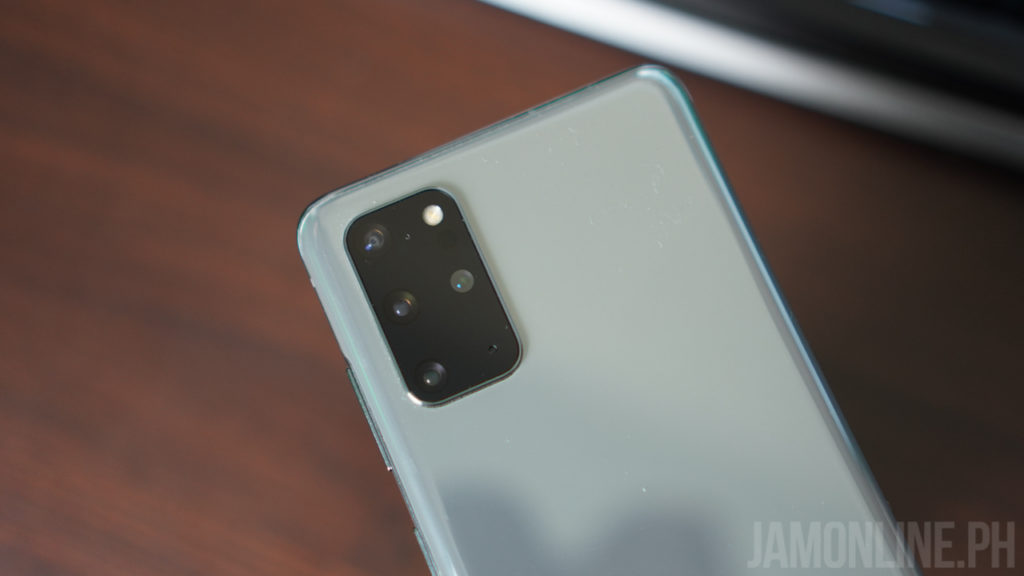
The realme C3 features a waterdrop notch at the top of the display and this time, the smartphone will feature a dual-lens camera at the back. The color suggests it will also come in blue color.
No other information were announced regarding the realme C3.
Xiaomi doesn’t run out of products to sell as the Chinese company has just outed their price list for the month of January and February 2020 and they got a lot of new products that are in store for us. So what are these products? Check it out here:
Xiaomi Philippines Price List for January-February 2020
Some of the cool stuff on the price list includes the all-new Black Shark phones and the Mi Note 10 Pro. Of course, we also have here some other devices like the all-new Mi Air Purifier, Coffee Machine, and some smart home appliances which are pretty cool.
My favorite one? the Mi Massage Chair will cost you a lot but it will definitely help you relax at your own home. If you want to check out the latest Xiaomi products, be sure to check them out at Xiaomi stores and kiosks nationwide.
Huawei Philippines has launched a brand new notebook today and it’s running on Ryzen 3500U processor. The Huawei Matebook D 15 is one of the interesting notebooks out there in the market due to the price and also the design of the notebook. Today, we’ll do a hands-on of this Ryzen-powered notebook by Huawei.
The newest Ryzen laptop in town!
The Huawei Matebook D 15 is definitely one of the most beautiful smartphone notebook in its price segment. We got here an aluminum body that looks clean and neat and actually, the notebook does look like the Macbook Pro 15″ which is not a bad thing.
There’s a full-size keyboard on this one and the travel distance is what you can expect from the notebook but this lack some tactile feedback but overall it’s still good for me. Despite having a 15-inch display, there’s no numpad on this one. Speaking of the keyboard, unfortunately, there’s no backlit keyboard on this notebook.
The body is made up of aluminum which is why the notebook feels premium compared to the most notebook in its price range. This is also the reason why the notebook feels sturdy but despite that, the Huawei Matebook D 15 is pretty light for a 15″ notebook at 1.63kg and yes, the notebook does look thin and sexy.
Hidden in the keyboard is the recessed camera of the Huawei Matebook D 15 in which you can reveal by just pressing the button and then there’s the fingerprint scanner that works really fast and really well. There’s the large touchpad that works great and it’s really spacious for me for a Windows notebook.
The Huawei Matebook D 15 also packs 1x USB-A 3.0, 2x USB-A 2.0, HDMI port, USB-C, a headphone jack but unfortunately, there’s no card reader on this notebook.
Since we have a recessed camera on the notebook, there’s more space on the notebook with the 15.6-inch FullView IPS display with 1920×1080 resolution but unfortunately, the display isn’t the best one I still feel that it lacks colors that I need and there’s no touchscreen on this one. But hey, we’re getting really thin bezels on the display of the notebook in here which is pretty cool.
Inside the notebook is an AMD Ryzen 3500U processor with Vega 8 graphics and so far, the processor can run multiple tabs on Google Chrome and some games including Resident Evil 2 Remake at the lowest settings. However, I notice that my battery life on the notebook can only last up until 3-4 hours at normal usage which is pretty disappointing.
Despite that, the 256GB SSD on this one is pretty fast. I mean really fast. There’s a PCIe NVMe SSD on this one and yes, it was pretty fast and I can transfer, open, and download files on the notebook really fast. In case you needed more, there’s an included 1TB HDD too on the notebook.
There are also some unique features on the notebook too like Huawei Share in where I can sync my Huawei Mate 30 Pro to the Matebook D 15 to transfer files easily and also mirror the display of the notebook to the laptop. It’s a cool feature and I can easily be produced with this notebook
Overall, the Huawei Matebook D 15 has a pretty good value for the price of Php37,990. We got a really good design here and the notebook is pretty light. While the Vega 8 graphics can run most games without problems, I still feel that the Ryzen CPU needs more improvement as I only have short battery life in the notebook.
The Huawei Matebook D 15 is available for pre-order for Php37,990 starting this February 8-14 and it will come with some freebies worth Php9,990.
Huawei Matebook D 15 Specs
6-inch Full HD 1920×1080 IPS display, 87% screen-to-body-ratio
AMD Ryzen 5 3500U processor
Radeon Vega 8 graphics
8GB DDR4 RAM
256GB PCIe SSD + 1TB HDD
WiFi 2.4/5GHz, 2×2 MIMO
Bluetooth 5.0
Fingerprint scanner
USB A 3.0 x1, USB A 2.0 x2, USB C x1, HDMI x1, 3.5 combo audio jack
Huawei Philippines has launched a brand new smartphone today and it’s the Huawei Matebook D 15. It’s not their first notebook here in the country but it’s quite unique as this one runs on AMD Ryzen 3500U processor which is a first from the brand. Not only that, but the Huawei Matebook D 15 also comes with a larger 15-inch display.
One of the highlights of the Huawei Matebook D 15 is the large display on the notebook. We got here a 15.6-inch Full HD IPS FullView Display that gives us an 87% screen-to-body ratio which means that the notebook will have thin bezels compared to other notebooks.
The Huawei Matebook D 15 also features a recessed camera in where the camera of the smartphone is hiding in the keyboard and you may pop it up by just pressing the camera button. The Matebook D 15 also features a fingerprint scanner that doubles as the power button of the notebook.
The notebook also comes with a USB-C port that also serves as the port for the charger of the notebook, a 1x USB-A 3.0, 2x USB-C 2.0, HDMI, and a 3.5mm audio combo jack. While inside, there’s the AMD Ryzen 3500U processor paired with Vega 8 graphics along with 8GB dual-channel DDR4 RAM.
The notebook also comes with 1TB HDD + 256GB PCIe NVMe SSD which is pretty fast for the notebook. One of its unique features too is the Huawei Share in where you can easily connect to your Huwaei smartphone and transfer files easily to the laptop with just one tap or you can mirror the screen of your smartphone to your notebook for better productivity.
Huawei Matebook D 15 Specs
15.6-inch Full HD 1920×1080 IPS display, 87% screen-to-body-ratio
AMD Ryzen 5 3500U processor
Radeon Vega 8 graphics
8GB DDR4 RAM
256GB PCIe SSD + 1TB HDD
WiFi 2.4/5GHz, 2×2 MIMO
Bluetooth 5.0
Fingerprint scanner
USB A 3.0 x1, USB A 2.0 x2, USB C x1, HDMI x1, 3.5 combo audio jack
1MP recessed camera
42Wh Battery
Windows 10 Home
The Huawei Mataebook D 15 will be available in the Philippines soon for Php37,990. You can pre-order the notebook this February 8-14 and you can get exclusive freebies such as Huawei T3 8″, Bluetooth mouse, & backpack worth Php9,990.