Home Blog Page 303

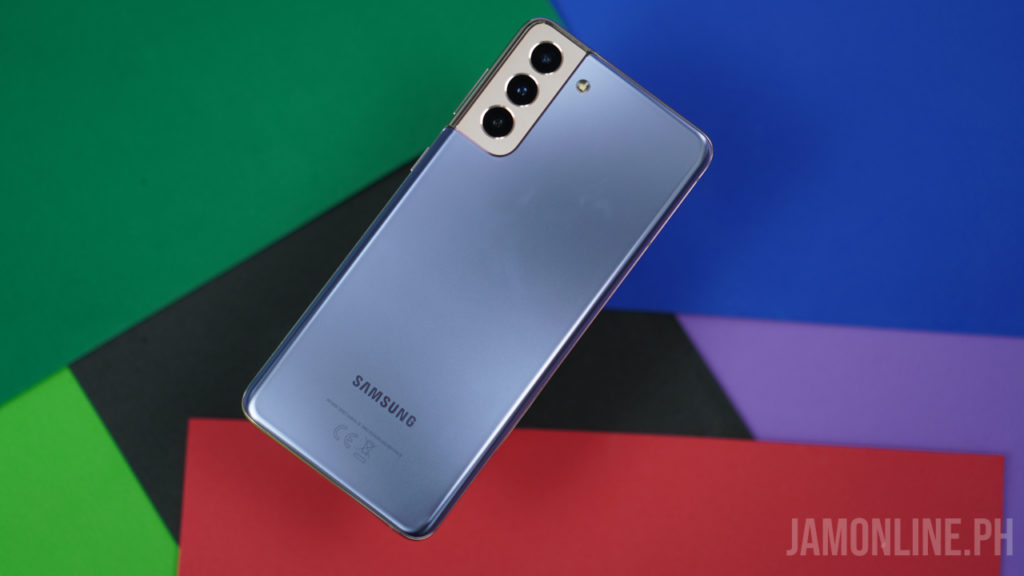
Samsung Galaxy S21+ vs Huawei Mate 40 Pro Specs Comparison

0

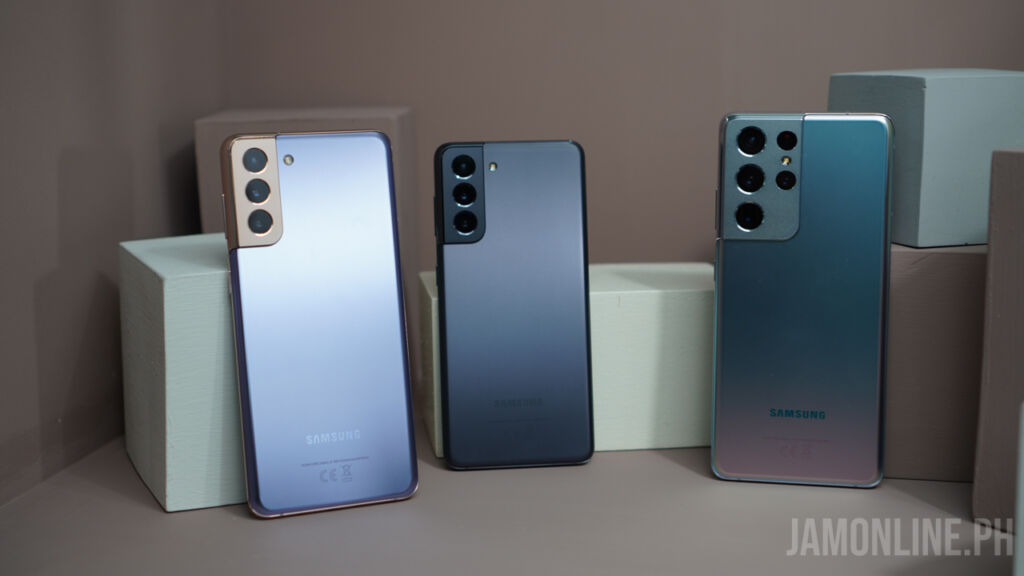
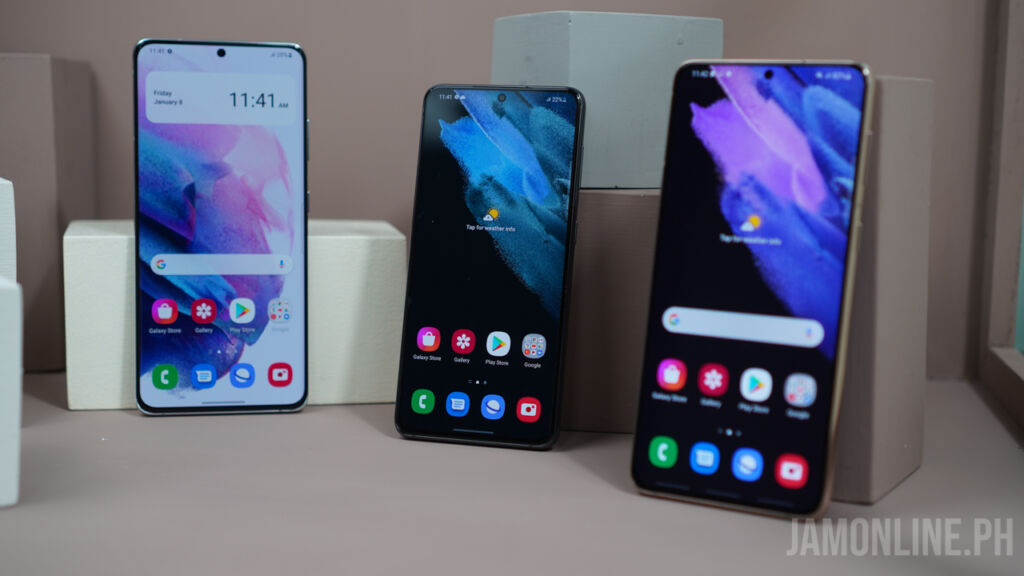
Two of the newest flagship smartphones are already out in the market and both of them are quite great as both smartphones pack a flagship camera, design, and also hardware inside but if you’re curious which has the best hardware for each smartphone, check out our specs comparison of the Huawei Mate 40 Pro and the Samsung Galaxy S21+ below:
 

  Huawei Mate 40 Pro Samsung Galaxy S21+
Display 6.76-inch FHD+ IPS Display, 90Hz refresh rate 6.4-inch FHD+ Super AMOLED Display, 120Hz refresh rate
Processor Kirin 9000 5G SoC Exynos 2100 Chipset
GPU ARM Mali-G78MP24 GPU ARM Mali-G78MP14 GPU
RAM 8GB RAM 8GB RAM
Storage 256GB Internal storage Expandable via NM card 256GB Internal Storage non expandable
Rear Camera 50MP Super Sensing Wide Camera

20MP Ultra-Wide Cine Camera

12MP Telephoto Camera

12MP Wide-Angle Camera

12MP Ultra-wide camera

64MP Telephoto camera

Front Camera 13-megapixel

3D Depth sensing camera

10-megapixel
Connectivity 5G

LTE

Bluetooth

GPS

A-GPS

Wi-Fi

5G

LTE

Bluetooth

GPS

A-GPS

Wi-Fi

Battery 4400mAh Battery 4800mAh Battery
Operating System EMUI 11 OneUI 3
Others 50W Wireless Huawei SuperCharge

66W Huawei SuperCharge Charge

15W Wireless  Charging

25W Wired Fast Charging


Basically, the Kirin 9000 5G SoC versus Exynos 2100 is a tough fight as both chips are flagship ones with the Kirin 9000 sporting a Cortex-A77 prime core while the Exynos 2100 sports a Cortex-X1 prime core which is better and faster however for the GPU, the Exynos only uses a Mali-G78 MP14 GPU while the Kirin 9000 uses a Mali-G78MP24 GPU which has more GPU cores. As for the RAM, both smartphones comes with 8GB RAM.
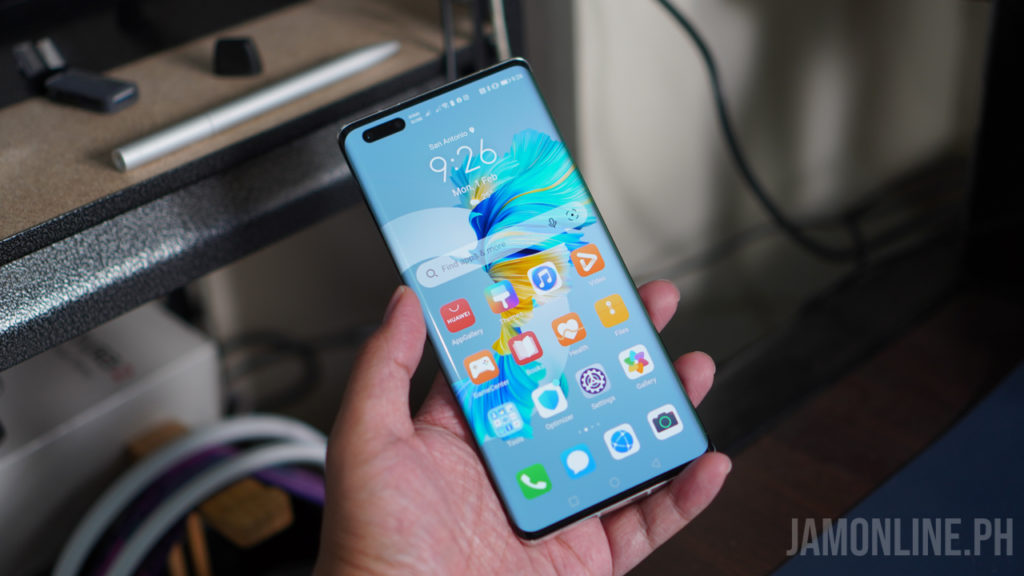
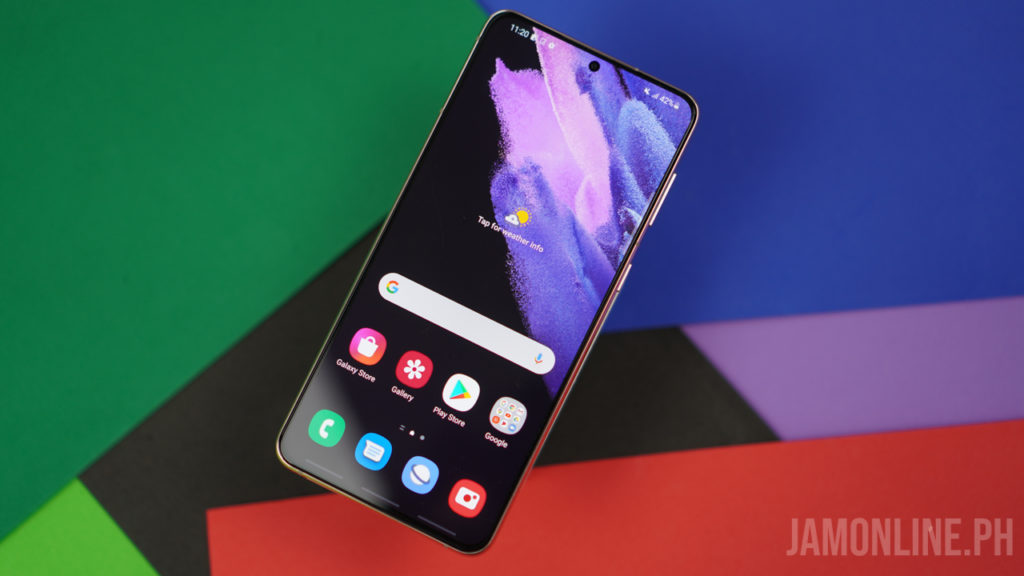
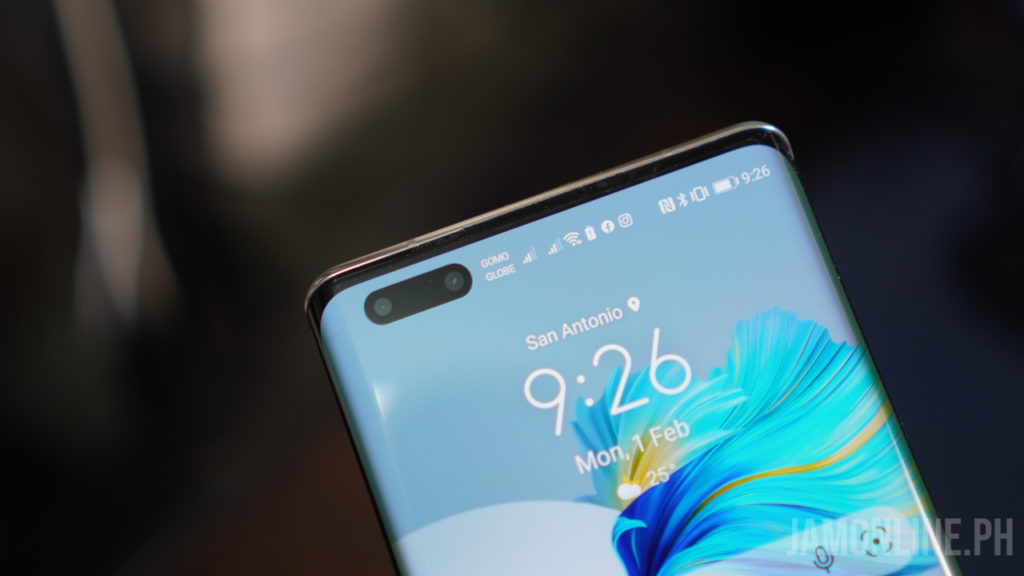
For the display, the Huawei Mate 40 Pro comes with a larger 6.76-inch Full HD+ Display with curved edges while the Samsung Galaxy S21+ comes with a smaller 6.7-inch display with Full HD+ resolution and HDR10+ certification. The Samsung Galaxy S21+ comes in with a better display as this one got a 120Hz refresh rate compared to Huawei’s 90hz refresh rate.
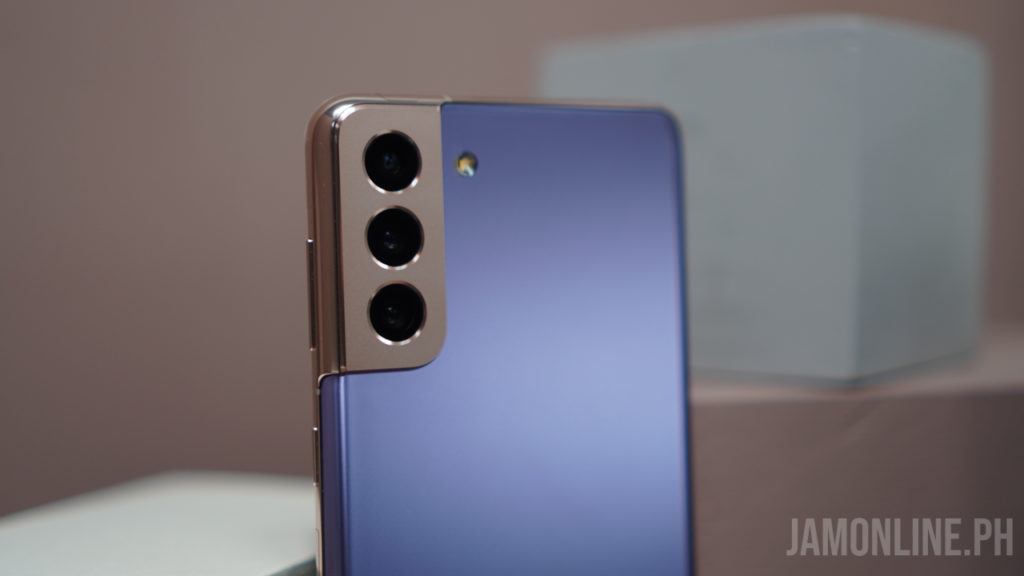
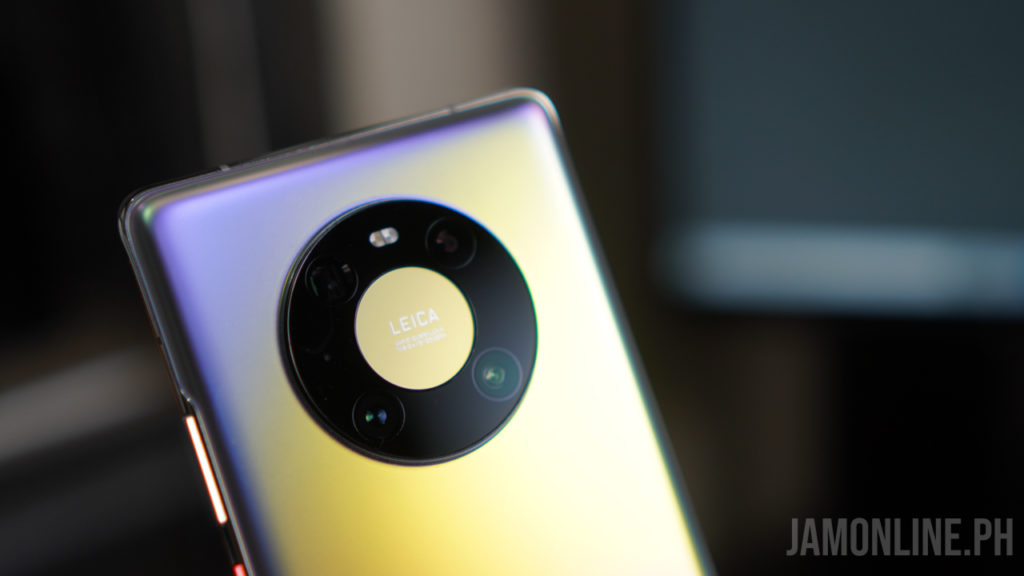
As for the camera, they have a different approach as the Samsung Galaxy S21+ comes with a bigger 64MP telephoto lens along with 12MP wide-angle and 12MP ultra wide camera while the Huawei Mate 40 Pro comes with 50MP Super Sensing Wide Camera, 20MP Ultra wide cine camera and a 12MP Telephoto Camera. The Huawei Mate 40 Pro sports a larger sensor and it can go up to 50x zoom when you take photos but the Samsung Galaxy S21+ might have a smaller sensor and it can only shoot up to 30x zoom, this one can record videos at up to 8K24fps. For selfies, the Huawei Mate 40 Pro  hjas a big advantage as this one comes with 13MP Ultra Vision Selfie Camera along with the 3D Depth Sensing Camera while the Galaxy S21+ only sports a 10MP selfie camera
When it comes to power, both smartphones supports wireless charging and they can charge other devices too. With the Huawei Mate 40 Pro, you can charge up to 50W via wireless charging with their proprietary wireless charger and it can go up to 66W with their Huawei SuperCharge tech. This is quite amazing and a big game changer as you don’t have to charge your smartphone for more than an hour to fully charge it while the Samsung Galaxy S21+ still comes with 15W Wireless Charging and 25W Wired Charging. While the Samsung Galaxy S21+ comes with a slower charging, this one comes with a slightly bigger 4800mAh battery while the Huawei Mate 40 Pro comes with 4400mAh battery
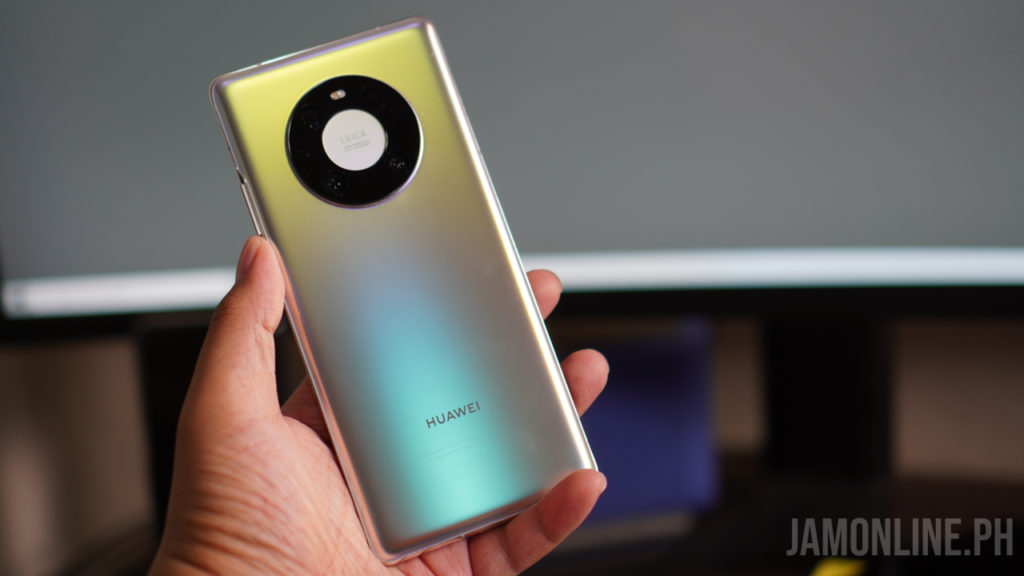
Both are great smartphones and it really depends on your preference when it comes to the hardware. The Samsung Galaxy S21+ might have a larger display and a better display overall but the Huawei Mate 40 Pro does have an advantage in terms of camera zoom, the selfie camera, the charging, and a slightly larger display. Both the Samsung Galaxy S21+ and the Huawei Mate 40 Pro are available in the market.
Lenovo Yoga Slim 7 Review

0

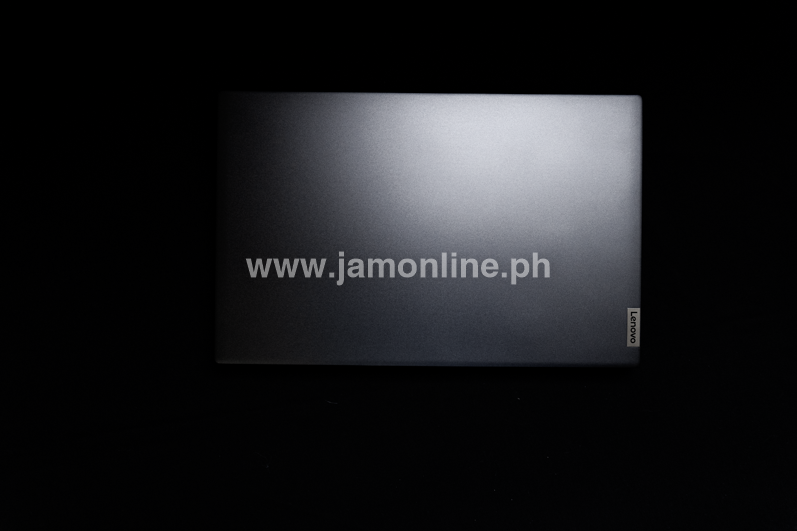
Lenovo once again delivers a stunning laptop with affordability and power. The new Lenovo Yoga Slim 7 is AMD’s premier Ultrabook designed to boast the prowess of its third-generation Ryzen 7 U-series at its best.

Lenovo Yoga Slim 7 4800u

[table id=14 /]

Design

The Lenovo Yoga Slim 7 is made of metal from top to bottom. It is heavier than most of the other 14-inch Ultrabooks though. There is a 50-gram difference in weight thanks to the heavier 95-watt power adapter as a result of the Nvidia graphics card on the Intel variant. Lenovo does not spare on any part of the laptop including, quality, screen, thermal design,  speakers or inputs.

Keyboard and Mousepad

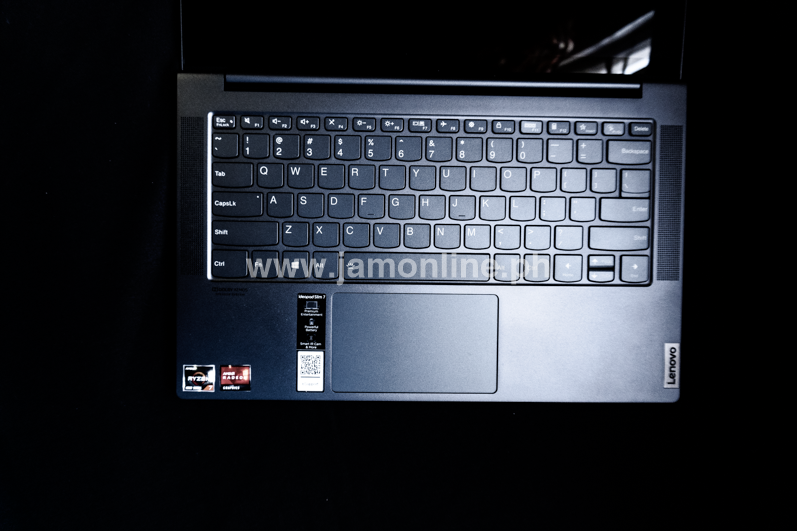
Despite the short key travel on the keyboard, there is a slight clickiness to it. The arrow keys were pretty much forced to have a halved up and down key due to the small frame.

Underneath, we spot the relatively small touchpad with a glass surface. Nothing extraordinary about it but one thing that should be noted here is that Lenovo has chosen to retain the front-firing speakers on the Lenovo Yoga Slim 7 placing them both sides of the keyboard.

Connectivity — Thunderbolt 3 is not Here

The AMD Yoga Slim 7, unfortunately, will not come with the Thunderbolt 3 but the Intel Yoga Slim 7 counterpart would. The Yoga Slim 7 provides more than USB Type-C ports. On the left side of the notebook are the charging and data transfer USB Type-C port, an HDMI 2.0b connector (with support of up to 4096x2160p @60Hz), and another USB Type-C 3.1 (Gen 2) port, which has power delivery function and supports Display 1.4b output with a maximum resolution of up to 5120x2880p @60Hz, and lastly the audio jack.

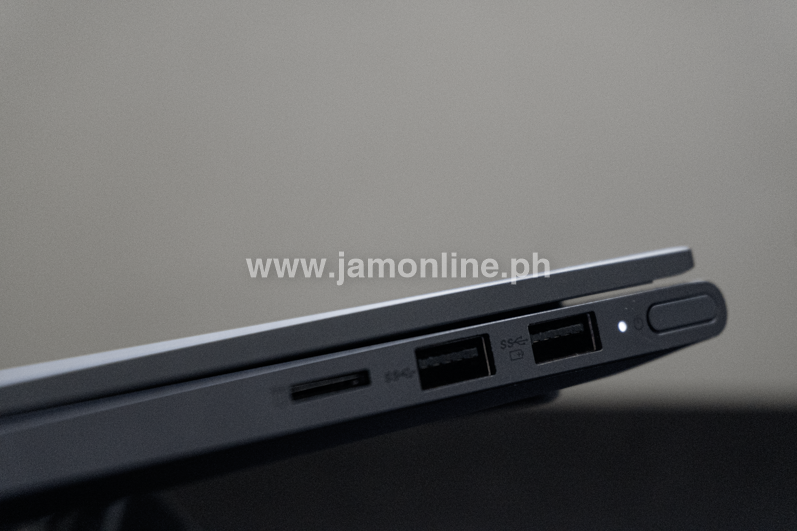
On the right are the Power button and fingerprint scanner combo, two USB Type-A 3.1 ports, and a MicroSD reader. As stated, you won’t be seeing the Thunderbolt 3 on this variant as it is still reserved on mostly Intel devices.

Display

The Lenovo Yoga Slim 7 has an IPS display with a resolution of 1920 x 1080. The diagonal measurement is at 14″ with a screen ratio of 16:9 with a density of 157ppi.

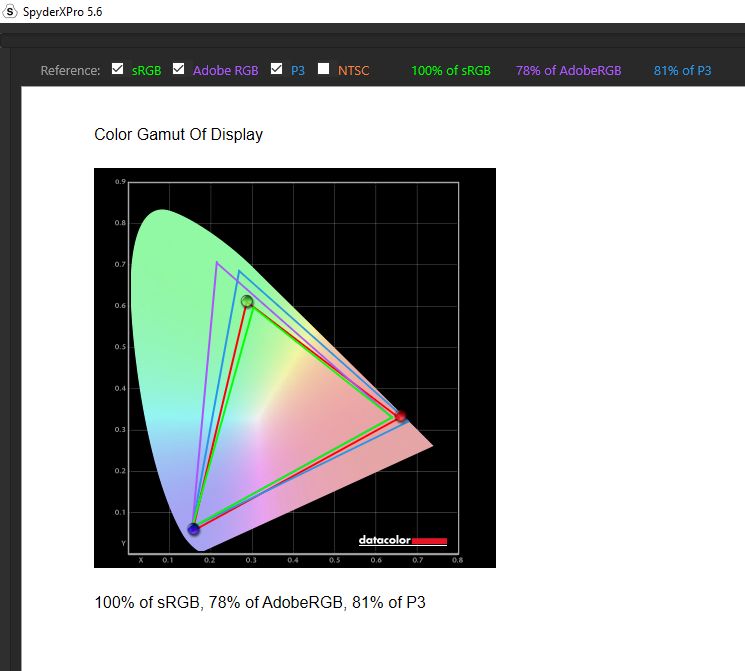
Lenovo Yoga Slim 7 Colour Gamut

On this test, we used the datacolor SpyderX Pro to see the standard colour gamut (sRGB) that is being used by regular HDTVs and web colours. Adobe RGB is a standard for professional cameras, monitors and print and at the same time, DCI-P3 is what is being used in movie studios and digital UHD Rec.2020 standards for projectors.

The displays cover a 100% sRGB colour range which is well above the rest.

Audio

The Lenovo Yoga Slim 7 is packed with a Dolby Atmos Speaker System and has a preset equalizer to adjust the audio to your liking. The bass though, like most laptops, is lacking.

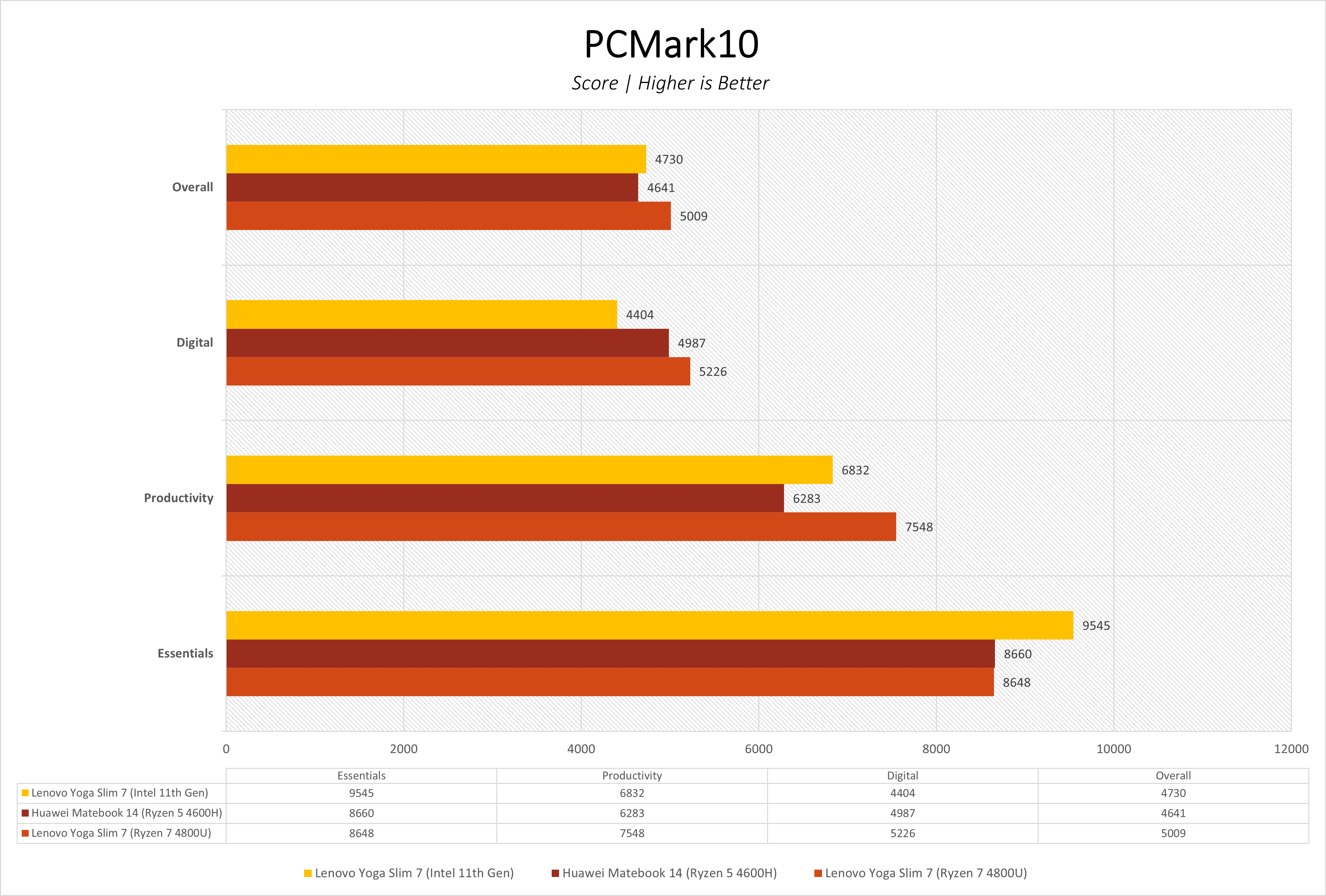
Synthetic Benchmarks

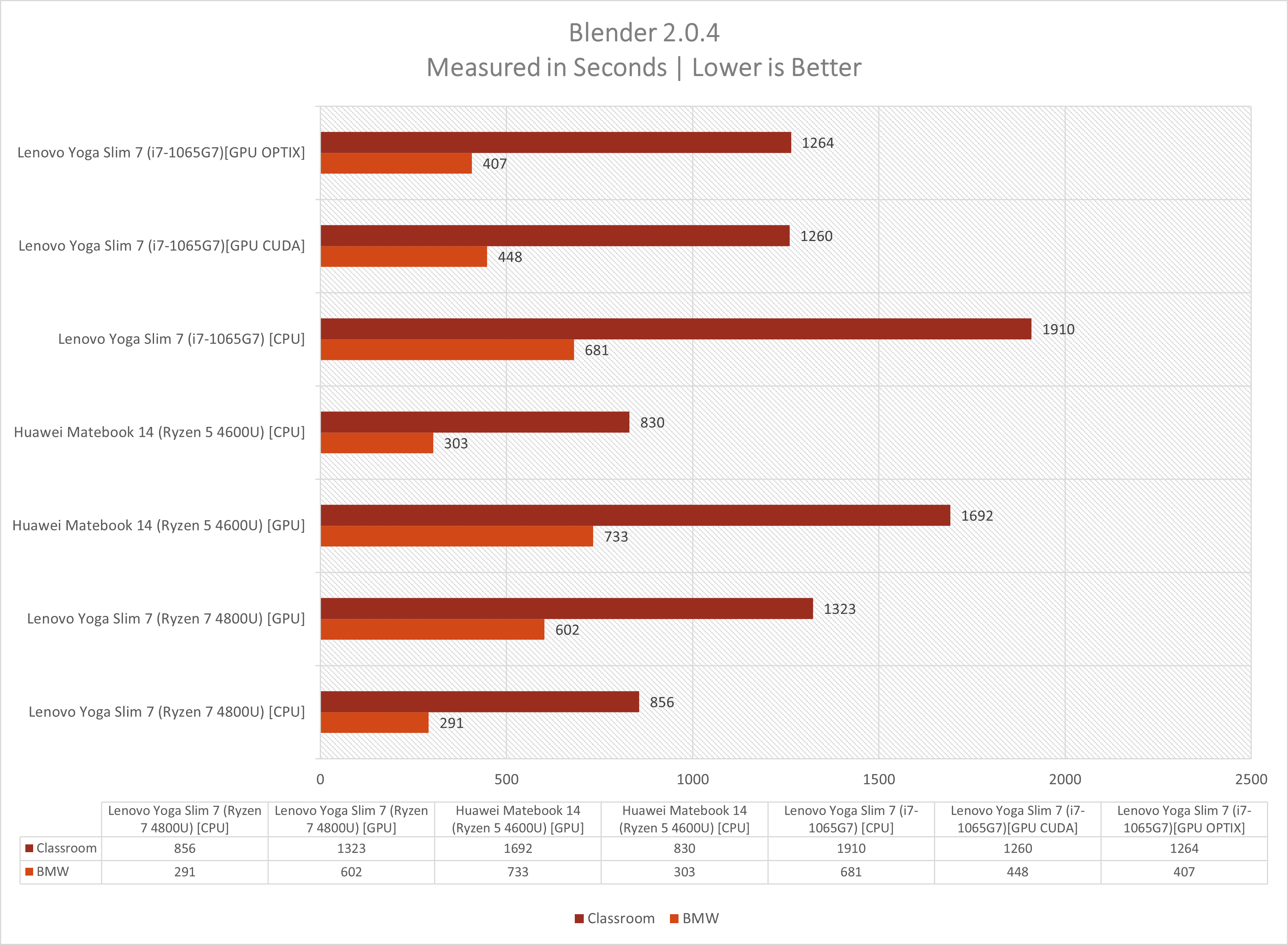
Blender

Blender is an opensource 3D creation suite that has a wide variety of readily available simulations supporting modelling, rigging, animation, simulation, rendering and even motion tracking.

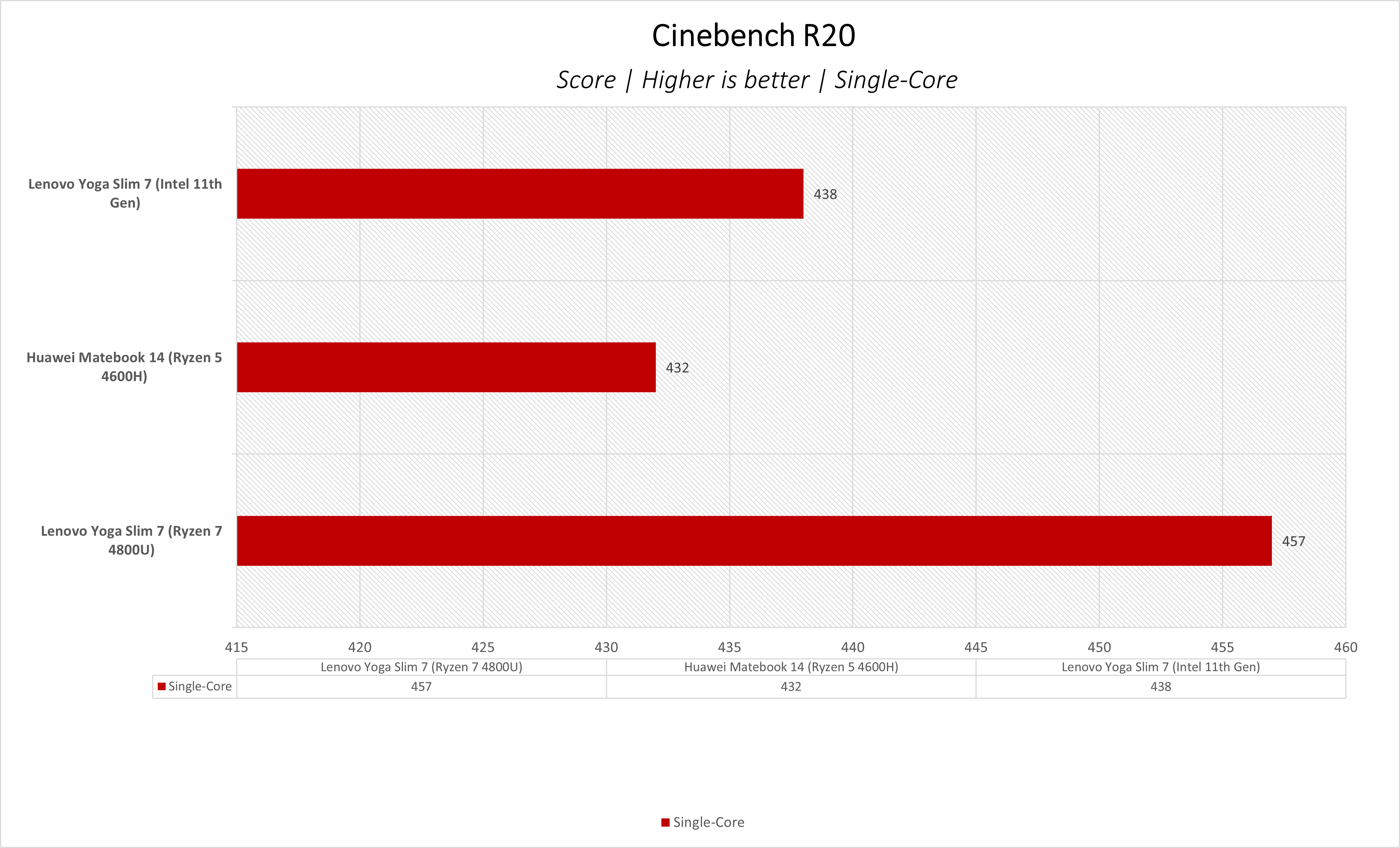
Cinebench R20

Maxon’s Cinebench benchmark is easily one of the most used applications by reviewers and enthusiasts. The latest uses the rendering architectures from both AMD and Intel allowing users to render the same scene.

Support and Warranty

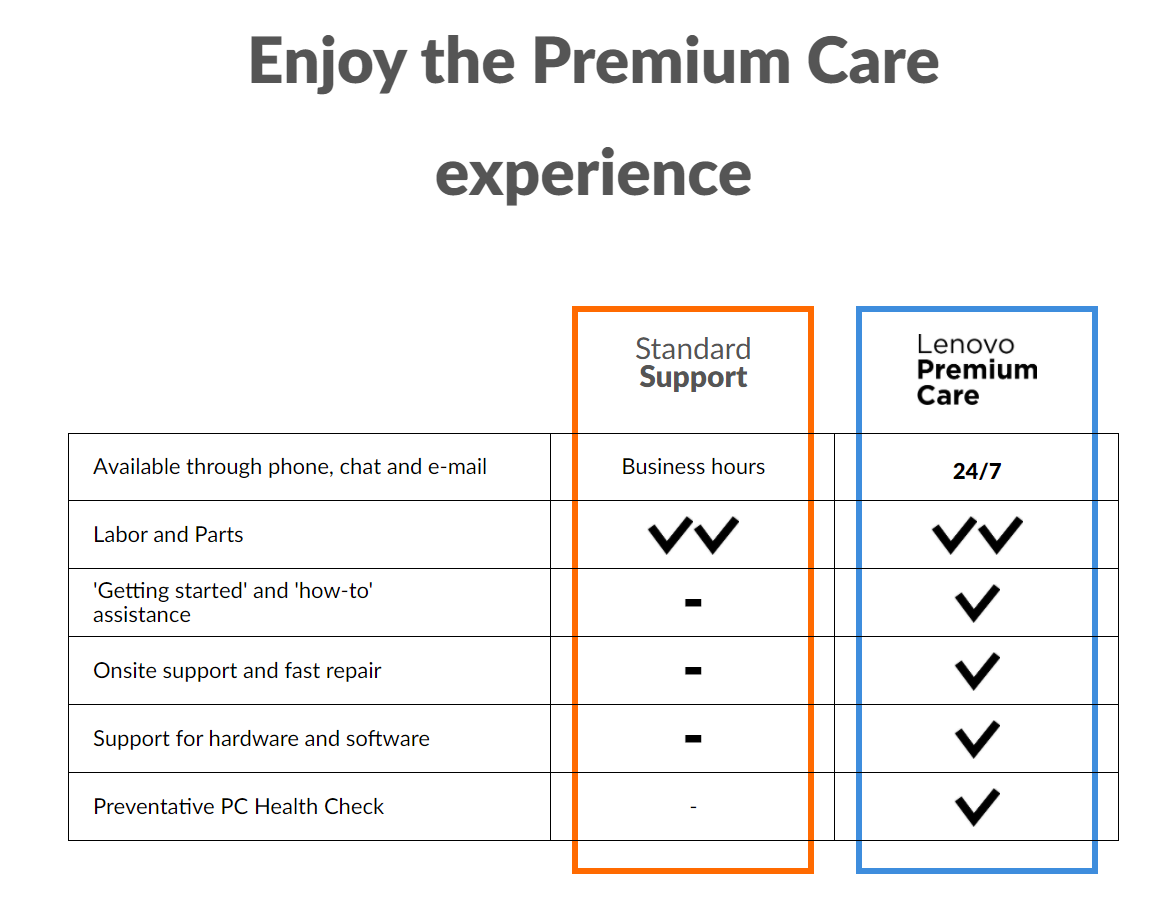
Most Lenovo products are supported by the local Premium Care that puts your mind at ease. With this, you enjoy service at the comfort of your homes. Lenovo customers have access to PremiumCare via their email – premcareph@lenovo.com or the toll-free hotline number 1-800-1110-2328.

Final Thoughts

The Lenovo Yoga Slim 7 is the type of ultrabook that is most certainly a must-buy for content creators. It pushes the maximizes the capabilities of content creation. The one we reviewed is a variant that differs from the local configuration.

The Ryzen 4800U proves to be a powerhouse with a price tag of ₱64,995 and local configuration of 16GB Soldered LPDDR4x-4266 and 1TB SSD M.2 2280 PCIe, this is more than anything anyone could ever ask for. It could get rather hot during full load but that is very much expected when working on a laptop.

Intel Taps ASUS & Colorful To Launch Iris Xe Desktop GPU to OEMs

0

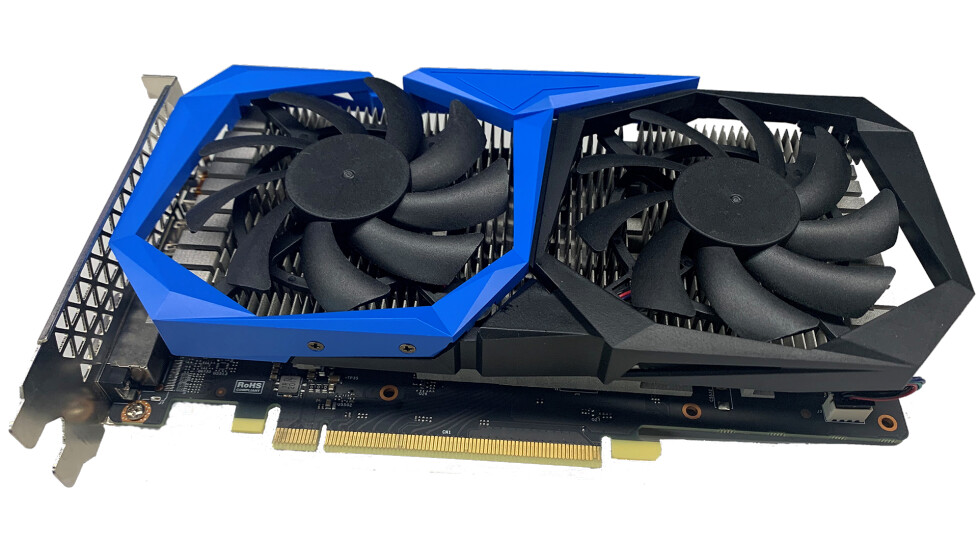
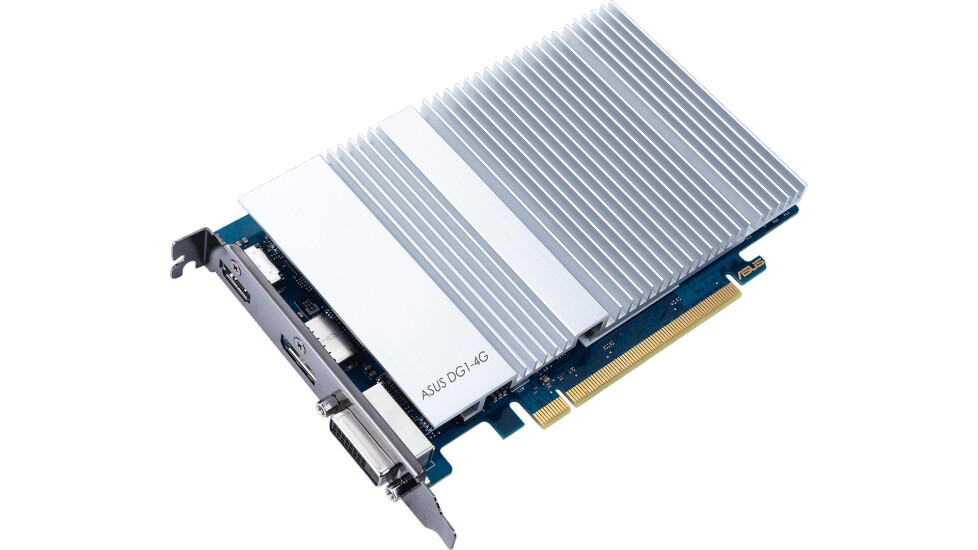
Intel has partnered with ASUS and Colorful for the launch of its Intel Xe discrete desktop graphics card. The partnership involves designing and launching graphics card as part of pre-built systems. These two DG1 boards are targeted at mainstream users and small to medium-sized businesses.

The DG1 graphics card features 80 execution units(EU), 16 EUs less than the notebook version, and 4GBs of LPDDR4X memory. Base and Boost clocks of both models are still unknown, however, both GPUs feature the same display outputs, hardware video decode and encode acceleration, AV1 decode support, VESA Adaptive-Sync and Display HDR support alongside artificial intelligence capabilities.

Intel’s latest Xe DG1 discrete graphics card isn’t positioned to rival Nvidia and AMD’s latest and graphics card, but rather provides an alternative solution for pre-builts with the premium technologies mentioned earlier.

Brother’s latest ink-tank printers are the best partners for Home and SMEs

0

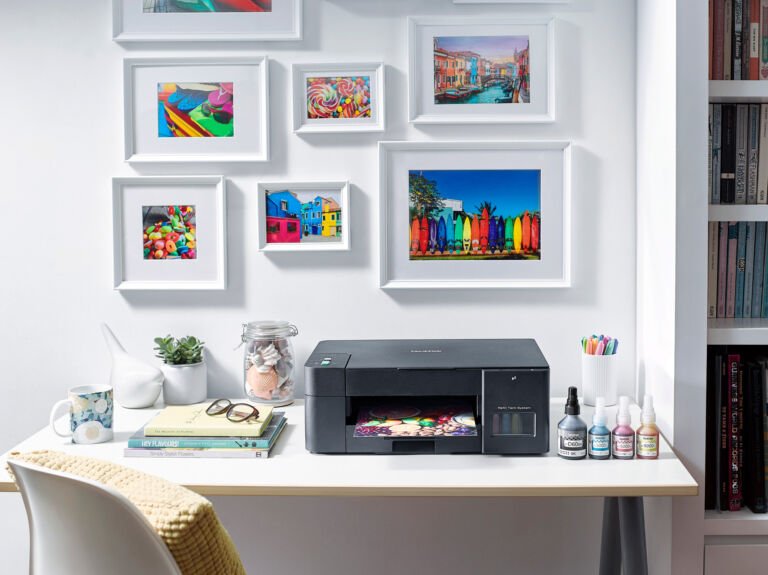
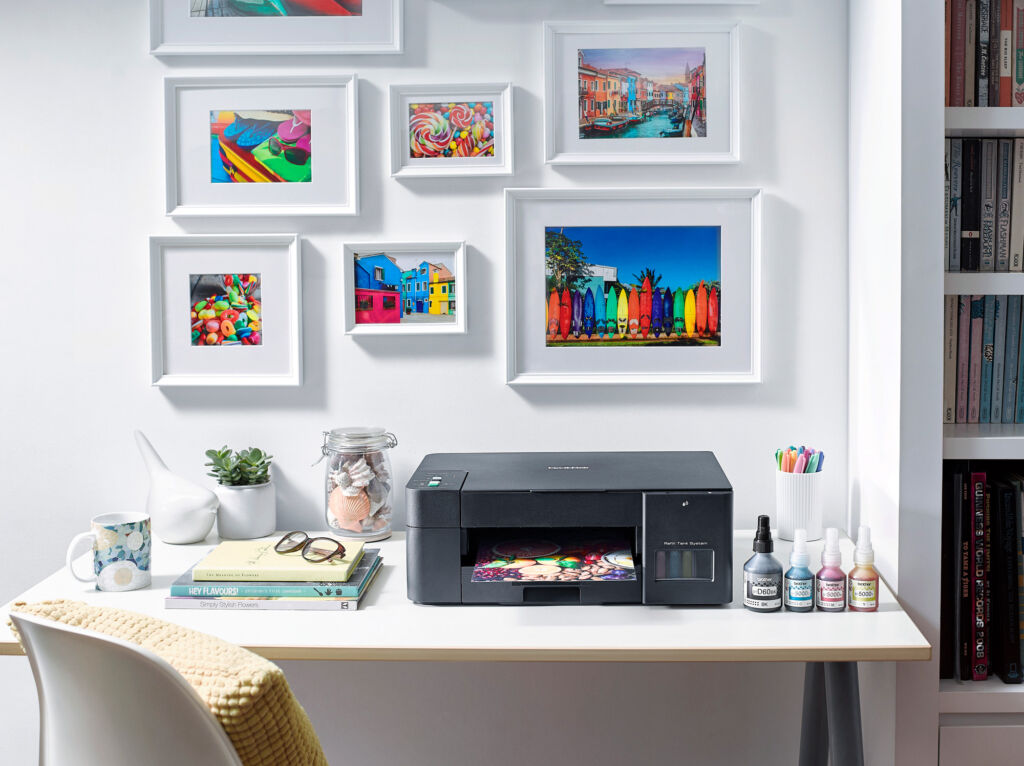
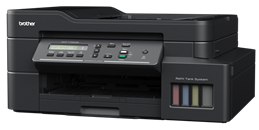
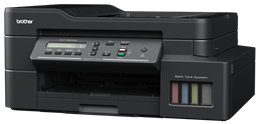
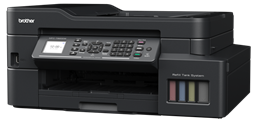
Brother Philippines has just introduced their newest lineup of printers that is made for home and also for businesses and they are feature-rich as they have ink tanks and of course, printers that can yield up to 7,500 pages on mono and even up to 5,000 pages on color.

For this series, Brother Philippines has launched a total of 5 models for your home and business needs and these features includes an efficient cost-per-page as you can print up to 7,500 pages in black and 5,000 pages and since it comes with Automatic 2-sided printing, you can save more paper.

Other features includes a one-touch copy shortcut so you can easily copy copy your papers without a hassle and since we’re using different notebooks and PCs these days, it’s pretty simple to set this one up as they come with plug and play feature.

As for the printing, the new printers from Brother comes with fast print speeds with up to 17 ipm for mono prints and 16.5 ipm for color pages and of course, you can get professional print quality with this one along as we can get here a crisp and clear prints with superior colour vibrancy.

If you’re curious about the latest products from Brother, check them out below:

DCP-T420W

This printer comes with print, scan, and copy that comes with a print speed of 16/9ipm. You can get a 1200×6000 dpi print quality for this one too so you can have superior quality. There’s a 150 sheets standard paper tray. The ink bottle of this one can yield at 7,500 mono pages and up to 5000 colored pages. The best part about these printers is that they come with Brother iPrint & Scan, Mopria, and Wireless Direct.

DCP-T520W

This is pretty much similar to the DCP-T420W but this one comes more features. It still comes with a print speed of 16/9 ipm and you can still get a 1200×1600 dpr print quality and it still has a 150 sheets standard paper tray but this one comes with Brother iPrint & Scan, Mopria, Wi-Fi Direct, and this time, there’s Apple Airprint too.

DCP-T720DW

If you want a faster printing speed, you can go for this printer as this one comes with all the features that you need especially for those who are in SMEs and businesses. There’s up to 17/16.5 ipm print speed and it comes with up to 6 seconds first print-out time for Mono and 6.5 seconds for color. There’s 150 sheets standard paper tray and it also comes with 20 sheets Automatic Document Feeder. There’s automatic 2-sided printing on this one and also comes with 7,500 pages for mono and 5,000 pages on color. There’s wireless connectivity too and Brother iPrint&Scan, Apple AirPrint, Mopria, & Wi-Fi Direct

DCP-T820DW

If you want to get more features, you can go for the DCP-T820DW as this one comes with the same printing speed of the DCP-T720DW but this one comes with 80 sheets multi-purpose tray and 20 sheets automatic document feeder and it still has 150 sheets standard paper tray. One of the biggest change in here is that it comes with Ethernet.
MFC-T920DW

This is the best printer in the series as this comes with a lot more features compared to the others. First, this one comes with Print, Scan, Copy, and even Fax. This one comes with up with the same features of the DCP-T 820DW but this one comes with USB Flash memory direct print and even a 1.8″ TFT Color LCD so you can control the printer and print directly.

The DCP-T420W will be available this January 2021 while the rest will be available this February 2021. Here are the prices of these printers:

  • DCP-T420W – Php7,650
  • DCP-T520W – Php8,950
  • DCP-T720DW – Php11,950
  • DCP-T820DW – Php13,950
  • MFC-T920DW – Php18,950

OPPO launching the Reno5 in the Philippines soon

0

OPPO Philippines is set to launch the Reno5 4G and the Reno5 5G in the country this February 2021. The OPPO Reno5 is expected to bring more camera technologies and of course, 5G which is expected to grow more in the country.  Both the OPPO Reno5 4G and the Reno5 5G features the OPPO Full Dimension Fusion (FDF) Portrait Video System which gives you the best video experience.

Some of the features that we can expect on the OPPO Reno5 series are the AI Highlight video, the quality enhancement engine. Aside from that, there’s the Adaptive Brightness Adjustment, Adaptive Dynamic Range, and Adaptive Noise Reduction.

Other cool camera features includes the Scene Design Manager that uses portrait perception engine which will obtain the specific features of teach person and recognize their faces which allows you to have optimized and better AI Highlight video.

The OPPPO Reno5 4G and Reno5 5G is expected to leverage the company’s tech in video, camera, editing and more. The smartphones are expected to arrive this February 2021.

Samsung Galaxy A02s and Galaxy A12 now available in the Philippines

0

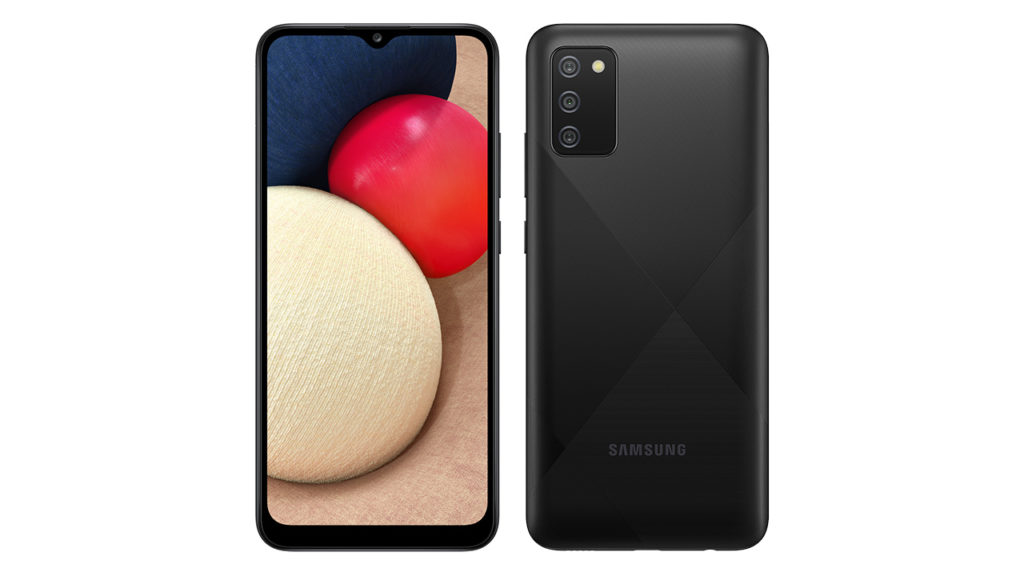
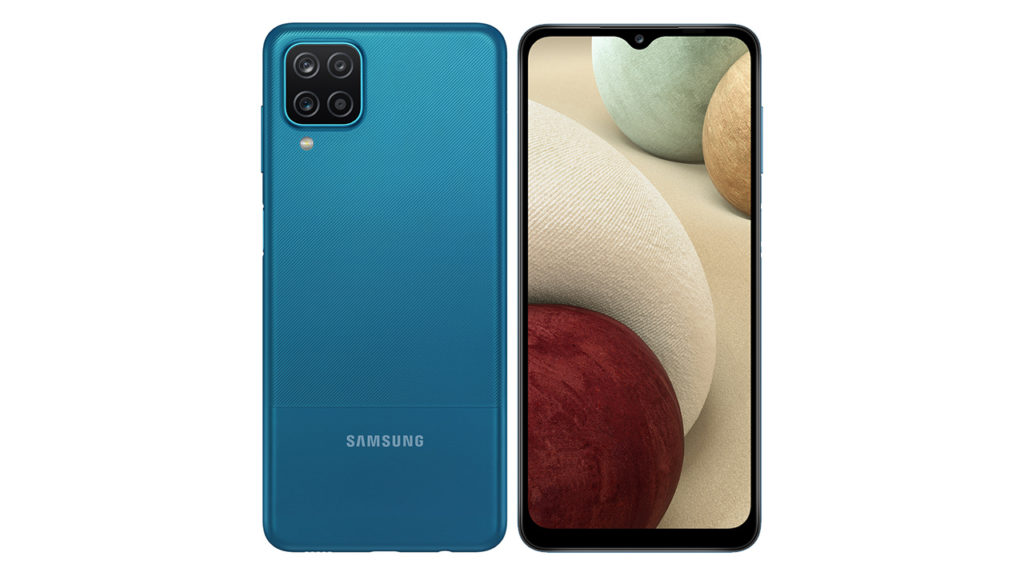
Samsung Philippines has just announced that their two new affordable Galaxy smartphones under the Galaxy A series that is meant for the Gen Z consumers. The Samsung Galaxy A02s and the Galaxy A12 are both affordable with an SRP of Php6,990 and Php9,990 respectively.

Samsung Galaxy A02 will come with 4GB of RAM and 64GB of internal storage for only Php6,990 while the Samsung Galaxy A12 will come with 4GB of RAM with 128GB of internal storage for only Php7,990. These prices for the smartphones are really competitive considering that there are a lot of Chinese-branded affordable smartphones that floods the market recently.

The Samsung Galaxy A02s comes with a 6.5-inch Infinity-V display with a triple lens camera at the back and then there’s the 5000mAh battery too which can last long. While the Samsung Galaxy A12 comes with a 48MP Main Camera along with 5MP ultra wide and 2MP macro and 2MP depth sensor. There’s the 5000mAh battery too but this one comes with 15W Fast Charging technology.

Samsung Galaxy A02s Specs

  • 6.5-inch PLS IPS HD+ Display
  • Qualcomm Snapdragon 450 Octa-Core processor
  • 4GB RAM
  • 64GB Internal storage expandable via MicroSD
  • 13MP main camera + 2MP macro camera + 2MP depth sensor
  • 5MP selfie camera
  • WiFi, Bluetooth, GPS, A-GPS
  • 5000mAh battery
  • OneUI Based on Android 10

Samsung Galaxy A12 Specs

  • 6.5-inch PLS IPS HD+ Display
  • Helio P35 Octa-Core processor
  • 4GB/6GB RAM
  • 128GB Internal storage expandable via MicroSD
  • 48MP main camera + +5MP Ultrawide camera + 2MP macro camera + 2MP depth sensor
  • 8MP selfie camera
  • WiFi, Bluetooth, GPS, A-GPS
  • 5000mAh battery
  • 15W Fast Charging
  • Side fingerprint scanner
  • OneUI Based on Android 10

The Samsung Galaxy A02 comes in Black and Blue and you can get it for Php6,990 while the Samsung Galaxy A12 comes in two variants:

  • 4GB/128GB – Black, white – Php7,990
  • 6GB/128GB  – Black, Blue – Php9,990

The Samsung Galaxy A12 will be available at 0% interest for 6 months with Home Credit Installment when you purchase it from February 5 to March 31. Aside from that, you can also get a free 1 year subscription to Viu if you purchase it this February 5 to 14

realme Philippines is giving out deals and discount this month!

0

relame Philippines is starting the new year with a bang as they offers discounts of up to Php3,000 on their products! And yes! everyone can enjoy the discounts as the sale event will happen on both Shopee and Lazada!

Some of the products that are on sale includes the realme 6 and 6 Pro which are excellent and powerful smartphones as they offer a Php2,000 and Php3,000 discounts respectively. For those who are on the budget, the realme C series smartphones are also on sale and also some of their accessories and products.

Check out the products from that are on sale:

SHOPEE
realme 6 Pro 8+128 PHP   13,990.00
realme C15 4+64 PHP     6,490.00
realme C12 3+32 PHP     5,490.00
realme Buds Air Neo / PHP     1,290.00
Smart Scale  PHP     1,040.00
Powerbank 2i PHP        590.00
Buds Air Pro / PHP     3,490.00
realme Buds Q / PHP     1,090.00
realme Powerbank 2i  / PHP        690.00
realme Buds Classic / PHP        490.00
realme Watch S / PHP     4,890.00


LAZADA
realme 6 4+128 PHP      9,990.00
8+128 PHP    10,990.00
realme 6 Pro 8+128 PHP    13,990.00
realme C15 4+64 PHP      6,490.00
realme C12 3+32 PHP      5,490.00
realme 7 8+128 PHP    11,990.00
realme TWS / PHP      2,490.00
realme Buds Air Pro / PHP      3,490.00
realme Buds Q / PHP      1,090.00
realme Powerbank 2i  / PHP         690.00
realme Buds Classic / PHP         490.00


realme products will be on successive flash sales this January 25 and 27 on Shopee and there will be an all-day discount on Lazada this January 25, 27, and 30.

Leaked Asus ROG Phone 5 Video Shows A Secondary Screen

0

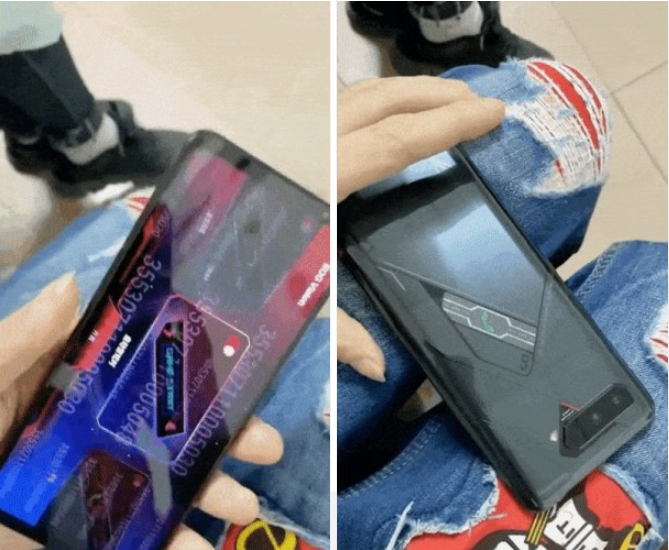
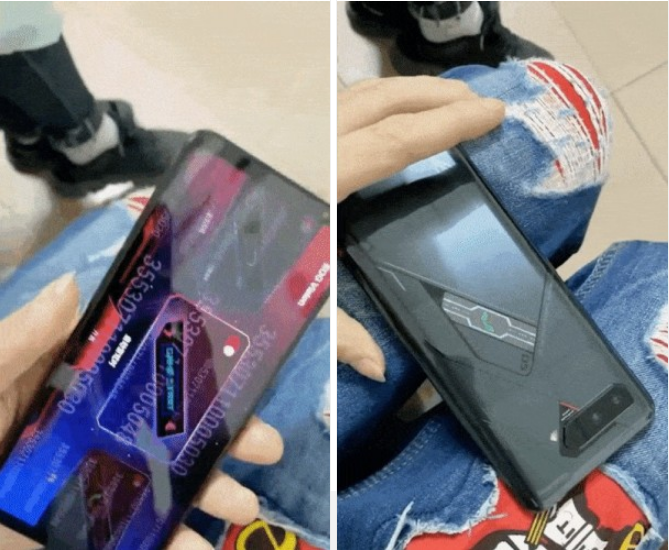
There’s a lot of hype surrounding the upcoming ROG Phone 5 as leaks start to drop months ahead of its usual Q2-Q3 release. The leaks start out strong as a leaked video shows a secondary display on the back of the ROG Phone 5.

The secondary display on the back of the Asus ROG Phone 5 serves as a notification screen. The video above showcases two notification scenarios specifically game alerts and incoming calls. The video also shows the new ROG Phone 5 comes with symmetrical top and bottom bezels similar to the ROG Phone 3 albeit slimmer with the latest model.

ASUS ROG Phone 5 Front Back Leak

The upcoming ROG Phone 5 is expected to pack an upgraded 144Hz screen paired with the latest Snapdragon 888 chipset, and a 6,000 mAh battery with 65W charging. This leak marks the start of various teasers, rumors, and news surrounding the upcoming ROG Phone 5.

Huawei Y7a Review

0

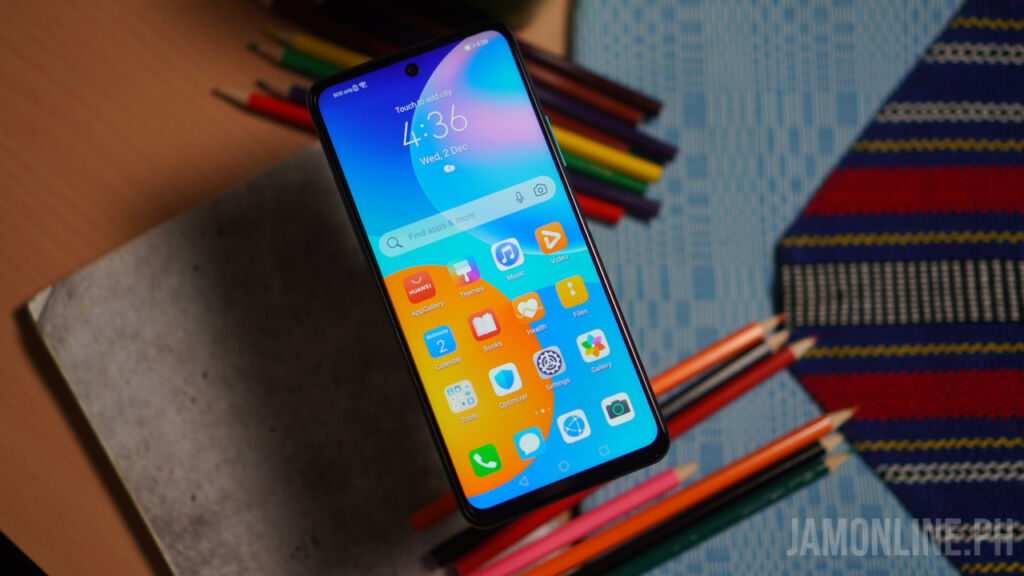
There’s a lot of budget smartphones that are popping left and right and one of the latest ones from Huawei is the HUawie Y7a. The smartphone is the latest one to arrive here and it does offer some interesting features inside. Check out what we think about the smartphone in our review below:

Hardware

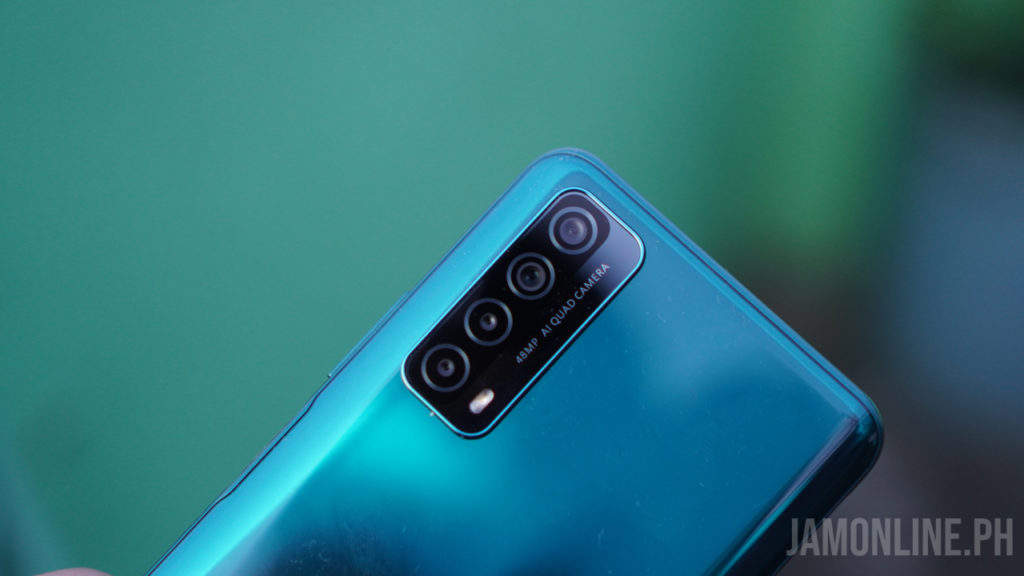
The Huawei Y7a does offer an attractive design. First, there’s the back of the smartphone that is glossy and it attracts a lot of fingerprints. Nonetheless, the back of the Huawei Y7a does feel premium to the hand. The one that we got comes in Crush Green and it’s really pretty to the hands.

The sides of the smartphone is curved that helps in the ergonomics of the smartphone as this one comes with a little bit of weight inside. But the weight combined with the materials in the smartphone gives us a more premium and solid feel into it.
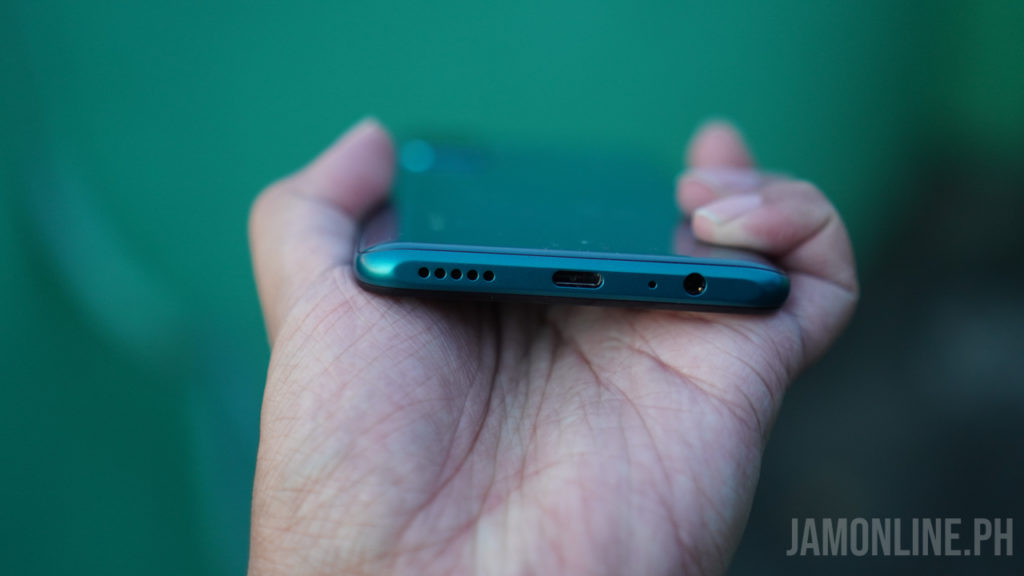
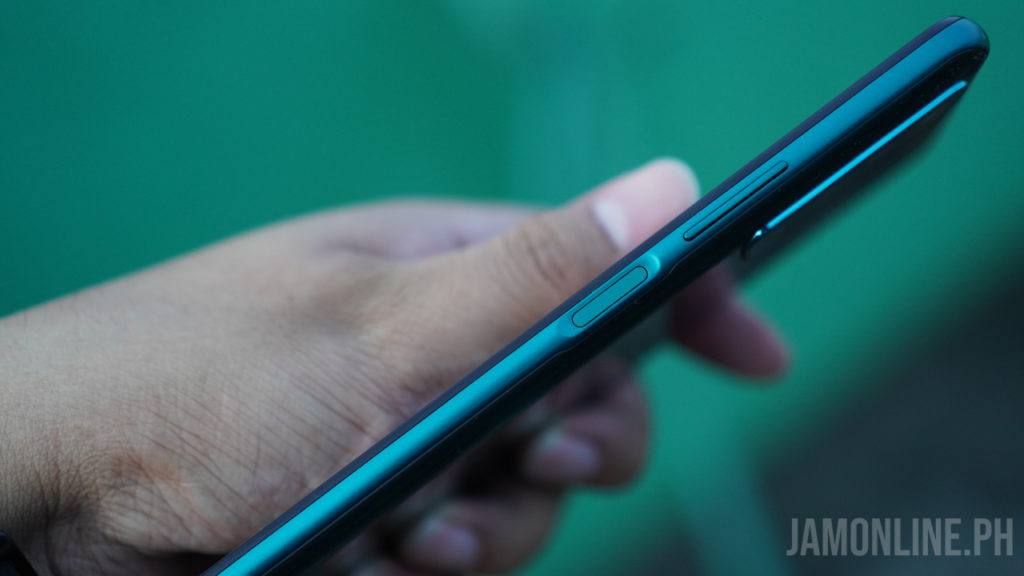
On the right of the smartphone is where we can find the power button that also acts as the fingerprint scanner of the smartphone and also the volume rocker at the top of it. Below is where you can find the USB-C port of the smartphone along with the speaker grill and also the headphone jack of the smartphone.
Battery life

As for the battery, the Huawei Y7a does feature a 5000mAh battery which might be the reason why the smartphone does come with a heavier build. And as for the battery, the Huawei Y7a does come with a battery with up to a day and a half of normal usage.

As for the charging, the Huawei Y7a supports 22.5W fast charging with its Huawei SuperCharge technology and it does help in charging the smartphone.

Display

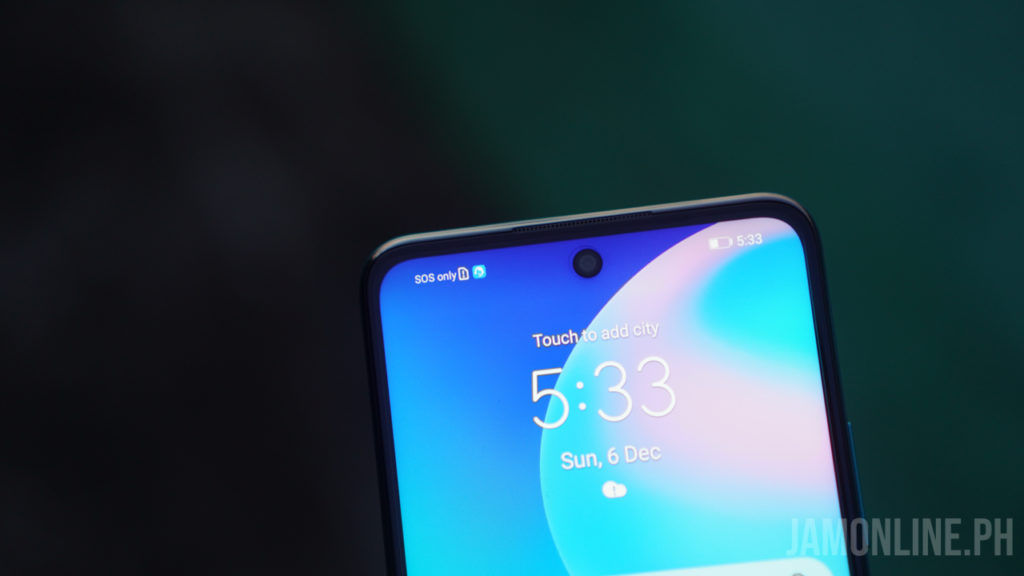
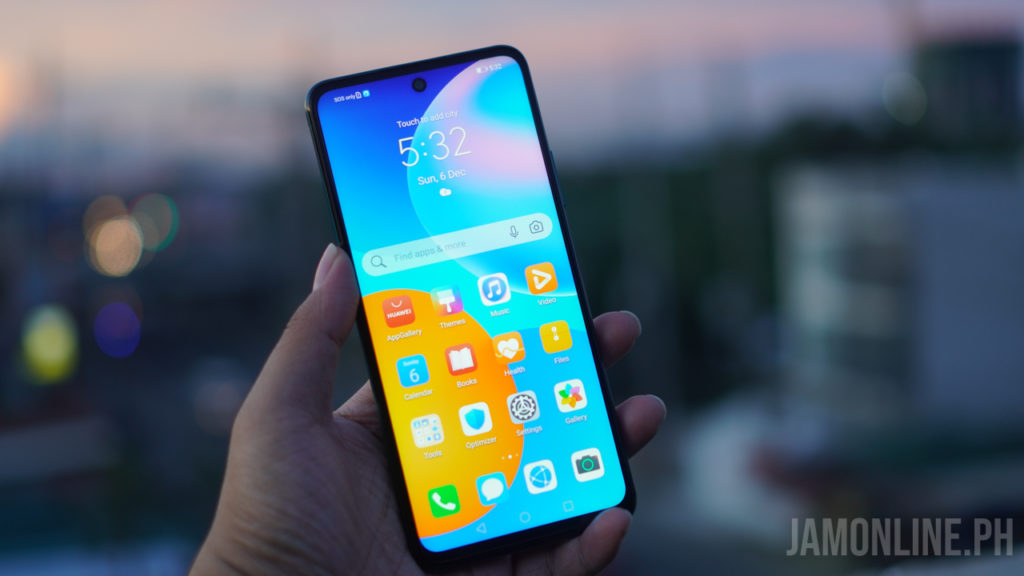
One of the features that I like on this smartphone is the display. We got here a Full HD+ resolution on its 6.67-inch IPS display. The colors were just right and it’s a little bit tall with its aspect ratio. Watching videos and playing games on the large display is definitely good as we got here a large space.

Software and performance

For the performance of the smartphone, it’s a bit disappointing as we got here a Kirin 710A processor inside which is already dated. However, if you’re into browsing your social media apps and just playing some casual games then the Kirin 710A will do just fine for your liking.

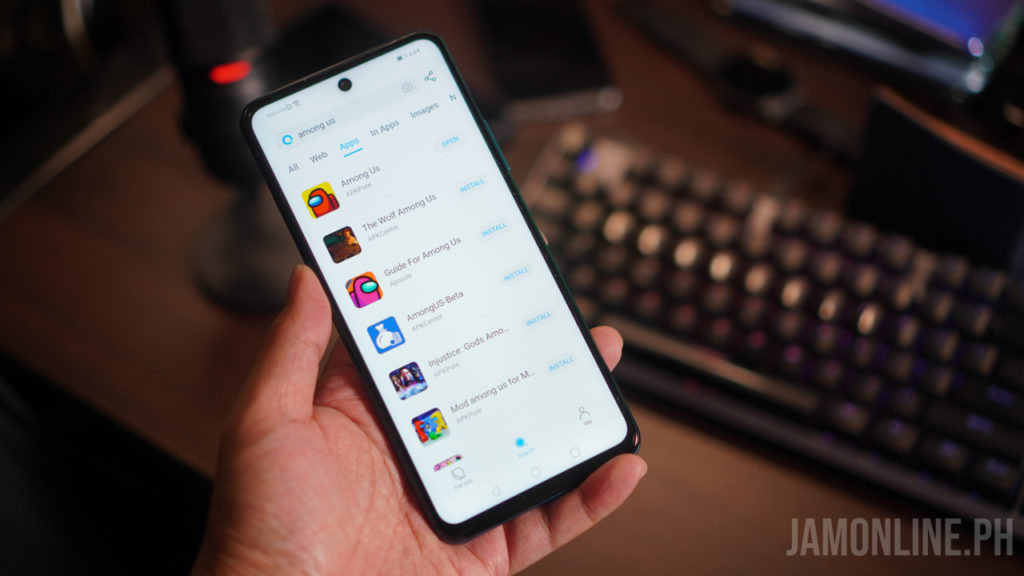
For the apps and games that I’ve installed, I’ve used the AppGallery and also the Petal Search Widget which allows me to download different games and applications. Personally, the Petal Search Widgetg offers more as it shows you different applications even outside from the ones on the Huawei AppGallery.

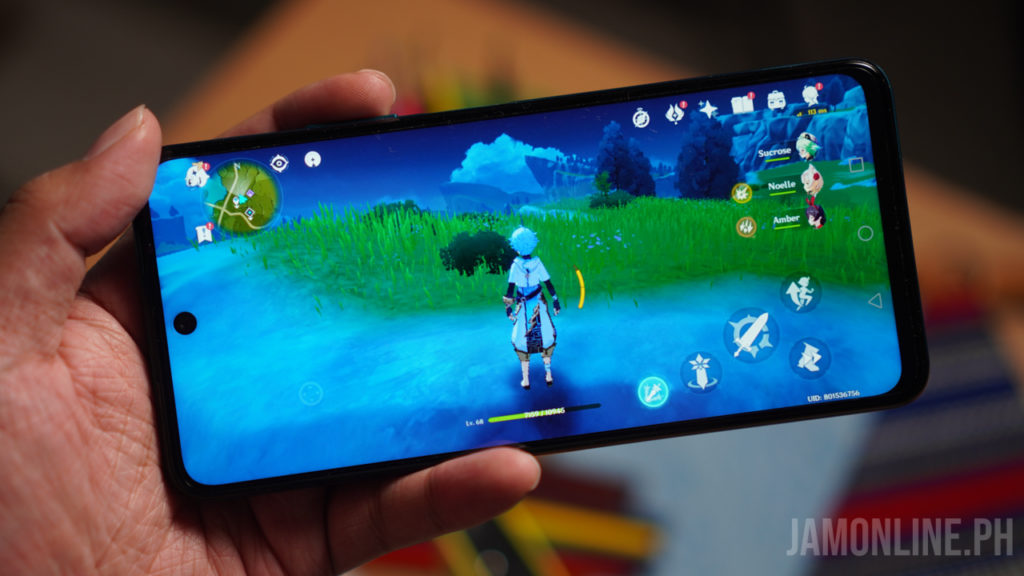
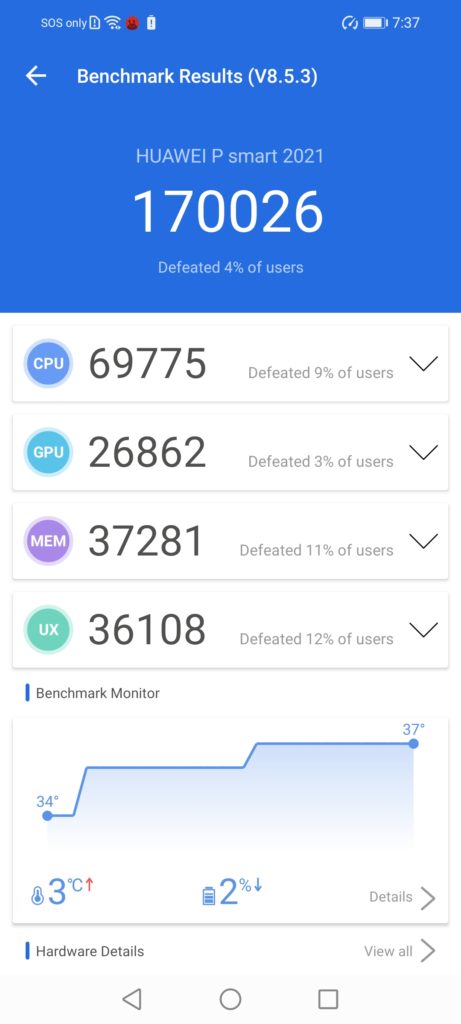
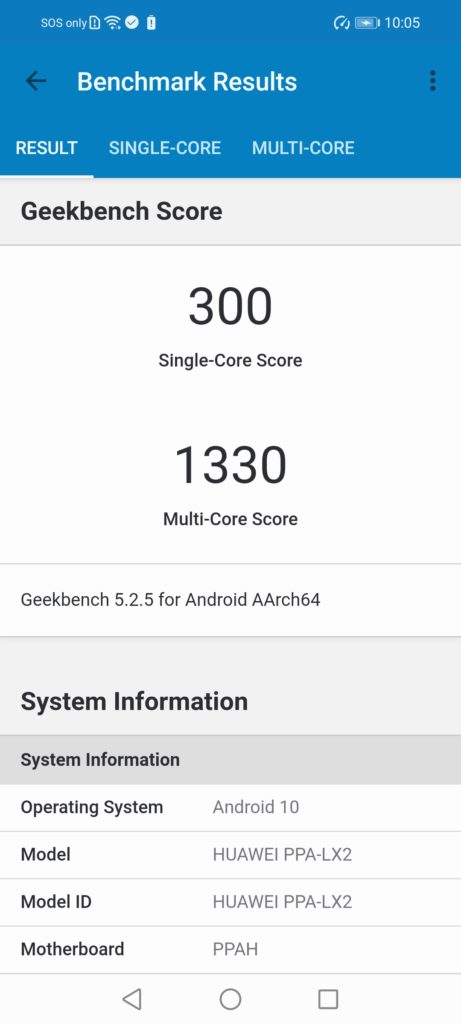
The Kirin 710A might be a dated processor but it can still do its job when it comes to basic tasks and in games, I was able to play games like Among Us that was downloaded thru Petal Search Widget and it was even able to run Genshin Impact at the lowest settings which is a surprise for me. Check out the benchmarks of the smartphone below:

Camera

As for the camera, the Huawei Y7a features a 48MP main camera along with 8MP wide-angle camera and also a 2MP depth camera and 2MP macro camera.

In our shots, you can clearly see that the main camera of the smartphone performed just fine for its price and as expected, the other camera lens just didn’t performed that well. But c’mon, this is an affordable smartphone for its price. For the selfies, it’s not the best that you can see in the market and the quality wasn’t really the best thing out there.

Verdict

The Huawei Y7a does have a lot of competition in the market right now but if you’re looking for a smartphone with its solid build quality, large display, and long battery life on the smartphone then you might want to consider this one.

The Kirin 710A processor of the smartphone might be dated but it’s capable of running basic applications and games on the smartphone however, it might had a hard time running other demanding games.

The Huawei Y7a is now available for Php8,999.

You can now get the Samsung Galaxy S21 series on Smart Signature 5G Plans

0

The Samsung Galaxy S21 series will be available in the market very soon and if you want to get it at Smart Postpaid Plans, you may now pre-order it and you can get it under Smart Signature 5G Plans. With this plan, you can get more data and you can even enjoy more the 5G capabilities of Smart.

With Smart Signature 5G plans, you can get the Samsung Galaxy S21 Ultra 5G 256GB for only Php3,499 per month with a one-time cash-out of Php15,020. You can also get the Samsung Galaxy S21+ 5G for Php3,199 per month and a one-time cash-out of Php9,000.

Both smartphones are available under Signature 5G PLan L which will come with 30GB data, unli allnet calls and texts, and 150 minutes PLDT calls. You can also go big with Plan XL which will give you 60GB of data, Unli Allnet Calls and Texts, and 300 minutes of PLDT Calls.

Since you’ll be pre-ordering the smartphone, you can also get freebies worth up to Php20,000 including a pair of Galaxy Buds Pro for the Galaxy S21 Ultra 5G or Galaxy Buds Live for Galaxy S21+ 5G, Galaxy Tab A 8.0, Galaxy SmartTag, and a 25W Wall Charger from January 15-24 2021 only.

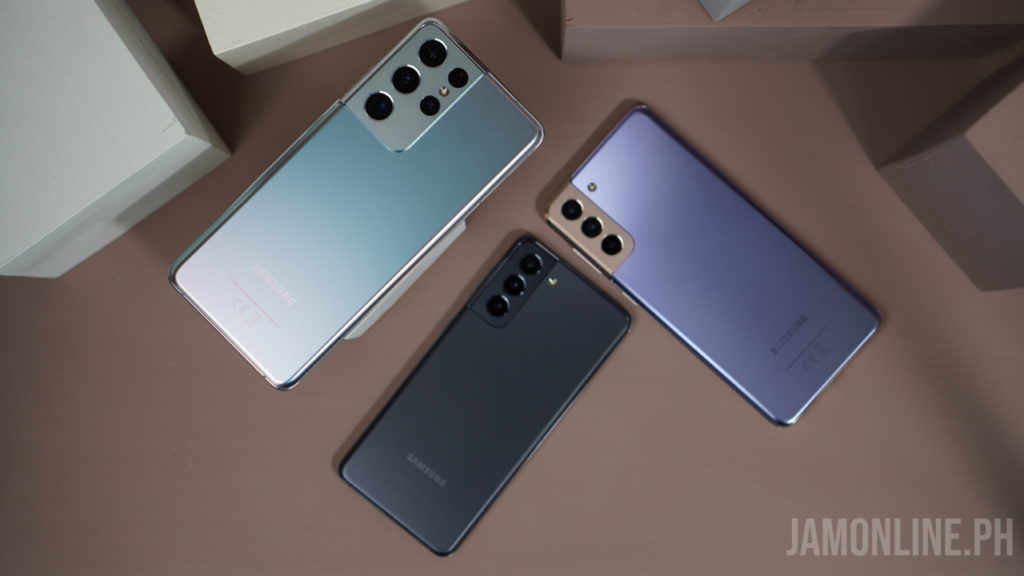
The Samsung Galaxy S21 series introduces a brand new design on the smartphone including a more powerful Exynos processor inside and also the new camera on the Galaxy S21 Ultra 5G.

If you want to pre-order one, you can head over to https://smart.com.ph/Postpaid/galaxys21