Home Blog Page 620

JBL Synchros S200a Review

0
We reviewed the JBL Synchros S100a before and now I was lucky to get a chance to review the JBL Synchros S200a. Yes, I don’t want to use my earphones that comes with my phone. Most of them suck compared to these earphones. Again, this earphone is made for Android devices (Yes, that is why there’s a letter ‘a’ at the end of it).

When it comes to design and build quality, I never had any complains with JBL earphones. The one that I got is the black one and the design looks better on this one and it has combination of aluminium and plastic which added a premium feel into it. The design really looks gorgeous and sometimes, you might feel not removing it because the design was really handsome.

The JBL Synchros S200a has a flat wire and an L-shaped audio jack just like the JBL Synchros S100a and again, I really like its quality. It feels really sturdy and it won’t break easily. There are controls on it too. You can do play/pause, Previous track and next track on the earphone and yes, it works on almost all devices including Android.

One thing that you’ll love in the JBL Synchros S200a is unlike the other in-ear headphones, this one an angled design on the ear tips. So what does that do? Because of the angled ear tips, the in-ear headphones doesn’t slip easily from your ear canal.Yes, it is one of the things that every in-ear headphones should have but of course, you have to use the right silicone ear tips for you. There’s a foam tips included in the package too.

I always prefer in-ear earphones over full-size headphones because of its portability and size but I believe that most full-size headphones would always trump over the in-ear earphones when it comes to quality but the JBL Synchros S200a proved me wrong.

The bass was very impressive on the JBL Synchros S200a and it even exceded my expectations from it. Honestly, this is the best in-ear earphones that I’ve tried so far. The low, mids and highs were great on this one. But until now, the bass of the JBL Synchros S200a still amaze me. The sound so clear and crisp.

Again, this is the best in-ear headphones that I’ve tried so far. The JBL Synchros S200a is now available for P5,299.

Big thanks to Bro Johann!

Spotify officially lands in the Philippines

0
Coca-Cola first brought Spotify in the Philippines and we were one of the first lucky users of Spotify here in the Philipppines. If you don’t have any idea about Spotify, Spotify is the world’s leading online music streaming service that provides you with over 25 million legal songs.

And finally, Spotify is now available to the public. Yes, you can now browse through songs and choose the genres and moods that you want. You don’t have to worry about Spotify because the service is free of charge but if you want a premium account which will remove ads whenever you’re listening on that app. You can subscribe to Spotify Premium for only PhP129/month.

Spotify is now available for download in Windows Phone Store, Google Play Store and iTunes App Store. There’s a desktop app too for your Mac and Windows devices too. Check them out spotify.com.

Samsung Galaxy Note Pro 12.2 Review

0

Samsung is ready to take on the corporate world with their new range of Android tablets — the Pro series. These series of tablets aren’t just for the professionals, these tablets also come with power. Yes, all of these tablets comes with a punch and they’re probably the most powerful Android tablets that are available right now.

The Samsung Galaxy Note Pro 12.2 is one of the largest Android tablet that is on the market right now and yes, there’s a 12.2-inch display which some might found as ridiculous and too big. But hey, I loved the 12.2-inch display of this giant tablet. Why? Because I could do multi-tasking in it and watching movies on it feels really great. However, the Samsung Galaxy Note Pro 12.2’s display isn’t Super AMOLED that’s why if you compare it with a Samsung Galaxy Note 3, you’ll see that there’s a big difference in the colors. Despite not using a Super AMOLED display, the Samsung Galaxy Note Pro 12.2’s display has a good viewing angles and it has a quite good sunlight legibility

The design is very similar to the Samsung Galaxy Note 10.1 2014 and Samsung Galaxy Note 3. It has a faux leather back and again, it adds more grip thanks to the leather texture but unlike those devices, the Samsung Galaxy Note Pro 12.2 is harder to hold especially on one hand because of its large dimensions nevertheless the weight of the Samsung Galaxy Note Pro 12.2 wasn’t that heavy.

One thing that I hate in this tablet is the placement of the familiar 3 buttons of Samsung Android devices. Why do I hate it? It’s because these buttons are placed in the middle. It’s hard to reach it when especially when you’re lying down and watching an anime on the tablet while you’re on your bed. I always prefer the on-screen buttons for Android tablets but it has been Samsung’s identity in their Android devices to put a 3 button-layout that is similar to their other Android devices.

I was happy to discover that the microUSB port on the Samsung Galaxy Note Pro 12.2 was placed beside the tablet and not below which will probably be unusable when you placed it on a tablet stand because it is blocked. Since the placement was there, I was able to connect my wireless keyboard and mouse that is connected via USB OTG. An ultimate productivity tablet! and before I forgot, transferring files on this tablet would surely be fast thanks to the MicroUSB 3.0 port.

Unfortunately, there’s no LTE and only the Wi-Fi version would be available in the Philippines. Inside this tablet is an Exynos Octa-core processor along with a 3 GB of RAM. There’s a sufficient 32 GB of storage for your apps and media files and if you feel that the storage isn’t enough, there’s a MicroSD card slot for that.

The battery life of the Samsung Galaxy Note Pro 12.2 was shorter than I expected. It managed to last up to 10 hours of heavy use on me which is basically up to a day of average use. Not really that bad but I was expecting that this tablet could last more than that because a lot of corporate guys would want a tablet that could last up to more than a day.

The audio quality of the tablet wasn’t that bad but it isn’t that loud compared to the other tablets. Again, this feature wasn’t that bad but they should improve it on the next generation. This tablet wouldn’t be called a Note with out the S-Pen and again, the S-Pen has a lots of use and features on the tablet but there are no significant new features on the Samsung Galaxy Note Pro 12.2’s S-Pen

The Samsung Galaxy Note Pro 12.2 is powered by the latest Android Kitkat. The first thing that I noticed in this tablet is that the new Touchwiz UI now features a flat design and I felt that there were lesser bugs and slowdowns than the Samsung Galaxy Note 10.1 2014. Not only that, I also felt that the new Touchwiz design was much faster and more responsive.

A lot of apps are added for the Samsung Pro Series tablets. One of my favorite apps on these devices is the Hancom office. The office suite allows you to edit your powerpoint, spreadsheets and your word files. The thing that I love in it is that It has a lot of features. I think, this is the best office suite that I’ve tried on an Android device.

Another thing to like in the Samsung Galaxy Note Pro 12.2 is that it comes with a remote PC app. So what does it do? With Remote PC app, you could control your desktop using your tablet however, the frame rates were bad but it doesn’t disconnect that much. It’s very useful especially for those people who are always on the go.

One of the notable features of the Samsung Galaxy devices is the multi-window feature which will allow you to have two apps running on 1 display. Since the Samsung Galaxy Note 12.2 has a large display, it was able to output four apps running at once and not only that, the Samsung Galaxy Note 12.2 could also run apps on window mode but of course, there are only a few selected apps that could do that.

Samsung also introduced the Magazine UX on the Samsung Pro tablet series but I find it a little bit awkward to use and I just prefer using widgets over the Magazine UX. You can customise the sizes and the contents but the experience wasn’t really that great.

Since it is powered by the same processor that is powering the Samsung Galaxy Note 10.1, the Samsung Galaxy Note Pro 12.2 could run anything that you want on a tablet except when they have issues with the Exynos processor. I experience a few crashes on the tablet but the overall performance of the Samsung Galaxy Note Pro 12.2 was quite great. Here’s the Antutu score of the Samsung Galaxy Note Pro 12.2

I’m not really recommending you guys to use the camera on a tablet but the camera of the Samsung Galaxy Note Pro 12.2 was good however, you might find it awkward to use especially when you’re in a concert. Imagine using a 12.2” tablet just to take a photo. Damn. The image quality of my shots was better than the Samsung Galaxy Note 10.1.

This is the most productive Android tablet that I’ve used. I mean, I did a lot of things on this tablet that are related to blogging and school works but I believe the Samsung Galaxy Note Pro 12.2 still can’t replace a full fledged laptop. The Samsung Galaxy Note Pro 12.2 isn’t for everybody. Some people might feel that it’s too big for their preference and the PhP 36,990 price tag isn’t that attractive but those professionals who are on the go and to those people who wants a powerful tablet powerhouse with a large screen then you might want to look at this tablet but of course, you need a lot of kachings for this device.

Cherry Mobile Topaz: Dual-core & HSPA+ for P2,299

0

Cherry Mobile recently unveiled their one of their new gem phones, Cherry Mobile Topaz. And no, this is just one of their upcoming gem phones which will be unveiled soon. I think these phones would be their affordable Android smartphones lineup. So what’s inside the Cherry Mobile Topaz?

Cherry Mobile Topaz Specifications

  • 3.5″ Capacitive Screen
  • 1 GHz Dual Core
  • Mali 400 GPU
  • 2GB ROM (Expandable up to 32 GB)
  • 2MP Rear Camera
  • 3MP Front Camera
  • HSPA+
  • Android 4.2 Jelly Bean
I’m not sure why the front camera has a bigger megapixel LOL. The Cherry Mobile Topaz will be available for P2,299.

Nokia Lumia 930 unveiled

0

Today, Nokia has announced its newest flagship phone and the international variant of the Nokia Lumia Icon, the Nokia Lumia 930. So what’s inside? Well, the specifications is very similar to the Nokia Lumia 1520 except that this one would have a 5” Full HD display. Unfortunately, you have a 20 MP Pureview camera instead of the 41 Megapixel camera that we can see on the Nokia Lumia 1020. One thing that I love about it is that it will be available in variety of colors. Yep, there’s green and orange. Check out the full specifications of the phone below

Nokia Lumia 930 Specifications

  • 5.0” Full HD Display 
  • 2.2 GHz Quad-Core Snapdragon 800 processor 
  • 2 GB RAM 
  • 32 GB Storage 
  • 20 MP Pureview Rear Camera 
  • 1.2 MP Front Camera 
  • Bluetooth 
  • WiFi 
  • NFC 
  • LTE 
  • 2420mAh battery 
  • Available in Green, Orange, Black and white 
  • Windows Phone 8.1 

The Nokia Lumia 930 is expected to be priced at $599 or around PhP28,000 and it will be available in June.

Gionee Elife E7 Hands-on and First Impressions

2
Gionee recently launched their newest flagship phone, the Gionee Elife E7. Their newest flagship phone which is powered by a Qualcomm Snapdragon 800 also have a tagline “Made for shooting” because according to Gionee, they’ve manage to balance the hardware of the camera and making it as one of the best Android cameraphones around.

The Gionee Elife E7 will come in two variants — LTE version and HSPA+ only version however, all of the Gionee Elife E7 that would arrive in the Philippines will have a 3 GB of RAM with 32 GB of storage. Like what I’ve said earlier, Gionee emphasized the device as “made for shooting”. It’s because the 16-Megapixel camera with a 1/2.3” sensor in it will have a 1.34 µm pixel sensor size which is one of the best that we can on an Android smartphone. Oh, and there’s an 8.0 MP Front camera too.

The Gionee Elife E7 resembles its look from the Nokia Lumia 1520 but this one has a much smaller display which is a 5.5” Full HD LTPS display. The first thing I notice from it is that the display wasn’t that good under sunlight unlike other flagship phones.

The unibody design is one thing that I love in this phone. The design looks great however I felt that holding the phone that long would not be that comfortable because the sides are flat. Again, I like the design of the phone but I would prefer a matte texture over a glossy one. But hey, this phone is really solid!

The Amigo UI is an eyecandy. The transitions and the UI looks really nice but it is missing a lot features including widgets. You can’t put any widgets on the phone unless you installed a launcher such as Nova.

Gionee Elife E7 Specifications

  • 5.5″ FHD LTPS Display
  •  Qualcomm Snapdragon 800
    • 8974 version: Quad-Core 2.2 GHz
    • 8974AC version: Quad-Core 2.5 GHz
  • 32 GB Internal Storage
  • 3 GB RAM
  • 16 MP Rear Camera
  • 8 MP Front Camera
  • WiFi
  • Bluetooth
  • HSPA+/LTE (depending on variant
  • 2500mAh
  • Android 4.2
The Gionee Elife E7 is now available and it has an SRP of P24,500.

TechnoPop: Now Open at Blue Bay Walk!

1

Hello guys, NicDroid here! Some of you guys are still looking for a better gadget stores that can enhance your digital life and you might find this place awesome for you! Ladies and gents, let me present you, Technopop! The newest indie gadget store is now open at the Blue Bay Walk, Pasay City. Find out what’s inside this tech haven after the break

Kim Lato (of Kimstore) and Hawkinson Lato, the New Managing Director of the said store.

Kim Lato’s Brother is the owner of this new and unique haven for tech lovers by the name of Mr. Hawkinson Lato. “Technopop creates an indie place where people can chill with fellow tech fans – avid or otherwise – and pick up something new to enhance their digital lives”. When you get inside, you will awe at the place and the accessories they’re providing which will I talk about later on.

The Interior of the Technopop!

First impression of the store though, the interior design are simply amazing!  It’s an eye-catching store that your mind force you to visit that store. If you asked me, I will stay there an hour a day just to appreciate the interior beauty of this gadget store.

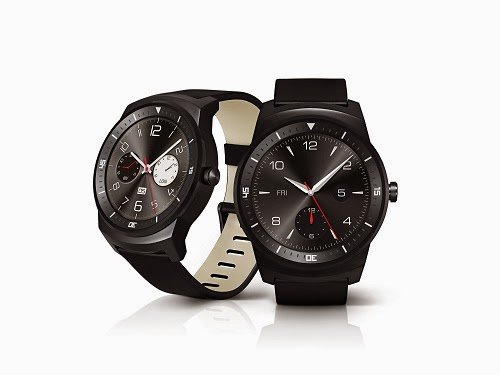
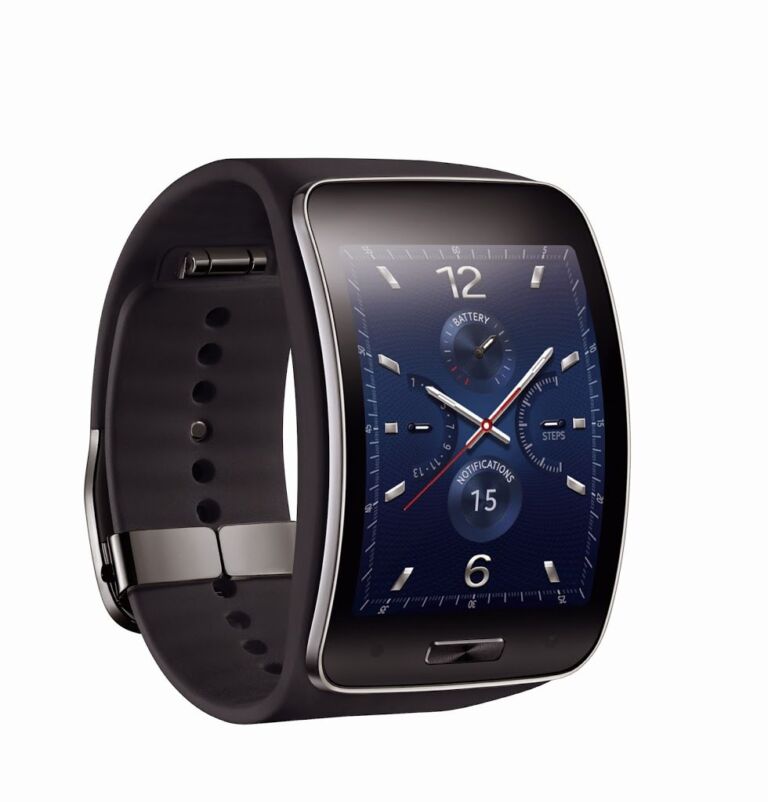
Popular smartwatches are also available here.

That shelf is load of Portable HiFi systems or I should call it: “the Audiophile Shelf”

They are also have some Decent Covers, Cases, Powerbanks and More here.
The first wave of the brands including Krussel (Sweden), iPearl (USA), Beachbuoy (Britain), (the popular) Screen Sergeant (Korea), and Millerton (USA) but if you still can’t find what you’re looking for, they will diversify to wearable devices and lifestyle devices like GoPro, CooKoo, Sony Smartwatch and More!

They can also Accept Credit card payment through their Smartphones using Smart Pay!

They are also accepting payments through Smart pay. Smart Pay is known as a mobile payment solution for entrepreneurs, merchants and SMEs. They said that it’s convenient and affordable for SMEs by using easy to use plug-in card reader compatible to iOS devices. 


So there you have it! If you want to visit TechnoPop! Check them out at Blue Bay Walk, Pasay City or at the Ortigas center. See ya guys!


Samsung Galaxy Tab4 is now official

0

Samsung isn’t stopping with their releases of tablets. This time, they officially announced the Samsung Tab4 series. Unlike the Samsung Pro Series tablets, this range of tablets will be affordable and it will be less powerful compared to the other tablets. All of these tablets will be powered by the latest Android 4.4 Kitkat and it is expected that all these tablets will be powered by an unspecified 1.2 Quad-Core processors. And again, it will come in three sizes — 7”, 8” and 10.1”. Unfortunately, these tablets would not sport a faux-leather design but it will still feature the familiar 3-button design of Samsung.

Samsung Galaxy Tab4 7.0 Specifications

  • 7.0” WXGA (1280×800) display
  • 1.2 GHz Quad-Core processor
  • 1.5 GB RAM
  • 8/16 GB Internal storage
  • MicroSD up to 32/64 GB
  • 3 MP Rear Camera
  • 1.3 MP Front Camera
  • Wi-Fi
  • Bluetooth
  • GPS
  • WiFi/3G/LTE versions
  • Android 4.4 Kitkat

Samsung Galaxy Tab4 8.0 Specifications

  • 8.0” WXGA (1280×800) display
  • 1.2 GHz Quad-Core processor
  • 1.5 GB RAM
  • 16 GB Internal storage
  • MicroSD up to 64 GB
  • 3 MP Rear Camera
  • 1.3 MP Front Camera
  • Wi-Fi
  • Bluetooth
  • GPS
  • WiFi/3G/LTE versions
  • Android 4.4 Kitkat
  • 4,450mAh Battery

Samsung Galaxy Tab4 10.1 Specifications

  • 10.1” WXGA (1280×800) display
  • 1.2 GHz Quad-Core processor
  • 1.5 GB RAM
  • 16 GB Internal storage
  • MicroSD up to 64 GB
  • 3 MP Rear Camera
  • 1.3 MP Front Camera
  • Wi-Fi
  • Bluetooth
  • GPS
  • WiFi/3G/LTE versions
  • Android 4.4 Kitkat
  • 6,800mAh Battery

No word regarding price and availability yet.

Samsung Digital Appliances Launched

0

A lot of new appliances was launched by Samsung last week and it is aimed to help you in your everyday tasks. Samsung has launched their new lineup of digital household appliances that will make sure that it will aid you in your everyday routine.

Samsung Air Conditioner


We always wish the Philippines is enclose in a big dome filled with an air conditoner. Instead of fitting yourself in a refrigerator to chill and escape the summer heat, you might want to look at their smart air conditioner. One of their newest products is the new air conditioner with a triangle design. Thanks to the triangle design, the air conditioner is compact and it allows for a bigger fan which helps circulates cool air faster and wider.

The interesting feature in this Samsung Air conditioner is that you can use your smartphone to control the functions of the Samsung Air Conditioner using Wi-Fi. Yep, you can turn on and off the air conditoner using your smartphone.

Food Showcase Refrigerator


This is one innovative refrigerator. It provides smart organization for all of your foods with its compartments. There are also two layers of doors which will showcase the contents inside it. It will be much easier to visualize your stocks and the ingredients that you need with that feature.

Washing Machine with Eco-Bubble technology

There are many things to consider when you’re doing the laundry but with Samsung’s Front load washing machine, it is now much easier to clean your clothes. How? Samsung uses a technology called Eco Bubble. So what does that do? Eco Bubble allows easy cleaning by dissolving the detergent completely with cold water which produces a fine foam that will easily penetrate the fabric.

Another interesting feature on this washing machine is the stain away program. It’s a pre-programmed cycle that is designed to deal with different stains such as blood, cocoa, sebum, oatmeal, tea, wine, tomato, pencil lead, mud, makeup, lipstick and grass.

Samsung Smart Oven

The last product that they’ve introduced was the Samsung Smart Oven and no, this isn’t powered by Android. Samsung Smart Oven provides your family with the best cooking experience with its auto-cook features and pre-programmed recipes. One of the things that you can do in here is yogurt making, dough proofing and “Slim Fry” function. And yes! with Slim fry, your foods no longer need to be unhealthy because it cooks your fried food to crisp with the oil. With Samsung Smart Oven, not only it helped you in your kitchen but it also gave you a healthier option to eat.

These appliances comes with a Digital Inverter Tehnology. With this technology, you can maintain the desired temperature without frequently shutting off and on the appliances. Yep, it helps you consume less energy.

Cherry Mobile Fusion Storm Review

0

The prices of tablets are getting nearer to the prices of the entry level smartphones and one of those tablets that are affordable is the Cherry Mobile Fusion Storm. Despite having a below P4,000 price tag, the Cherry Mobile Fusion Storm still manage to have a 7.85” display rather than a typical 7” display. Check out my review after the break.

The dimensions of the Cherry Mobile Fusion Storm is very similar to the iPad mini but the feel was different. The Cherry Mobile Fusion Storm is purely made up of plastic, a build that is expected on a tablet like this. Surprisingly, since this tablet is priced below P4,000, I expected it to be a lot less solid but I was wrong. The Cherry Mobile Fusion Storm doesn’t have squeeks and the textured back feels comfortable to hold.

The design might be similar to the iPad mini but I think the Cherry Mobile Fusion storm is made to be used in landscape mode because of the placement of the buttons. The power button and the volume rocker are oddly place below the tablet which is very uncomfortable to used especially when you’re on portrait mode. Oh and there’s HDMI too!

Like what I’ve said earlier, the Cherry Mobile Fusion Storm dimensions is almost similar to the iPad mini because of the 7.85” display but don’t expect too much from the Cherry Mobile Fusion Storm because the display is far from the iPad’s display. The colors are seem to be washed out and the sunlight legibility wasn’t that good but at least, Cherry Mobile Fusion Storm has a 1024×768 display rather than a 800×600 display which can be mostly found on tablets at this price range.

The Cherry Mobile Fusion Storm has a 1.2 GHz Dual-Core processor and a 512 MB RAM. It’s not really the specs that you would want on a tablet and you might think that this specifications might not be enough for your taste but that’s what you get for that price range and I think that’s acceptable. Despite having an affordable price tag, the Cherry Mobile Fusion Storm has an 8 GB of storage. That’s not quite bad if you ask me. Oh, and there’s a MicroSD card slot to expand your storage.

The battery life of the Cherry Mobile Fusion Storm wasn’t that bad too, I manage to use the Cherry Mobile Fusion Storm for a day in school at average use. I didn’t expect that the Cherry Mobile Fusion Storm would have that battery life. The audio quality of the tablet wasn’t really the best but it is acceptable for its price. Since this tablet belongs to the fusion family, the Cherry Mobile Fusion Storm doesn’t have any special features like TV or a Dual-Sim. Only the Superion tablets feature a sim card slot for mobile data. Unfortunately, there’s no Bluetooth on the Cherry Mobile Fusion Storm.

The Cherry Mobile Fusion Storm might be powered by Android Jelly Bean but I found the performance quite sluggish. The Dual-Core inside it is not enough to run the tablet at ease. Sometime when I’m just navigating the menu, the sluggish performance was very noticeable.

The Cherry Mobile Fusion Storm also comes with GO Launcher HD which I think makes the tablet even more sluggish. You can’t also uninstall that app unless you do some magic on it like rooting.

The performance isn’t really that good, I’ve tried some games on the tablet including Real boxing and I wasn’t able to make it work. When I tried Flappy Bird, the frame rates weren’t really that playable. I think it has something to do with the refresh rate. Skype also force closes and I don’t know why. Most heavy games probably wouldn’t work on this tablet. However, I was able to play some light games on this tablet.

The Antutu score that I got from this tablet is 9598 but despite having a score near the 10k mark, the performance wasn’t really that good.

The Cherry Mobile Fusion Storm is definitely one of the most affordable 8-inch Android tablet that is available on the market right now but you have to remember that the performance wasn’t really that good. The Cherry Mobile Fusion Storm is now available for P3,499 at Lazada. Buy one now at Lazada: http://www.lazada.com.ph/cherry-mobile-fusion-storm-black-108370.html#Q0C4h1t6m13A