Home Blog Page 642

Alcatel One Touch Idol Ultra Specifications and Price in the Philippines

0

The real Iron Man 3 phone is here, The Alcatel One Touch Idol Ultra. It is the twin brother of the Alcatel One Touch Idol but this one has a more beefed up specifications. Compared to the Alcatel One Touch Idol, this one has the same screen but with a much larger resolution and this one uses AMOLED for its display but this one still uses the same MediaTek processor that was used in Alcatel One Touch Idol. This one is much faster thanks to that 1 GB RAM. And before forget, remember how thin the Alcatel One Touch Idol was? Well this one is much thinner than the idol. Ohh, sexy and slim right? Want to know more about it? check it out after the break.

Alcatel One Touch Idol Ultra Specifications

Dimensions and Weight: 134.4 x 68.5 x 6.5 mm, 115g
Display: 4.7-inch AMOLED, 720 x 1280 pixels
Processor: 1 GHz Dual Core MTK 6577
RAM: 1 GB RAM
Storage: 16 GB Internal Storage
Camera: 8 MP Rear Camera w/ LED Flash and 2 MP Front Camera
Bluetooth: Bluetooth 4.0
Wi-Fi: Wi-Fi b/g/n
Connectivity: HSDPA
Battery: 1800mAh
Colors: Black, Red, Yellow, Green & Turquoise
OS: Android 4.1 Jelly Bean

Yeah, I know. Same battery that’s why this one has a much shorter battery life. 
Alcatel One Touch Idol Ultra Price in the Philippines
The Alcatel One Touch Idol in the Philippines for P14,990. Quite reasonable right?

Use your Globe Rewards at Ayala Malls, Petron, Enchanted Kingdom, Figaro, etc.

0

Do you have a lot of Globe Rewards points but you don’t know where you can use them? Finally, Globe Rewards has now a use at different partner stores. Yes, you can now use those Rewards points to purchase different products at those selected stores. The conversion and the process isn’t confusing too. This is really an exciting product from Globe. The conversion is PHP 1.00 = 1 Rewards point, It’s not confusing and you don’t really need a calculator for that just to compute your conversion. Do you want to know more about Globe Rewards? Check it out after the break.

Globe Rewards Ambassador Bianca Gonzalez
You can avail these whether you’re a TM, Globe Prepaid or Globe Postpaid subscriber. Just like what I’ve said earlier, the conversion is PHP 1.00 = 1 Rewards point. Basically, if you have 50 Rewards Points, you can convert it to PHP50.00 worth of products from the different partner stores. But of course, there’s a minimum points required. Here’s the partner merchants and the minimum points required: 

Pretty exciting huh? I think, I’ll always spend my Rewards points on Ayala Cinemas movie tickets. It’s always a good time to spend up my Rewards points for myself after a long stressing day. Whenever I need a gas card from Petron, I can get it at Globe Rewards or when I want to spend my time drinking a coffee at Figaro.

Don’t worry it’s really easy to pay using your Rewards points at Partner stores. But before that, better check your available points.

  • To check your available points, Type in BAL to 4438.
  • If you want to buy something, text BUY <space> <Mobile number of the merchant> <Space> <points needed> to 4438
    • Example: BUY 0917XXXXXXX 300 to 4438
Remember, the conversion is PHP1.00 = 1 Rewards points. You can get rewards points whenever you top-up for Prepaid. If you’re on postpaid it’s either the 4% of usage on top of plan (If that’s not with lock up) or 4% of total billed amount (with no lockup). Anyway, the important thing is, you can get something out of your Rewards points. And yes, you can now avail this on different partner stores. Hmm, actually I was thinking of filling up our car with at Petron using the Globe Rewards points that I got.

Cherry Mobile Skyfire 2.0 Specifications and Price in the Philippines

0
Anne Curtis and the Skyfire 2.0. I love them both
UPDATED!

Finally, the Skyfire 2.0 is now here in the Philippines! The Cherry Mobile Skyfire 2.0 is now the 4th Quad-Core Device of Cherry Mobile and it is now finally unveiled! After weeks of rumors and speculations, the Cherry Mobile Skyfire 2.0 has been unveiled. As expected, the Cherry Mobile Skyfire 2.0 will have a Qualcomm Snapdragon S4 1.2 GHz Quad-Core processor. Unfortunately, contrary to most rumors the Cherry Mobile Skyfire 2.0 will only have a qHD 5-inch screen. I was a little bit disappointed with that because I was hoping for a HD screen. The Skyfire 2.0 will have a 8 Megapixel Camera w/ flash and a 2 MP front. And just like its other Android brothers, the Cherry Mobile Skyfire 2.0 will have a Dual Sim Feature, 4 GB of internal storage and 1 GB of RAM. Check out the price after the break.

Cherry Mobile Skyfire 2.0 Specifications
  • 1.2 GHz Quad-Core Qualcomm Snapdragon S4 processor
  • 5.0-inch qHD Display
  • 1 GB RAM
  • 4 GB of Internal storage with MicroSD Card slot
  • 8 MP Rear Camera and 2 MP Front Camera
  • Bluetooth
  • Wi-Fi
  • HSDPA
  • Dual-Sim
  • Android 4.1 Jelly Bean 

Cherry Mobile Skyfire 2.0 Price in the Philippines
The Cherry Mobile Skyfire 2.0 will be available starting next week for P7,999.

Nokia Asha 501 Specifications and Price in the Philippines

0

Nokia has announced another new member of the Asha family but this one is a little bit different because it uses a new Asha platform in where it shares some genes of the Nokia N9. Nokia is really aiming on making a featurephone that is really close to a smartphone. They are emphasizing on FastLane in which They are really pushing for the Asha line since their Windows Phone smartphones couldn’t have that affordable price tag. The Cheapest Windows Phone 8 is the Nokia Lumia 520 which will cost you PHP7,990. That price tag is almost x2 of the price of the Nokia Asha 501. The Nokia Asha 501 will also support a lot of applications. Actually, the Asha platform already supports Facebook, Twitter and a lot of games. Java Games will also be supported on this one so don’t worry about your Java games saved on your computers. And of course, Nokia doesn’t forget those lively and eye catching Lumia colors and the exclusive Nokia Here Experience. But the feature that I’m really excited about it is the long standby battery life of up to 48 days. Check out the phone’s specifications after the break.

Nokia Asha 501 Specifications

Dimensions and weight: 99.2 x 58 x 12.1 mm, 99g
Display: 3.0” QVGA TFT Capacitive Display
Memory: 128 MB Internal Storage with 4 GB MicroSD Card included
Camera: 3.2 Megapixel Camera
Bluetooth: Yes
Wi-Fi: Yes
Connectivity: EDGE
Battery: 1200 mAh
Colors: Bright Red, Bright Green, Cyan, Yellow, White and Black
OS: Nokia Asha Platform

Nokia Asha 501 Price in the Philippines

The Nokia Asha 501 will cost you $99. I guess this phone would have a SRP of P4,999 in the Philippines


Get the Speck Macbook Cases’ 100% protection at 50% price!

0

In this world, they say that we couldn’t get a 100% of something if we don’t give our 100% for it. But I just realize that it was wrong. Why? Because you can get the Speck Macbook Cases at 50% OFF. Yes, you could now have those colorful and sturdy Macbook shells for your Macs at half the price. As a Macbook user, I really recommend on getting one for your babies to avoid those scratches and unwanted dents. Before, I was really proud of showing the sexy body of my Macbook Pro before my Mac got a dent. It was really heartbreaking to look at the dent of my Macbook Pro (His name is Tosh BTW!). Anyway, The Speck MacBook Air cases are down to P1,125 from P2,250 but if you have a Retina MacBook Pro 13 and Macbook Pro 13, you can get a Speck MacBook Pro 13 case for P1,225 from the original price of P2,450. But of course, the 15-inch Mac users aren’t left out because the Speck MacBook Pro 15 case is available for P1,325 from P2,650. Oh and better hurry because this promo will only last up to June 9!

Nokia Lumia 920 Review: The best Windows Phone ever?

0

The new Nokia Lumias has just been launched a few weeks ago. One of them is the Nokia Lumia 920. Nokia called it as the most innovative smartphone. Its camera is one of the best in the market right now and it is one of the best Windows Phone in the market right now. The Nokia Lumia 920 is first Lumia to feature Pureview and OIS which enables you to have a stabilized videos and awesome low-light photos without even the need of flash. But of course my review doesn’t only cover about the camera. Check out the review after the break.

Hardware

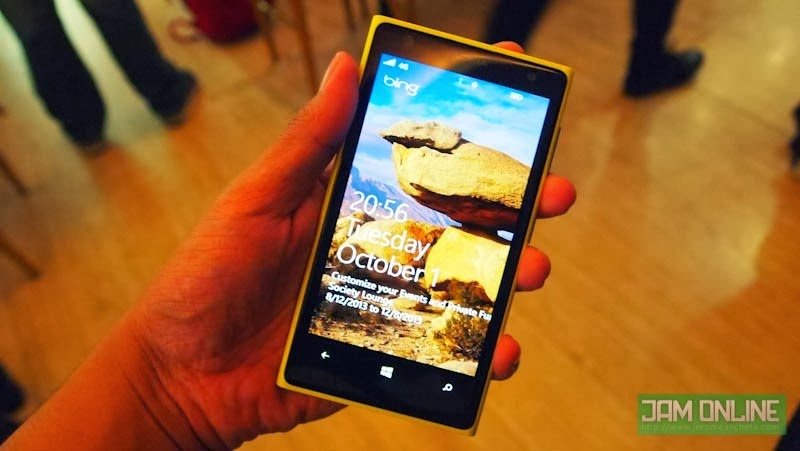
The first time I held my hand on the Nokia Lumia 920. I already felt that the phone is a flagship phone.  Compared to the Nokia Lumia phones that I’ve reviewed before. The Nokia Lumia 920 is a glossy one. The Nokia Lumia 920 that I got is a glossy yellow one and it really look and feels good. Nokia also started that lively and colorful design language on their phones. The only thing that I really don’t like about it is that some of their phones looks very similar. They always use the same design just like Samsung. I know, the Lumia looks good but c’mon, maybe they need to spice things up sometimes.

When you compare the Nokia Lumia 920 to the competition, you might think that the Nokia Lumia 920 is too thick. I guess that phone is really thick but holding it isn’t really an issue. It won’t strain your arms for holding it too long. It’s the type of smartphone that you would rather hold and show it to everyone rather than hiding it in your pocket. I really commend Nokia for making such a great design.

I praised the Nokia phones that I reviewed before for having such a great screen especially the Clearblack displays. But of course, there are already a lot of competition that had been introduced like the HD Super AMOLED, Super LCD2 and a lotta more. I expect that Nokia could improve it more but there wasn’t really too much to praise about it. They called it a Puremotion HD+ Display. The display is something to be proud of Nokia because it has a very sensitive screen but I guess that won’t be needed here in the Philippines because there’s no snow here and we won’t use a our gloves when using the phone. The display isn’t bad but I really expected too much from the display of the Nokia Lumia 920.

The Nokia Lumia 920  has all the things that you need when it comes to connectivities. The phone has NFC and LTE.  Unfortunately, I wasn’t able to test the LTE on the device because the software on the phone isn’t capable yet in the Philippines. But the Nokia Lumia 920 that is on retail in the Philippines can do LTE. FYI, The Nokia Lumia 920 came from Nokia Connects (Thanks guys!).  However, I was able to use NFC thru Tap + Send feature for Lumia phones. Basically it pairs up your phone to another thru NFC and send it via Bluetooth. You can also use the NFC for saving NFC business cards. Not really something that can “Wow” people.

Unfortunately, there’s no MicroSD card slot. If you want that one then you can opt to Nokia Lumia 820. It’s not really an issue for me since the phone’s storage is already at 32 GB. But of course it’s not really 32 GB because a little bit of that is chopped of for the phone. Oh and speaking of batteries! The Nokia Lumia 920 didn’t really perform that well. The Nokia Lumia 920 performed up to less 14 hours of Jam’s average-heavy use. I guess I always took a lot of photos (Because the camera is really great!!!).

Once again, I really love the hardware and construction of the phone. They still used the same design language from the Nokia N9 and the first Lumia phones. You still need that little needle to eject the Micro-Sim tray and the buttons are still placed at the same position. The glossy look didn’t make it cheap but I still miss that Cyan Nokia Lumia.

Camera

This is the best thing that you would love from the Nokia Lumia 920.  The camera. To give you a short review about the camera, the Nokia Lumia 920 boasts a 8.7 Megapixel rear Carl Zeiss camera with LED flash. Not impress? Well, the Nokia Lumia 920’s camera also packs OIS. To give you a much simpler and not so techie terms, the OIS lets you have a very stabilize video even when you have a shaky hands, riding a bike, walking or whatever you’re doing. Basically, when you’re moving your Nokia Lumia 920 into a certain direction, you wouldn’t that shaky and jellow videos instead, it will make the video look like you’re using a tripod and having a smooth video.

Still not impress? Here’s the best thing that I really like about the Nokia Lumia 920, the phone can take photos at low-light environment. I know, all phones can do that. But I’m not finish yet! The phone can take low-light photos without the need of flash but still have bright photos without sacrificing too much shutter lag. Actually, I don’t really remember when I used the LED flash of the phone. The Nokia Lumia 920 also replaced my Micro 4/3 camera when I’m attending events and taking a shot of review units. You can take a look of some of that photos in these posts:

Braven 570 Review
Nokia Launches Nokia Lumia 720 and Lumia 520 in the Philippines
Be the Ultimate Man and Win a Toyota 86 with Vaseline Men!

E-Leksyon 2013 website and and mobile app launched!

But if you’re still not convince with that, you can check out my photos that I took using the Nokia Lumia 920. Like what I’ve said, I never used the flash of the Nokia Lumia 920. All photos that I took here are taken without a LED flash. I must warn you, it is really really really really good.

Here’s a photo that could convince you how great is the Nokia Lumia 920’s camera.  This photo are taken using a Nokia Lumia 920, Samsung Galaxy S3 and the Nokia Lumia 720. The Nokia Lumia 720 can also took great low-light photos. All phones are at normal settings.

Here’s a 1080p video sample of the Nokia Lumia 920.

As you can see in the video, the sound was really great and of course, the video. My hands are a little bit shaky but the video doesn’t really showed it. I was impressed by its camera and it exceeded my expectations. I hope that the next Nokia Lumia could record a HDR video.

Software

The Nokia Lumia 920 is powered by Windows Phone 8. Contrary to what most people said, the Windows Phone is really a great operating system however it is plagued by a limited selection of apps. I really like using a Windows Phone because of its simplistic design and live tiles.  But there’s one thing that I really hate now. The menu in the settings isn’t arrange alphabetically which is very annoying as it really take some time to find the things that you really want in the settings.

Nokia City Lens

Of course, the Nokia Lumia 920 comes with Nokia Apps that we all loved. Aside from the Nokia Maps and Nokia Drive. The Nokia City Lens is also one thing you could surely love about the phone. It uses Nokia Maps and your camera to show you an augmented reality of the nearest places. It is actually an AMAZING app. That is a must download app from Nokia. Cinemagraph is another Lumia-exclusive app that you would really love. It take a short video and then converts it to .gif. You can edit it and choose the things that you do not like to move.  Not really a useful app but it is really fun to use.

Sample .gif image made by Cinemagraph

The market might be filled with Quad-Core or even an Octa-Core Androids. But Windows Phone doesn’t really need that. The Nokia Lumia 920 is powered by a Dual-Core Qualcomm processor. It is already enough for all the games and the apps that  you need. It might not have the same smooth framerates of Temple Run on Android but at least, the other apps and games really made for the phone doesn’t really suffer. I guess the Windows Phone is still lagging behind even at games.

Nokia Lumia 720 and Nokia Lumia 920

The Windows Phone Store lags when It comes to number of app on its store. Some Android and iOS apps doesn’t have a Windows Phone counterpart especially Instagram. But some people didn’t know that there are alternatives for that. For Instagram, you can buy Instagraph, which enables you to upload photos to Instagram. But the downside is you have to pay P120-P150 for that. Twitter app for Windows Phone has also been updated to a much similar one to the Android and iOS. Facebook app for WP will get the much-awaited overhaul too, which will align it to its Android iOS counterpart.

I believe Nokia and Microsoft are really catching up to that and they believe that they could succeed in that soon. I’m not being biased here but I really want to see Windows phone rise and have a more decent apps.

Verdict

The Nokia Lumia 920 is Nokia’s current flagship and best smartphone. Nokia Lumia 920 is really innovative. It pushes the smartphone camera into a whole new level. Actually, the whole photography industry. IMO, this is the best camera after the Nokia Lumia 808 Pureview. I also love the design of the phone. I got the yellow one and it doesn’t really look like feminine at all. All the Lumia colors looks good. The only thing that I really didn’t like about this is the lack of apps that I need. There are some apps that are only exclusive to iPhone and Android phones. If there are some alternatives, some of them lack some functionality or it might be a paid app. If you think that all the apps that you need from a smartphone is on Windows Phone then get this one. I really recommend this one especially if you’re a photo junkie. It has the best camera in a Windows Phone. Actually, it is the best Windows Phone. I can’t say if this is the best smartphone in the world right now but I really love using the Nokia Lumia 920. The Nokia Lumia 920 is now available in the Philippines for P24,950.

Pros:
Great camera
The design and colors were really catchy
Fast and Fluid

Cons:
Windows Phone needs more apps
The phone is thicker than most phones in the competition
Lack of MicroSD card slot

FAQs

Q: Is the camera really really really good?
A: Yes it is.

Q: Can I replace my camera with this one?
A: I believe that the Nokia Lumia 920 can replace SOME of your Point and Shoot cameras but not really the Micro 4/3 and SLR. The phone might have replaced my Micro 4/3 but nothing can beat the flexibility of settings, DOF and other things of SLRs and Micro 4/3. I only use this one because it can take nice photos even at low-light conditions and this phone is very portable compared to my camera.

Q: What about games? What can you say about it?
A:  Like what I’ve said, Windows Phone’s Achilles heel is their availability of apps. There a lot of games but most of them are paid apps. I also noticed that most of their games are original and only available on Xbox Live/Windows Phone.

Q: Can I use LTE hotspot on this phone?
A: Yes, I believe you can do that as long as you got a LTE enabled sim.

Q: Is this the Best Windows Phone ever?
A: In my opinion, yes.

Thank you Nokia Connects/Nokia Conversations for lending me a review unit!

Viber now available in Windows and Mac!

0

Viber is one of the best messaging app on smartphones. A lot of my friends are using this one instead of iMessage because Viber is available in almost all devices and it is very easy to use. One of the things that I loved about this is that I can do group messages, share my location and even send pictures. But the recent update of Viber is the most exciting one. Why? Because Viber won’t be just available on your smartphones and tablets but it will also be available on your desktops. Yes, you’re right. You could now send messages, pictures or whatever it is that you’re sending using a computer! The new features of Viber are very similar to iMessage. You could now have all your received and sent messages on your different devices. But the best thing that I like in Viber is that you’re now able to have a video calls on desktops. Want to get one? Check it out after the break.

There are a lot of new features in Viber aside from that. Viber will also allow video messages, last online status and have a new stickers. For Android users, they’ll now have a Holo interface. I really loved that interface. If you want to get one now for you desktops then head on to http://www.viber.com/ for your Viber for Windows or Mac. 

Samsung Galaxy Core Specifications and Price in the Philippines

0

Samsung doesn’t really ran out of names and phones. Samsung just announced a new phone in their Galaxy family. It doesn’t have a really eye-popping feature or hardware. The Samsung Galaxy Core is for the people who are looking for a 4.3-inch phone with a Dual-Sim and processor with a just-so-right 1.2 GHz Dual-Core processor. Aside from that, the smartphone will be having a 8 GB internal memory and a 1 GB of RAM. That hardware features would be good for your multi-tasking needs. I’m not really sure what’s the processor inside this phone. But I hope that it’s not really crappy. The design and features inside the phone shares from the Galaxy S3 and the Galaxy S4. It features the textured-back from the S4 and the UI design from the Samsung Galaxy S3. Oh and before I forgot, will have the smart features that you can found on the the phone If you want to know more about the phone, check it out after the break


Samsung Galaxy Core Specifications

  • 129.3 x 67.6 x 8.95 mm, 124 g
  • 1.2 GHz Dual Core Processor
  • 4.3-inch WVGA Display
  • 1 GB RAM
  • 8 GB Internal Storage with MicroSD Card slot
  • 5 Megapixel Camera with VGA Front
  • Bluetooth
  • Wifi
  • HSDPA
  • Dual Sim
  • Smart features
  • Android 4.1 Jelly Bean
Samsung Galaxy Core Price in the Philippines
The phone doesn’t have a SRP yet. But my guess estimate is PHP 14,000

Cherry Mobile Fusion Fusion Bolt Review

0
Who doesn’t love a tablet? Affordable Android tablets are popping out from nowhere from different companies. That is just one of the factors why there are a lot of people have tablets. One of those affordable tablets that is making a buzz here in the Philippines is the Cherry Mobile Fusion Bolt. Yep that’s the most affordable quad-core tablet in the Philippines. Do you still remember the press launch that I attended a few weeks ago? It is now available in different Cherry Mobile Stores. The one that we got in the press launch has a prototype firmware that’s why it took some time before I posted the review. Want to know more about the tablet? Check out the review after the break.

Hardware
The Cherry Mobile Fusion Bolt doesn’t have the best body construction but it isn’t that bad either. It’s made up of plastic with a diamond shape textures at the back. (Shine bright like a Diamond!) And it isn’t matte. It is just plain ol plastic. A little bit disappointing but at least, there’s no moving parts that might ruin that tablet very soon. The Tablet is made for landscape mode because of the placement of the camera but of course, you could still use the tablet at portrait mode.
The Cherry Mobile Fusion bolt’s Power button, Home button and Volume are place at the top back of the tablet (In landscape mode) but I really had a hard time pressing it at first because the button lacks some elevation from the body. On the right side of the tablet, you can find the MicroSD Card slot that can handle up to 32 GB, the Mini HDMI, 3.5mm Audio Jack, Micro USB Slot and the charging slot.
 I always use the Mini HDMI for watching movies on our HDTV. Mini HDMi to HDMI cables aren’t that expensive, it will only cost you at around 120-150 at CD-R King. I didn’t have problems with connecting my Cherry Mobile Fusion Bolt to the HDTV. But the Micro-USB was a disappointment to me since I can’t connect my USB OTG in it. Maybe my unit has a defect. So you could say goodbye to your USB Flash drives now. Oh and you may kiss your Bluetooth speakers goodbye too because the Fusion Bolt doesn’t have a Bluetooth. Speaking of speakers, I can say that for its price, the sound quality of the tablet is acceptable for its price. But I praise the Cherry Mobile Fusion Bolt for having a slim profile a small bezel. Another thing that I like with the FuBo (Yes, It may sound wrong but it means Fusion Bolt) is that it’s very light and very portable. It even fits in my back pocket by I wouldn’t suggest to put that in your pocket because you might sit on it.
The display was of the strengths of this tablet.  It is just a 7-inch tablet but it has a resolution of 1280×800. Not bad for a tablet with a price tag of P4,000. The display is crisp but sunlight legibility wasn’t that good. But the 7-inch display was really great for reading E-Books and browsing the Internet. I also love to E-Books on the screen. It’s not the best screen in a 7-inch tablet but it exceeded my expectations for a P4,000 tablet.
The battery wasn’t that disappointing. Most tablets on this price range have a battery life of less than 5 hours. The Cherry Mobile Fusion tablet was able to manage 8-9 hours of battery life on average use. I was also able to watch 2-3 movies while on HDMI. Again, not bad for a P4,000 tablet.
Camera
There’s nothing special about the camera. The Cherry Mobile Fusion Bolt has a 2 MP Rear camera and a VGA front camera. Both can be used as a camera for taking a video and picture. It can also be used for video call but the quality isn’t that great. I don’t really recommend this tablet for taking photos even at well-lit environment. There’s no auto focus so don’t expect that you could do Macro Shots in here. I already expect those things on a 7-inch tablet with a price like this. But hey, at least there’s two camera on the tablet. Take a look at the pictures that I took using the Cherry Mobile Fusion Bolt:

Here’s a video that I took using the Cherry Mobile Fusion Bolt. It is recorded in HD. The framerates wasn’t that good but at least, the tablet can record in HD.  The video quality hen recording videos at low light is very disappointing too. Take a look at my video sample here:

Software: 
Here’s the most exciting part of our review of the Cherry Mobile Fusion tablet. The Cherry Mobile Fusion Bolt is powered by Android 4.1 Jelly Bean and as expected, it gave the tablet a fast and smooth transitions. But it wasn’t fast as I expected.
The Quad-Core processor of the Cherry Mobile Fusion Bolt tablet raises too many questions. Does this Cherry Mobile Fusion Bolt’s Quad core processor can topple off the other processor in the market? Unfortunately, Antutu wouldn’t work on the device.  But Quadrant worked well. Check out the benchmarks:
Don’t expect too much on the Quad-Core processor of the Cherry Mobile Fusion Bolt. It may be a Quad-Core processor but its performance is just like a Dual-Core processor. Some of the heavy games like GTA: Vice City and Dead Trigger worked on the device but you won’t get a very fast frame rates on these games. You will have no problem regarding HD videos because the Cherry Mobile Fusion tablet can play your 1080p videos even you you connected your tablet to your 1080p HDTV. 
The Quad-Core processor was disappointing. It doesn’t live up to my expectations.. But in spite of that, why would you complain on the performance if the price of the tablet is just P4,000!. The performance of this tablet is far better off than most of the tablets in that price range
Verdict
The Fusion Bolt lacks a lot of features including the support for USB OTG and Bluetooth. The Quad-Core processor isn’t as fast as I expected too. This is not the best tablet in the market right now but this is certainly the best tablet at P4,000. If you’re the type of person who loves to browse the internet, check your Facebook and Twitter and watch the latest Koreanovelas or movies on your MicroSD then this tablet would be great for you. I don’t really recommend this for heavy gaming but this tablet could play some decent and not so demanding games. Oh and I’ve been using this tablet this tablet ever since for watching the latest HD movies that I downloaded.
This fly is even interested on buying a Cherry Mobile Fusion Bolt because of its price.
FAQs
Q: Do you recommend this tablet Koya Jam?
A: If your budget is below P5,000. Yes
Q: Okay po ba ang tablet Koya Jam??
A: That is a Vague question, Next please
Q: Can I use this for gaming?
A: Not really, The Quad-Core processor of the tablet isn’t really made for gaming
Q: Koyaaaa, para san po ba maganda ang tablet?
A: The tablet is great for reading E-Books, watching videos and browsing the web. I always connect this tablet to my HDTV for watching my favorite HD movies.
Q: Cherry Mobile Fusion Bolt + HDTV? Paano po koya jam?
A: Buy a Mini HDMI to HDMI cable from CD-R king (P120-P150) and connect it to your tablet and HDTV. Voila! Say hello to Cherry Mobile Fusion Bolt that can output up to 1080p
Q: Koya Jam ipaparaffle mo po ba yan?
A: Nope ☹
The Cherry Mobile Fusion Bolt was given to us by Cherry Mobile during their media launch. Thanks guys!

Alcatel One Touch Idol Specifications and Price in the Philippines: The Iron Man 3 Phone!

0

Who watched Iron Man 3? Of course, almost all of us watched the third installment of Iron Man 3. We love Tony and his armor but of course we also loved their gadgets and devices that were used in the movie like the Holographic shingablings that doesn’t really exist, the amazing phone of Tony stark and Jarvis that we all wished preinstalled in our devices.  But did you know that the phones (That really exists!) that were used in the movie were Alcatel phones? Yes, I won’t spoil you guys who used those phones but they used the Alcatel One Touch Idol! Yes, the sexy & slim affordable Jelly Bean Android smartphone was used in that movie. I actually have the Alcatel One Touch Idol right now and I’ll be having a review of that very soon. But before that, Why don’t you check out the specifications of the Alcatel One Touch Idol


Alcatel One Touch Idol Specifications

  • Dimensions and Weight: 133 x 67.5 x 7.9 mm, 109g
  • Display: 4.7-inch IPS LCD, 540 x 960 pixels
  • Processor: 1 GHz Dual Core MTK 6577+ 
  • RAM: 512 MB RAM
  • Storage: 4 GB Internal Storage with MicroSD
  • Camera: 8 MP Rear Camera w/ LED Flash and 2 MP Front Camera
  • Bluetooth: Bluetooth 4.0
  • Wi-Fi: Wi-Fi b/g/n
  • Connectivity: HSDPA
  • Battery: 1800mAh
  • Colors: Silver, Slate, Pink Red and yellow
  • OS: Android 4.1 Jelly Bean

Alcatel One Touch Idol Price in the Philippines
The Alcatel One Touch Idol is now available in the market with a SRP of P11,990

I have a Alcatel One Touch Idol here and I’ll be writing a review of this unit here at JAM Online. So watch out for that . Thanks Alcatel Philippines!