
POCO has officially unveiled the POCO F8 Series. The series introduces the POCO F8 Ultra and POCO F8 Pro as its newest flagship-class smartphones. The series brings major upgrades in processor, cooling, display , and audio quality through POCO’s partnership with Bose.
POCO F8 Ultra
The POCO F8 Ultra is powered by the Snapdragon 8 Elite Gen 5. POCO reports an AnTuTu score above 3.9 million and support for up to 120 FPS gaming with 1.5K Super Resolution and Game HDR.
The device features a 6.9-inch POCO HyperRGB display with low power consumption and narrow bezels. Audio is enhanced by Sound by Bose Technology. For imaging, the F8 Ultra includes a 50MP Light Fusion 950 main camera with OIS, a 50MP 5x periscope telephoto lens, and a 50MP ultra-wide sensor, along with features like 20x Ultra Zoom, improved HDR video, and film filters.
It comes with a 6500mAh battery, 100W HyperCharge, 50W wireless charging, IP68 protection, and premium finishes in Denim Blue and Black.
POCO F8 Ultra Price in the Philippines
Via POCO Lazada Store:
12GB + 256GB: Php 34,999 (Php 39,999 SRP)
16GB + 512GB: Php 37,999 (Php 42,999 SRP)\
Promo runs until December 9, with select units bundled with a Xiaomi 50W Wireless Charging Stand.
POCO F8 Pro
The POCO F8 Pro also uses the Snapdragon 8 Elite, paired with a 6210mAh battery and 100W fast charging capable of reaching full power in 37 minutes. The device features a 6.59-inch POCO HyperRGB display, IP68 rating, and POCO’s first one-piece milled glass body, creating a more refined and lightweight design at 199 grams.
For cameras, the F8 Pro introduces POCO’s first dedicated telephoto camera in its Pro lineup, offering 2.5x optical zoom and 5x lossless zoom, along with a 50MP Light Fusion 800 main sensor with OIS.
Audio is also tuned with Sound by Bose, shared across both models.
POCO F8 Pro Price in the Philippines
Via POCO Shopee Store:
12GB + 256GB: Php 26,299 (Php 29,999 SRP)
12GB + 512GB: Php 28,299 (Php 31,999 SRP)
Promo runs until December 9.
Availability
The POCO F8 Series is now available through POCO’s official Lazada and Shopee stores, with launch offers valid until December 9, 2025.
After spending good time with the HUAWEI MatePad 12 X (2026) across our usual mix of work, creative tasks, and daily on-the-go use, we kept coming back to one thought: This is the closest Huawei has ever gotten to a true laptop replacement.
But it isn’t perfect, and depending on what you need, some trade-offs might matter, although the MatePad 12 X delivers one of the strongest tablet productivity packages we’ve tested this year, especially with its 4-in-1 All-round Productivity setup.
It’s a full PC-level workstation you can slip into any bag.
And honestly, that’s the biggest difference the MatePad 12 X brings to the table. It’s not fighting the usual tablet battle anymore, it’s aiming directly at the space where your laptop currently sits, and in many ways, it actually wins.
Let’s take a deeper look.
A 4-in-1 Productivity Machine That Actually Works
Most tablets claim to be laptop replacements, but during our time with the MatePad 12 X, the 4-in-1 All-round Productivity setup finally felt like the real deal.
You get:
The tablet
The HUAWEI Smart Magnetic Keyboard
The HUAWEI M-Pencil Pro
And mouse support
Together, they form something that behaves far more like a compact PC than a traditional tablet.
A Complete PC-Like Workflow
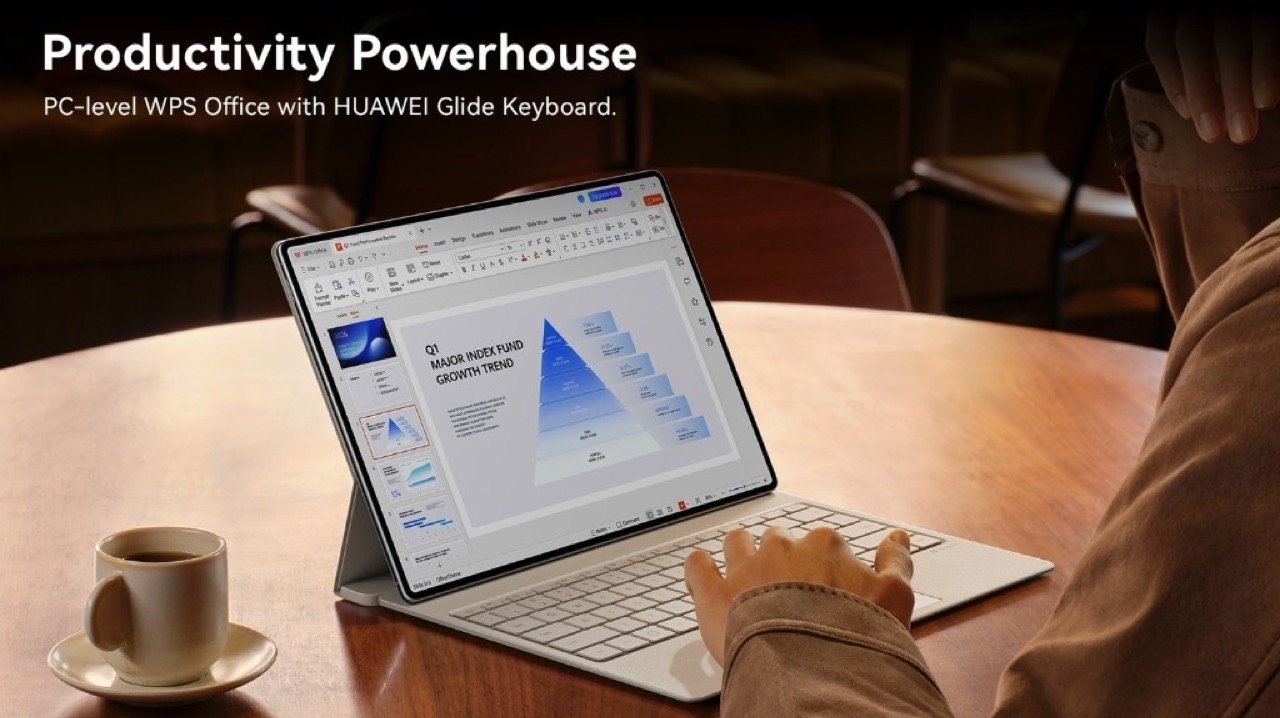
With the keyboard snapped on, WPS Office 3.0 opened, and a Bluetooth mouse connected, we found ourselves comfortably typing long emails, editing spreadsheets, and even drafting presentations, without even thinking about switching back to our laptop.
Meanwhile, the smart keyboard instantly shifts the UI into something more desktop-like. Windows snap side-by-side. Menus feel familiar. Tools behave like what you’d expect from a real PC environment.
It’s honestly rare for a tablet to offer this level of seamlessness, and the MatePad 12 X nails it.
WPS Office 3.0 Is Surprisingly Good
This is where things got even more interesting.
WPS Office 3.0 on this tablet is shockingly capable, way closer to PC-level than we expected:
Full compatibility with major Office formats
Complex Excel mathematical functions
Editable charts you can copy/paste
Insert document attachments
And a desktop-grade UI
We were able to finalize presentations and multi-sheet reports exactly like we would on a laptop, with zero formatting issues.
Honestly, this is one of the strongest arguments for the MatePad 12 X as a laptop alternative.
However, while WPS Office 3.0 is excellent, users who rely heavily on:
Microsoft Office macros
Specialized Excel plugins
Legacy software
Desktop-only workflow tools
…may still hit limitations.
Anyway, for most people, the MatePad 12 X is enough. For specific professional workflows, maybe not.
Smarter Meetings and Note-Taking: HUAWEI Notes + M-Pencil Pro Are a Power Duo
One of our favorite things during testing was how well HUAWEI Notes works with the upgraded M-Pencil Pro, especially for meetings and lectures.
Note Replay Is a Game Changer
There’s a feature called Note Replay that records audio as you’re taking notes. Later, when you tap a specific line, the audio jumps to that exact moment.
For students, researchers, and professionals? This is massive.
During our meetings, this feature saved us more than once when we had to revisit a specific instruction, timestamp, or decision point.
AI Handwriting Enhancement Is Scary Good
Meanwhile, the AI Handwriting Enhancement tool lets you circle your messy handwriting, and it immediately transforms it into neat, readable text.
We used this constantly, especially when cleaning meeting notes before passing them on to teammates.
Instant Launch With the M-Pencil Pro’s Quick Button
Tap the Quick Button → Notes opens immediately.
You don’t even think, you just start writing.
And with Cross-page dragging, 130+ covers, 400+ stickers, and 60+ papers, Notes becomes both a professional tool and a personal productivity hub.
We also love the new calligraphy and pencil brushes. They feel incredibly natural thanks to the pressure sensitivity (more on that later).
The M-Pencil Pro May Be the Best Stylus Huawei Has Made
The MatePad 12 X is the first product to feature the upgraded M-Pencil Pro, and we immediately noticed the difference.
16,384 Pressure Levels, 4x More Than Before
Whether we were sketching characters, annotating PDFs, or shading artwork, the precision is stunning.
Subtle pressure changes actually matter now, making this stylus feel much closer to a real pen or pencil.
And with near-zero latency on the PaperMatte display, writing feels almost analog.
New Gestures: Pinch and Rotate
These gestures completely changed how we worked:
Pinch → Opens a radial menu of tools instantly
Rotate → Adjusts brush angles naturally (in GoPaint, this is chef’s kiss)
These two gestures dramatically cut down the time spent switching tools.
While GoPaint and HUAWEI Notes use it beautifully, third-party creative apps won’t recognize Rotate or Pinch unless updated by developers.
So while the hardware is future-ready, the ecosystem still needs to catch up.
Tactile Feedback and New Pen Tips
Yes, the stylus now taps back.
It’s subtle, but it helps mimic the resistance of real paper. Plus, the new pen tips feel fantastic for writing and drawing.
Powered by NearLink
This means faster pairing, lower latency, and better stability. It’s a huge leap forward for stylus performance on a Huawei device.
A Paper-Like Display That’s Genuinely Comfortable
The 12-inch 3rd Gen Ultra-Clear PaperMatte Display is one of the best tablet screens we’ve used this year.
Why It Feels So Natural
Anti-glare and anti-reflection tech work extremely well outdoors
50% reduced sparkle compared to earlier PaperMatte displays
P3 wide color gamut for accurate colors
TÜV Rheinland & SGS eye comfort certifications
144Hz refresh rate
2800 × 1840 resolution
HDR Vivid support
Reading, writing, drawing, everything feels easy on the eyes. And unlike glossy tablets, this one doesn’t fight sunlight.
Even after long study or editing sessions, we didn’t feel the usual eye strain.
But creatives should know this:
PaperMatte displays naturally have slight texture and Slight softness.
This is intentional, to mimic paper, but it also means: It’s not as ultra-crisp as glossy OLEDs, especially when viewing high-detail photos or HDR content.
It’s a trade-off: Eye comfort + natural writing feel vs. absolute clarity and gloss.
GoPaint + Filmora: A Legit Creative Ecosystem
Creators will absolutely love this part.
GoPaint (Free)
This is a full professional-grade painting app, and Huawei giving it for free is a big win.
We particularly enjoyed:
3D oil brushes with realistic texture
Animation tools
Intelligent Color Card
Rotate gesture support
True-to-life pressure response
It genuinely felt like working on a traditional medium.
Filmora Editing
Video editing is smooth and intuitive, especially with:
Keyboard shortcuts
Drawing tools for annotations
Good performance even on multi-track edits
We edited short travel vlogs, classroom explainers, and social B-roll clips, all without switching to a laptop.
The MatePad 12 X can absolutely be your mobile editing studio.
However, for heavy professional creators:
No ProCreate equivalent yet
No Photoshop or Illustrator
Limited third-party animation tools
Filmora is great, but not a full DaVinci Resolve replacement
If your workflow depends entirely on desktop software, replacing your main device with this tablet might be tough.
PC-Level Performance and Smooth Multitasking
Powered by Huawei’s latest chipset and optimized OS, multitasking is fluid:
Split Screen feels natural
Floating windows are responsive
Online meetings run smoothly
WPS Office 3.0 operates like a desktop program
Also, the Wi-Fi 7 support meant file syncing and cloud backups happened blazing fast.
Meanwhile, heat dissipation is excellent. Even during long rendering tasks or intense multitasking, the tablet never became uncomfortably warm.
Design: Elegant, Light, and Built for Daily Carry
The tablet looks premium, with a 5.9 mm slim profile and a 555 g weight. Carrying it around felt effortless, it slips into any sling, tote, or backpack. The pearlescent finish is surprisingly beautiful in person, giving it a subtle shimmer without looking flashy.
Battery & Charging: Long-Lasting and Fast to Refuel
With its 10,100mAh battery, we consistently hit almost 12 hours of mixed productivity and 14 hours of local video playback.
Meanwhile, 66W SuperCharge gets you to full in around 85 minutes, which is perfect for airport layovers or coffee breaks between classes.
Verdict: The Most Complete Tablet Huawei Has Ever Made
After using the HUAWEI MatePad 12 X (2026) across work, school, travel, and creative projects, one thing is very clear:
This is the closest any tablet has come to fully replacing our laptop.
The combination of:
4-in-1 PC-level productivity
Game-changing M-Pencil Pro
Paper-like display
Pro-grade GoPaint and Filmora
WPS Office 3.0 with real desktop features
Elegant design
Strong battery life
…makes the MatePad 12 X a genuinely compelling choice for young professionals, students and educators, artists and creators, Or anyone who wants power, portability, and a natural writing/drawing experience.
Huawei isn’t just competing with other tablets anymore. They’re setting a new benchmark for what a mobile productivity device can be.
If you’ve ever wanted a laptop replacement that still feels like a tablet when you want it to, this might be the one.
Smart Infinity has announced a new holiday campaign in partnership with SMEG Philippines. They are currently giving its members the chance to win premium SMEG appliances through an exclusive raffle running from November 21, 2025 to February 23, 2026.
The raffle features several of SMEG’s most iconic home appliances, including the SMEG FAB 5 Mini Refrigerator and the SMEG Espresso Coffee Machine with Grinder. Other prizes include SMEG blenders, coffee machines, kettles, and toasters.
How Members Can Join
To participate, Smart Infinity members must opt in by texting SMEG to 5858, registering through the Smart Infinity website, or coordinating with their Relationship Manager. A confirmation SMS will indicate the number of raffle entries earned.
Raffle entries are awarded when members:
Upgrade their plan, add a new line under Plans 5000, 8000, or 9500, and refer a new subscriber to Plans 5000, 8000, or 9500
Each plan tier corresponds to higher chances of winning:
HUAWEI is set to launch the new HUAWEI nova 14 Series in the Philippines next week. The latest lineup, which includes the flagship nova 14 Pro, focuses on portrait photography and AI features, positioning the devices as the “King of AI Selfies.” This new series will officially debut on November 27, 2025.
AI-Powered Front Camera Innovations
The nova series has historically focused on advancing front-facing camera technology, a trend continued by the nova 14 lineup. The HUAWEI nova 14 Pro comes with a 50MP Front AI Portrait Dual Camera system.
This dual setup combines a 50MP Ultra Portrait Autofocus lens with an 8MP Close-Up Portrait camera, designed to capture detail across various ranges. A notable feature is the industry-first 0.8x to 5x selfie camera zoom range.
The nova 14 Series also incorporates an Ultra Speed Snapshot capability for both its front and rear cameras, ensuring that fast motion or fleeting expressions are captured.
Rear Camera, Design, and Power
The nova 14 Pro comes with a flagship-level Ultra Chroma Camera on the rear. This sensor utilizes 1,500,000 spectral channels, resulting in a reported color reproduction accuracy improvement of up to 120%.
Both the nova 14 Pro and nova 14 are powered by a 5500mAh battery and support 100W HUAWEI SuperCharge Turbo, capable of achieving a full charge in approximately 38 minutes. In terms of aesthetics, the series features a new Ice Crystal Texture known as Dynamic Crystal Design, available in Crystal Blue, White, and Black colorways.
For the display, the nova 14 Pro features a 6.78-inch Quad-Curved Display while the standard nova 14 sports a 6.7-inch OLED Flat-Edge Screen. Both devices operate on the upgraded EMUI 15 operating system.
HUAWEI nova 14 Philippine Launch and Early Bird Offers
The HUAWEI nova 14 Series will be officially unveiled in the Philippines on November 27, 2025.
HUAWEI has announced several pre-order promotions starting November 21:
Vouchers worth PHP 1,000 are available for redemption on Shopee, Lazada, and TikTok.
Customers who pay a PHP 500 deposit on the HUAWEI Online Store (between November 21 and November 27) can secure a significant discount:
For the nova 14 Series (nova 14 Standard/Pro): PHP 2,500 off the remaining balance.
For the nova 14i: PHP 2,000 off the remaining balance.
The HUAWEI Pura 80 Ultra is currently the King of Mobile Photography
Anyone can be a creator today thanks to smartphones now capable of shooting pro-level content. Actually, a lot of people whether they are a consumer or a pro, are now using their smartphones to capture photos and videos instead of dedicated professional cameras. But while many smartphones can offer the most basic camera needs of a consumer, the HUAWEI Pura 80 Ultra is different. Because it’s designed to replace your professional camera thanks to its powerful camera features.
This smartphone offers a next-level imaging hardware that sets a new standard in mobile photography. And with its #1 DxOMark ranking, this flagship device proves that it’s built for serious creators who demand the best on their smartphone. This also solidifies HUAWEI’s position and continued domination in the smartphone photography industry.
Capturing Photos and Videos with a Pro-Level Camera
The HUAWEI Pura 80 Ultra debuts the world’s first Switchable Dual Telephoto Camera. It delivers a 3.7x and 10x optical zoom using a 1-inch Ultra Lighting HDR Camera. This innovation from HUAWEI can ensure a consistent color and brightness, even when switching between zoom levels on the smartphone. It’s an industry-first that allows creators to shoot from any distance without compromising quality.
The 1-inch Ultra Lighting HDR Camera is the largest in any smartphone today and actually, it’s even bigger than sensors found in some professional cameras like RED’s cinema rigs worth $20,000. With an impressive 16EV dynamic range, it captures balanced details in both shadows and highlights, making videos look more cinematic and lifelike similar to pro-level cameras out there. Just check out some of our photo and video samples that we took using the smartphone:
The video quality is phenomenal as well. Shooting at 4K@60fps was a breeze and the quality was consistent whether that’s 1x, 3.7x, or 10x. Check out some of the sample videos that we took using the smartphone:
Whether shooting in daylight, indoors, or low-light conditions, the Pura 80 Ultra’s Ultra Lighting Camera ensures every frame stays bright, sharp, and richly detailed. Paired with HUAWEI’s Ultra Chroma XMAGE Color System, the device reproduces true-to-life colors. Recently, I used the smartphone to shoot the northern lights and it was beautiful.
A Tough and Beautiful Design That Works
Beyond performance, the HUAWEI Pura 80 Ultra exudes luxury. The smartphone is available in Prestige Gold and Golden Black. It features a fusion of art and technology with an inspiration of fine jewelry craftsmanship.
Its 6.8-inch HUAWEI X-True Display boasts up to 3000 nits peak brightness and a smooth 1–120Hz adaptive refresh rate. This combination can ensure that the smartphone can display clear visuals and content even under harsh sunlight. This makes it perfect for creators shooting on the go.
As for the durability, the HUAWEI Pura 80 Ultra features the 2nd-Gen Crystal Armor Kunlun Glass that offers 25x better and tougher drop resistance and 16x improved scratch protection, while IP68 & IP69 ratings. This means that the smartphone is ready for rain, dust, or adventure.
As for the battery, the smartphone is powered by a 5170mAh battery that supports 100W wired and 80W wireless HUAWEI SuperCharge. This is actually a pretty large battery so creators can shoot, edit, and publish all day without worrying about battery life.
AI Features That Simplify Creation
The Pura 80 Ultra isn’t just about hardware, it also comes with AI. Features like AI Removal, AI Best Expression, AI Long Exposure, and AI Scene Optimization make content creation smoother and faster.
AI Removal in action:
The AI Removal tool lets you erase unwanted objects from photos with just a tap, while AI Scene Optimization automatically adjusts lighting, exposure, and color balance for stunning results in any condition. Together, these AI features built-in to the smartphone lets creators focus more on the story and less on post-production.
How It Fits a Creator’s Workflow
For creators like me, the HUAWEI Pura 80 Ultra fits perfectly into an all-in-one workflow. I shoot, edit, and also publish on the smartphone.
Using apps like Filmora or Capcut directly on the device, I can capture professional grade videos, make quick edits, and upload them instantly to JamOnline and social platforms. The smartphone’s powerful AI tools reduce production time significantly, and the battery easily lasts through a full day of content creation.
To put it simply, the HUAWEI Pura 80 Ultra is my ultimate creative companion. Whether I’m shooting videos for JamOnline, capturing product photos, or filming at events, this device handles it all seamlessly.
It’s an all-in-one device
To recap, the HUAWEI Pura 80 Ultra stands out compared to other smartphones out in the market thanks to the industry-first Switchable Dual Telephoto Camera for consistent zoom quality, 1-inch Ultra Lighting HDR Camera with 16EV dynamic range that ensures a top-notch brightness and details, Ultra Chroma XMAGE Color System for natural, vivid colors, 2nd-Gen Crystal Armor Kunlun Glass for amazing durability and an AI-powered creation tools that simplify editing and shooting.
With these innovations, the HUAWEI Pura 80 Ultra goes beyond being just a smartphone. It delivers pro-level camera performance that rivals multi-lens professional cameras. And the best part? All of that power fits right in your pocket.
Availability
The HUAWEI Pura 80 Ultra is available in the Philippines in Prestige Gold and Golden Black. You can get it at HUAWEI Online Store, Lazada, Shopee, and TikTok Shop for Php 89,990.
HUAWEI Philippines is also including a free HUAWEI Care+ Premium service package with every purchase of the Pura 80 Series. This gives the owners a more comprehensive and worry-free protection. This will cover accidental damage, battery replacement, priority service, and free collection or delivery. Basically, you will be getting up to Php 34,000 of savings.
This holiday season, HUAWEI Philippines is also running its Service Giving Season, which rewards device owners with exclusive perks and savings designed to keep every HUAWEI device in peak condition. The program runs from October 10 to December 31, 2025.
HoYoverse has officially announced its latest project, the action-adventure game titled Varsapura. The announcement was accompanied by a substantial 31-minute gameplay demonstration, giving fans a first look at the title’s urban setting and combat mechanics.
Varsapura introduces a departure from some of HoYoverse’s established fantasy settings, featuring a modern-day urban environment rendered in a more realistic art style. It is widely speculated that the game world is based on Singapore.
The lengthy gameplay video showcased locations that bear resemblance to real-world landmarks in the Bencoolen, City Hall, and Fort Canning areas. The game’s narrative appears to revolve around an organization known as SEAL (Shadow Emergency Alliance) tasked with addressing the spread of an infectious substance dubbed “Mindrot.”
Varsapura Availability and Release
Varsapura joins HoYoverse’s recent string of announcements, following Honkai Nexus Anima and the life-sim Petit Planet. However, the developer has not yet provided an official release date or details regarding platforms and pricing for this new action-adventure title.
HUAWEI Philippines is set to launch the HUAWEI MatePad 12 X (2026) on November 27. This tablet brings in new upgrades in display, tools, and stylus performance. This tablet is positioned as a 4-in-1 productivity device. This new MatePad from HUAWEI wants to deliver PC-like efficiency and it is made for students, professionals, and creators.
The HUAWEI MatePad 12 X (2026) is designed to function as a tablet and a laptop alternative. When paired with the Smart Magnetic Keyboard and HUAWEI Mouse, it provides a full productivity setup for productivity usage.
The tablet debuts WPS Office 3.0, which brings PC-level document editing with precision cursor control, support for 42 file formats, and improved compatibility for professional workflows.
Also, HUAWEI introduces its 3rd Gen Ultra-Clear PaperMatte Display, featuring nano anti-reflection technology that is Anti-Glare, Anti-Reflection, and Anti-Fingerprint. The panel reduces glare by 50% compared to the previous generation and maintains clarity under bright lighting. The display is also certified for reduced eye strain and improved stylus precision, supported by an upgraded cooling system that delivers 27% better performance than the 2024 model.
The MatePad 12 X (2026) launches alongside the new HUAWEI M-Pencil Pro, offering a better 16,384 pressure levels, pinch gestures to open radial menus, rotation gestures to adjust brush angles, double-tap actions for quick tool switching, Tactile feedback for pressure sensitivity, and a star Ring button for instant pairing and quick app access
HUAWEI MatePad 12 X (2026) Early Bird Promos
Starting November 21, customers can secure the device through HUAWEI’s “Pay Php 500, Get Php 3,000 OFF” offer via the HUAWEI Online Store. Users who place a Php 500 deposit by November 27, 6 PM can redeem the full discount by settling the remaining balance before December 12.
Additional promos include:
Php 2,500 Early Bird Voucher (November 27–December 12)
Php 1,000 Early Bird Voucher via Shopee, Lazada, and TikTok Shop (November 21–December 12)
Availability
The HUAWEI MatePad 12 X (2026) officially launches in the Philippines on November 27, with more details to be announced on HUAWEI’s website and social media pages.
realme Philippines has expanded its C-Series lineup with the launch of the realme C85 5G. The device introduces a large 7000mAh battery, Dimensity 6300 5G chipset, and rugged durability.
The C85 5G is equipped with a 7000mAh battery capable of delivering up to 15 hours of continuous gaming or 28 hours of video playback. With 45W SUPERVOOC Charge, the phone powers up to 50% in just 42 minutes, and realme says the battery retains 80% health after six years of daily use.
The device features Military-Grade Shock Resistance and an IP66 / IP68 / IP69K triple rating, offering protection from dust, water jets, and full submersion. It also survived realme’s internal 20ft dive test and is resistant to 36 different liquids, including coffee, soda, and common cleaning agents.
Powered by the MediaTek Dimensity 6300 processor, the realme C85 5G delivers 5G connectivity. A large vapor chamber cooling system helps maintain stable performance under heavy workloads, while up to 24GB Dynamic RAM is there as well for multitasking and app switching.
The C85 5G features a 6.8-inch display with a fast 144Hz refresh rate and 1,200-nit peak brightness. AI Outdoor Mode boosts brightness and network performance for better usability under direct sunlight. The 50MP AI Camera supports features like AI Ultra Clarity and AI Edit Genie for sharper images and improved photo enhancement.
realme C85 5G Availability and launch promo
The realme C85 5G comes in two feather-inspired colors: Parrot Purple and Peacock Green. The realme C85 5G is priced at Php 14,999, but early buyers can get it for as low as Php 10,989 via the official realme TikTok Shop.
OPPO has officially launched the OPPO Find X9 in the Philippines. The device features OPPO’s most powerful camera system to date, developed in partnership with Hasselblad, along with a suite of AI features and hardware designed for photography, productivity, and all-around premium performance.
The OPPO Find X9 comes with the Hasselblad Master Camera System, equipped with three 50MP lenses and the 50MP default shooting mode. With its 120x Super Zoom, users can capture distant subjects, while the LUMO Image Engine and True Color Camera can improve colors and improved low-light performance. The device can also shoot 4K video at 120 FPS for high-quality slow-motion videos.
The OPPO Find X9 introduces AI Mind Space for organizing tasks, notes, and reminders, complemented by ColorOS 16. There’s a feature called Apple Connect that allows communication and file transfers for users with Apple devices. The OPPO Find X9 is powered by the MediaTek Dimensity 9500 chipset, 16GB RAM, and 512GB storage. There’s a large 7,025mAh silicon-carbon battery that supports 80W SUPERVOOC wired charging and 50W AIRVOOC wireless charging.
The phone features a sleek 7.99mm design available in Titanium Grey and Space Black. The OPPO Find X9 (16GB + 512GB) is now available nationwide through OPPO stores, Shopee, and partner retailers.
Buyers can also enjoy bundle perks, including PHP 1,000 off when purchasing with the new OPPO Enco X3s. Shopee customers receive a free DJI Osmo Mobile SE, discount vouchers, and 0% SPayLater installment options until November 24. Smart Postpaid subscribers can also get it at Plan+ 1999, all with a free DJI Osmo Mobile SE stabilizer.
The Lenovo Legion Pro 5 Gen 10 is positioned as Lenovo’s mainstream “Pro” gaming laptop for users who want strong performance without jumping all the way to the Legion 7 series. Our configuration comes with an Intel Core Ultra 9 275HX, NVIDIA GeForce RTX 5070 Ti Laptop GPU, 16-inch 2560×1600 display, and fast DDR5 memory. By just looking at the specs, it clearly targets gamers, content creators, and power users.
On paper, this is one of the more powerful combinations you can get in a 16-inch gaming laptop today. The Legion Pro 5 stands out as a well-rounded machine with a few expected trade-offs.
Design: Clean, Functional, and a Bit on the Heavy Side
The Legion Pro 5 uses the familiar Legion design language but there were some changes including a middle Legion logo instead of the side ones. The chassis has a simple, matte finish with subtle branding and an extended rear section where many of the ports and exhaust vents are placed. It does not scream gaming in the same way as some RGB-heavy competitors, which makes it more acceptable in classrooms or offices but at the same time, the Legion Pro 5 looks solid and comes with serious power inside.
The hinge is pushed slightly forward, leaving a “spine” at the back while the ports are housed on the side off the laptop. On the left, it comes with the power jack connector, HDMI, USB-PD, Thunderbolt port and USB-A port. While on the other side, there’s the audio jack, 2x USB-A, camera control, and a LAN port. The lid feels sturdy, and there is minimal flex on the keyboard deck. Overall, the Legion Pro 5 does have a solid build that feels sturdy.
The Legion Pro 5 chassis offers great performance and a solid build, but the chassis is a bit heavy compared to some laptops. Nonetheless, the Legion Pro 5 configuration is a powerhouse with strong build quality. It’s definitely made for people who are looking for more power in their daily driver.
This means the Legion Pro 5 feels more like a portable desktop replacement than a portable laptop. It is easy enough to bring between rooms or to school with a desktop power, but it is not the lightest 16-inch laptop.
Keyboard and touchpad: Comfortable for Gaming and Long Typing
The Legion Pro 5 continues one of Lenovo’s biggest strengths, the keyboard. The TrueStrike keyboard provides a comfortable balance of travel and feedback. The keys are slightly soft on impact but still feel responsive, which is good for both gaming and typing.
In everyday usage, you can easily navigate Windows, browse the web, and edit documents with just the trackpad. For gaming, most users will still plug in an external mouse, but it’s good to know that the built-in trackpad is not a weak spot.
Nonetheless, I do love the full sized arrow keys on it which is perfect for gaming along with the number pad as well. And the spacing between the keys? They were great as well. The RGB keyboard is bright enough for low-light gaming but not overly aggressive which I truly appreciate.
The Legion Pro 5 ships with Windows 11 and Lenovo’s own utilities such as Lenovo Vantage and Legion Space, which let you adjust performance profiles, customize the keyboard lighting. For day-to-day typing, writing, and working on documents, the keyboard feels reliable and familiar, especially if you’ve used other Lenovo laptops before.
As for the speakers on the Legion Pro 5, it is decent but not exceptional, which is expected on a laptop. Nonetheless, it would be more than enough if you want a portable gaming machine that you can bring anywhere.
Display: 16-inch 16:10 Panel That Balances Gaming and Productivity
The Legion Pro 5 ships with a 16-inch WQXGA (2560×1600) IPS panel with a 240Hz high refresh rate. There’s a 16:10 aspect ratio as well that gives a bit more vertical space, which is very helpful for browsing, editing documents, and timelines in video-editing software.
The Legion Pro 5 comes with a good color reproduction, decent brightness, and a matte finish that helps reduce reflections. The refresh rate makes it appropriate for 1440p gaming. High-refresh gaming looks smooth, and the resolution is sharp enough for detailed content creation.
Performance: A powerful laptop
As for the benchmarks, we got the following scores:
Geekbench 6 – 3053 single-core / 19,423 multi-core
Cinebench R23 – 2,233 single-core / 34,719 multi-core
Geekbench 6 Compute (OpenCL) – 175,798
PCMark 10 – 8,240
3D Mark Steel Nomad: 3,904 points
3D Mark Steel Nomad Light: 19,614 points
3D Mark Speed Way: 4,904 points
These numbers place the Intel Core Ultra 9 275HX in the top tier of laptop CPUs, especially in multi-core workloads. The processor is well-suited for video editing, rendering, software development, and heavy multitasking.
The 2025 Legion Pro 5 with this combo handled the heating pretty well compared to some models. For users focused on the best CPU headroom available in this chassis, the Ultra 9 configuration along with its GPU is clearly at the top.
These scores also align with what we expect from a 140W-class RTX 5070 Ti Laptop GPU and confirm that this configuration is capable of high-refresh 1440p gaming.
In GTA V Enhanced at the highest settings, in-game benchmark shows an average FPS of around 135. While in Cyberpunk 2077 Ray Tracing: Overdrive (2560×1600, DLSS Quality) we got an average 44 FPS. For such a demanding workload, 44 FPS at native resolution with heavy ray tracing is expected. A few tweaks such as turning down some ray tracing options or using a more aggressive DLSS preset can push it closer to a 60 FPS target at 1440p
Looking at the monitoring graphs from 3DMark runs, the GPU clocks remain stable across long benchmark passes, while CPU clocks fluctuate but stay within expected ranges for an HX-class chip. The benchmarks suggest that the Legion Pro 5 is able to sustain high performance without heavy, continuous throttling. However, the fan noise is very noticeable.
Battery Life: Usable, But Not a Highlight
Lenovo equips the Legion laptop with a 80Wh battery. For light use (web browsing, documents, streaming), similar Legion models usually deliver around 4-5 hours depending on brightness and power profile. Heavier use or any gaming will drain the battery much faster.
If you plan to game or render, you should still treat the Legion Pro 5 as a machine that’s mostly used plugged in.
Verdict: A Strong 16-inch Gaming laptop, a desktop replacement
The Lenovo Legion Pro 5 with Intel Core Ultra 9 275HX and RTX 5070 Ti Laptop GPU is a powerful and well-balanced gaming laptop. Benchmarks confirm that CPU and GPU performance are in the upper tier for a 16-inch machine, and the Legion Pro 5 family delivers excellent performance, a great keyboard, and a solid display, with the main compromises being weight, average battery life, and some heat and fan noise under load.
Who is it for? It’s definitely for the gamers who want smooth 1440p gaming with ray tracing options on their laptop and also for content creators and students who need strong CPU and GPU performance for editing, rendering, and heavy multitasking.
Overall, the Legion Pro 5 is a very capable performance laptop that lives up to the Legion reputation. If you’re primarily gaming or doing heavy work plugged in and you like Lenovo’s design and keyboard, this configuration with Core Ultra 9 and RTX 5070 Ti is a strong option for 2025 especially if you are looking for a desktop replacement.