I don’t really post videos that are really funny in the internet on my blog but this one, YOU GOT TO SEE THIS ONE. I’m not the biggest fan of Lourd De Veyra and Jun Sabayton, the people you always see on the “Word of the Lourd” videos. If you haven’t seen it, they tackle very interesting topics on those videos. I also haven’t tried nor tested the Samsung Galaxy Note 8.0 since Samsung isn’t lending me a review unit. But yeah, these two videos are really funny. Check out the “Ang Tipo Kong Bigote” and “Ultimate Selfie” after the break
The videos are really funny. Don’t ask me about the Samsung Galaxy Note 8.0 since I don’t have a review unit, I just want to share with you these funny videos :D.
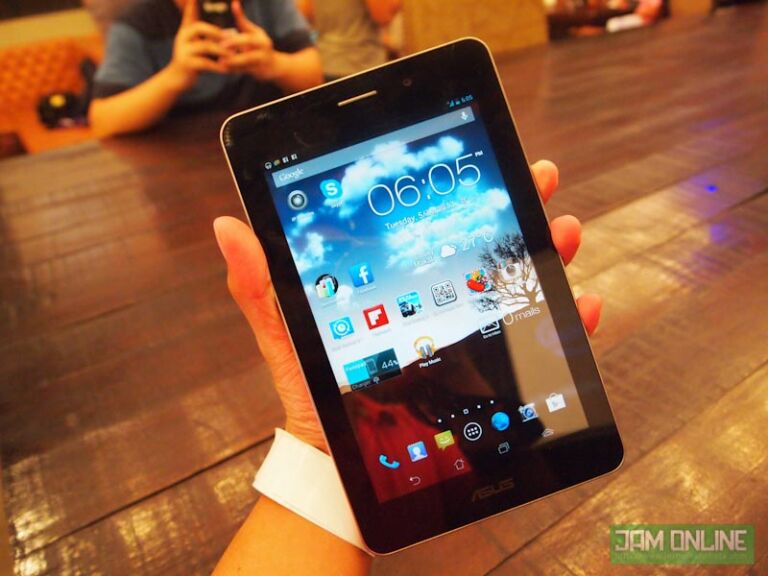
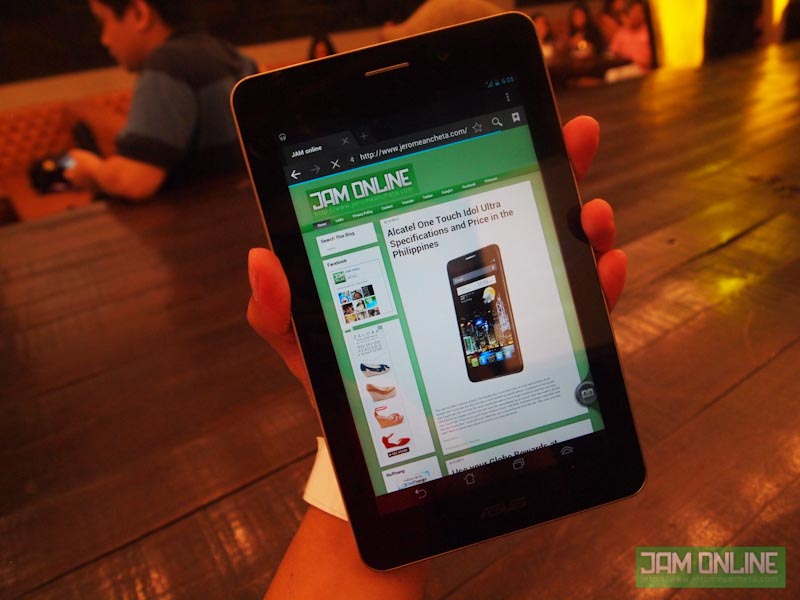
ASUS Padfone was introduced to have a tablet and phone in a just a single device. But for those who can’t afford it but still want to have the taste of a smartphone and a tablet in a single device then you can opt for this device, The Asus Fonepad. Yeah, they just interchanged the names but this one is different from its bigger brother. The ASUS Fonepad is really great for those people who are always into using tablets but still want a full functionality of a phone. Compared to the Padfone 2, this one doesn’t have a docking station. Basically, this is a 7-inch with a phone functionality. Actually, there’s something different about this tablet compared to the other 7-inch Android competitors. Check it out after the break.
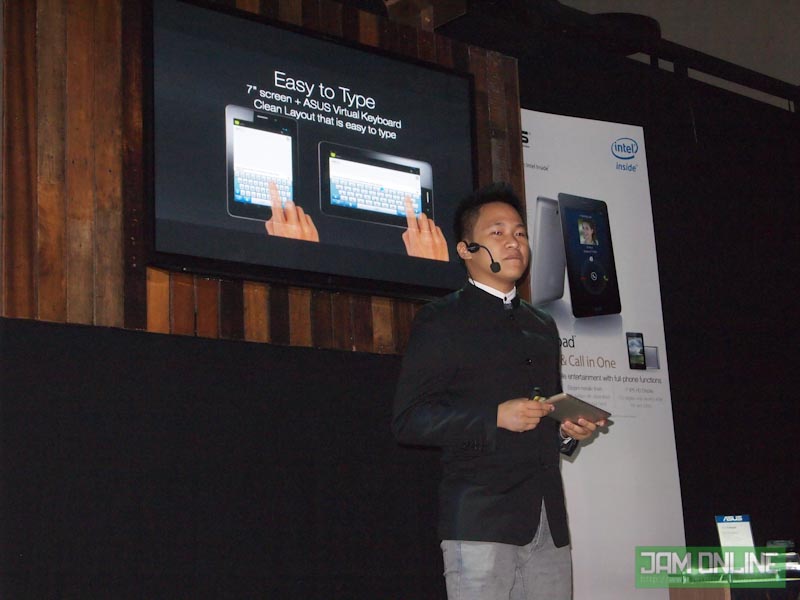
Mr. Eason De Guzman discussing the features of Asus Fonepad
The ASUS Fonepad features a 7-inch screen just like any other Android tablets but this one runs under Intel Atom processor on the hood. Most Android devices are running on ARM like the Exynos of Samsung, Qualcomm Processors and many more. Intel and Asus is proud that the ASUS Fonepad which is powered by Intel Atom Z2420 can last up to 9 hours of mobile usage. Not bad for a tablet.
Another good thing about this tablet is the 7″ sleek metallic finish design and its 2 premium colors — Champagne Gold and Titanium Gray. The tablet really feels solid and premium thanks to that premium finish. Asus is also boasting that this is the only 7-inch tablet with this design.
The Asus FonePad packs a 3 Megapixel Rear camera that can record 720p videos and a 1.2 MP camera. The front camera seems to have a better aperture than the one on the rear. I don’t really recommend tablets for taking photos so a better quality on the front camera sounds real nice.
ASUS Fonepad Specifications
Display: 7-inch IPS Display, 800 x 1280 pixels Processor: 1.2Ghz Z2420 / 1.6Ghz Z2460 RAM: 1 GB RAM Storage: 16 GB/32 GB Internal Storage Camera: 3 MP Rear Camera and 2 MP Front Camera Bluetooth: Bluetooth 4.0 Wi-Fi: Wi-Fi b/g/n Connectivity: HSPA+ Battery: 4270mAh Colors: Champagne Gold and Titanium Gray OS: Android 4.1 Jelly Bean
ASUS Fonepad Price in the Philippines
The ASUS Fonepad comes in two variants the 1.6 GHz Intel Atom 2460/32 GB for Php14,995 and Intel Atom Z2420 1.2GHz /8GB for 11,995.
Cloudfone Excite 400D is really one of the most exciting smartphone in the market right now. Why? Because it packs an exciting specifications but it still have the affordable price in the market for its hardware. The phone is set to compete with Cherry Mobile Flare, the most affordable dual-core smartphone in the market right now. The Cloudfone Excited 400D is a Dual-Core and Dual-Sim Android smartphone that has a SRP of P4,499. CloudFone gave the phone to me for review and so far, I like the phone and its features. So what do I think of the phone? Can it beat the Cherry Mobile Flare? Check it out after the break. Hardware
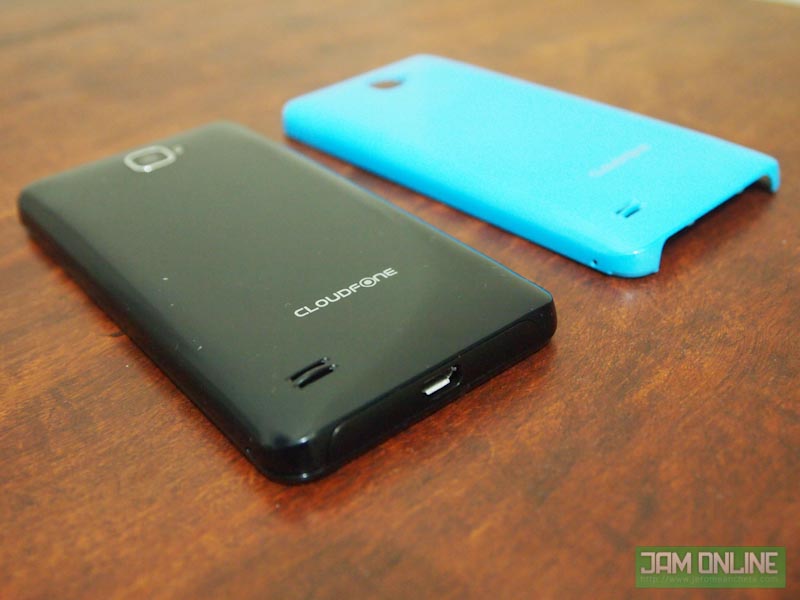
The Back covers
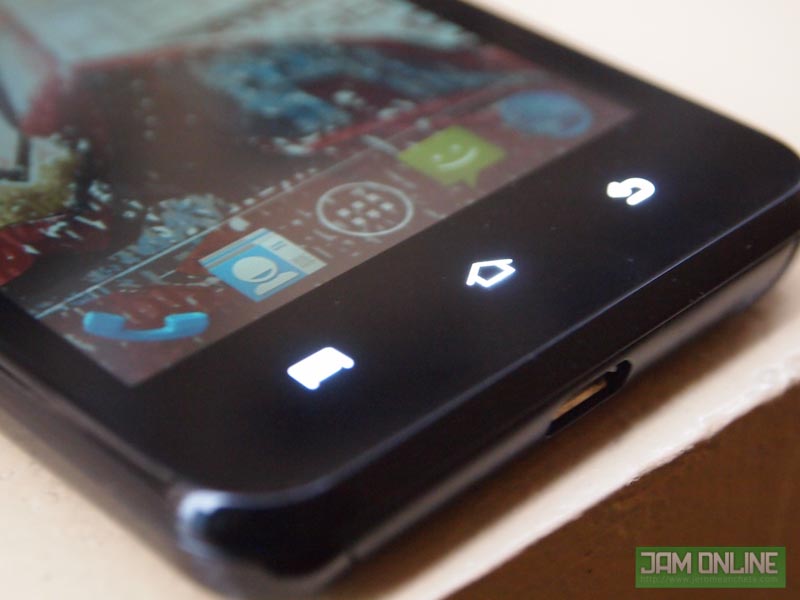
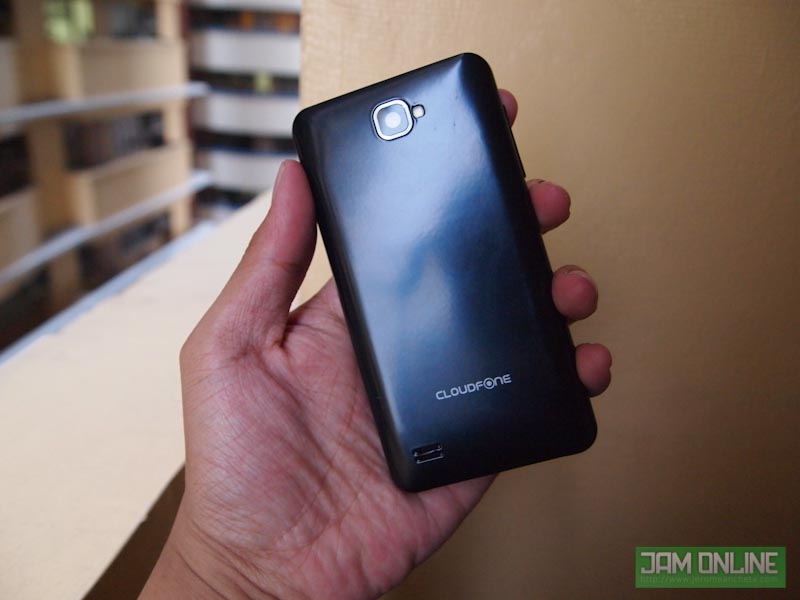
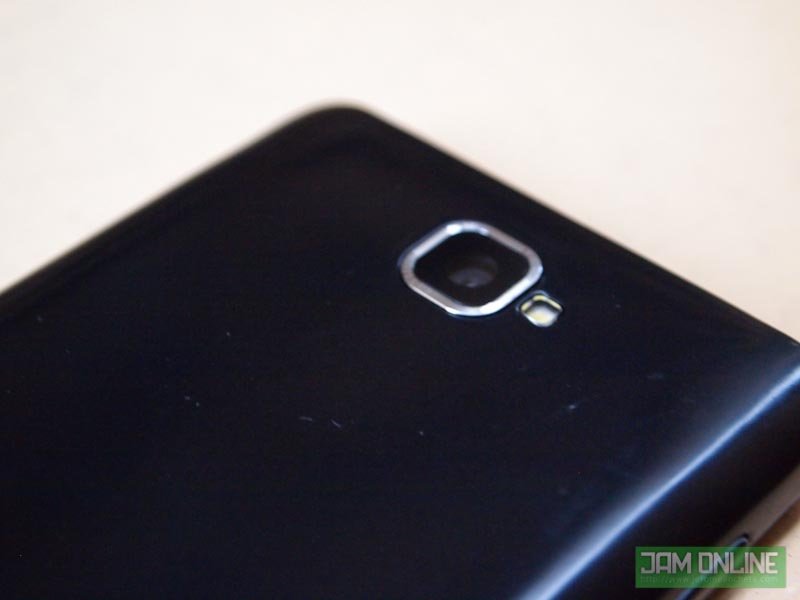
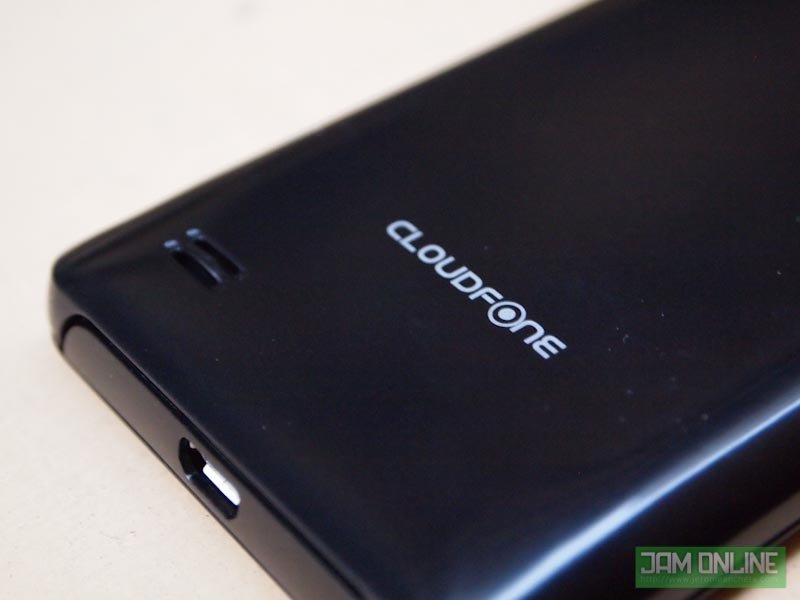
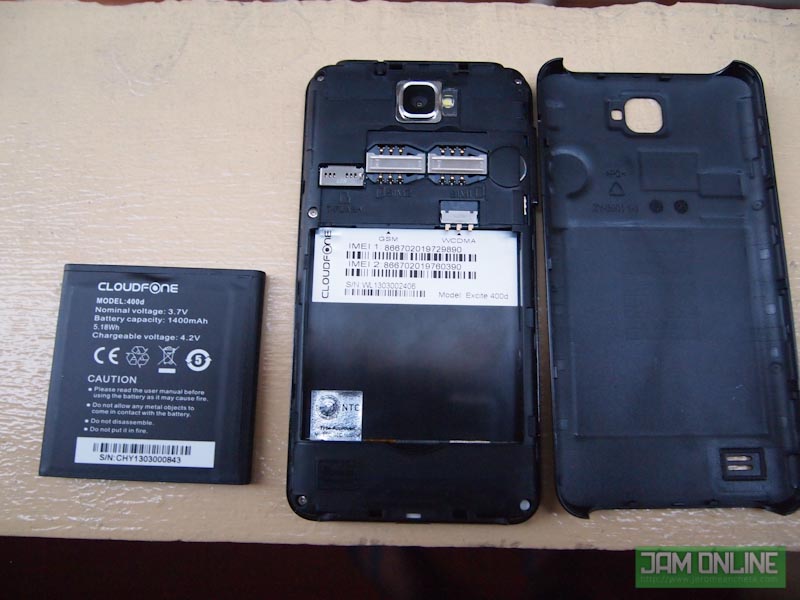
When you first look at the phone, you’ll notice that it does look like any other Android phone from the market. It is made up of pure plastic in the black and glass on the front. The phone has a much cleaner 3 capacitive Android buttons – The Menu, Home and Back button. Some phones still even use the 4 capacitive Android buttons and I don’t really like that. At the back, you can see the glossy and fingerprint-attractive back cover with cloudfone’s small logo at the bottom. The design is kinda neat., there are no other markings in the back. Thankfully, Cloudfone brings us a free back cover. You can choose from Red, Blue and Yellow back covers. Reminds me of the Nokia Lumia
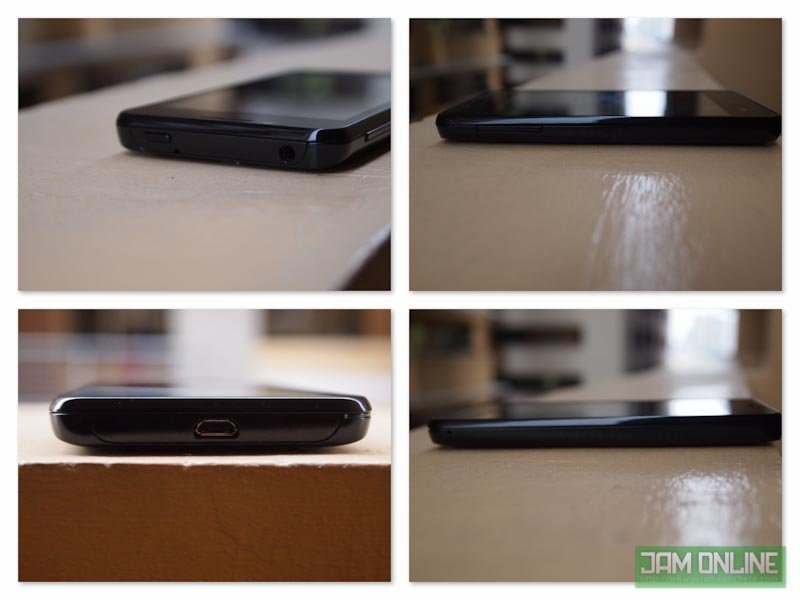
4 sides of the Cloudfone Excite 400D
It packs a 4-inch screen, which is kind of bluer than most displays. I’m not really why is it like that. The screen doesn’t have ghosting or any other problems. Just the blue-r display. I really hope that there’s a fix for that. Nonetheless, the display has a WVGA resolution which is already good for browsing the internet and playing games on the 4-inch IPS display. For me, if you have a 4-inch display it must have at least a WVGA resolution.
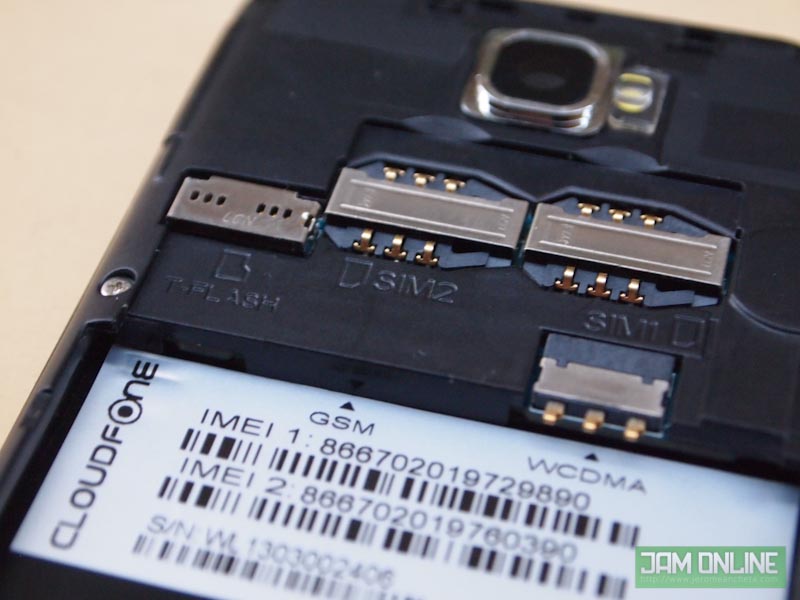
The phone doesn’t really surprise me when it comes to connectivity. Of course the phone packs a 3.5mm audio jack and the Micro-USB and as expected, the phone packs a dual-sim slot but there’s only one slot that supports HSDPA. Not really a deal breaker except for those people who are using both their mobile data on their two Sim Cards. Beside the SIM card slot is the MicroSD card slot that can hold up to 32 GB. It is not hot-swappable because the battery is blocking it. The speaker is also placed at the back that gives me a not-so-good but still decent sound. But c’mon guys, why would expect that much on a phone that is only priced below P5,000.
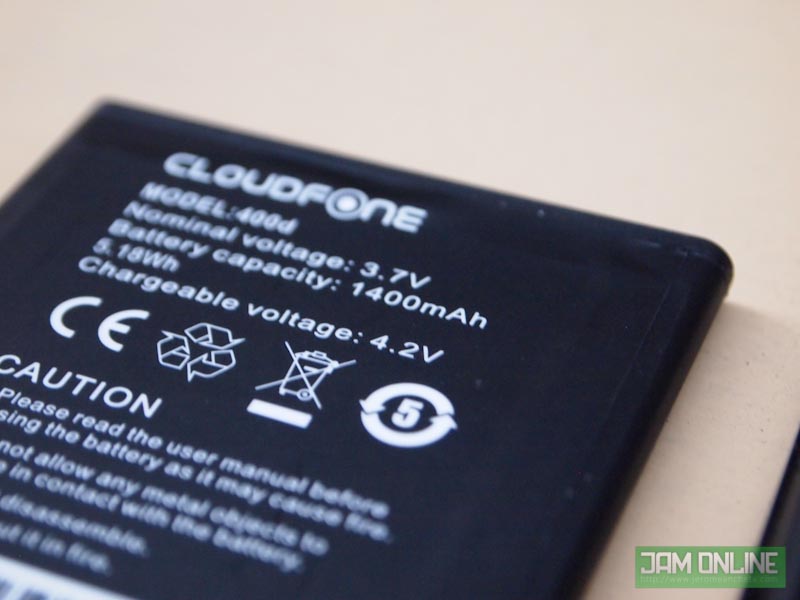
Speaking of battery, CloudFone listed it in their specifications that the phone has a 1200mAh battery but the one that I got has a 1400 mAh battery. I’m not really sure what’s the real rate of the battery. But the battery is much better than the flare because it last up to 14 hours to me. It’s not that long and I really suggest that you get a power bank or an extra battery if you are a heavy user.
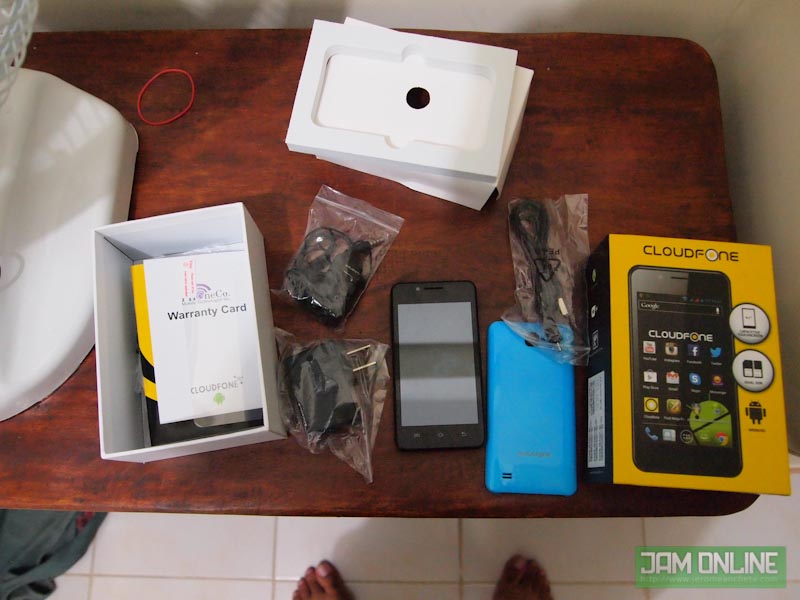
Here’s what inside the box
Camera
The camera of the Cloudfone Excite 400D is not that exciting. Its camera is actually one of its weakest points. The phone’s camera app has some bugs that will force to close the app. I really suggest that you get a 3rd party app for the camera. When it comes to quality of the images of the Cloudfone Excite 400D, the images has a lot of noise whether you’re taking a photo at low-light environment or even at the well-lit scenarios. Another annoying thing about this is that the images are really dark than normal. Sometimes, it’s really frustrating to take a shot at low-light because the LED Flash doesn’t really help that much. Take a look at the images that I took using the Cloudfone Excite 400D:
The phone cannot record in HD but the quality isn’t that plausible. I was really hoping for a better recording. The phone can only record .3gp and not .mp4. IBut c’mon guys, this phone is just P4,499. Here, take a look at my video recording sample of the Cloudfone Excite 400D: Software
The Cloudfone Excite 400D is running on Android 4.1.2 Jelly Bean already. That’s why the apps and some simple tasks are smooth and it loads easily. Swiping to the app drawer and photos are such a breeze thanks to the combination of Android 4.1 and 1 GHz Dual-Core Mediatek MT6577 processor. I didn’t need to have another launcher just to have those silky smooth transitions.
One reason why I’m happy about CloudFone Android Smartphones is because they aren’t adding to much bloatwares and unnecessary apps on the phone. CloudFone and CloudStore is still here in the phone and there’s the Media3D app in where you can check out the weather, photos and videos with a cool 3D effects. It is not useful to some but it is really fancy for me to check out my media files with 3D effects.
The performance of the phone was great. I’ve tried different games in the phone like GTA: Vice City and it performed really well at high settings. I really didn’t expect that GTA:VC will have a very high frame rates at that. I expect that most games will work on the device.
The benchmark that I got didn’t fail my expectations. I was expecting that the phone will only have a score of 6500 at Antutu but it got a score of 6881. Not bad. A pretty high score for a phone like this.
Verdict
This isn’t the cheapest smartphone around but this one is one of the best for its price. Not all smartphones could have a dual-core processor with a price like this. The construction is made up of plastic but it is really sturdy and I really feel that it won’t break easily. The Dual-Core MediaTek processor and the Android 4.1 Jelly Bean is really a fast combination. But the smartphone has a mediocre battery life and the camera wasn’t that good too. But for P4,499, I think the phone is worth the price and I bet you’ll love the phone too.
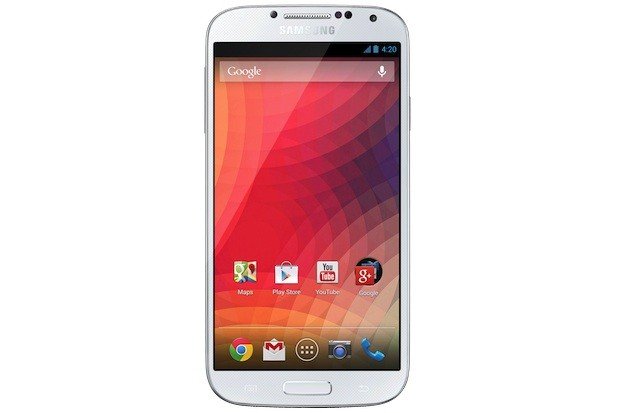
Some people are not really impressed with Samsung Galaxy S4’s Smart features, TouchWiz UI and S apps. Sometimes, I was really disappointed with TouchWiz on my SGS3 because it makes the phone slower but I really love the Smart features on the phone. Anyway today at Google I/O, Google announced that they’ll be selling the Samsung Galaxy S4 with a stock Android. So what does that mean for the consumers? Well, you’ll still have that Samsung Galaxy S4 but with less of a Samsung. They’ll be removing all the Smart features, Touchwiz and S apps on the device. Basically, this is like a Nexus device. They didn’t announced the full specifications of the phone but I guess, it will still have the same specifications but they didn’t announce which processor that they’ll use for the phone but I guess they’ll be using the Snapdragon version since this one will have LTE for AT&T and T-Mobile. I hope that LTE is available for all regions because if they do, Gray markets might want to sell this one at the Philippines. The SRP of the phone is $649 which roughly estimates at PHP26,000.
BBM is one of the killer feature of RIM and one of the reasons why people still love their Blackberries. But of course, BBM is not the only messenger around for mobile phones. Viber, WeChat, Line and WhatsApp. We know that some these messengers are even better than the Blackberry Messenger but some people still stay on BBM. But of course, there are so many things why you’ll love Blackberry like the Blackberry Services rates which are more cheaper than the normal data plan. Personally, I like Blackberry phones because of their awesome QWERTY keyboards. That’s why I prefer the Q10 than the Z10. Anyway, the BBM for iOS and Android will feature cross-platform BBM chats, groups, ability to share photos and voice notes. It will be available on Android 4.0 and up while you need iOS 6 for your iPhones. The app will also provide you the BBM Pin, QR Code and everything that you need. Awesome news right? Because I really have a lot of friends who are using BBM but I’m not sure what will be future of RIM with this move. BBM for Android and iOS is expected to be release this summer.
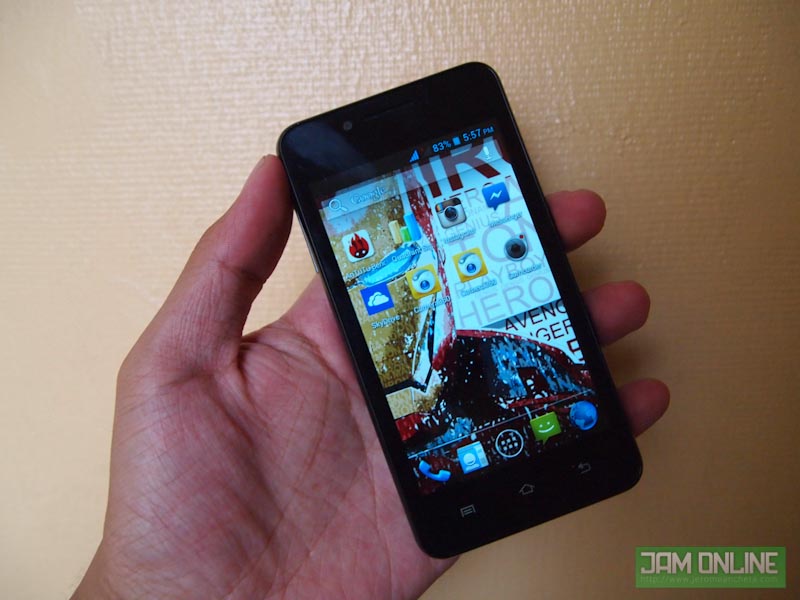
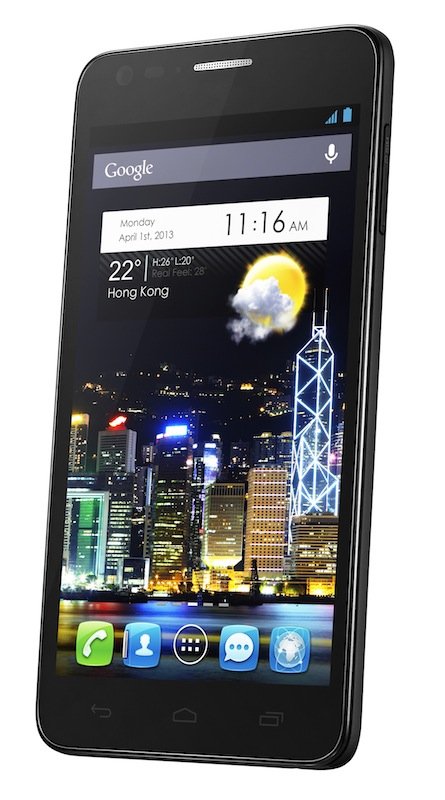
The real Iron Man 3 phone is here, The Alcatel One Touch Idol Ultra. It is the twin brother of the Alcatel One Touch Idol but this one has a more beefed up specifications. Compared to the Alcatel One Touch Idol, this one has the same screen but with a much larger resolution and this one uses AMOLED for its display but this one still uses the same MediaTek processor that was used in Alcatel One Touch Idol. This one is much faster thanks to that 1 GB RAM. And before forget, remember how thin the Alcatel One Touch Idol was? Well this one is much thinner than the idol. Ohh, sexy and slim right? Want to know more about it? check it out after the break.
Alcatel One Touch Idol Ultra Specifications
Dimensions and Weight: 134.4 x 68.5 x 6.5 mm, 115g Display: 4.7-inch AMOLED, 720 x 1280 pixels Processor: 1 GHz Dual Core MTK 6577 RAM: 1 GB RAM Storage: 16 GB Internal Storage Camera: 8 MP Rear Camera w/ LED Flash and 2 MP Front Camera Bluetooth: Bluetooth 4.0 Wi-Fi: Wi-Fi b/g/n Connectivity: HSDPA Battery: 1800mAh Colors: Black, Red, Yellow, Green & Turquoise OS: Android 4.1 Jelly Bean
Yeah, I know. Same battery that’s why this one has a much shorter battery life.
Alcatel One Touch Idol Ultra Price in the Philippines
The Alcatel One Touch Idol in the Philippines for P14,990. Quite reasonable right?
Do you have a lot of Globe Rewards points but you don’t know where you can use them? Finally, Globe Rewards has now a use at different partner stores. Yes, you can now use those Rewards points to purchase different products at those selected stores. The conversion and the process isn’t confusing too. This is really an exciting product from Globe. The conversion is PHP 1.00 = 1 Rewards point, It’s not confusing and you don’t really need a calculator for that just to compute your conversion. Do you want to know more about Globe Rewards? Check it out after the break.
Globe Rewards Ambassador Bianca Gonzalez
You can avail these whether you’re a TM, Globe Prepaid or Globe Postpaid subscriber. Just like what I’ve said earlier, the conversion is PHP 1.00 = 1 Rewards point. Basically, if you have 50 Rewards Points, you can convert it to PHP50.00 worth of products from the different partner stores. But of course, there’s a minimum points required. Here’s the partner merchants and the minimum points required:
Pretty exciting huh? I think, I’ll always spend my Rewards points on Ayala Cinemas movie tickets. It’s always a good time to spend up my Rewards points for myself after a long stressing day. Whenever I need a gas card from Petron, I can get it at Globe Rewards or when I want to spend my time drinking a coffee at Figaro.
Don’t worry it’s really easy to pay using your Rewards points at Partner stores. But before that, better check your available points.
To check your available points, Type in BAL to 4438.
If you want to buy something, text BUY <space> <Mobile number of the merchant> <Space> <points needed> to 4438
Example: BUY 0917XXXXXXX 300 to 4438
Remember, the conversion is PHP1.00 = 1 Rewards points. You can get rewards points whenever you top-up for Prepaid. If you’re on postpaid it’s either the 4% of usage on top of plan (If that’s not with lock up) or 4% of total billed amount (with no lockup). Anyway, the important thing is, you can get something out of your Rewards points. And yes, you can now avail this on different partner stores. Hmm, actually I was thinking of filling up our car with at Petron using the Globe Rewards points that I got.
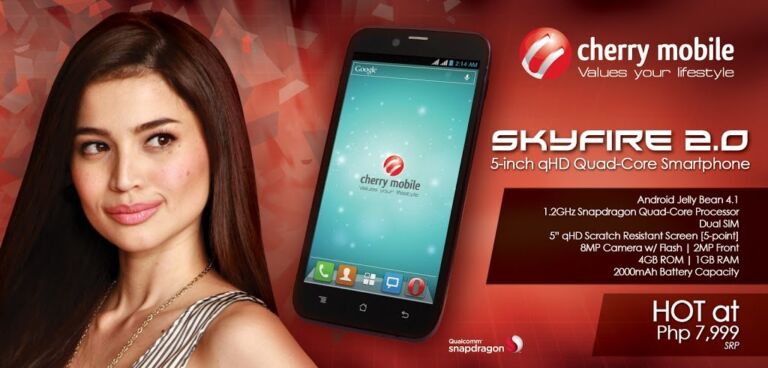
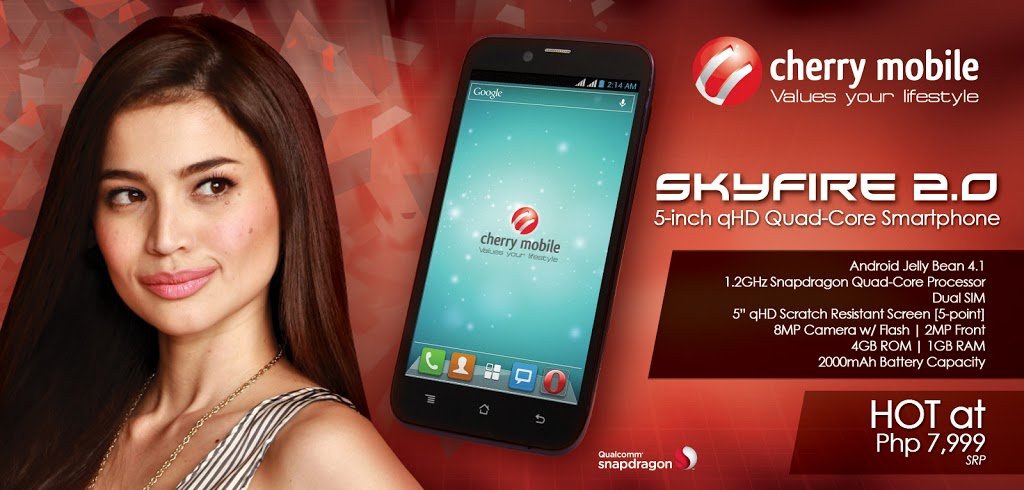
Finally, the Skyfire 2.0 is now here in the Philippines! The Cherry Mobile Skyfire 2.0 is now the 4th Quad-Core Device of Cherry Mobile and it is now finally unveiled! After weeks of rumors and speculations, the Cherry Mobile Skyfire 2.0 has been unveiled. As expected, the Cherry Mobile Skyfire 2.0 will have a Qualcomm Snapdragon S4 1.2 GHz Quad-Core processor. Unfortunately, contrary to most rumors the Cherry Mobile Skyfire 2.0 will only have a qHD 5-inch screen. I was a little bit disappointed with that because I was hoping for a HD screen. The Skyfire 2.0 will have a 8 Megapixel Camera w/ flash and a 2 MP front. And just like its other Android brothers, the Cherry Mobile Skyfire 2.0 will have a Dual Sim Feature, 4 GB of internal storage and 1 GB of RAM. Check out the price after the break.
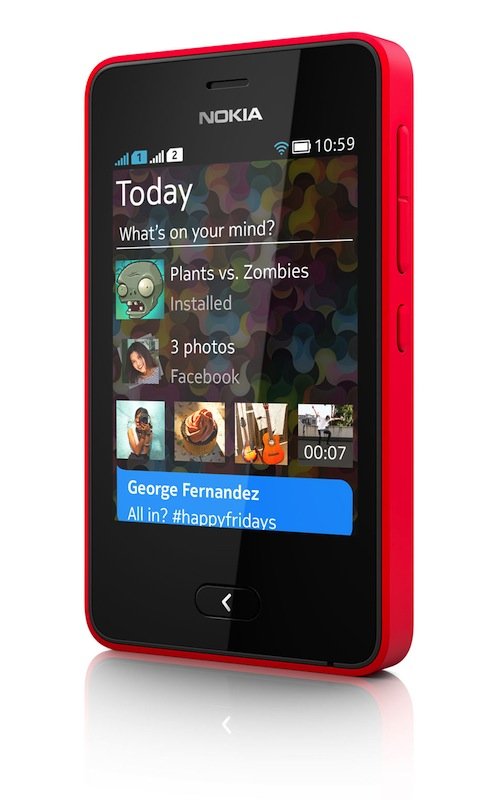
Nokia has announced another new member of the Asha family but this one is a little bit different because it uses a new Asha platform in where it shares some genes of the Nokia N9. Nokia is really aiming on making a featurephone that is really close to a smartphone. They are emphasizing on FastLane in which They are really pushing for the Asha line since their Windows Phone smartphones couldn’t have that affordable price tag. The Cheapest Windows Phone 8 is the Nokia Lumia 520 which will cost you PHP7,990. That price tag is almost x2 of the price of the Nokia Asha 501. The Nokia Asha 501 will also support a lot of applications. Actually, the Asha platform already supports Facebook, Twitter and a lot of games. Java Games will also be supported on this one so don’t worry about your Java games saved on your computers. And of course, Nokia doesn’t forget those lively and eye catching Lumia colors and the exclusive Nokia Here Experience. But the feature that I’m really excited about it is the long standby battery life of up to 48 days. Check out the phone’s specifications after the break.
Nokia Asha 501 Specifications
Dimensions and weight: 99.2 x 58 x 12.1 mm, 99g Display: 3.0” QVGA TFT Capacitive Display Memory: 128 MB Internal Storage with 4 GB MicroSD Card included Camera: 3.2 Megapixel Camera Bluetooth: Yes Wi-Fi: Yes Connectivity: EDGE Battery: 1200 mAh Colors: Bright Red, Bright Green, Cyan, Yellow, White and Black OS: Nokia Asha Platform
Nokia Asha 501 Price in the Philippines
The Nokia Asha 501 will cost you $99. I guess this phone would have a SRP of P4,999 in the Philippines
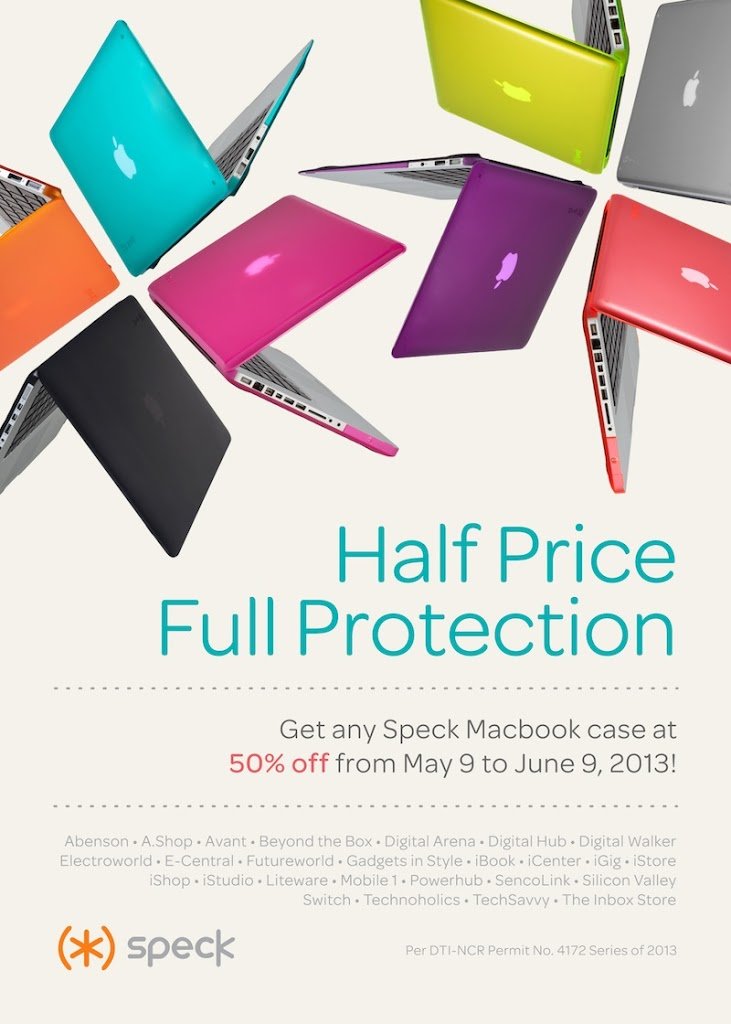
In this world, they say that we couldn’t get a 100% of something if we don’t give our 100% for it. But I just realize that it was wrong. Why? Because you can get the Speck Macbook Cases at 50% OFF. Yes, you could now have those colorful and sturdy Macbook shells for your Macs at half the price. As a Macbook user, I really recommend on getting one for your babies to avoid those scratches and unwanted dents. Before, I was really proud of showing the sexy body of my Macbook Pro before my Mac got a dent. It was really heartbreaking to look at the dent of my Macbook Pro (His name is Tosh BTW!). Anyway, The Speck MacBook Air cases are down to P1,125 from P2,250 but if you have a Retina MacBook Pro 13 and Macbook Pro 13, you can get a Speck MacBook Pro 13 case for P1,225 from the original price of P2,450. But of course, the 15-inch Mac users aren’t left out because the Speck MacBook Pro 15 case is available for P1,325 from P2,650. Oh and better hurry because this promo will only last up to June 9!